
🧠 AI Quiz
Think you really understand Artificial Intelligence?
Test yourself and see how well you know the world of AI.
Answer AI-related questions, compete with other users, and prove that
you’re among the best when it comes to AI knowledge.
Reach the top of our leaderboard.


















ChatFlowchart
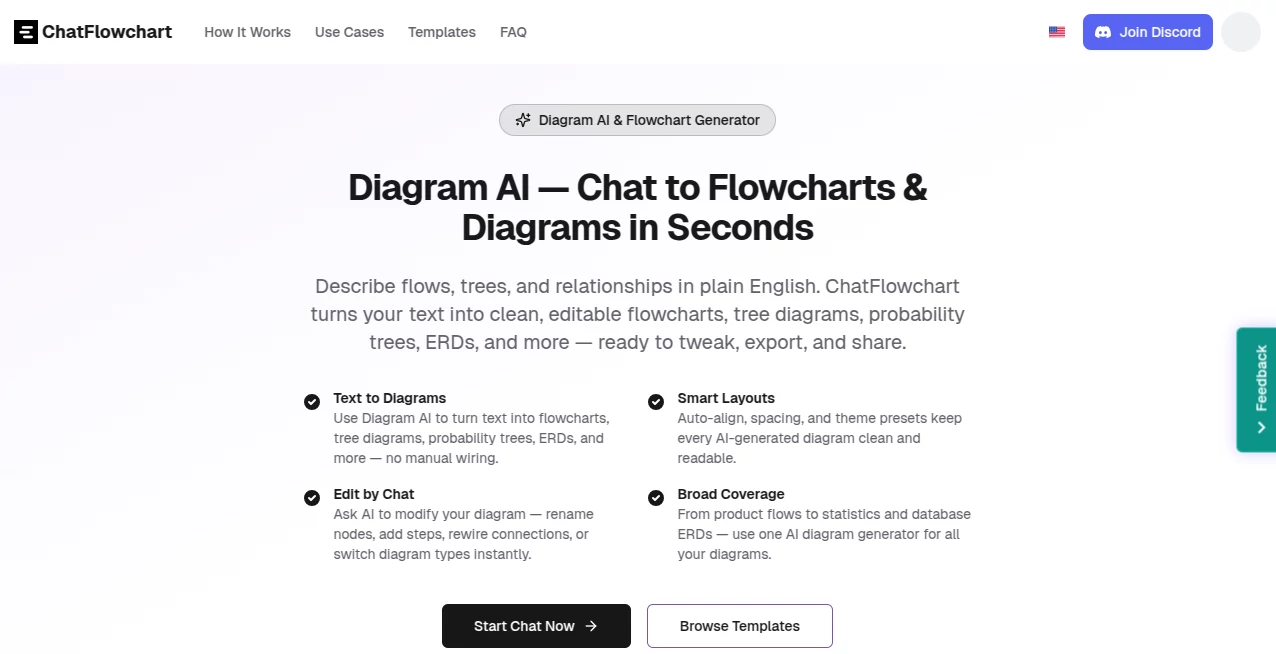
What is ChatFlowchart?
There's something incredibly satisfying about watching a messy description transform into a clean, professional diagram right before your eyes—no dragging boxes, no fighting with connectors, just words doing the work. This little gem takes whatever process or structure you're thinking about and turns it into something visual and sharp in moments. I've used it to map out everything from daily workflows to complex logic flows, and every time the result feels like it came from someone who really gets what I'm trying to show. It's one of those tools that quietly makes your life easier without ever getting in the way.
Introduction
Most of us have stared at a blank diagramming canvas at some point, knowing exactly what needs to go where but dreading the manual setup. This platform changes that completely by letting you simply describe the idea—whether it's a business process, a bit of code logic, or a probability breakdown—and the AI figures out the best way to show it. No templates forced on you, no endless clicking; it reads your words, picks the right structure, lays everything out neatly, and even suggests improvements along the way. What I love most is how conversational it feels. You can start broad, then refine with follow-up instructions like you're talking to a colleague who instantly understands. It's become my quick go-to whenever I need to explain something clearly and fast, saving hours and making the output look far more polished than my usual sketches.
Key Features
User Interface
The whole experience stays uncluttered and focused. You type or paste your description in a simple chat window, hit enter, and the diagram appears alongside, ready for tweaks. Everything happens in one view—no switching tabs or hunting for buttons. Want to change a label or add a branch? Just say it in plain language and watch the update happen instantly. It's designed so you spend time thinking about the content, not wrestling with the tool, and that simplicity keeps the momentum going even on longer sessions.
Accuracy & Performance
It picks up on the intent behind your words surprisingly well, choosing the correct diagram type and arranging elements logically without much guesswork. Complex descriptions with multiple steps or relationships come out structured and readable, rarely needing major fixes. Speed is another strong point—most diagrams render in seconds, even when you're iterating quickly. In practice, I've thrown in half-formed thoughts and still gotten usable results on the first try, which is rare for this kind of tool.
Capabilities
Beyond basic flowcharts, it handles a wide range—UML sequences, ER diagrams, probability trees, Gantt charts, org structures, and more. You can switch types mid-conversation, rename nodes, adjust connections, or apply clean themes with a single instruction. Export options cover PNG, SVG, and PDF, so the final piece fits anywhere from presentations to documentation. The conversational editing really sets it apart; it's like having a patient assistant who refines the visual as you refine your thinking.
Security & Privacy
Your diagrams and descriptions stay private by default. Nothing is shared or stored beyond what's needed for the session unless you choose to save or share a link. For teams or sensitive projects, the self-hosting option gives full control. It's reassuring to know that brainstorming complex ideas doesn't leave a trail you didn't intend.
Use Cases
Product managers map user journeys or onboarding flows in minutes, turning vague ideas into shareable visuals for the team. Developers document algorithms or API interactions with clean sequence diagrams that actually make sense at a glance. Teachers create probability trees or logic breakdowns that help students grasp concepts quickly. Even small business owners sketch out processes like customer support or order fulfillment, then hand the diagram off to new hires. It's flexible enough to fit wherever clarity matters more than fancy design.
Pros and Cons
Pros:
- Feels genuinely conversational—edit by talking, not clicking.
- Handles many diagram types without forcing you into one mold.
- Fast, clean results that look professional right away.
- No signup needed to start experimenting.
Cons:
- Very abstract or poorly worded prompts can lead to extra back-and-forth.
- Advanced styling options are limited compared to dedicated design tools.
Pricing Plans
You can jump in and use the core generation features completely free—no account, no card, no catch. For heavier use or team collaboration with version tracking and shared access, paid plans unlock those extras without breaking the bank. It's set up so you only pay when you start relying on it daily, which feels fair and pressure-free.
How to Use ChatFlowchart
Head to the main page, type or paste a description of your process, logic, or structure into the chat box—something like "show the steps for user login with error handling" or "create an ER diagram for a blog platform." Hit send and watch the diagram appear. If something's off, just reply with adjustments—"make the decision diamond red" or "add a loop here"—and it updates instantly. When you're happy, export in your preferred format or grab a shareable link. It's that direct, and the more you use natural language, the smoother it gets.
Comparison with Similar Tools
Traditional diagramming software often requires you to build everything manually, while many AI alternatives stick to one or two diagram types with rigid outputs. This one stands out by covering a broader range and letting you iterate naturally through conversation, producing results that look thoughtful rather than auto-generated. It's less about flashy animations and more about clear communication, which is exactly what most people need when they reach for a diagram.
Conclusion
This tool quietly solves one of the most common frustrations in work and learning: how to turn thoughts into visuals without losing time or clarity. It respects the way people actually think and communicate, making the process feel natural instead of mechanical. Whether you're explaining ideas to others or just trying to untangle them for yourself, it delivers clean, useful diagrams that save effort and look good doing it. Give it a quick description and see for yourself—it's one of those rare helpers that actually makes things easier.
Frequently Asked Questions (FAQ)
Do I need to sign up to try it?
Not at all. Just start typing—no account required for basic use.
What kinds of diagrams can it make?
Flowcharts, UML sequences and classes, ERDs, probability trees, Gantt charts, org charts, mind maps, Venn diagrams, and several more.
Can I edit the diagram after it's generated?
Yes—simply reply in the chat with changes like renaming nodes, adding steps, or switching layout.
What export formats are available?
PNG, SVG, and PDF, all clean and ready for presentations or docs.
Is it good for complex processes?
Very. It handles nested logic, decisions, loops, and relationships well—just describe clearly and refine as needed.
AI Developer Tools , AI Research Tool , AI Workflow Management , AI Mind Mapping .
These classifications represent its core capabilities and areas of application. For related tools, explore the linked categories above.
ChatFlowchart details
Pricing
- Free
Apps
- Web Tools
Categories

ChatFlowchart Alternatives Product

Elicit

vivgrid

SciSpace

Motion

Jujutsu Zero…

DiRe-RAPIDS

onuml

DeepSeek

Kimi K2.5
