
🧠 AI Quiz
Think you really understand Artificial Intelligence?
Test yourself and see how well you know the world of AI.
Answer AI-related questions, compete with other users, and prove that
you’re among the best when it comes to AI knowledge.
Reach the top of our leaderboard.


















CrePal AI
All-in-One AI Video Creation Agent

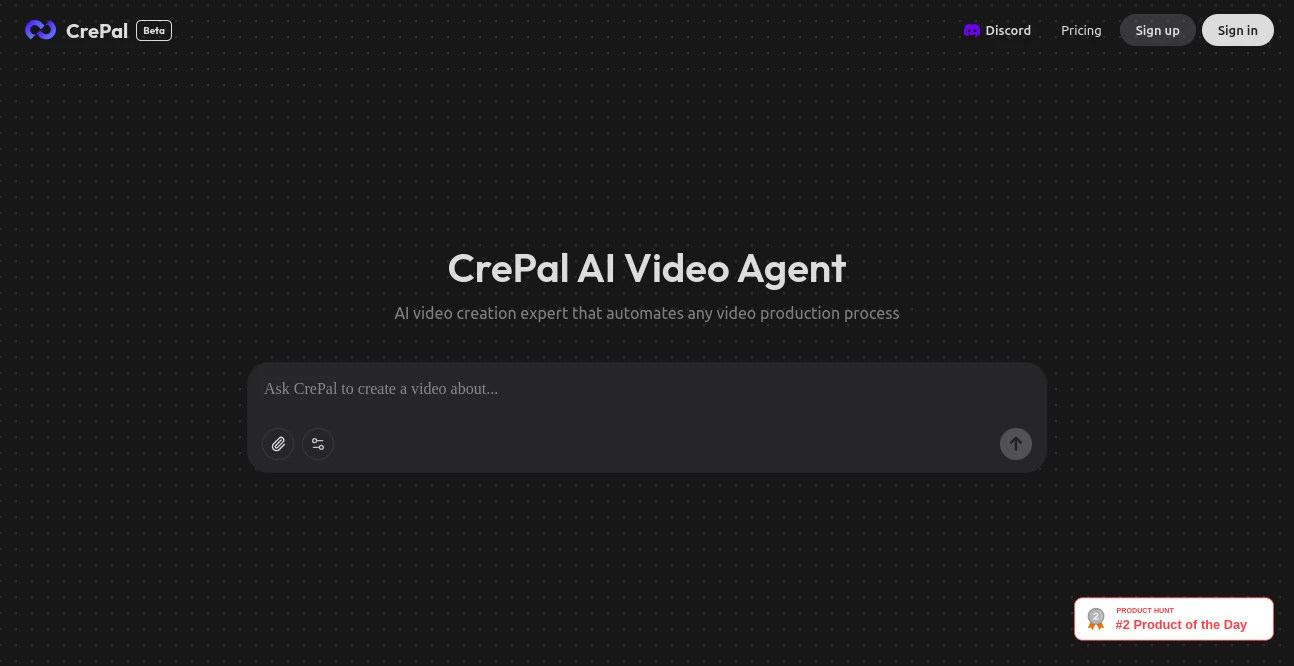
What is CrePal AI?
CrePal steps in as a game-changer for anyone itching to bring stories to life on screen without the usual tangle of software and scripts. This handy setup pulls together everything needed to craft polished clips from a simple spark, letting creators focus on the vision rather than the grind. It's drawn a crowd of eager makers who swap tales of whipping up eye-catchers that land gigs or boost channels, all from a quiet desk corner.
Introduction
CrePal hit the ground running a bit over a year ago, cooked up by a band of video nuts who'd burned too many late nights syncing edits and hunting stock. What kicked off as a streamlined sidekick for quick reels soon ballooned, thanks to its knack for juggling the whole production dance in one spot. Now it's the quiet force behind countless shorts that rack up views, with users raving about how it turns hazy ideas into tight footage that feels pro without the price tag. The charm lies in its all-hands approach, wrapping raw footage hunts to final tweaks so you chase the thrill, not the tech.
Key Features
User Interface
You ease in with a dashboard that's more welcoming chat than command center, where a central prompt box invites your rundown and spins up previews on the spot. Tabs for footage picks and voice layers slide over smooth, with drag-and-drop zones that feel as natural as shuffling photos. Even first-timers nod at how the flow guides without nagging, keeping eyes on the emerging clip rather than buried menus.
Accuracy & Performance
It matches your words to visuals with a sharp eye, landing clips that echo the mood you sketched, often nailing the nuance in tone or pace that elevates a rough cut. Renders zip through in under five minutes for standard lengths, holding steady even on beefier projects, so your tweaks don't stall the spark. Folks test it against hand-picked libraries and find the fits tighter, cutting hours off the usual hunt.
Capabilities
From sourcing fresh shots that fit your narrative to layering spoken lines in voices that suit the scene, it handles the full arc of clip building with ease. Toss in scripts for auto-syncs or remix existing reels with new spins, and it even sprinkles effects that pop without overkill. The agent mode ties it all, suggesting cuts based on flow that keep viewers hooked from fade in to out.
Security & Privacy
Your uploads and drafts get wrapped tight from the jump, processed in isolated runs that clear out once you're done, leaving no traces for snoops. It sticks to basics like encrypted links and user-only access, so shared previews stay under your thumb. Creators breathe easy knowing their rough gems don't wander, with simple toggles to lock down collabs or solo stashes.
Use Cases
Social hustlers bang out daily posts that climb feeds, blending quick grabs with voiceovers that charm. Educators spin lesson bites into engaging loops, pulling stock that illustrates points without the search slog. Startups mock promo spots for pitches, iterating fast to wow backers with visuals that sell the dream. Even hobby filmmakers test wild concepts, evolving garage experiments into festival entries that surprise crowds.
Pros and Cons
Pros:
- Bundles the whole workflow, ditching app-hopping headaches.
- Spits out ready reels that rival studio shines on a shoestring.
- Smart suggestions speed the creative loop without stealing the wheel.
- Handles voice and visuals in sync, for clips that flow natural.
Cons:
- Stock limits might nudge custom hunts for niche vibes.
- Longer epics push toward upgrades for full throttle.
- Voice picks shine in English, with accents needing a nudge.
Pricing Plans
Start free with a batch of renders to test the waters, covering short clips without a hitch. Core access hits around fifteen a month for unlimited basics and priority queues, while creators grab pro at thirty-five for custom voices and team shares. Yearly rolls save a quarter, and they toss a trial week to roam risk-free, easing the leap.
How to Use CrePal
Sign on quick, then feed your idea into the prompt—words, script, or vibe sketch. Let it hunt matching shots and dub a voice that fits, preview the rough in the viewer. Nudge timings or swap elements with easy pulls, hit export for social-ready files, and stash faves for future spins. Revisit to remix, building a library that grows with your style.
Comparison with Similar Tools
Where clip stitchers demand you drag every piece, CrePal's agent thinks ahead, though those might flex more for pixel-pushers. Against voice-only apps, it weaves the full tapestry, skipping extra syncs but perhaps light on deep audio tweaks. It lands prime for quick-to-vivid makers, outpacing silos with that one-stop magic.
Conclusion
CrePal unlocks the door to video dreams, handing over a toolkit that hums with smarts and saves the sweat. It turns 'someday screen' into today's shareable gem, proving anyone with a story can steal the spotlight. As reels keep ruling the scroll, this agent stays the steady hand, crafting clips that connect deep and linger long.
Frequently Asked Questions (FAQ)
Can I use my own footage?
Yep, drag in clips to blend with the agent's picks for a hybrid flair.
What lengths does it handle?
From fifteen-second hooks to five-minute tales, scaling with your plan.
Are voices customizable?
Pick tones and speeds, with pro tiers unlocking accents and clones.
Does it export in all formats?
Hits MP4, GIF, and more, tuned for platforms from TikTok to YouTube.
How original are the outputs?
Built fresh per run, with stock cleared for commercial peace of mind.
AI Script Writing , AI Animated Video , AI Video Generator , AI Voice & Audio Editing .
These classifications represent its core capabilities and areas of application. For related tools, explore the linked categories above.
CrePal AI details
This tool is no longer available on submitaitools.org; find alternatives on Alternative to CrePal AI.
Pricing
- Free
Apps
- Web Tools
Categories

CrePal AI Alternatives Product

Nano Banana …

Seedance 2 A…

Image to Vid…

Sora by Open…

vei4 ai

Seedance 2.0…

KOOX AI

Free Sora Ge…

WonderShare …
