
🧠 AI Quiz
Think you really understand Artificial Intelligence?
Test yourself and see how well you know the world of AI.
Answer AI-related questions, compete with other users, and prove that
you’re among the best when it comes to AI knowledge.
Reach the top of our leaderboard.


















Selects

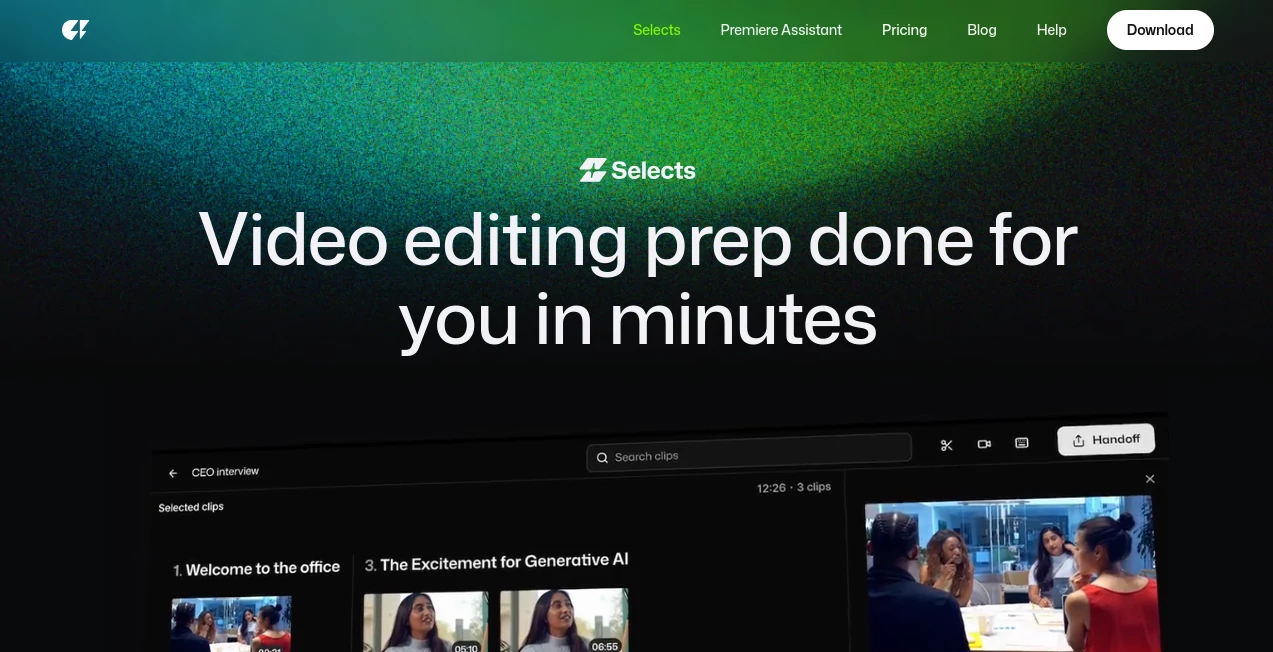
What is Selects?
Imagine dumping hours of raw footage into a tool and walking away with a neatly organized rough cut, multi-cam synced, silences trimmed, and chapters ready to tweak—all while you grab a coffee. That's the kind of quiet revolution this platform delivers for video creators, stripping away the tedious prep that eats up days and letting the real storytelling shine through. I've watched friends in the podcast game go from dreading edits to knocking out episodes in record time, grinning about how it feels like having a tireless assistant who actually gets the craft.
Introduction
Born from the trenches of post-production frustration, where editors lose precious hours syncing angles or hunting through filler, this tool steps in as the ultimate prep partner. It takes your multi-cam chaos—think podcasts with guests chatting over each other or events captured from every corner—and turns it into a structured playground in minutes. Creators who've battled the old ways share how it slashed their timelines, one saying a 90-minute interview that once took half a day to organize now lands polished and chaptered before lunch. It's not about replacing the editor's eye; it's about clearing the deck so you dive straight into the creative flow, trusted on thousands of projects for that spot-on reliability.
Key Features
User Interface
Everything unfolds like editing a simple document—search moments in plain words, drag clips around, and watch chapters color-code themselves for quick scans. The sidebar keeps transcripts and markers at arm's reach, with non-destructive tweaks that let you experiment freely. It's refreshingly uncluttered, almost like the tool knows you just want to get on with it, no steep dives into menus required.
Accuracy & Performance
It listens to conversations with uncanny smarts, switching cameras on the active speaker, snipping silences and ums without chopping the natural rhythm, and grouping topics into logical breaks that feel hand-picked. Handles hefty 4K files or hours-long streams without breaking a sweat, often turning what took manual hours into a 20-minute breeze. Testers rave about the precision that rivals a human assistant, rarely missing a beat or over-trimming the good stuff.
Capabilities
From auto-syncing multiple angles to crafting story-driven rough cuts in beta mode, it organizes footage into navigable chapters, adds labels and markers, and preps seamless handoffs to your favorite editor. Natural language searches pull exact moments instantly, while it detects fillers and mistakes with a gentle touch. The real gem is how it structures long-form into digestible flows, perfect for turning rambling talks into tight narratives.
Security & Privacy
Your projects stay tucked away during processing, with clean handoffs that respect the sensitive nature of raw takes. It's built with the pros in mind, ensuring client footage doesn't linger or leak, giving that solid peace for studio workflows or personal gems.
Use Cases
Podcasters feed in multi-guest sessions, emerging with synced angles and topic chapters that make highlighting AI debates or funny asides a snap. Livestream clippers pull highlights from hours of chatter, while documentary folks organize field footage into thematic blocks without the endless review loops. Vloggers trim daily rambles into paced stories, and event recappers assemble polished overviews from scattered cams—it's the shortcut that turns overwhelming piles into inspiring starts.
Pros and Cons
Pros:
- Cuts prep drudgery by hours, freeing up pure creative energy.
- Intuitive doc-like editing that clicks right away.
- Flawless multi-cam handling that's tough to beat.
- Smooth bridges to pro editors, keeping your flow intact.
Cons:
- Focuses on prep, so full polish happens in your NLE.
- Beta features like storyline might evolve further.
Pricing Plans
A generous trial lets you feel the speed firsthand, with plans that scale sensibly for solo creators or busy studios—fair, flexible, and geared toward getting you hooked on the efficiency without heavy upfront commitments.
How to Use Selects by Cutback
Drop your raw files in, pick the project vibe like podcast or vlog, and let it sync, chapter, and trim while you step away. Dive back to search phrases for clips, drag to reorder, and tweak markers till it sings. When ready, export the structured package straight to Premiere, Final Cut, or Resolve—transcripts, colors, and all intact for the final magic.
Comparison with Similar Tools
While some scattershot automations promise the world but fumble multi-cam or over-cut, this one nails the prep phase with pro-grade finesse, handing off cleaner than most without forcing a full switch. It's the co-pilot that complements your setup, outpacing generics in accuracy and integration for those who value time above all.
Conclusion
This tool reclaims the joy in editing by banishing the busywork, proving that smart prep can unlock stories faster and fresher than ever. It's the ally every creator deserves, turning footage floods into focused fun and tight deadlines into triumphs. If you're ready to edit smarter, not harder, this one's waiting to change your game.
Frequently Asked Questions (FAQ)
Does it handle multiple cameras well?
Brilliantly—switches on speakers and syncs flawlessly, even in 4K.
Can I search for specific moments?
Yes, type natural phrases and pull clips instantly from transcripts.
What editors does it play nice with?
Seamless with Premiere Pro, Final Cut, and DaVinci Resolve.
Is it destructive editing?
No—tweaks stay safe, originals untouched.
How much time does it really save?
Often hours per project, turning days of prep into minutes.
AI Video Editor , AI Video Enhancer , AI Video Generator , AI Short Clips Generator .
These classifications represent its core capabilities and areas of application. For related tools, explore the linked categories above.
Selects details
This tool is no longer available on submitaitools.org; find alternatives on Alternative to Selects.
Pricing
- Free
Apps
- Web Tools
Categories

Selects Alternatives Product

Veo 3.2 AI V…

Veo 4 AI Vid…

Logo Animati…

Zeemo AI

LTX-3 AI

Seedance 2

Runway Gen-4…

Kling 3.0 Vi…

WonderShare …
