
🧠 AI Quiz
Think you really understand Artificial Intelligence?
Test yourself and see how well you know the world of AI.
Answer AI-related questions, compete with other users, and prove that
you’re among the best when it comes to AI knowledge.
Reach the top of our leaderboard.


















CXassist
Streamline Your Customer Interactions with Smart Automation

What is CXassist?
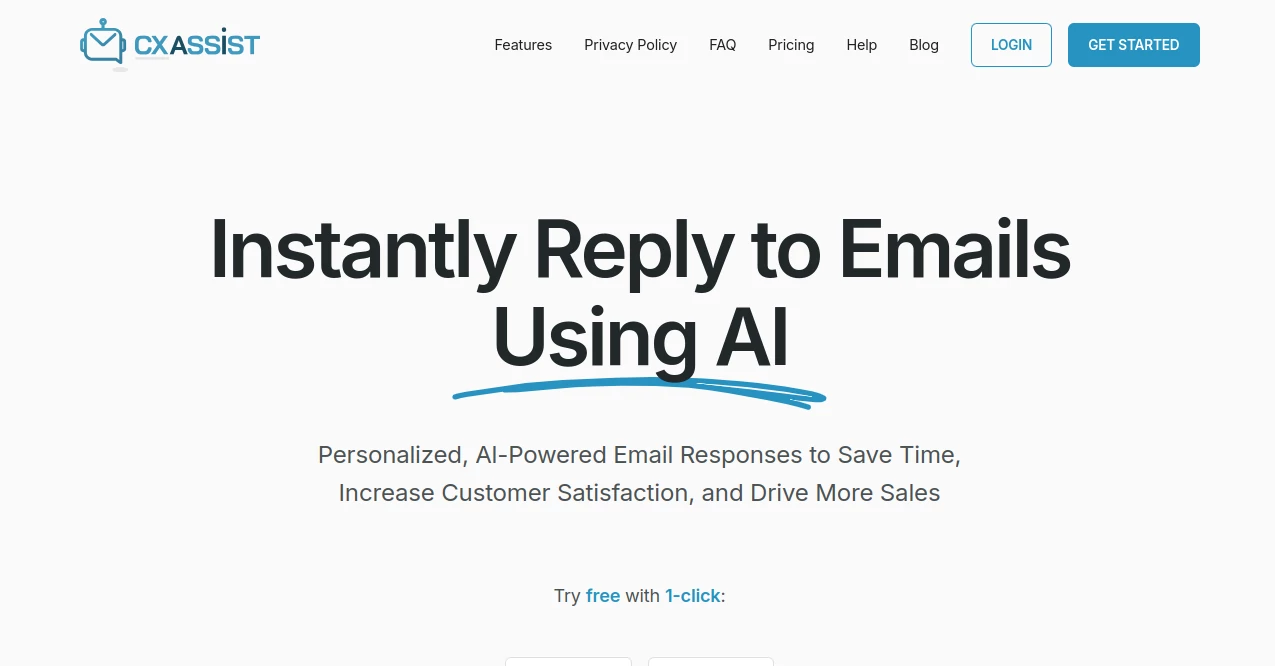
CX Assist steps in as a trusty sidekick for teams handling daily customer chats, making sure no query slips through the cracks while keeping things personal. This setup listens in on conversations and chimes in with spot-on suggestions, helping agents wrap up issues faster without losing that human spark. Businesses that have plugged it in often share how it turned frantic support desks into calm, efficient hubs where satisfaction scores climb steadily.
Introduction
CX Assist came to life from the real-world headaches of support leads who watched good reps burn out juggling endless tickets. A small crew of tech-savvy folks spun it up a year or so ago, drawing on their own stints in call centers to build something that eases the load without replacing the warmth. Word got around quick in helpdesk circles, with early adopters posting about slashing response times by half and boosting those feel-good ratings. What grabs hold is its knack for blending right into existing flows, like a quiet coach whispering tips that let agents shine rather than steal the show, and it's only gotten sharper with each round of user tweaks.
Key Features
User Interface
You slide into a dashboard that's all business but never stuffy, with live feeds of chats popping up in side panels that don't crowd the main view. Suggestion bubbles float up gently as you type, color-coded for urgency, and a quick history bar lets you pull past notes with a flick. It's the kind of layout that fades into the background after a day, praised for how it keeps eyes on the customer instead of fumbling through tabs.
Accuracy & Performance
Hints land with a precision that feels almost psychic, pulling from your team's own scripts to match the tone and fix right off the bat. It hums along without a stutter, even in peak-hour rushes, dishing out aids in under a second so conversations roll smooth. Reps note how it rarely tosses curveballs, with tweaks over time honing in on your niche lingo for even tighter fits.
Capabilities
From auto-flagging tricky escalations to drafting full replies you can tweak on the fly, it covers the gamut of support shifts. Integrate it with your current desk software for seamless handoffs, or let it summarize long threads into key bites for quick reviews. It even learns from resolved cases to refine future nudges, turning one-off wins into patterns that lift the whole team's game.
Security & Privacy
Chats get wrapped in tight encryption from the get-go, with access pinned to roles so only who needs to see does. It sticks to the rules on data keeps, scrubbing session logs after set times and letting you opt out of any learning pools. Teams breathe easier knowing customer stories stay confidential, backed by audits that keep everything above board.
Use Cases
E-commerce outfits use it to speed through order mix-ups, suggesting fixes that match inventory on the spot for happier shoppers. Tech startups lean on it for onboarding new users, with canned intros that warm up cold leads into loyal fans. Call centers in finance tap it for compliant replies that dodge pitfalls while solving right away. Even small service shops find it lightens solo shifts, handling routine asks so owners can chase growth.
Pros and Cons
Pros:
- Fits snug into daily routines without big overhauls.
- Boosts speed and smarts, cutting handle times noticeably.
- Learns your style over time for ever-better nudges.
- Scales from tiny crews to bustling ops without sweat.
Cons:
- Setup takes a bit to train on your specific quirks.
- Higher tiers needed for deep analytics dives.
- Offline modes are slim, tying it to steady nets.
Pricing Plans
You can test the waters free for a couple weeks, covering a handful of agents to feel the lift. Basic rolls out at twenty bucks per user monthly for core aids and light reporting, stepping to fifty for full integrations and team insights. Enterprise customizes around volume, with yearly locks trimming ten percent off. It's all month-to-month flexible, so you grow without getting stuck.
How to Use CX Assist
Hook it up to your support platform with a few API nudges, then feed in sample chats to kick off the learning. As tickets roll in, watch for the gentle prompts and tweak them to match your voice before sending. Review the wrap-up summaries at shift's end to spot patterns, adjust rules for hot topics, and invite the crew to flag misses for quicker smarts. It's a rhythm that clicks after the first busy day, turning aids into instincts.
Comparison with Similar Tools
Where some bots go full takeover, CX Assist plays backup, letting humans lead while it fuels the fire—ideal for touchy service where trust counts. Against clunky add-ons that slow you down, it zips in lightweight, though those might pack more canned responses for rigid scripts. It carves space for growing teams craving balance over brute force, edging out heavies with that personal edge.
Conclusion
CX Assist quiets the storm of support backlogs, handing teams the edge to connect deeper and resolve quicker. It honors the heart of customer care by lifting the routine, so reps can pour energy into the moments that build bonds. As inboxes keep piling, this quiet powerhouse keeps pace, turning every chat into a chance to wow and win loyalty that lasts.
Frequently Asked Questions (FAQ)
Does it work with my current helpdesk?
Yep, plugs into most big names like Zendesk or Freshdesk out of the box.
How long till it gets my team's tone?
A week of active chats usually tunes it right, with ongoing tweaks.
Can it handle multiple languages?
Starts with major ones, expanding based on user pulls.
What metrics does it track?
From resolution speeds to sentiment shifts, all in easy dashboards.
Is training required for my staff?
Quick walkthroughs get most up to speed in under an hour.
AI Customer Service Assistant , AI Team Collaboration , AI Knowledge Base , AI Response Generator .
These classifications represent its core capabilities and areas of application. For related tools, explore the linked categories above.
CXassist details
This tool is no longer available on submitaitools.org; find alternatives on Alternative to CXassist.
Pricing
- Free
Apps
- Web Tools
Categories

CXassist Alternatives Product

InspiroBot

Kaamfu

Jotform AI A…

Nifty

LocalRAG!

ReviewRespon…

Clay Read

Rizzwords

AthenaChat
