🧠 AI Quiz
Think you really understand Artificial Intelligence?
Test yourself and see how well you know the world of AI.
Answer AI-related questions, compete with other users, and prove that
you’re among the best when it comes to AI knowledge.
Reach the top of our leaderboard.

















Dessi AI

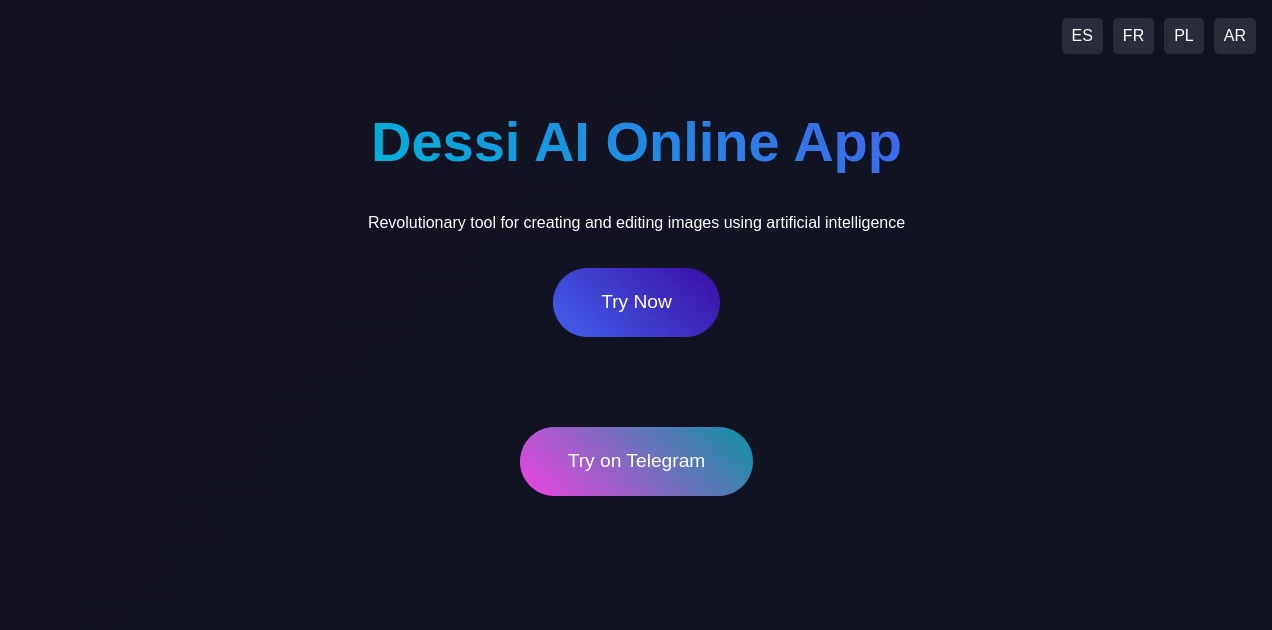
What is Dessi AI?
Some tools just click the moment you start using them. This one did that for me right away. You type what you want—a logo with a certain vibe, a social post that pops, a banner that tells a story—and seconds later, there it is: clean, professional, and surprisingly on-brand. I’ve been designing for years, and I still get a little thrill every time I see it nail a prompt I thought was too vague. It’s like having a really talented junior designer who never sleeps and always gets the memo.
Introduction
Dessi was built for people who need great-looking visuals fast but don’t have the time (or budget) for endless revisions or hiring help. Whether you’re a solo creator, a small business owner, or part of a marketing team, it takes the friction out of design. No more staring at blank canvases or scrolling through templates that don’t quite fit. Just tell it what you’re after, and it gives you options that actually look good—often better than what you imagined. I’ve seen friends go from “I need something for Instagram tomorrow” to “Wow, this is actually usable right now” in under five minutes. That kind of speed changes how you work.
Key Features
User Interface
The moment you open it, everything feels calm and focused. The input box is front and center, with a few smart suggestions already waiting below. Pick a style, tweak a few sliders if you want, and hit go. Results load quickly and appear in a clean grid you can scroll through or zoom into. I love how it remembers your last few projects so you can pick up right where you left off. It’s the kind of interface that doesn’t fight you—it just lets you create.
Accuracy & Performance
What impresses me most is how well it understands vague or detailed prompts alike. You can say “minimalist coffee shop flyer with warm tones” and get something that feels hand-crafted. Or go super specific—“retro 80s synthwave poster with neon grid and palm trees”—and it still lands perfectly. Speed is another win. Even on complex requests, you’re rarely waiting more than a few seconds. It’s reliable enough that I’ve started using it as my first stop before even opening traditional design software.
Capabilities
Beyond basic images, it handles logos, social media posts, banners, product mockups, and even simple animations. You can upload your own reference images, keep brand colors consistent, or ask it to remix existing visuals. It also does text-to-image with strong control over style, mood, and composition. Whether you need something for LinkedIn, TikTok, or your website, it adapts without losing quality. It’s versatile in the best way—powerful when you need it, simple when you don’t.
Security & Privacy
Your designs stay yours. The tool doesn’t train on your uploads, and there’s no sneaky data sharing behind the scenes. Everything is processed securely, and you have full control over what you save or delete. For anyone working with client work or sensitive branding, that kind of clarity is a big deal. It feels trustworthy from day one.
Use Cases
A boutique owner uses it to create weekly Instagram stories that match her aesthetic perfectly, saving hours each week. A startup founder generates pitch deck slides and social teasers in minutes, keeping everything on-brand without a designer on payroll. Content creators batch thumbnails and cover art for YouTube and podcasts, all with a consistent look. Even small agencies use it to mock up client ideas quickly before investing in full production. The range is impressive—anyone who needs visuals regularly will find a way to make it work for them.
Pros and Cons
Pros:
- Results look surprisingly professional, even on first tries.
- Super fast turnaround—great for tight deadlines.
- Handles both simple and complex prompts with impressive accuracy.
- Brand consistency tools make it ideal for ongoing projects.
- Free tier is generous enough to get real work done.
Cons:
- Free version includes a small watermark (removable on paid plans).
- Occasionally needs a re-prompt for very niche or abstract styles.
Pricing Plans
It starts with a solid free tier—enough generations to test thoroughly and even use for real projects. Paid plans unlock watermark-free downloads, higher resolution, faster generation, and more monthly credits. Prices are reasonable, especially if you’re creating visuals regularly. There’s also a team option for shared workspaces and brand kits, which is perfect for small agencies or collaborative creators.
How to Use Dessi
Sign up (takes about 30 seconds), type your idea into the prompt box, and choose a style or aspect ratio if you want. You can also upload a reference image for color matching or inspiration. Hit generate, scroll through the options, and pick your favorite. From there, download, tweak the prompt for variations, or save it to your workspace for later. It’s intuitive enough that you’ll be making usable designs within your first five minutes.
Comparison with Similar Tools
Unlike some generators that feel generic or require heavy editing after, Dessi delivers cleaner, more polished results straight away. It’s faster than many competitors and better at following specific instructions. While some tools are great for hyper-realistic art, this one excels at commercial design—logos, posts, banners—where clean and professional matter most. It strikes a balance between power and simplicity that’s hard to find.
Conclusion
Dessi isn’t just another AI image tool; it’s a real creative partner that saves time, reduces stress, and delivers visuals you’re proud to share. Whether you’re building a brand, posting daily content, or just experimenting with ideas, it makes the process feel effortless and fun. Once you start using it, going back to slower methods feels almost painful. Give it a try—you’ll probably wonder how you ever designed without it.
Frequently Asked Questions (FAQ)
How good is the free version?
Really good. You get enough generations to create real assets, with only a small watermark that’s easy to remove if needed.
Can I use the images commercially?
Yes, all generated images are yours to use however you like, including commercial projects.
Does it support brand consistency?
Absolutely. You can upload reference images and set brand colors to keep everything cohesive.
What file formats can I download?
PNG and JPEG are standard, with options for higher resolution on paid plans.
How fast are generations?
Most come through in 5–15 seconds, depending on complexity and server load.
AI Logo Generator , AI Banner Generator , AI Design Generator , AI Graphic Design .
These classifications represent its core capabilities and areas of application. For related tools, explore the linked categories above.
Dessi AI details
This tool is no longer available on submitaitools.org; find alternatives on Alternative to Dessi AI.
Pricing
- Free
Apps
- Web Tools
Categories

Dessi AI Alternatives Product

AI Image Edi…
Free AI Kiss…

Seedream 5.0

Pixora

EaseMaker
LogoAI

img2img.net
PNG to 3D

Reztune