
diffhook.com
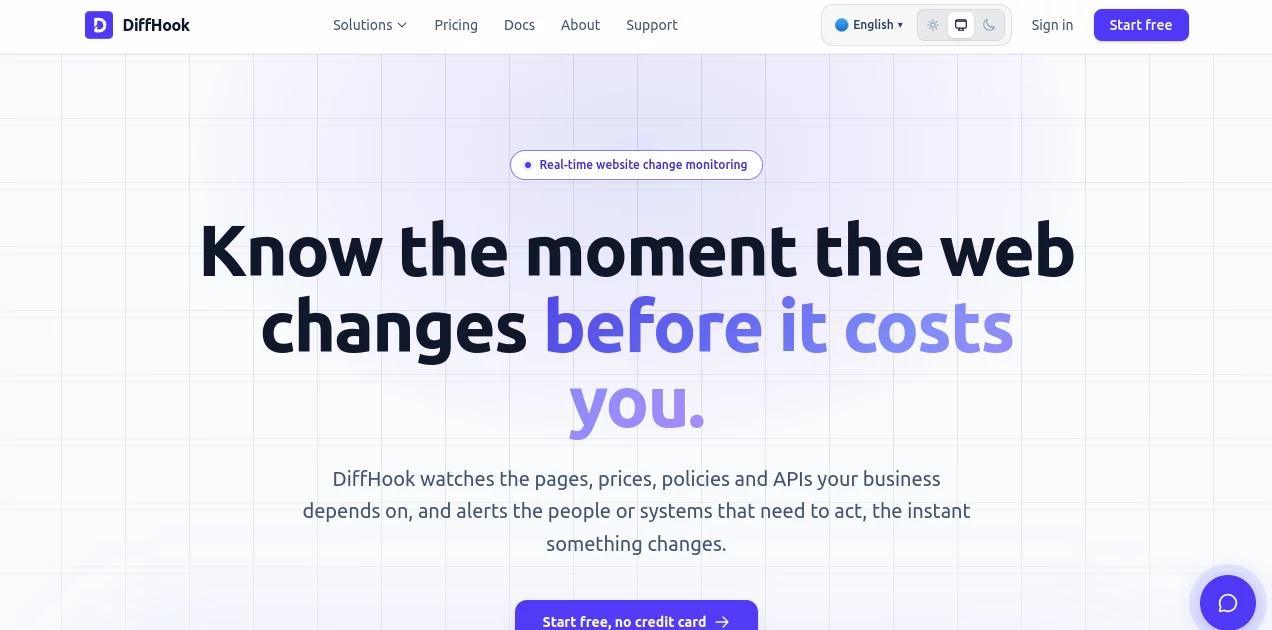
What is diffhook.com?
There’s a special kind of relief when you open a pull request and instead of drowning in hundreds of changed lines, you get clear, intelligent insights about what actually matters. This tool does exactly that. It reads your code diffs with real understanding, highlights potential issues, suggests improvements, and explains changes in plain language that both juniors and seniors appreciate. I’ve watched engineering teams go from “ugh, another massive PR” to “this review actually helped” after adopting it. It doesn’t replace human judgment — it simply makes the process faster, sharper, and less exhausting.
Introduction
Code reviews are one of the most important yet time-consuming parts of software development. Too often they become surface-level checks or get delayed because reviewers feel overwhelmed. Diffhook changes the game by bringing focused AI assistance directly into your diff workflow. It understands context, catches logical issues, security concerns, performance hints, and style inconsistencies, then presents them clearly. Whether you’re a solo developer pushing to main or part of a large engineering org, it turns review fatigue into productive conversation. The best part? It feels like a thoughtful senior engineer sitting next to you — without the ego or delays.
Key Features
User Interface
The interface is refreshingly clean. You paste a diff, connect your GitHub/GitLab repo, or drop a PR link, and everything unfolds in one focused view. Comments appear inline with the code, color-coded by severity, with one-click “Apply suggestion” buttons. No bloated dashboards or confusing tabs — just the diff and smart insights side by side. It’s the kind of design that disappears so you can focus on the code itself.
Accuracy & Performance
It catches subtle bugs that many automated tools miss — things like off-by-one errors, inefficient patterns, or security anti-patterns — while keeping false positives low. Analysis happens quickly even on large diffs, and the explanations feel remarkably human: clear, contextual, and never condescending. Teams report catching issues earlier and spending less time in review cycles, which translates directly into faster shipping.
Capabilities
Full diff understanding, inline smart comments, automated suggestions with code patches, security and performance analysis, support for multiple languages and frameworks, PR integration, team collaboration features, and customizable review rules. It works with both small hotfixes and massive refactors, always trying to give the reviewer exactly what they need to make an informed decision quickly.
Security & Privacy
Your code never leaves your control unnecessarily. Analysis can run locally or through secure cloud processing with enterprise-grade encryption. No training on your private repositories without explicit permission. For companies handling sensitive codebases, that respect for privacy and security boundaries makes a real difference in adoption.
Use Cases
A startup CTO reviews PRs faster while still catching critical issues before they reach production. A junior developer gets gentle, educational feedback that helps them level up. A large team reduces review bottlenecks and ships features with more confidence. Even open-source maintainers use it to handle the flood of contributions without burning out. Wherever code changes happen, it quietly raises the quality bar.
Pros and Cons
Pros:
- Insights feel thoughtful and context-aware, not robotic.
- Saves significant time during review cycles.
- Helpful for both reviewers and contributors.
- Great balance between automation and human oversight.
- Integrates smoothly with existing Git workflows.
Cons:
- Very domain-specific or highly custom code may need human tuning.
- Advanced team features require a paid plan.
- Still evolving — new languages and frameworks get added regularly.
Pricing Plans
It starts with a generous free tier perfect for individuals and small teams. Paid plans unlock unlimited reviews, team collaboration, advanced analytics, custom rules, and priority support. Pricing is reasonable for the time and quality it returns — many teams find it pays for itself through faster velocity and fewer production issues.
How to Use Diffhook
Sign up (takes seconds), connect your repository or simply paste a diff. Open any pull request or code change, and the AI analysis appears automatically. Read the inline comments, apply suggested changes with one click if they make sense, and leave your own notes where needed. Over time you can train it with custom rules for your team’s standards. The workflow feels natural — like having an extra pair of careful eyes that never gets tired.
Comparison with Similar Tools
Traditional linters catch syntax and style issues but miss bigger picture problems. Generic AI chat tools lack deep diff context. This one specializes in understanding changes between versions, which makes its feedback far more relevant and actionable than general-purpose code assistants. It sits in a sweet spot: powerful enough for serious engineering teams, approachable enough for solo developers.
Conclusion
Good code review isn’t about catching every tiny thing — it’s about making sure the important things don’t slip through. Diffhook helps teams do exactly that, faster and with less friction. It turns a often painful process into something more productive and even educational. In a world where shipping speed matters, having a smart, reliable review partner like this can be the difference between good software and great software. If you care about code quality but hate review bottlenecks, this tool deserves a serious look.
Frequently Asked Questions (FAQ)
Does it require access to my entire codebase?
No — you can paste individual diffs or connect specific repositories.
Can it replace human code review?
No — it’s designed to make human review better and faster, not replace it.
What languages does it support?
Most major programming languages and frameworks, with more added regularly.
Is my code private?
Yes — strong privacy controls and options for self-hosted or on-prem in enterprise plans.
How accurate are the suggestions?
Very high on common patterns; always meant as helpful input, not final authority.
AI Code Assistant , AI Code Explanation , AI Code Generator , AI Developer Tools .
These classifications represent its core capabilities and areas of application. For related tools, explore the linked categories above.

diffhook.com Alternatives Product

You.bot

NetlifyAPP

Blackbox AI
MyToolster W…

DeepSeek V4

Mythx AI

UPDF AI

JSON to TOON…

Vurge