🧠 AI Quiz
Think you really understand Artificial Intelligence?
Test yourself and see how well you know the world of AI.
Answer AI-related questions, compete with other users, and prove that
you’re among the best when it comes to AI knowledge.
Reach the top of our leaderboard.

















DLSS 5 Meme Generator
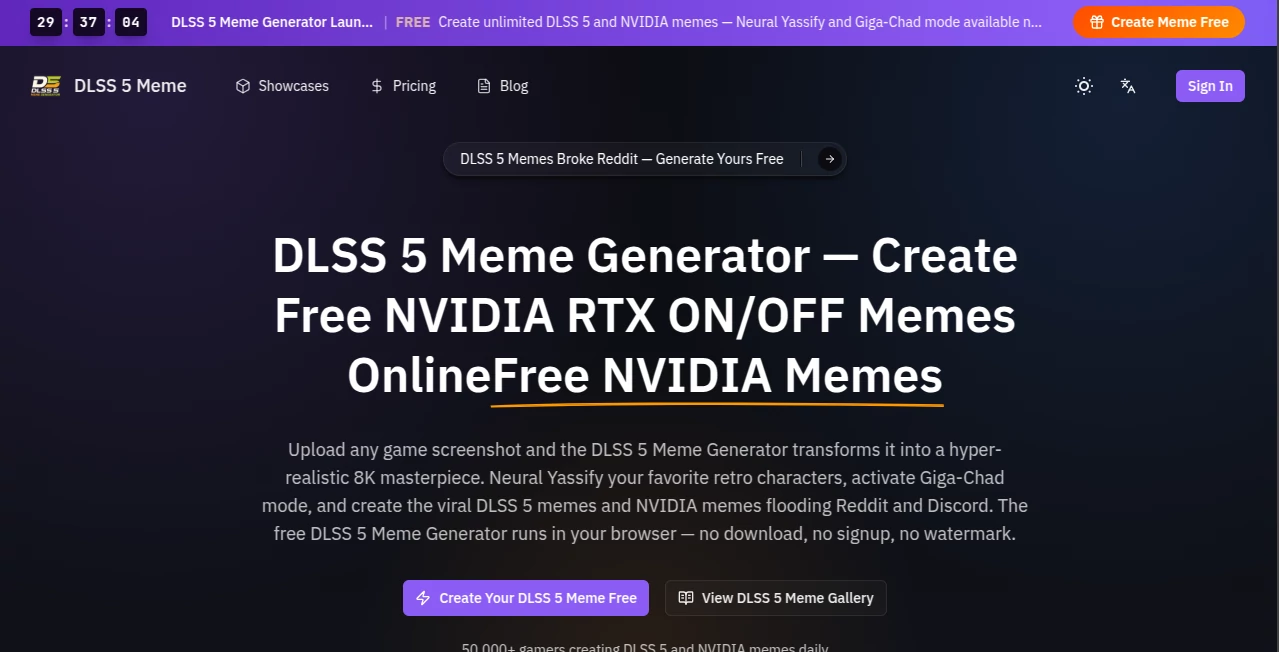
What is DLSS 5 Meme Generator?
Picture this: you take a screenshot from your latest gaming session—maybe a dramatic moment, a funny glitch, or just your character looking ridiculously overpowered—and in seconds it transforms into a hyper-realistic, meme-worthy masterpiece that looks like it belongs on Reddit or Discord. No Photoshop skills, no complicated editing, no watermarks on the first tries. This tool makes that happen, and it does it with a sense of humor that matches the gaming community perfectly. I’ve seen friends turn ordinary RTX screenshots into Neural Yassify glamour shots or full Giga-Chad energy, and the reactions in group chats are always gold. It’s silly, it’s fast, and somehow it just works.
Introduction
Gaming memes move at the speed of light. One funny moment in a match and everyone wants to share it, but turning a raw screenshot into something shareable usually means opening editing software or settling for basic filters. This platform skips all that hassle. It takes your game screenshots, pixel art, or character images and turns them into polished, hyper-realistic 8K-style memes using styles like Neural Yassify (that glossy, beauty-editorial look with exaggerated glam) or Giga-Chad mode, plus classic RTX ON/OFF jokes. It runs straight in your browser, needs no signup to start, and has already been used by over 50,000 gamers. For anyone who loves sharing laughs from their gaming sessions, it’s become the quickest way to go from “haha look at this” to “here, post this.”
Key Features
User Interface
The whole experience is built for speed and fun. A big, friendly upload area waits for your screenshot (PNG, JPG, or WEBP up to 10MB). Below it sit clear style presets—Neural Yassify, Giga-Chad, RTX ON/OFF—and a simple “Render meme” button. You can tweak a seed number or inference steps if you want more control, but most people just pick a style and go. Every generation stays in the same workbench so you can compare versions easily. It feels like a toy that somehow produces professional-looking results.
Accuracy & Performance
It nails the transformation without turning your character into something unrecognizable. Faces, armor details, lighting, and expressions get enhanced in a way that still feels true to the original game. Renders come back fast—often in seconds—and the 8K-level detail holds up when you zoom in or share on high-res displays. The AI seems to understand gaming aesthetics particularly well, so the exaggerated features land in that perfect “funny but still cool” zone rather than looking weird or broken.
Capabilities
You can upload almost any game screenshot or character image and choose from multiple meme styles. Neural Yassify gives that glossy, high-fashion treatment, Giga-Chad mode amps up the heroic energy, and classic RTX modes play with the ON/OFF meme format. It supports single images with options for randomization or specific seeds for repeatable results. Everything stays browser-based, so there’s no downloading software or signing up just to test it. The output is ready to download and share immediately.
Security & Privacy
Your screenshots are processed quickly and not stored long-term. No forced account creation for basic use means you can experiment privately without leaving a trail. It’s a low-pressure way to play around with memes without worrying about your gaming moments ending up somewhere unexpected.
Use Cases
A player captures an epic boss kill, uploads it, chooses Giga-Chad mode, and drops the meme in the guild Discord—instant laughs and reactions. Content creators turn funny glitches into viral shorts by applying Neural Yassify for extra flair. Speedrunners make “RTX ON vs OFF” comparison memes to show off their setups. Even casual gamers use it to poke fun at their own deaths or ridiculous loadout choices. It’s perfect whenever you want to turn a gaming moment into something the community will actually engage with.
Pros and Cons
Pros:
- Extremely fast and fun—memes in seconds with almost no effort.
- Style presets like Neural Yassify and Giga-Chad are genuinely entertaining and well-tuned.
- Browser-based with no downloads or sign-up required to start.
- Free welcome credits give you several tries to play around.
- Results look surprisingly high-quality and share-ready.
Cons:
- Each render costs credits, so heavy daily use requires topping up.
- Best results come from clear, well-lit screenshots—very dark or blurry ones can be hit-or-miss.
- Limited to image-based memes rather than full video generation in the basic flow.
Pricing Plans
You can start completely free with welcome credits (first couple of renders often watermark-free for testing). Additional renders cost a small number of credits, and you can top up as needed. There are no expensive subscriptions—just pay for what you use. It keeps the barrier low so anyone can jump in and make a few memes without feeling nickel-and-dimed.
How to Use DLSS 5 Meme Generator
Go to the main page and drag your game screenshot into the upload area. Pick a style preset—try Neural Yassify for glamour or Giga-Chad for maximum energy. Adjust the seed or steps if you want to experiment, then click render. Wait a few seconds, admire (or laugh at) the result, and download it. If you like the output, sign in to save your workbench and claim more credits. Repeat with different screenshots or styles until you find the perfect meme. It really is that straightforward.
Comparison with Similar Tools
Most meme generators are either basic filters that look cheap or complicated tools that require too much tweaking. This one stands out because it’s tuned specifically for gaming aesthetics and delivers that hyper-realistic 8K vibe without the usual AI weirdness. It’s faster and more fun than generic image editors, and the style presets feel custom-made for the kinds of jokes gamers actually share. For quick, high-quality gaming memes, it’s hard to beat.
Conclusion
Gaming is about moments—epic wins, hilarious fails, beautiful screenshots—and this tool helps you turn those moments into shareable gold. It’s fast, it’s funny, and it makes creating memes feel like part of the game rather than extra work. Whether you want to roast your friends, celebrate a victory, or just spread some laughs in your community, it gives you the power to do it with style. If you’ve ever wished your screenshots could look this good this easily, you’re going to love what it can do.
Frequently Asked Questions (FAQ)
Is it really free to start?
Yes—new users get welcome credits, and the first few renders are often watermark-free.
What kinds of images work best?
Clear game screenshots, character close-ups, or pixel art. Dark or very blurry shots may not transform as dramatically.
Do I need to sign up?
No signup is required to try it, but signing in lets you save your workbench and claim more credits.
Can I make video memes?
The main focus is on high-quality image memes, though the tool is part of a broader AI meme creation experience.
Are the results good for sharing?
Absolutely—they’re designed to look great on Discord, Reddit, Twitter, and everywhere gamers post.
AI Fun Tools , Photo & Image Editor , AI Design Generator , AI Image to Image .
These classifications represent its core capabilities and areas of application. For related tools, explore the linked categories above.
DLSS 5 Meme Generator details
Pricing
- Free
Apps
- Web Tools
Categories

DLSS 5 Meme Generator Alternatives Product

Beardless Fi…
Gualele

Image to Pro…

Freepik

Seedream 5.0

clothes swap…

Edit Stamp
gemini water…

Qwen Image