🧠 AI Quiz
Think you really understand Artificial Intelligence?
Test yourself and see how well you know the world of AI.
Answer AI-related questions, compete with other users, and prove that
you’re among the best when it comes to AI knowledge.
Reach the top of our leaderboard.

















AI EMOJI

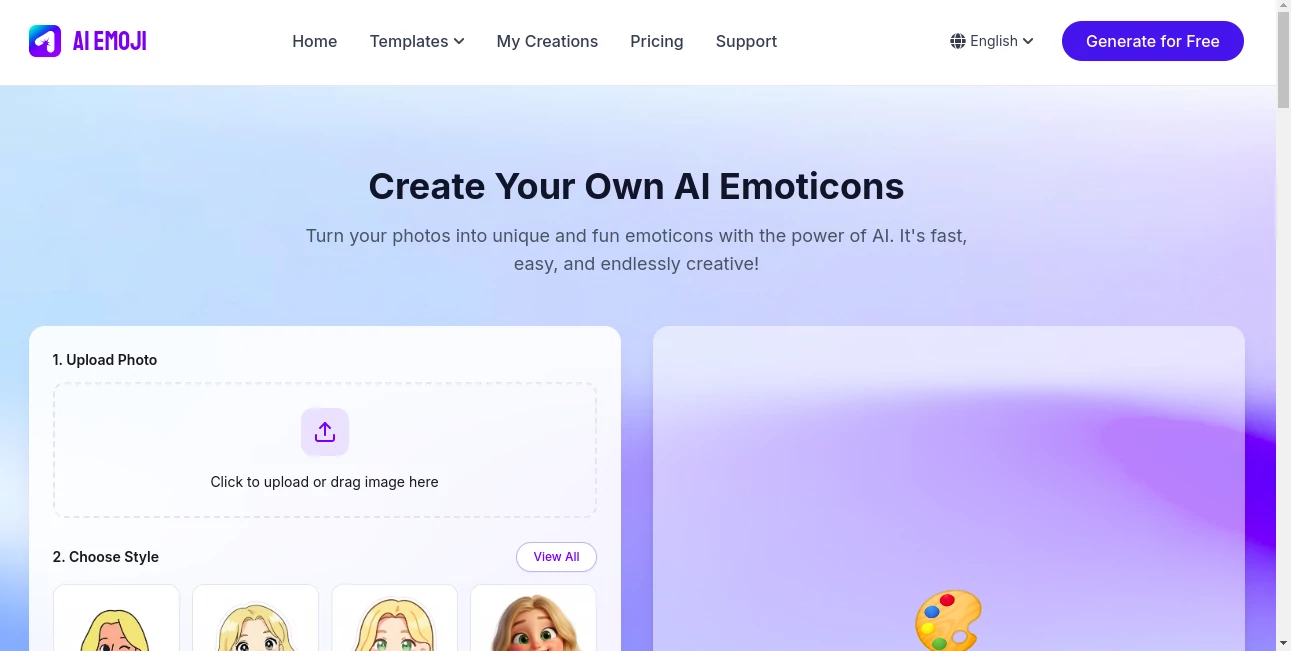
What is AI EMOJI?
EmojiDesign slips into your creative routine like a playful sidekick, turning everyday snapshots into one-of-a-kind icons that add a personal twist to messages and posts. This handy spot lets you upload a photo and watch it morph into fun, expressive stickers that capture your mood just right. Folks who've played around with it often end up with a stash of gems that make chats pop, turning plain texts into lively exchanges without much effort at all.
Introduction
EmojiDesign came about from those moments when standard icons just don't cut it, dreamed up by a team who wanted to blend quick tech with that spark of self-expression. It kicked off quietly, drawing in a crowd of texters and sharers who were tired of the same old symbols cluttering their feeds. Before long, stories started bubbling up about surprise hits—like a family pic flipped into a holiday pack that kept the laughs going long after the gathering. What keeps it fresh is how it listens to your uploads, weaving in styles that feel like extensions of you, making the whole thing less like a tool and more like a trusty doodle buddy for digital days.
Key Features
User Interface
The setup unfolds in a few easy beats: a spot to drop your pic, a peek at style picks, and a nudge to tweak the template if the first vibe doesn't quite hit. Icons guide the way without overwhelming, and the whole thing hums along on any device, feeling as natural as scrolling through a photo roll. It's that rare kind of simple where you forget you're using something smart, just lost in picking the next fun face.
Accuracy & Performance
It reads your upload like a close friend, pulling out the right expressions and fitting them to the style without goofy glitches, often nailing it on the first go. Things wrap up in a snap, even with a busy day of batches, leaving you with crisp files that shine on screens big and small. Users nod to how it handles the little things, like lighting quirks or angle oddities, turning potential flops into keepers that surprise with their spot-on charm.
Capabilities
From static snaps to wiggly GIFs, it builds packs that layer in words or whims, spanning moods from cheeky grins to heartfelt hugs. You can switch themes on a dime, blending your face with fresh backdrops or effects that match the moment. The real draw is how it stretches one pic into a set, ready for drops across apps, opening up ways to stamp your style on everything from quick replies to full story threads.
Security & Privacy
Your snaps get the once-over they need, then slip away without a trace, keeping things private from the get-go. It's built with that quiet care, letting you know nothing sticks around or strays, so you can upload with a shrug and focus on the fun. That hands-off approach earns nods from sharers who want the joy without the jitters.
Use Cases
Group chat regulars spin pet pics into reaction packs that keep the banter rolling, turning "aww" moments into inside jokes. Social posters craft mood matches for daily dumps, adding that personal punch to posts that pull more pings. Gift givers mock up custom sets for birthdays, wrapping digital hugs in faces that feel like family. Even solo scrollers build private stashes for self-boosts, flipping frowns into fun flips on off days.
Pros and Cons
Pros:
- Whips up winners in moments, perfect for spur-of-the-moment sparks.
- Style swaps keep things varied without starting over.
- Daily freebies let you play plenty without the pinch.
- Fits right into chats, no extra apps needed.
Cons:
- Free runs reset fresh each day, so binges might hit a wall.
- Best with clear shots—fuzzy ones can fizzle a bit.
- Watermarks tag along on basics, nudging for the upgrade.
Pricing Plans
You start with a solid free ride, fifty-five chances a day to test the twists, resetting at midnight so mornings feel new. For the full swing, a monthly creator pass lifts the marks and bumps the batch size, landing around the low teens with perks that stick through the cycle. Top it off with credit grabs for extra elbow room, and you can dip out anytime without the drag.
How to Use EmojiDesign
Grab a good snap—front and bright works wonders—and drop it into the upload nook. Poke through the style shelf for one that sings to you, then let it brew the batch. Flip templates if the first feels off, add a word if it fits, and snag the set in your pick of formats. Stash the stars for later laughs, and circle back with fresh faces to keep the collection growing.
Comparison with Similar Tools
Where broad brush apps scatter styles far and wide, EmojiDesign zeros in on the emoji sweet spot, trading sprawl for that tailored tight fit, though those might muse more for mixed media. Against sticker shops stacked with stocks, it crafts from your own shots for that one-of-one edge, skipping the sameness but perhaps pinching on sheer volume. It suits the sharer seeking self in symbols, outshining generics with genuine grins.
Conclusion
EmojiDesign nudges the nudge of everyday exchanges into something warmer, wrapping your world in icons that whisper "you." It turns the tide on tired texts, proving a quick upload can unpack a personality in pixels. As feeds keep filling, this one's filling the gaps with faces that feel familiar, one custom curl at a time.
Frequently Asked Questions (FAQ)
What makes a pic perfect for this?
Clear, centered, and lit right—think selfie simple for the best bounce.
Can I add my own words?
Yep, layer in labels to lock the laugh or lift the mood.
How many styles to pick from?
A bunch that bends to moods, from bold to bubbly.
Do my uploads stick around?
Just long enough for the make, then poof—gone for good.
Works on all my devices?
Smooth as silk, from phone flips to laptop lounges.
AI Emoji Generator , Photo & Image Editor , AI Image to Image , AI Fun Tools .
These classifications represent its core capabilities and areas of application. For related tools, explore the linked categories above.
AI EMOJI details
This tool is no longer available on submitaitools.org; find alternatives on Alternative to AI EMOJI.
Pricing
- Free
Apps
- Web Tools
Categories

AI EMOJI Alternatives Product

Diss Track G…

GEMPIX2

Mage

Nano Banana …
Caricature A…
upscayl

Better Image

Brat Generat…

Kitchendary