🧠 AI Quiz
Think you really understand Artificial Intelligence?
Test yourself and see how well you know the world of AI.
Answer AI-related questions, compete with other users, and prove that
you’re among the best when it comes to AI knowledge.
Reach the top of our leaderboard.


















Encamera

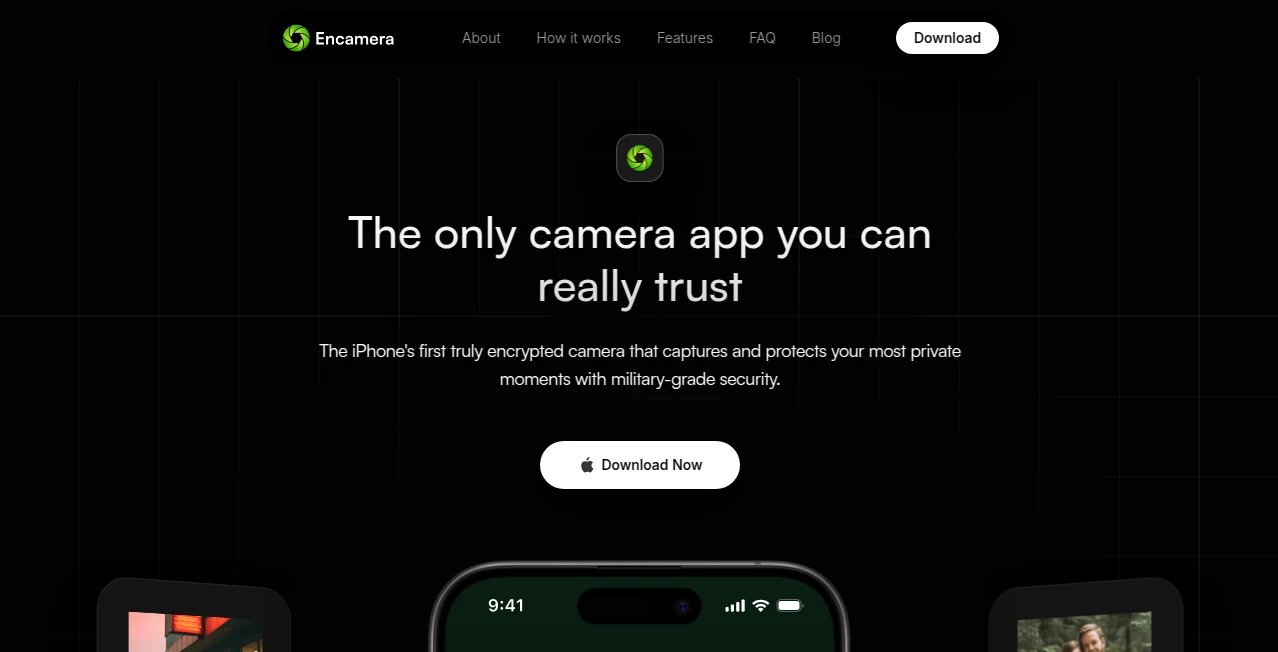
What is Encamera?
Point your phone at anything—a friend laughing, a sunset walk, your coffee—and suddenly the scene transforms: soft cinematic glow, gentle film grain, rich color grading, all happening live as you record. That’s the quiet thrill this tool delivers. No post-processing wait, no clunky apps, just real-time magic that makes every video feel like it was shot on expensive gear. I’ve filmed casual moments with it and shown the clips to people who immediately asked, “What camera is that?” only to be shocked it was just my phone with this one little helper running. It turns ordinary footage into something worth watching again.
Introduction
Smartphone cameras are incredible, but they often produce flat, clinical-looking video. Professional filmmakers spend thousands on lenses, lights, and grading to get that cinematic feel—this platform brings a big piece of that magic straight into your pocket. It runs real-time AI effects directly in your camera feed: film emulation, color grading, bokeh simulation, film grain, lens flares, and more, all applied as you shoot so you see exactly what you’re getting. Creators who’ve used it talk about rediscovering the joy of filming because they can finally see the mood while recording instead of hoping for it later. It’s simple, beautiful, and surprisingly powerful for how little effort it asks.
Key Features
User Interface
The app opens straight to the camera view—no splash screens, no login gates. Swipe through cinematic presets at the bottom, tap to apply instantly, and everything updates live in the preview. Sliders for intensity, warmth, grain, and vignette appear only when you need them. Record button stays front and center. It’s one of those interfaces that disappears once you start shooting—you’re just filming, but everything looks intentionally beautiful.
Accuracy & Performance
The effects track smoothly even during fast pans or shaky handheld shots—no lag, no stuttering, no weird warping around faces or edges. Skin tones stay natural under different lighting, highlights bloom realistically, shadows retain detail. It runs efficiently on mid-range phones without draining battery like some heavy filter apps. The real-time nature means you can trust what you see on screen is what you’ll get—no unpleasant surprises in post.
Capabilities
Real-time cinematic LUTs (Kodak, Fuji, ARRI-inspired), adjustable film grain, lens flares, anamorphic bokeh, vignette, color temperature/warmth, contrast, saturation, sharpness, and subtle motion blur emulation. Works in both photo and video modes, supports front and rear cameras, records in high resolution, and saves untouched originals alongside filtered versions if you want. Presets cover classic film looks, moody cinematic, vibrant social media styles, and clean modern looks—something for every mood.
Security & Privacy
Everything processes locally on your device—no cloud uploads, no sending photos or videos to servers. Your footage never leaves your phone unless you choose to share it. No account required, no data collection beyond basic analytics. For casual creators or anyone filming personal moments, that offline-first approach feels like a quiet reassurance.
Use Cases
A travel vlogger films daily walks with soft film emulation and gentle grain—clips look like they came from a cinema camera, not a phone. A small business owner shoots product videos with cinematic color and bokeh—listings suddenly feel premium without hiring a videographer. A musician records acoustic sessions with warm, vintage grading—YouTube thumbnails and teasers pop. Friends at gatherings use it for fun group videos that look polished and shareable. Wherever you want footage to feel elevated without extra work, it quietly delivers.
Pros and Cons
Pros:
- Real-time preview means you shoot exactly what you want—no post guesswork.
- Effects look cinematic and tasteful, never cheap or overdone.
- Runs smoothly on most recent phones without killing battery.
- Completely local processing—privacy-first and offline-capable.
- Free tier is generous; paid unlocks feel worth it for creators.
Cons:
- Some very high-end effects (extreme anamorphic flares, heavy film emulation) require paid unlock.
- Older phones may see slight performance dips on max settings.
- Advanced manual controls (curves, split-toning) are not included—keeps it focused on presets.
Pricing Plans
Free version includes core cinematic presets, basic grain/vignette, and full recording capability—enough for casual use and testing. Pro plan unlocks every LUT, advanced grain and flare controls, priority updates, and removes any subtle branding. One-time purchase or subscription options exist; many users say the one-time fee feels like buying a single good filter pack but gets used every shoot.
How to Use EnCamera
Open the app—it launches straight to camera. Swipe through preset thumbnails at the bottom to preview looks live. Tap one you like (or start with “Cinematic Warm” for most situations). Adjust intensity sliders if desired. Hit record—everything applies in real time. Stop when done, review, and save (original + enhanced versions stored separately if you want). Share directly or export to your library. That’s it—beautiful footage in the time it takes to film.
Comparison with Similar Tools
Many camera apps slap on heavy Instagram-style filters that look dated or artificial. Others require post-processing, losing the “what you see is what you get” magic. This one focuses on cinematic realism rather than trendy effects, runs completely live, and keeps processing local—better privacy and no latency. It carves a niche for creators who want film-like quality straight out of the phone, without the gimmicks.
Conclusion
Great video shouldn’t require a crew, expensive lenses, or hours of editing. This tool puts a big piece of that cinematic look back in your hands—literally. It turns everyday filming into something intentional and beautiful, without ever feeling fake. Whether you’re documenting life, creating content, or just playing with visuals, it gives ordinary moments a touch of magic that makes people stop scrolling and actually watch. In a sea of filters, this one feels like a quiet step toward real creativity.
Frequently Asked Questions (FAQ)
Does it work in real time while recording?
Yes—effects apply live to the camera feed so you see exactly what you’re capturing.
Do I need a powerful phone?
Recent mid-range and flagship phones run it smoothly; older devices may need lower settings.
Are originals saved too?
Yes—you can choose to save both clean and enhanced versions automatically.
Can I use it for photos too?
Absolutely—photo mode applies the same cinematic looks to stills.
Is my footage sent to servers?
No—all processing happens locally on your device.
Photo & Image Editor , AI Video Generator , AI Video Enhancer , AI Design Generator .
These classifications represent its core capabilities and areas of application. For related tools, explore the linked categories above.
Encamera details
This tool is no longer available on submitaitools.org; find alternatives on Alternative to Encamera.
Pricing
- Free
Apps
- Web Tools
Categories

Encamera Alternatives Product
gpt image

Toon Composer

Face Swag

uni-1

Seedance 2.0…

Wplace Live

HD Photo Con…

Wan 2.7

Voe4 AI Video