
🧠 AI Quiz
Think you really understand Artificial Intelligence?
Test yourself and see how well you know the world of AI.
Answer AI-related questions, compete with other users, and prove that
you’re among the best when it comes to AI knowledge.
Reach the top of our leaderboard.


















Fine Image
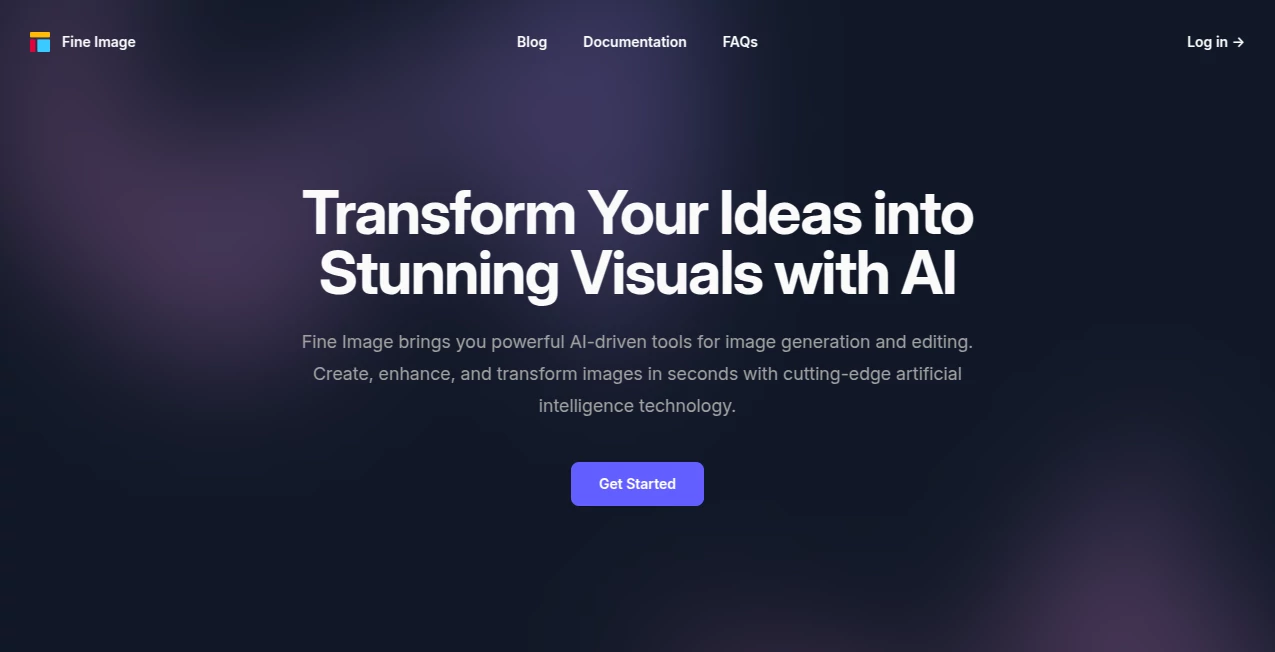
What is Fine Image?
There’s something quietly thrilling about typing a half-formed idea and watching it bloom into a piece of art that feels like it was painted just for you. This tool has that rare ability to take vague descriptions and return images that surprise you with their refinement and taste. Friends who’ve used it for book covers, social posts, or just late-night inspiration keep coming back because the results rarely feel “AI-generated” in the usual sense—they carry real mood, lighting, and composition. It’s the kind of creative partner that makes you want to keep prompting just to see what else it can dream up.
Introduction
Most image generators throw out a dozen noisy options and hope one sticks. This one takes a slower, more deliberate path. It focuses on quality over quantity, producing fewer but noticeably more polished pieces that respect artistic principles—balanced composition, thoughtful color harmony, believable lighting. People who’ve grown tired of the generic, over-saturated look so common elsewhere find real relief here. It’s especially loved by designers who need usable assets fast, writers hunting for cover art that actually matches their story’s tone, and anyone who simply wants to explore ideas visually without fighting bad outputs. The difference shows the moment you compare side-by-side: this feels like a quiet collaborator, not a slot machine.
Key Features
User Interface
The workspace is calm and distraction-free. You type your prompt into a clean field, choose a style direction if you want, and the results arrive in a neat grid that’s easy to scan. There’s no visual clutter—no flashing ads, no unnecessary sliders everywhere. Zooming into details and downloading happens with one click. It’s the kind of interface that disappears while you’re working, which is exactly what you want when you’re deep in the creative flow.
Accuracy & Performance
Prompt adherence is unusually strong. Tell it “soft golden-hour light on a lone cabin in snowy mountains” and the atmosphere lands exactly where you pictured it—no random palm trees or neon signs sneaking in. Generation times stay reasonable even for more detailed scenes, and the consistency across multiple tries is impressive. Many users notice they get a keeper on the first or second attempt far more often than with other tools.
Capabilities
It handles everything from painterly fine-art styles to clean illustrative work, photorealistic portraits, cinematic scenes, and even subtle textures like watercolor washes or charcoal sketches. Aspect ratios are flexible, and it understands complex compositions—multiple subjects with clear spatial relationships, specific lighting directions, mood-driven color palettes. You can steer mood, era, medium, and level of detail with natural language, and it listens carefully.
Security & Privacy
Your prompts and generated images remain yours. There’s no aggressive training on user data, and the platform makes it clear that creations are private by default. For people using it for client work, personal projects, or sensitive concepts, that matters—a lot.
Use Cases
A novelist struggling to visualize a key scene types a description and gets a cover-worthy illustration that crystallizes the mood she’s been chasing. A small-brand owner creates product mockups and lifestyle shots without hiring a photographer. A social-media creator builds a consistent visual identity across posts in half the usual time. Even therapists and coaches use evocative images to open deeper conversations with clients. Wherever visual storytelling needs to happen quickly and beautifully, it quietly delivers.
Pros and Cons
Pros:
- Images consistently feel thoughtful and artistically resolved.
- Strong understanding of lighting, composition, and mood.
- Clean, focused interface that respects your attention.
- Results are usable right away for commercial or personal work.
Cons:
- Fewer raw generations per prompt than some quantity-first tools.
- Specialized artistic control can require slightly more precise prompting.
Pricing Plans
It keeps the entry friendly so you can test the quality without commitment. A generous free tier lets you explore and create meaningful work right away. Paid plans unlock higher resolutions, faster generations, more monthly credits, and priority during peak times. The pricing feels fair—especially when you realize how much time and outsourcing cost it saves.
How to Use FineImage
Type a clear, descriptive prompt—mention subject, mood, lighting, style, composition if it matters. Choose any style presets that fit your vision. Hit generate and review the results. If something’s close but not quite there, tweak one or two words and run again. Download in high resolution when you’re happy. It rewards descriptive language and patience; the better your prompt, the more it feels like you’re collaborating with a talented illustrator.
Comparison with Similar Tools
Where many generators prioritize volume and speed, this one quietly prioritizes taste and coherence. The images tend to have better artistic structure and fewer of the usual AI artifacts. It’s not trying to be everything to everyone; instead it carves out a space for creators who value refinement over sheer quantity. For book covers, editorial visuals, branding assets, or anything where aesthetics really matter, it often feels like the more grown-up choice.
Conclusion
Creating beautiful visuals shouldn’t feel like a battle against mediocre outputs. This tool gently shifts the experience toward something calmer and more rewarding—where your ideas are met with understanding instead of randomness. It gives back time, reduces frustration, and most importantly, lets the art feel like yours. If you’ve ever wanted your words to look as good as they sound in your head, this is the quiet companion you’ve been waiting for.
Frequently Asked Questions (FAQ)
How detailed should my prompt be?
The more specific you are about mood, lighting, and composition, the closer the result will match your imagination.
Can I use the images commercially?
Yes—generated art is yours to use for personal or commercial projects.
What styles does it handle best?
It excels at painterly, cinematic, illustrative, and photorealistic work with strong artistic direction.
How fast are generations?
Usually seconds to a minute depending on complexity and queue—paid plans get priority.
Is there a free way to try it?
Yes, a solid free tier lets you explore and create real work before deciding on a plan.
AI Text to Image , AI Photo & Image Generator , AI Art Generator , AI Design Generator .
These classifications represent its core capabilities and areas of application. For related tools, explore the linked categories above.
Fine Image details
Pricing
- Free
Apps
- Web Tools
Categories

Fine Image Alternatives Product

ImageKontext…
GPT Image 1.5
Nano Banana …

HypeClip

ai banana
onstyle

flux 3

BananaPro

ModelsLab
