🧠 AI Quiz
Think you really understand Artificial Intelligence?
Test yourself and see how well you know the world of AI.
Answer AI-related questions, compete with other users, and prove that
you’re among the best when it comes to AI knowledge.
Reach the top of our leaderboard.


















Flashify

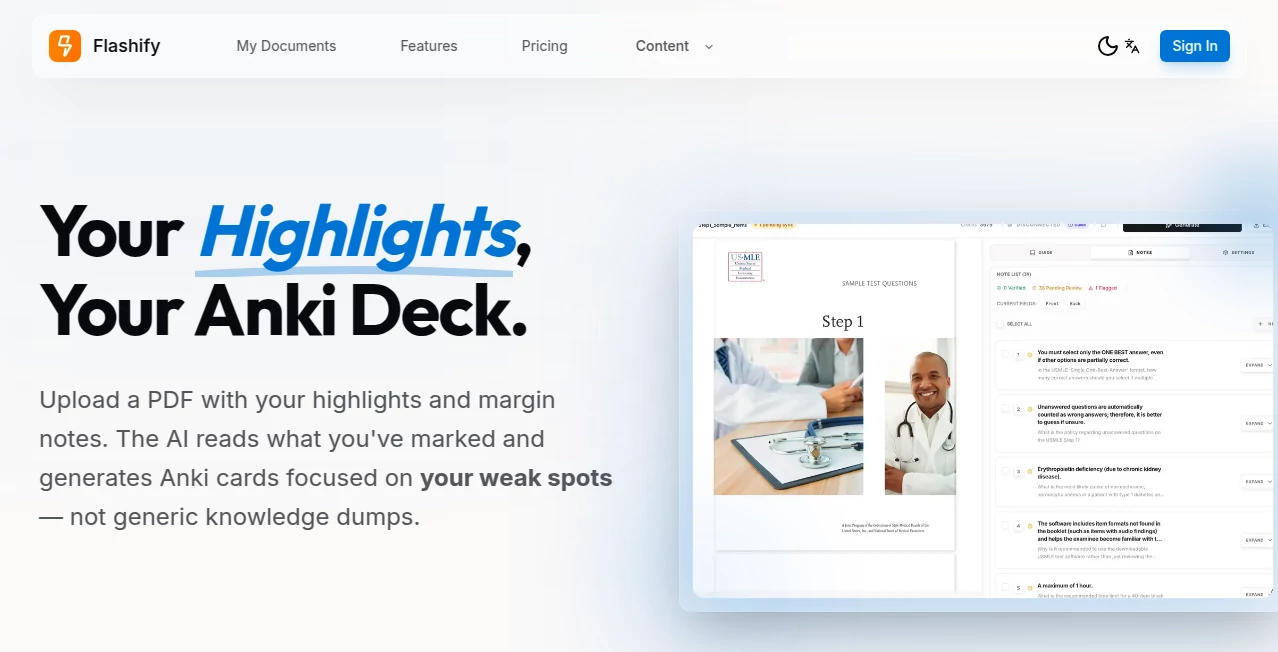
What is Flashify?
Some tools feel like they were built by people who actually use them every day. This one has that rare quality: it loads in a blink, generates crisp images almost before you finish typing, and gives you real creative control without drowning you in options. You describe what you want—maybe a cozy cyberpunk café at dusk or a retro-futuristic robot barista—and seconds later there’s something on screen that actually looks good. I’ve lost count of how many times I’ve started with a vague mood and ended up with a visual I’d happily use as a book cover or social header. The speed alone makes experimentation fun again instead of frustrating.
Introduction
Most AI image generators still carry a bit of lag—typing, waiting, regenerating, tweaking, waiting again. This platform flips that script. It’s engineered for people who want ideas to become visuals right now, not in five minutes. The model balances quality and velocity so well that you can iterate five times faster than with many competitors. Early users started posting side-by-sides of “first try” vs “fifth try” and the jump in quality after just a couple refinements is impressive. It’s become a go-to for creators who need fast, beautiful results without sacrificing creative direction. When the gap between “I want this vibe” and “here it is” shrinks to seconds, something fundamental changes in how you work.
Key Features
User Interface
The screen is calm and focused. A wide prompt box sits front and center, flanked by a handful of sensible presets (aspect ratio, style hints, quality level). Reference image upload is drag-and-drop simple, negative prompt field is right there when you need it, and generation starts with one tap. Results appear in a clean grid with instant zoom and variation buttons. No cluttered sidebars, no pop-up overload—just enough controls to steer without slowing you down. It feels like the interface was designed by someone who hates waiting as much as you do.
Accuracy & Performance
The model understands intent remarkably well—prompts like “moody 35mm film portrait of a tired detective in neon rain” come out with believable grain, accurate lighting, and emotional tone, not generic cartoon sheen. Generation times hover in the 3–12 second range even at higher quality settings, and consistency across retries is strong. Faces, hands, text in scene, complex compositions—all hold together far better than you’d expect from something this quick. It’s the rare tool where “first try” is often usable, and “third try” starts feeling professional.
Capabilities
Text-to-image, image-to-image refinement, inpainting/outpainting, style transfer from reference, multiple aspect ratios (portrait, landscape, square, custom), negative prompting, seed control for reproducibility, upscaling to 4K, and batch generation on paid plans. It handles photorealism, concept art, anime, retro, cinematic, product mockups, and logo-style graphics with equal confidence. The inpainting is especially strong—mask a section, describe the change, and it blends seamlessly. Overall, it covers most creative needs without forcing you into specialized sub-tools.
Security & Privacy
Images are processed ephemerally—nothing is stored server-side after you download unless you explicitly save to your account. No mandatory login for basic use, no sneaky data harvesting for training. For creators working with client concepts, personal art, or brand assets, that clean, no-retention approach provides real peace of mind.
Use Cases
A freelance illustrator generates concept variations for a book cover in under ten minutes instead of hours. A small e-commerce brand creates polished product lifestyle shots from basic mockups. A YouTuber makes consistent thumbnails that match their channel vibe without hiring a designer. A novelist visualizes key scenes to help with mood boards and pitch decks. A social media manager produces eye-catching posts daily without burning out on stock photos. Wherever fast, high-quality visuals are the bottleneck, this tool quietly removes it.
Pros and Cons
Pros:
- Blazing generation speed that keeps creative momentum alive.
- Strong prompt understanding—gets mood, lighting, and composition right more often than not.
- Clean, distraction-free interface that respects your time.
- Excellent inpainting and outpainting for precise edits.
- Generous free tier lets you feel the quality before paying.
Cons:
- Longer or very complex scenes can occasionally lose some coherence (still better than most).
- Unlimited batch and highest-res outputs require paid plan.
- Very niche or contradictory prompts sometimes need rewording.
Pricing Plans
Free tier gives a solid daily allowance—enough to experiment, create thumbnails, or generate concepts without pressure. Paid plans unlock unlimited generations, higher resolutions, faster queue priority, batch processing, and commercial-use clarity. Pricing is competitive—many creators say one month covers what they used to spend on stock assets or freelance illustrators for a single campaign. It rewards regular use without punishing casual play.
How to Use Flashify
Type your prompt clearly and descriptively (“golden-hour cyberpunk street food stall, neon reflections on wet pavement, moody cinematic lighting”). Optionally drag in a reference image for style or composition guidance. Choose aspect ratio and quality level, then hit generate. Review the results—use variation buttons for similar takes, or inpaint to tweak specific areas. Download when happy. For refinements, adjust wording, strength sliders, or add negative prompts. The loop is fast enough to explore 5–10 versions in minutes.
Comparison with Similar Tools
Many generators trade speed for quality or quality for speed. This one delivers both without major compromise. Where some produce overly smooth or generic results, the outputs here retain artistic character and cinematic feel. Inpainting and reference control are stronger than most peers, giving creators more director-like influence. It sits in a sweet spot: fast enough for daily use, polished enough for professional deliverables.
Conclusion
Visual ideas should never wait. When the distance between imagination and finished image collapses to seconds, creativity flows differently. This tool makes that happen without sacrificing beauty or coherence. It turns “I wish I could show this” into “here it is,” and that shift unlocks ideas that would otherwise stay trapped in notes or sketches. For creators who think visually—writers, marketers, designers, filmmakers, social creators—it’s one of those rare tools that quietly changes how you work for the better.
Frequently Asked Questions (FAQ)
How fast are generations really?
3–12 seconds for most prompts at standard quality; paid plans shave even more time off.
Do I need a reference image?
No—text-only works great—but adding one dramatically improves style and composition control.
What resolutions can I get?
Up to 4K on paid plans; free tier offers high-quality previews and downloads.
Can I use the images commercially?
Yes—paid plans grant full commercial rights; free tier allows personal & non-commercial use.
Is there a watermark on free images?
Small watermark on free generations; paid removes it completely.
AI Photo & Image Generator , AI Design Generator , AI Image to Image , AI Text to Image .
These classifications represent its core capabilities and areas of application. For related tools, explore the linked categories above.
Flashify details
This tool is no longer available on submitaitools.org; find alternatives on Alternative to Flashify.
Pricing
- Free
Apps
- Web Tools
Categories

Flashify Alternatives Product

PNG to 3D

nana banana …
onstyle

grok imagine…
imagen 5

Better Image

NanoBanana2
Nano Banana …

Wan 2.7 Image