🧠 AI Quiz
Think you really understand Artificial Intelligence?
Test yourself and see how well you know the world of AI.
Answer AI-related questions, compete with other users, and prove that
you’re among the best when it comes to AI knowledge.
Reach the top of our leaderboard.


















Flowly Indicators

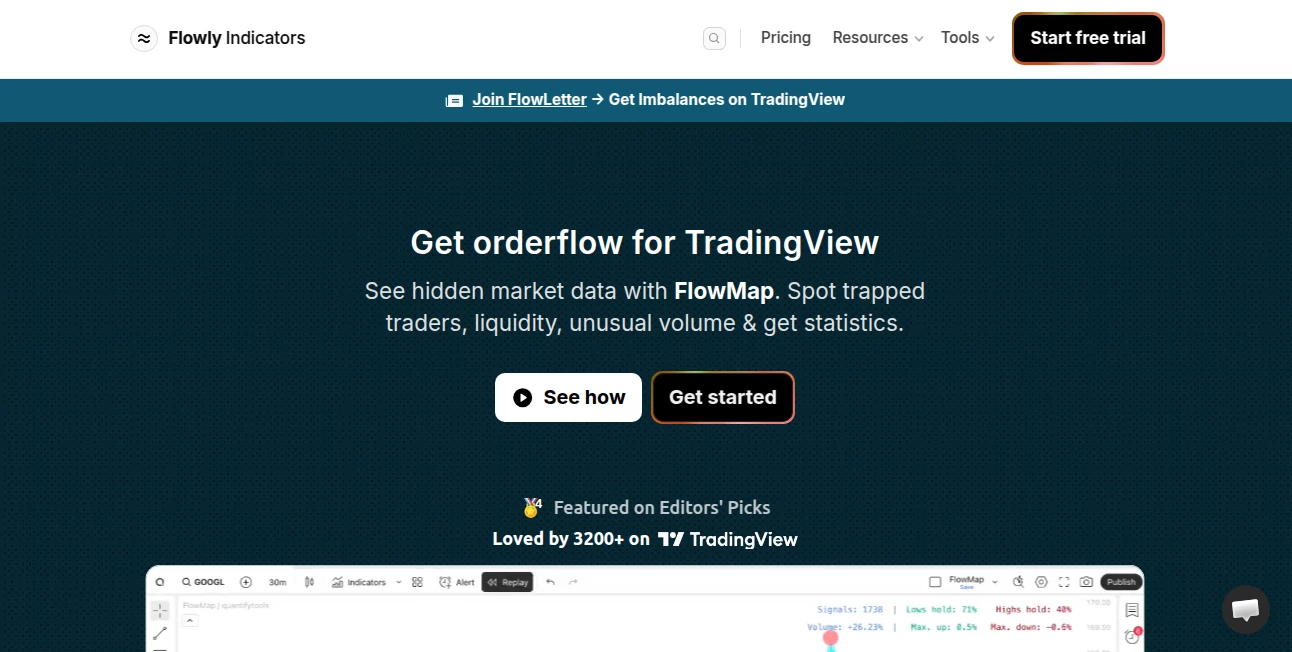
What is Flowly Indicators?
There's a special kind of relief when you finally connect two apps and watch data move between them exactly the way you pictured—without writing a single line of code or waiting for a developer. This tool makes that moment feel almost effortless. You drag a few blocks, pick what should happen when something triggers, add a condition or two if needed, and suddenly your tools are talking to each other smoothly. I’ve seen small business owners light up when they realize their new lead from a form is automatically added to their CRM, tagged, and sent a personalized welcome email—all set up in ten minutes over coffee. It turns “I wish these things worked together” into “they already do,” and that shift is quietly transformative.
Introduction
Most people building online businesses or managing teams spend way too much time copying data between apps, manually following up, or building tiny one-off scripts. This platform quietly removes that friction. It lets anyone—non-technical founders, marketers, ops folks—create reliable, good-looking automations that save hours every week. The visual canvas is intuitive, the integrations are deep, and the execution is rock-solid. What started as a way to glue tools together has become a daily essential for teams who want to move faster without hiring more people or learning to code. The joy comes from watching repetitive work disappear while the important stuff gets more attention.
Key Features
User Interface
The canvas is clean and spacious—blocks snap together naturally, connections light up when you hover, and everything is color-coded so you instantly see what’s a trigger, an action, or a condition. Zoom in for detail, zoom out for the big picture, collapse branches when things get busy. It never feels cramped or confusing, even when you’re building something with ten steps. The design respects your focus: no unnecessary pop-ups, no tiny text, just a calm workspace that makes complex logic feel approachable.
Accuracy & Performance
Automations run reliably—triggers fire when they should, conditions evaluate correctly, actions complete without dropping data. Retries happen automatically on temporary failures, and logs are detailed enough to debug quickly if something goes sideways. Speed is excellent: most flows execute in under a second, even with multiple steps or external API calls. In practice, once you set something up, it just works—week after week—without babysitting.
Capabilities
Connects to hundreds of popular apps (CRMs, email, forms, calendars, payment processors, social platforms, databases, and more), supports multi-step logic with branching conditions, loops, delays, data transformation, formatting, error handling, and webhooks for custom integrations. You can build one-to-many broadcasts, two-way syncs, lead scoring flows, onboarding sequences, notification systems, and data pipelines—all visually. The visual debugger lets you test step-by-step before going live. It’s powerful enough for serious business logic yet simple enough that non-engineers actually use it daily.
Security & Privacy
Connections are OAuth-based wherever possible—no long-lived passwords stored. Data is encrypted in transit and at rest. Flows run in isolated environments, and you control exactly which fields are passed between steps. No training on your data, no selling your usage patterns. For teams handling customer info or internal processes, that thoughtful security posture makes a real difference.
Use Cases
A freelance consultant sets up a flow so every new Calendly booking automatically creates a project in Notion, sends a welcome email, and adds the contact to their CRM—saving 30 minutes per client. A small e-commerce store triggers thank-you emails with order summaries and upsell offers whenever a purchase happens. A marketing team builds a lead-nurturing sequence: new form submission → score lead → add to email list → send personalized Slack notification to sales. A content creator auto-posts new Notion database entries to Twitter, LinkedIn, and their newsletter—keeping all channels in sync without manual work. Wherever repetition steals time, this quietly takes it back.
Pros and Cons
Pros:
- Visual builder that’s genuinely intuitive—even complex logic feels manageable.
- Deep integrations with reliable execution—no constant babysitting required.
- Fast setup time means you actually finish automations instead of abandoning them.
- Generous free tier lets you solve real problems before paying anything.
- Active updates and community templates accelerate learning and building.
Cons:
- Very advanced data transformations sometimes require external tools or custom code steps.
- Free plan has execution limits that power users outgrow quickly.
- Some niche apps still need webhook workarounds.
Pricing Plans
Free plan gives you enough tasks per month to automate real workflows without cost—perfect for testing or light use. Paid plans scale sensibly: more tasks, faster execution, premium integrations, team sharing, and priority support. Pricing feels fair for the hours saved—many users say it pays for itself after automating just one repetitive process they used to do manually every day.
How to Use Flowly
Sign up (free), choose “Create new flow,” pick a trigger (new form submission, new email, schedule, webhook, etc.), add actions (create record, send email, post to Slack, format data, etc.), connect the dots with conditions or loops if needed. Test step-by-step using the live debugger. Turn it on. Monitor runs in the activity log if you want. Save as template or share with team. Most meaningful automations take 5–20 minutes from idea to live—then they run forever in the background.
Comparison with Similar Tools
Some automation platforms overwhelm with too many options or feel clunky to non-technical users. Others are limited to simple if-this-then-that chains. This one finds a sweet spot: deep enough for serious business logic, visual and approachable enough that marketers, ops people, and founders actually build and maintain their own flows. Reliability, speed, and clean design give it an edge for teams who want automation that feels modern rather than inherited from 2012.
Conclusion
The real win isn’t the automation itself—it’s what you get back: time, focus, consistency. When tools talk to each other reliably and repetitive work disappears, you suddenly have space for the things that actually move the needle. This platform makes that possible without demanding engineering skills or endless debugging. For anyone running a business, side project, or creative workflow, it’s one of those rare tools that quietly makes life better every single day you use it.
Frequently Asked Questions (FAQ)
How many tasks are included on the free plan?
Enough to automate meaningful daily workflows—hundreds of executions per month depending on complexity.
Do I need to know how to code?
No—everything is visual drag-and-drop. Code steps are optional for advanced cases.
Can multiple people work on the same flows?
Yes—paid plans support team workspaces with role-based permissions.
What happens if an automation fails?
It retries automatically on temporary errors, logs the issue, and notifies you if it can’t recover.
Can I build two-way syncs?
Yes—many users create bidirectional syncs between tools (CRM ↔ spreadsheet, for example).
AI Workflow Management , AI No-Code & Low-Code , AI Productivity Tools , AI Team Collaboration .
These classifications represent its core capabilities and areas of application. For related tools, explore the linked categories above.
Flowly Indicators details
This tool is no longer available on submitaitools.org; find alternatives on Alternative to Flowly Indicators.
Pricing
- Free
Apps
- Web Tools
Categories

Flowly Indicators Alternatives Product

Schedpilot

PromptCoder

Vurge

ClearWork

Manifestly C…

Perchance AI

axiom.ai

FINIITE AI

UPDF AI