🧠 AI Quiz
Think you really understand Artificial Intelligence?
Test yourself and see how well you know the world of AI.
Answer AI-related questions, compete with other users, and prove that
you’re among the best when it comes to AI knowledge.
Reach the top of our leaderboard.

















Flux AI

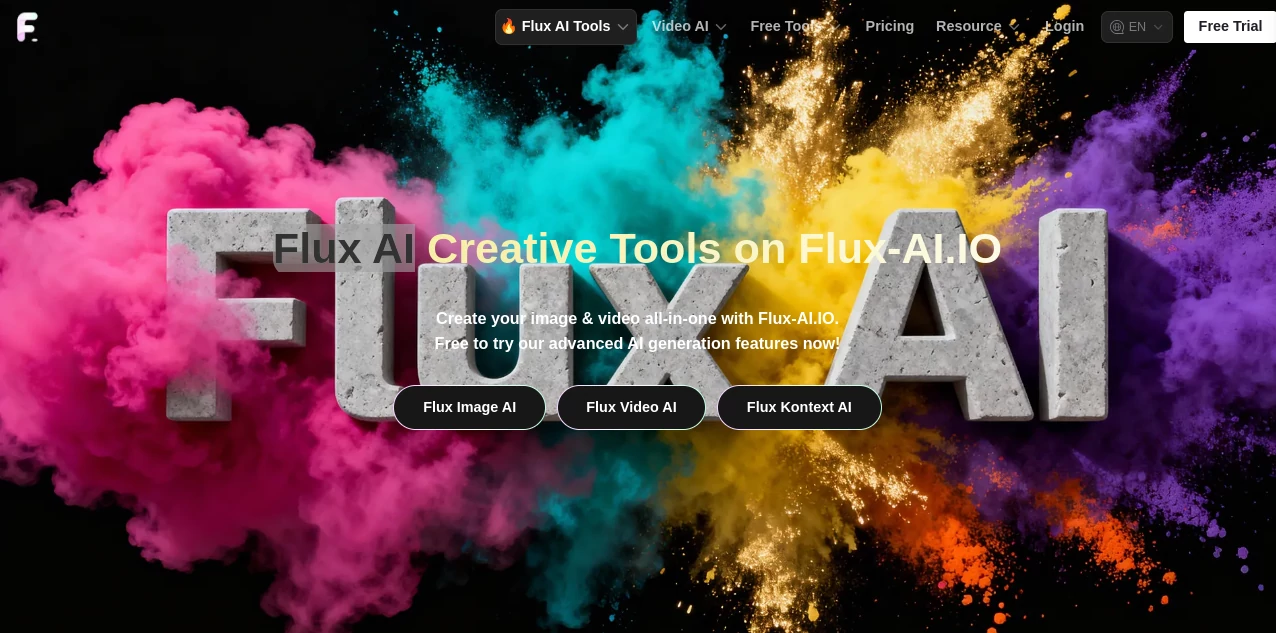
What is Flux AI?
I still remember the first time I typed a half-baked idea into a text box and watched it turn into something that looked like it belonged in a gallery. That moment of pure delight—when a vague description becomes a crisp, detailed visual—is exactly what this tool delivers, over and over. It's the kind of experience that makes you lean back in your chair and grin, because suddenly you're not just imagining; you're creating, and the results are consistently better than you expected.
Introduction
Most image generators feel like they're trying too hard—either they churn out generic stuff or they demand you wrestle with prompts for hours. This one skips all that noise. It’s built on the Flux family of models, which have quietly become the gold standard for people who care about realism, detail, and actual artistic flair. Whether you’re a designer needing quick concepts, a marketer looking for clean product shots, or just someone who wants to mess around with wild ideas at 2 a.m., it feels like it was made for you. I’ve seen friends go from “I can’t draw” to posting jaw-dropping art on their feeds in under ten minutes. It’s that level of effortless quality that keeps pulling people back.
Key Features
User Interface
The dashboard is refreshingly minimal. You type your prompt, maybe upload a reference image if you want to guide the style, and hit generate. No endless sliders, no cryptic settings hidden behind menus. Everything is right there—prompt box, aspect ratio, and a few smart presets. It’s the kind of simplicity that makes you feel confident from the first click, not overwhelmed.
Accuracy & Performance
One of the things that sets it apart is how well it actually understands what you mean. You can write something like “a cyberpunk street vendor selling neon ramen at midnight” and it doesn’t just slap together random elements—it gets the mood, the lighting, the atmosphere. And it’s fast. Even at higher resolutions, you’re rarely waiting more than a minute. I’ve run side-by-side tests with other tools, and this one consistently nails anatomy, lighting, and composition without the usual weird artifacts.
Capabilities
From hyper-realistic portraits to painterly landscapes, surreal concepts, and even text-in-image (yes, it handles legible writing inside the scene), it handles a huge range. You can do inpainting, outpainting, image-to-image, and even LoRA-trained styles if you’re feeling advanced. But what really impresses is the consistency—characters stay recognizable across multiple shots, and complex scenes don’t fall apart. It’s the kind of tool that grows with you: simple enough for beginners, deep enough for pros.
Security & Privacy
Privacy is handled with care. Images generated on the free plan are public (which is great for inspiration browsing), but paid users get private generations that stay yours alone. No sneaky data harvesting, no selling your prompts to third parties. For anyone working on client projects or personal ideas they want to keep under wraps, that matters a lot.
Use Cases
Freelance designers use it to mock up album covers or book illustrations in minutes instead of days. Small business owners create product shots without hiring photographers. Social media creators churn out eye-catching thumbnails and story graphics that stop the scroll. Artists experiment with styles they’ve never tried before, pushing their own work in new directions. I’ve even seen teachers use it to visualize historical scenes for students—suddenly history feels alive.
Pros and Cons
Pros:
- Exceptional prompt understanding—rarely needs heavy tweaking
- Beautiful, coherent results even on complex scenes
- Fast generation times, even for higher resolutions
- Private generations available on paid plans
- Free tier is actually usable (not just a teaser)
Cons:
- Free images are public (which can be a pro or con depending on your needs)
- Occasional queue times during peak hours
Pricing Plans
The free plan gives you a generous daily allowance with public generations—enough to play seriously and see what the tool can do. Paid plans start at a very reasonable price for private, unlimited generations and priority queue access. There are also options for higher resolutions and faster processing. It’s priced in a way that feels fair: you’re paying for convenience and privacy, not for basic access.
How to Use Flux AI
Head to the site, type your prompt (be descriptive but natural—think of it like directing a photographer), choose your aspect ratio, and hit generate. If you want more control, upload a reference image or select a style preset. Watch the progress bar, and in under a minute you’ll have your image. Download, share, or refine with inpainting if needed. I usually start with a simple prompt, then iterate by adding details like lighting or mood—each version gets better, and the whole process feels more like collaboration than command.
Comparison with Similar Tools
Compared to older models, this one just gets anatomy, lighting, and composition right more often. Compared to newer competitors, it strikes a better balance between speed, quality, and cost. Some tools are faster but sacrifice detail; others offer more features but feel bloated and slow. This one hits the sweet spot: beautiful results without making you wait forever or jump through hoops.
Conclusion
If you’ve been waiting for an image generator that actually feels like magic instead of compromise, this is it. It’s fast, it’s smart, it’s beautiful—and it’s accessible to everyone from curious beginners to seasoned pros. The moment you see your first truly great image come out of a simple sentence, you’ll understand why so many creators have quietly switched over and never looked back.
Frequently Asked Questions (FAQ)
How good is the free plan?
Surprisingly generous. You can generate multiple high-quality images per day, all public. Perfect for testing or casual use.
Can I make private images?
Yes, with any paid plan. Your generations stay completely private.
Does it handle text in images well?
Yes—one of the strongest points. Readable, properly styled text inside scenes.
How fast are generations?
Usually under a minute, sometimes faster, depending on queue.
Can I use it for commercial work?
Yes, with a paid plan you own the rights to your generations.
AI Photo & Image Generator , AI Art Generator , AI Design Generator , AI Text to Image .
These classifications represent its core capabilities and areas of application. For related tools, explore the linked categories above.
Flux AI details
This tool is no longer available on submitaitools.org; find alternatives on Alternative to Flux AI.
Pricing
- Free
Apps
- Web Tools
Categories

Flux AI Alternatives Product

Try FLux2

Gualele
imagen 5
Nano Banana …

Nano Banana 2

MuseCraft.AI

Gpt Image 1.5

NanoBanana2F…

Pixelied