🧠 AI Quiz
Think you really understand Artificial Intelligence?
Test yourself and see how well you know the world of AI.
Answer AI-related questions, compete with other users, and prove that
you’re among the best when it comes to AI knowledge.
Reach the top of our leaderboard.


















Foundry Local

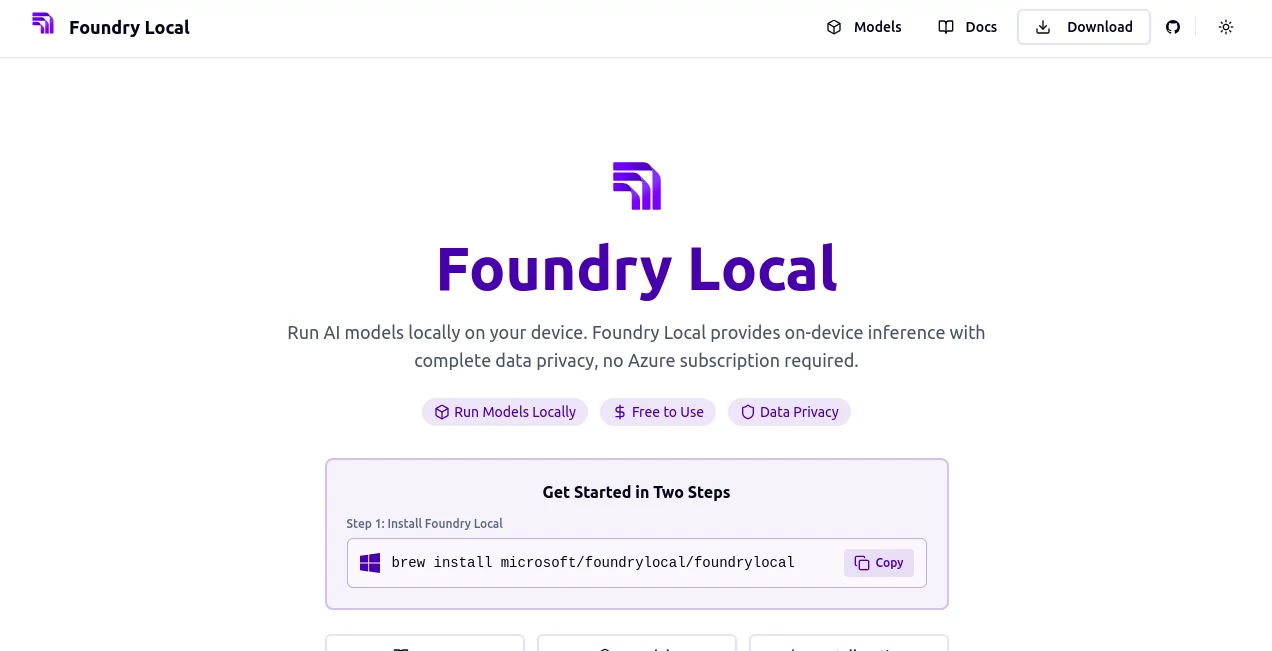
What is Foundry Local?
Foundry Local steps up as a straightforward way to bring advanced models right to your machine, keeping every bit of processing tucked away without a single cloud whisper. This handy setup lets folks tap into powerful tools without the usual setup headaches, turning what could be a tangled install into a quick command-line hop. Those who've given it a spin often share how it frees them from monthly fees and far-off servers, making smart tasks feel as local as a neighborhood chat.
Introduction
Foundry Local came about when a team at Microsoft spotted the growing itch for ways to handle heavy lifts on personal gear, away from the always-on web. They rolled it out to fill that gap, drawing on solid runtime tricks to make models hum without the extra baggage. Right from the start, developers and tinkerers latched on, swapping notes about how it smoothed out side projects or beefed up apps that needed to stay put. Over time, it's carved out a quiet spot for those who value keeping things close, proving that you don't always need a big backend to get big results—sometimes a smart local run does the trick just fine.
Key Features
User Interface
The whole thing unfolds through simple terminal prompts, where you type in a line or two to pull up a model and watch it spin to life—no flashy screens or button mazes to navigate. It's built for folks who like the direct feel of commands, with clear outputs that spell out what's happening step by step, keeping the focus sharp without pulling you off track.
Accuracy & Performance
It leans on a tuned engine that squeezes the most from your setup, whether it's the everyday chip or something beefier, delivering steady speeds that hold up even on longer pulls. Results come back true to form, matching what you'd expect from bigger rigs, and users point to how it keeps things even-keeled without the dips that come from spotty links.
Capabilities
At its heart, it handles pulling and running a range of ready-made pieces, hooking into familiar patterns so your current setups slide right in without a rewrite. You can weave it into scripts or apps across a few common tongues, giving you room to build out features like quick queries or background checks that stay self-contained.
Security & Privacy
Everything stays right on your drive, with no outbound pings or stored scraps, putting you fully in charge of what moves where. It skips the usual sign-ups or service ties, so your work remains yours alone, free from the fine print that often tags along with web-based runs.
Use Cases
Solo coders slip it into personal bots that sift notes or draft replies, keeping sensitive bits from ever leaving the laptop. Teams in tight spots use it for offline demos that wow without the web, or weave it into tools that crunch local files without the cloud cut. Even educators drop it into lesson kits, letting students poke at models on their own machines without shared access worries.
Pros and Cons
Pros:
- No cost to kick off, making it a low-bar entry for experiments.
- Keeps data locked local, dodging the usual leak risks.
- Taps your hardware smartly for solid speeds on the spot.
- Plays nice with everyday code setups, easing the switch.
Cons:
- Sticks to the command line, which might trip up mouse-click fans.
- Tied to your machine's muscle, so big jobs need big gear.
- Light on hand-holding for total newbies to the terminal.
Pricing Plans
Foundry Local keeps it simple with no tiers or tabs—just free access from the get-go, letting you run as many models as your setup can shoulder without a single surcharge. It's the kind of open door that invites tinkering without the nickel-and-dime dance.
How to Use Foundry Local
Start by grabbing it through a quick brew command on your Mac, then fire up a model with a single line like pulling a starter pack. Tweak the flags for your flavor, test the output in a loop, and hook it into your script for the full flow. Swing by the docs for deeper dives, building from basic buzz to custom chains in a handful of hops.
Comparison with Similar Tools
Where cloud cousins lean on endless streams and shared scales, Foundry Local pulls back to personal power, trading vast volume for that locked-in feel, though those might outpace on peak loads. Against other local runners, it edges with seamless ties to familiar flows, skipping the rewrite woes but perhaps pinching on plug-in plays. It suits the self-reliant best, where control trumps convenience every time.
Conclusion
Foundry Local wraps up the chase for private power in a neat, no-fuss package, handing developers the keys to run wild without the watchdogs. It turns the tide on tethered tech, proving that keeping it close can crank up both speed and security in ways that linger. As more minds turn to machine-bound magic, this one's poised to keep the local flame flickering bright.
Frequently Asked Questions (FAQ)
Do I need special hardware to get going?
It works on standard setups, but beefier bits bring better buzz.
Can it tie into my current projects?
Yes, through patterns that match the usual suspects for smooth sails.
What if I'm new to the command life?
The docs walk you through with step-by-step simplicity.
Any limits on what I can run?
Your gear sets the stage—bigger models need more muscle.
How do I grab the latest tweaks?
Brew handles updates with a quick refresh command.
AI No-Code & Low-Code , AI API Design , AI Developer Tools , AI Workflow Management .
These classifications represent its core capabilities and areas of application. For related tools, explore the linked categories above.
Foundry Local details
This tool is no longer available on submitaitools.org; find alternatives on Alternative to Foundry Local.
Pricing
- Free
Apps
- Web Tools
Categories

Foundry Local Alternatives Product

Screenshot t…

Chatref

CodeSpy AI

OhNoCode

cznull

Project Genie

Ultralytics

ShipAhead

langextract.…