🧠 AI Quiz
Think you really understand Artificial Intelligence?
Test yourself and see how well you know the world of AI.
Answer AI-related questions, compete with other users, and prove that
you’re among the best when it comes to AI knowledge.
Reach the top of our leaderboard.


















Framepack AI
What is Framepack AI?
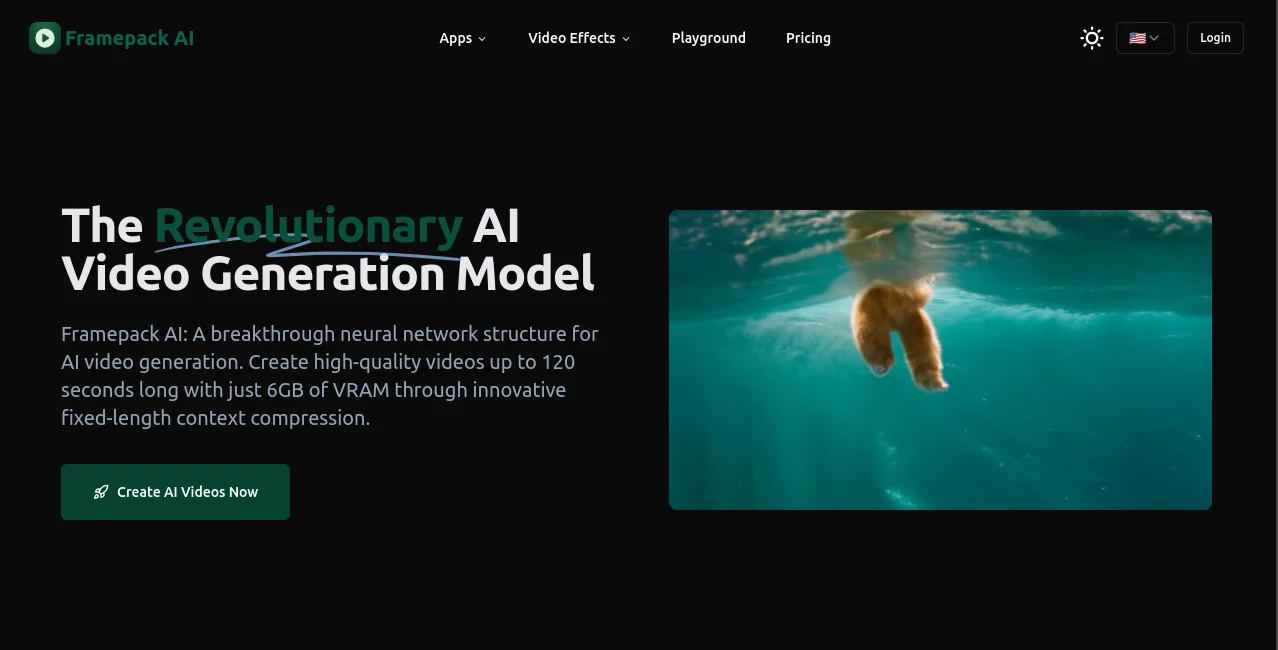
FramePack quietly changes the rules of the game for anyone who's ever dreamed of making smooth, high-quality videos without needing a monster GPU. You describe your scene, upload a reference image or video if you like, and it generates fluid motion clips that look like they came from a professional rig. What really sets it apart is how it handles long sequences without choking on memory – something that's been a nightmare with older methods. I've seen creators go from frustration to excitement when they realize they can actually run this on consumer hardware and still get results that rival much heavier setups.
Introduction
Video generation has always been hungry for resources, but this tool flips that script by rethinking how frames are packed and processed. Instead of loading every frame at once, it uses a clever streaming approach that keeps memory usage low while maintaining sharp detail and smooth motion. The community has been buzzing about it because it opens doors for people who couldn't afford to play in this space before. Whether you're a solo creator testing wild ideas or a small team pushing out content fast, it delivers cinematic quality without the usual hardware tax. It's one of those rare tools that feels like a genuine breakthrough – not just faster, but smarter.
Key Features
User Interface
The dashboard is refreshingly straightforward. You type your prompt, choose your settings (resolution, length, style), and hit generate – no endless menus or confusing toggles. It gives you clear previews as it works, and the controls are intuitive enough that even first-timers can jump in without feeling lost. There's something satisfying about how clean and focused it is – it respects your time and lets you concentrate on the creative part.
Accuracy & Performance
Consistency across frames is outstanding – characters, lighting, and motion stay coherent even in longer clips. Motion feels natural, not robotic, and the tool handles complex prompts with surprising fidelity. What really impresses is the speed: generations that would take ages on other platforms finish in minutes here, and it runs smoothly on mid-range GPUs. People who've pushed it hard say it's reliable day after day, rarely spitting out artifacts or losing the plot.
Capabilities
It excels at text-to-video, image-to-video, and even video-to-video workflows. You can guide it with reference frames to keep styles or characters consistent, control camera moves, and generate clips up to several seconds long without quality dropping off. The ability to maintain sharp detail while keeping memory low opens up possibilities for longer storytelling sequences or batch creation – something that's been a bottleneck for most tools until now.
Security & Privacy
Uploads are processed securely, and there's no unnecessary data retention. The team has made privacy a priority, which is reassuring when you're feeding in personal artwork or proprietary concepts. Everything stays local where possible, and the system is designed to respect user control over their creations. It's the kind of thoughtful approach that builds trust right from the start.
Use Cases
Indie filmmakers use it to storyboard scenes with realistic motion before shooting. Content creators generate quick social media clips with perfect character consistency. Game devs prototype cutscenes or environment animations without waiting weeks. Marketing teams turn product shots into dynamic lifestyle videos that feel hand-crafted. The versatility is impressive – wherever you need convincing motion without a full production budget, this tool steps up beautifully.
Pros and Cons
Pros:
- Remarkably low memory usage – runs beautifully on consumer hardware.
- Exceptional motion quality and long-sequence coherence.
- Fast generation times without sacrificing detail.
- Intuitive controls that make it accessible to beginners and pros alike.
Cons:
- Maximum clip length is still somewhat limited compared to some cloud-based rivals.
- Requires a decent GPU for optimal performance (though far less demanding than alternatives).
Pricing Plans
It offers a generous free tier with daily credits, perfect for testing and light use. Paid plans unlock higher resolutions, longer clips, faster queues, and unlimited generations – priced reasonably for the value they deliver. The model is flexible: pay-as-you-go or monthly subscriptions, so you only pay for what you actually use. It's one of those setups that feels fair and creator-friendly from day one.
How to Use FramePack
Start by signing up (takes seconds). Head to the generation page, write your prompt – be as descriptive as you like about camera movement, lighting, and action. Upload a reference image or clip if you want to guide style or character. Choose your resolution and length, then hit generate. While it processes, you can queue more jobs. Once done, preview, download, or tweak and regenerate. It's that simple – most people are making their first clip within five minutes of signing up.
Comparison with Similar Tools
Compared to other video generators, this one stands out for its memory efficiency and motion realism. Many competitors either demand high-end hardware or produce choppy results on longer clips. This tool strikes a rare balance: accessible hardware requirements, high visual quality, and coherent multi-second sequences. It's not the longest-form option yet, but for most creative needs – social clips, ads, storyboards – it delivers results that feel more polished and professional than the competition.
Conclusion
This tool represents a genuine leap forward in making high-quality video creation accessible to everyone. It removes the biggest barriers – hardware demands and inconsistent results – while delivering motion and detail that genuinely impress. If you've ever wanted to bring your ideas to life in video form but felt held back by technical limitations, this is the tool that finally opens the door wide. Give it a spin – the results might just surprise you.
Frequently Asked Questions (FAQ)
How long can clips be?
Up to several seconds, with longer sequences possible in batches or with reference guidance.
What hardware do I need?
A consumer-grade GPU with at least 8GB VRAM will run it comfortably – far less demanding than most alternatives.
Can I use reference images?
Yes – upload images or short clips to guide style, characters, or composition.
Is there a free tier?
Absolutely – generous daily credits let you experiment without spending a cent.
Can I use it commercially?
Yes, commercial use is allowed on paid plans with full ownership of generated content.
AI Animated Video , AI Image to Video , AI Text to Video , AI Video Generator .
These classifications represent its core capabilities and areas of application. For related tools, explore the linked categories above.
Framepack AI details
Pricing
- Free
Apps
- Web Tools
Categories

Framepack AI Alternatives Product

kling 3 AI

Seedance 2 V…

Kling 3.0

Sora AI Vide…

Omnigen Stud…

Seedance 2.0…

seedance 3.0

SocialRails

Seedance 2