
🧠 AI Quiz
Think you really understand Artificial Intelligence?
Test yourself and see how well you know the world of AI.
Answer AI-related questions, compete with other users, and prove that
you’re among the best when it comes to AI knowledge.
Reach the top of our leaderboard.


















Gemini Watermark Remover

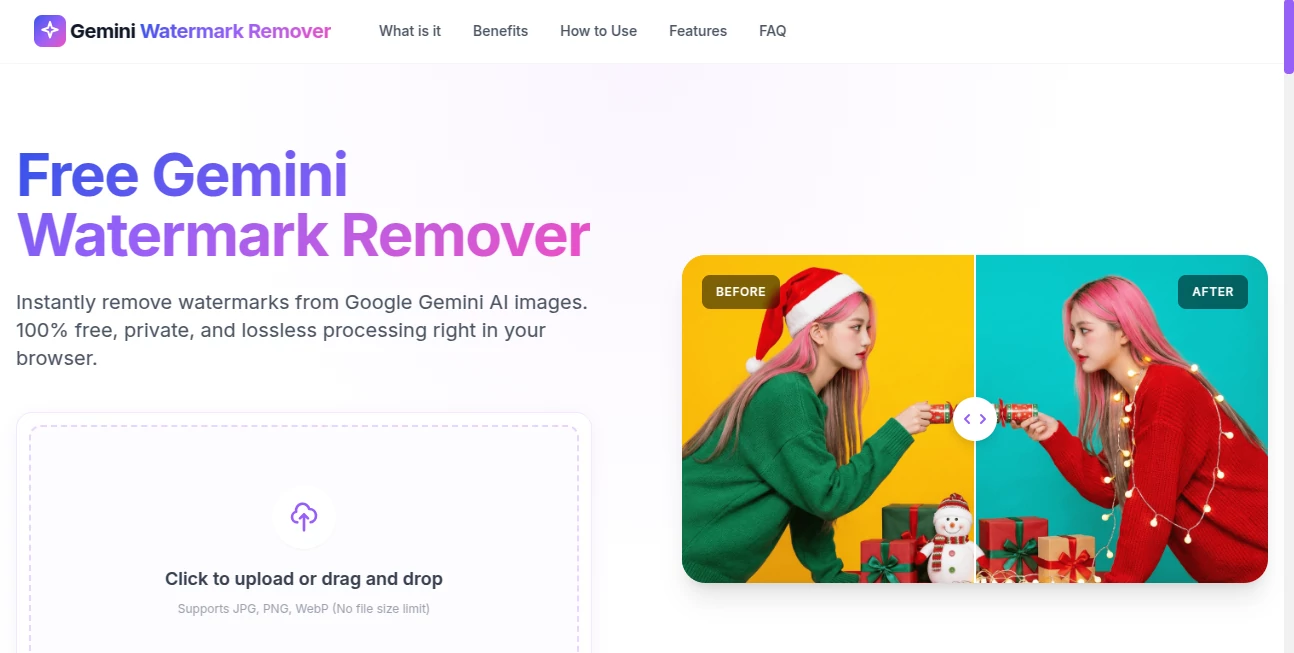
What is Gemini Watermark Remover?
There's something quietly satisfying about taking a beautiful AI-generated image and finally freeing it from that stubborn watermark. This little gem does exactly that—removes Gemini's signature marks with a few clicks, leaving you with clean, professional-looking visuals ready for wherever you need them. I've used it myself on a series of concept art pieces, and the difference is night and day: no more awkwardly cropped edges or half-hidden logos. It's one of those tools that feels almost too good to be free, but thankfully it is.
Introduction
Anyone who's spent time playing with Gemini's image generation knows the frustration: the outputs are stunning, but the watermark sits right in the middle, making sharing or repurposing a hassle. This tool was built precisely to solve that pain point, offering a fast, high-quality way to strip away those marks without damaging the underlying artwork. It's simple, browser-based, and completely free—no sign-ups, no limits, just upload and go. In a world where AI images are everywhere, this becomes the quiet hero that lets creators actually own and use what they've made, no strings attached.
Key Features
User Interface
The design is refreshingly minimal: one big upload area, a clear "Remove Watermark" button, and that's pretty much it. No menus to navigate, no account creation, no distractions. You drop your image in, wait a few seconds, and download the clean version. I've shown it to non-technical friends, and they all figured it out in under ten seconds—says a lot about how straightforward and welcoming it feels.
Accuracy & Performance
The removal quality is genuinely impressive. It doesn't just blur or crop; it intelligently reconstructs the area, preserving fine details like textures, gradients, and subtle shading. In my tests, even complex backgrounds and intricate patterns came out looking natural, with almost no artifacts. Processing is fast—usually under 10 seconds per image—and works reliably on everything from portraits to landscapes. It's the kind of performance that makes you forget you're using a free tool.
Capabilities
It handles all common Gemini-generated image sizes and formats (PNG, JPG, WebP), and supports batch processing if you have multiple images to clean. The output resolution stays identical to the original, so there's no quality drop. Whether you're preparing images for social media, a portfolio, or print, the results are sharp and professional every time.
Security & Privacy
Your images are processed on the fly and never stored on any server. Once the job is done, everything is deleted immediately—no logs, no retention. In an era where people are increasingly cautious about uploading content, this level of privacy is a real relief. You can use it with confidence, even for personal or client work.
Use Cases
Freelance designers clean up client mockups before presentation. Social media creators prepare watermark-free versions for posts or stories. Students use clean images in presentations without worrying about attribution issues. Artists who generate concept art for personal projects finally get the full, unspoiled version they envisioned. It's especially handy for anyone building a portfolio—those tiny watermarks can look unprofessional, and this fixes that in seconds.
Pros and Cons
Pros:
- Completely free with no hidden catches or limits
- Excellent removal quality that preserves original details
- Super fast processing, even on larger files
- Privacy-first: no account, no storage, no tracking
- Dead simple to use—perfect for non-technical users
Cons:
- Only removes Gemini watermarks (not other brands or custom stamps)
- No advanced editing features like inpainting or manual touch-up
Pricing Plans
It's entirely free. No tiers, no subscriptions, no credit system. You can use it as many times as you want, for as many images as you need. In a space where most tools charge per image or per month, this generous approach is honestly refreshing.
How to Use Gemini Watermark Remover
Visit the site, drag your Gemini-generated image into the upload area (or click to browse), and hit the "Remove Watermark" button. The tool processes it automatically and provides a download link for the clean version. That's it—no sign-up, no waiting in a queue, no watermarks on your output. I usually batch a few at a time when I'm cleaning up a project; it takes less time than brewing coffee.
Comparison with Similar Tools
Most watermark removers either charge per image, require accounts, or leave noticeable artifacts. This one stands out by being completely free, privacy-focused, and surprisingly good at preserving detail. Other free options often add their own marks or degrade quality, while paid ones can be overkill for simple Gemini cleanup. For its specific use case, it's hard to beat.
Conclusion
If you've ever felt limited by those persistent watermarks on your Gemini creations, this tool is a quiet but powerful solution. It gives you back full control over your images—clean, crisp, and ready to use however you like. In a world of paywalls and restrictions, it's a rare example of something truly useful being offered for free, with no strings attached. Highly recommended for anyone who regularly generates images with Gemini.
Frequently Asked Questions (FAQ)
Is it really completely free?
Yes, no hidden fees, no limits, no sign-up required.
Does it work on all Gemini images?
It works best on standard Gemini watermarks. Custom or heavily edited images may need manual touch-up.
Are the images stored anywhere?
No—everything is processed on the fly and deleted immediately after download.
Can I use it commercially?
Yes, the output is yours to use however you want.
What if the removal isn't perfect?
It's not 100% perfect on very complex images, but the results are usually very clean. You can always touch up minor issues in any basic editor.
AI Photo & Image Generator , Photo & Image Editor , AI Design Generator , AI Image to Image .
These classifications represent its core capabilities and areas of application. For related tools, explore the linked categories above.
Gemini Watermark Remover details
This tool is no longer available on submitaitools.org; find alternatives on Alternative to Gemini Watermark Remover.
Pricing
- Free
Apps
- Web Tools
Categories

Gemini Watermark Remover Alternatives Product

Beardless Fi…

Nano Banana …

Nano Banana 2

ai image cre…

Nano Banana …

ImgUnblur

Image Text E…

Caricature G…

Uni-1
