
🧠 AI Quiz
Think you really understand Artificial Intelligence?
Test yourself and see how well you know the world of AI.
Answer AI-related questions, compete with other users, and prove that
you’re among the best when it comes to AI knowledge.
Reach the top of our leaderboard.


















Recall

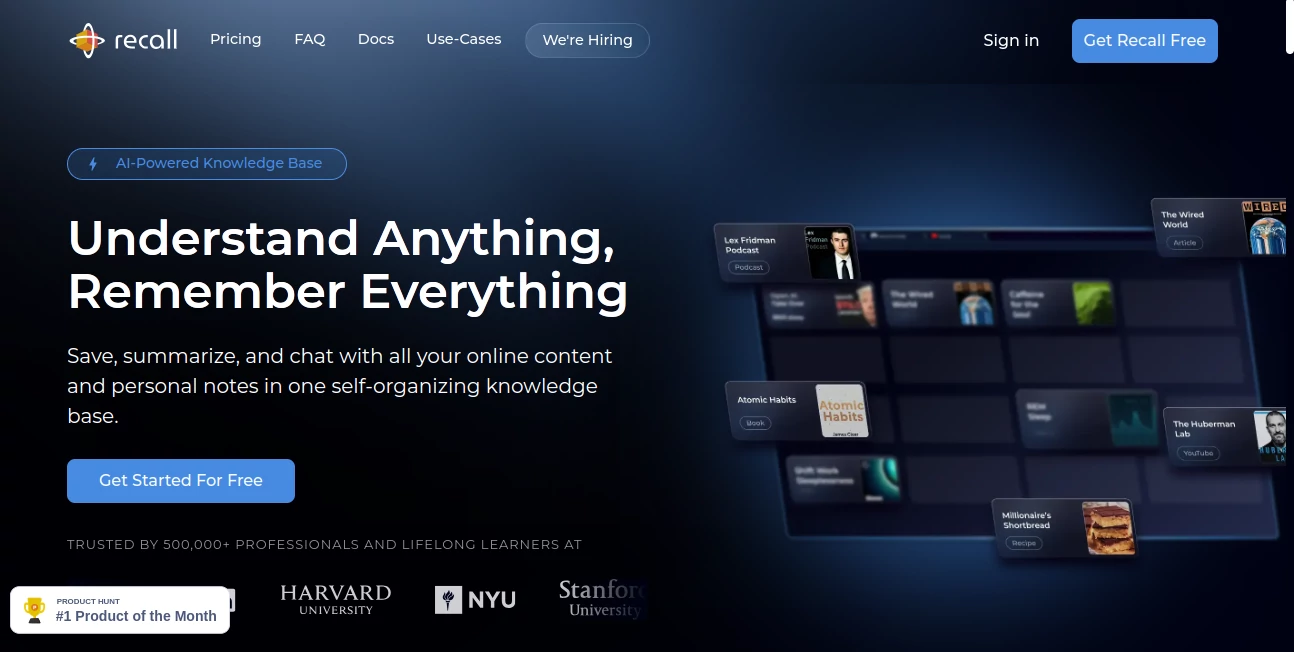
What is Recall?
Picture this: you're knee-deep in a rabbit hole of YouTube tutorials, podcast episodes, and scattered PDFs, all vying for space in your already cluttered brain. Then, something clicks—a tool that doesn't just save the links but actually distills them into bite-sized brilliance, weaving everything together so you can pull out insights when you need them most. That's the quiet revolution it sparks, turning the endless scroll into a personal treasure trove of knowledge. I've seen friends swear by it after one too many forgotten "aha" moments, and honestly, once you start, it's hard to go back to the chaos of sticky notes and browser tabs that never close.
Introduction
Ever feel like you're drowning in a sea of information, grabbing at straws just to remember what you read last week? This is the lifeline that pulls you out, a smart setup that grabs hold of videos, articles, docs, and notes from everywhere—YouTube rants, podcast deep dives, even your own scribbles—and turns them into something you can actually use. No more piecing together half-remembered gems from a dozen apps; it builds a web of connections behind the scenes, so your ideas don't just sit there gathering dust. What hooked me was how it feels like a second brain, one that's always one step ahead, nudging you with just the right summary or link at the perfect time. In a world where we're all consuming more than we can chew, it steps in as that rare friend who helps you savor without the overload.
Key Features
User Interface
The whole thing unfolds like a well-worn notebook you can't wait to fill—clean lines, a block-based editor that lets you drag, drop, and tweak without fighting the flow. Fire up the browser extension mid-scroll, and it snags a page or clip in one click, popping up a neat summary right there. On mobile, it's just as snappy (even in beta), syncing everything so you pick up where you left off, whether you're on the couch or squeezing in a read during lunch. It's that effortless vibe that makes you forget you're using tech at all; it's more like jotting thoughts in a journal that happens to read your mind.
Accuracy & Performance
Here's where it really shines: those summaries aren't fluffy overviews—they're sharp, pulling out the meat of an hour-long talk in 30 seconds flat, with details that stick because they're tailored to what you highlighted. Searches zip through your stash with a mix of word-for-word and big-picture smarts, surfacing stuff you didn't even know was linked. And the spaced repetition? It's like a gentle coach, resurfacing key bits just when you're about to forget, boosting recall without the cram-session dread. In my trials, it nailed connections across old notes that I'd buried months ago, saving me hours of digging and making every session feel like a win.
Capabilities
It juggles a wild mix—from condensing TikTok trends and Google Slides to linking podcast quotes with your own brainstorming sessions—building this invisible graph that ties it all together. Chat with it like an old pal, asking for insights or "what did that article say about X?" and it serves up answers with sources you can trace. Unlimited space means no ruthless pruning; hoard recipes, research dumps, or wild ideas freely. Export to Markdown whenever, so nothing's locked in. It's the kind of depth that turns passive reading into active gold, whether you're outlining a project or just chasing curiosity.
Security & Privacy
In an age where data feels like fair game, it draws a hard line: your stuff stays yours, stored securely without ever feeding the AI beast for training. Local browsing keeps things snappy and private, and you control every export or wipe. No sneaky shares, no lingering doubts—it's built for folks who want the power without the paranoia. That peace of mind? It's what lets you pour in personal riffs or work notes freely, knowing it'll guard them like a vault.
Use Cases
For the busy founder sketching out strategies, it condenses competitor teardowns and TED talks into a connected map that sparks real moves. Students tackling dense texts find it a godsend, turning lecture clips and readings into flashcards that actually stick through clever reviews. Marketers hoard trend reports and social snippets, chatting back ideas for campaigns that feel fresh, not forced. Even hobby cooks like me stash recipe videos and tweaks, resurfacing tweaks just in time for dinner prep. It's versatile enough to fit any flow, amplifying what you already do without overcomplicating it.
Pros and Cons
Pros:
- Effortless capture and connect—saves you from app-hopping hell.
- Smarter than your average note-taker, with links that surprise and delight.
- Unlimited everything means your brain dump has no ceiling.
- Privacy that actually means something, letting you breathe easy.
Cons:
- Mobile's still warming up in beta, so desktop loyalists get the full feast first.
- That initial setup might feel like overkill if you're a minimalist at heart.
Pricing Plans
It keeps things straightforward: dive in free to test the waters, with core saves and summaries that hook you quick. Upgrade to pro for the full ride—unlimited chats, deeper graphs, and that spaced magic—for a steal that pays off in saved sanity alone. Snag a 25% off with the right code through year-end, and it's even sweeter for early birds. No hidden traps; it's the kind of value that feels generous, scaling just as your habits grow.
How to Use Recall
Start simple: grab the extension, clip a page or video mid-browse, and let it whip up a summary on the spot. Drop into the editor to add your spin—bold a quote, link a thought—and watch the graph hum to life. Fire off a chat for "connect this to that old note," or let spaced nudges bring back gems over coffee. Sync to mobile for on-the-go glances, export when you're ready to share. Before long, it's second nature, like feeding a pet that fetches exactly what you need.
Comparison with Similar Tools
Where some apps just hoard links like digital squirrels, this one actually makes them dance together, outpacing the static stacks with its living connections. Others might summarize slick but skim on privacy or pile on limits; here, the unlimited flow and ironclad ownership set it apart, feeling more like a trusted archive than a rented room. It's the upgrade that doesn't just keep up—it pulls ahead, especially for those who crave depth without the drag.
Conclusion
In the end, it's more than a tool; it's the quiet shift from overwhelmed to on top of your game, turning info floods into personal fountains of insight. That graph it builds? It's like watching your mind's attic get organized overnight, surfacing treasures you forgot you buried. If you're tired of the forgettable frenzy, give it a spin—chances are, it'll stick with you longer than anything else in your tabs.
Frequently Asked Questions (FAQ)
Does it really handle videos and podcasts?
Absolutely—feed it a link, and it pulls out timestamps, key quotes, even mood notes, making binge sessions actually stick.
How private is my stash?
Locked down tight: no training data grabs, full export control, and local options keep it all in your court.
What's the deal with spaced repetition?
It's that smart nudge system, flashing cards of your highlights at goldilocks intervals to lock in the long haul.
Can I export everything?
Yep, Markdown dumps let you take it all anywhere, no strings or lock-in drama.
Is there a learning curve?
Not much—clip, summarize, chat, done. It grows with you, but the basics click from hello.
AI Search Engine , AI Knowledge Management , AI Productivity Tools , AI Notes Assistant .
These classifications represent its core capabilities and areas of application. For related tools, explore the linked categories above.
Recall details
This tool is no longer available on submitaitools.org; find alternatives on Alternative to Recall.
Pricing
- Free
Apps
- Web Tools
Categories

Recall Alternatives Product

Zivy

Hands Off

AntForms

InPage AI

Kaamfu

Productivity…

UPDF AI

Airtable AI …

Perplexity AI
