🧠 AI Quiz
Think you really understand Artificial Intelligence?
Test yourself and see how well you know the world of AI.
Answer AI-related questions, compete with other users, and prove that
you’re among the best when it comes to AI knowledge.
Reach the top of our leaderboard.


















GMapsScraper AI

What is GMapsScraper AI?
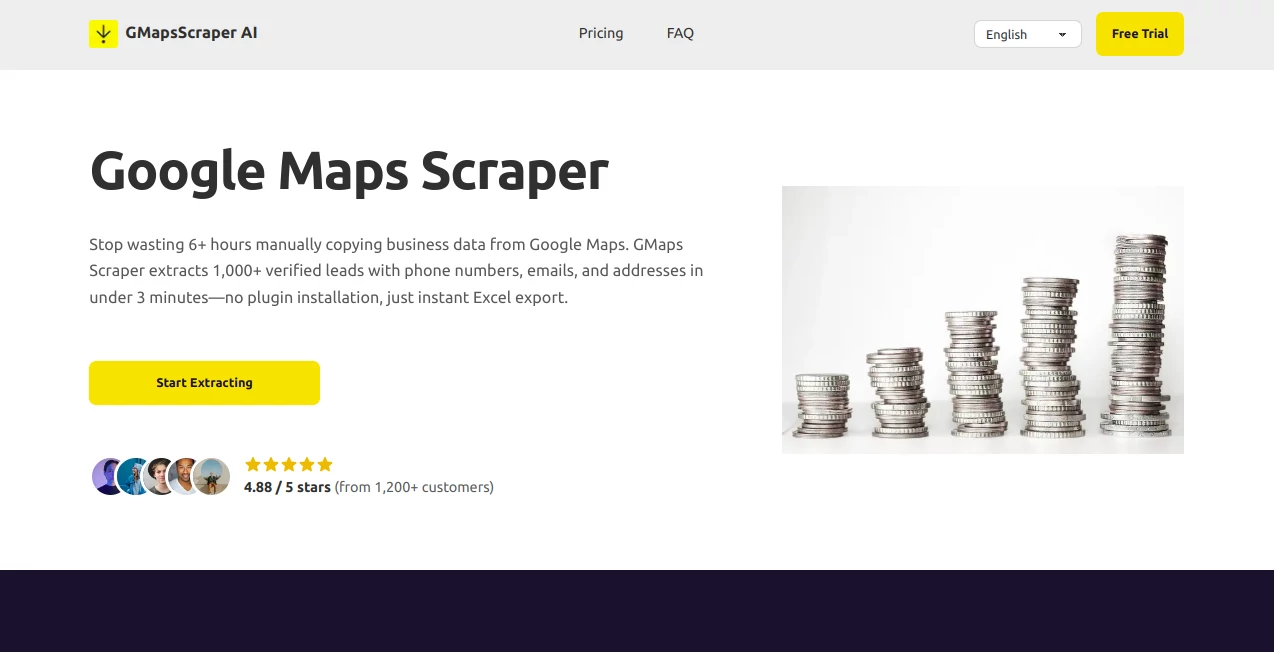
GMaps Scraper steps in as a handy shortcut for pulling together contact details from online directories, turning hours of clicking around into a quick download of useful info. This browser-based helper grabs essentials like names, addresses, and phone numbers from public listings, all without needing extra downloads or setups. Folks in sales and outreach circles often chat about how it clears up their prospect lists in minutes, leaving more room for actual conversations instead of copy-paste marathons.
Introduction
GMaps Scraper came along a short while back, cooked up by a team of outreach pros who'd grown weary of sifting through endless pages just to snag a few solid contacts. It started as a simple way to speed up what used to be a full afternoon's chore, and word spread quick among networkers who shared stories of nailing down dozens of fresh leads before lunch. What keeps it buzzing is that no-fuss approach—jump in from any device, toss in a search term and spot, and walk away with a tidy file ready for your next move. Over time, it's earned a spot in toolkits for those chasing growth without the grind, proving that a bit of clever pulling can open doors you didn't even see coming.
Key Features
User Interface
The setup is as straightforward as a quick search, with a clean entry spot for your keywords and location that doesn't bury you in options. Once you hit go, it hums along in the background, showing progress without overwhelming the screen, and wraps up with a simple download button for your file. No extra tabs or tricky menus to navigate; it's built for folks who just want to get in, grab what they need, and get out, feeling more like a familiar map app than a full-blown program.
Accuracy & Performance
It pulls straight from fresh sources, nailing down details like numbers and spots with a reliability that holds up close to nine out of ten times, keeping your lists clean without much cleanup later. Jobs fly through in a couple minutes flat, even for bigger pulls, so you can stack up contacts without watching the clock. Users often point out how it skips the stale bits you get from old files, delivering stuff that's current enough to use right away without second-guessing.
Capabilities
From basic name and address grabs to deeper dives like ratings or hours, it rounds up a full picture of listings in one go, with options to sift by stars or categories for sharper focus. You can run multiple spots at once or filter for what fits your hunt, and it spits out files in formats that slide easy into your trackers or outreach tools. It's geared for pulling together outreach-ready packs, whether you're scouting a single neighborhood or chaining through a few cities, all while keeping things organized from the start.
Security & Privacy
Everything stays on the surface level, dipping only into what's already out there for anyone to see, with no lingering holds on your pulls or personal bits. The whole run happens in a secure bubble that clears out after, giving you full say on what sticks around. That hands-off vibe lets you chase leads without the nagging thought of where your notes might end up, keeping the focus on the wins rather than the worries.
Use Cases
Sales reps build out fresh call sheets for local spots, zeroing in on high-rated picks to boost their hit rates. Agencies map out client pools by area, blending in review counts to tailor pitches that land better. Recruiters scout service hubs for talent ties, grabbing coords for quick visits. Even shop owners refresh vendor rosters, using hours and sites to line up partnerships that click without cold starts.
Pros and Cons
Pros:
- Jumps right in without downloads or logins for quick tests.
- Stacks up dozens in minutes, ditching the all-day drag.
- Pulls a wide spread of details, from basics to bonus bits.
- Slides onto any gadget, keeping your flow steady on the move.
Cons:
- Caps free runs short, nudging toward paid for bigger hauls.
- Hits snags if sources shift, needing a fresh check now and then.
- Lacks deep ties to big systems without extra steps.
Pricing Plans
You can kick off without a dime for small tastes, pulling a handful to see the swing. From there, monthly starters around forty bucks open up credits for steady pulls, stepping to ninety-nine for heavier hitters with priority bumps. Yearly wraps save a slice, and they back it with trial windows up to four months to test without ties, fitting your pace without pressure.
How to Use GMaps Scraper
Head over and drop in your search words and spot, then tap to let it roll through the listings. Sit back as it gathers the goods, from contacts to counts, and when it's done, snag the file with one click for your sheet. Tweak filters if you want a tighter cut, and run another round for the next batch, building your book without breaking stride.
Comparison with Similar Tools
Unlike the ones that need installs and updates, this keeps it all online and light, skipping the setup headaches but maybe missing some fancy add-ons. Against paid packs that lock in big bucks, it eases in cheaper with real pulls, though those might edge on volume for enterprise eyes. It shines for quick, no-strings grabs where others pile on the extras you might not chase.
Conclusion
GMaps Scraper clears the clutter from lead hunts, handing you packed lists that fuel real outreach without the usual slog. It turns scattered searches into sharp stacks, proving that smart pulls can pave paths to partnerships you didn't plan. As networks keep widening, this one's a steady sidekick, keeping your contacts current and your calendar calling.
Frequently Asked Questions (FAQ)
How fast does it wrap a pull?
Most jobs land in a couple minutes, way quicker than manual flips.
Who finds it handy?
Outreach teams, agencies, or scouts needing local ties without the time sink.
Any skills to start?
None—if you know basic searches, you're set.
How solid are the details?
High marks on keys like spots and lines, fresh from the source.
What's the right way?
Sticks to open info, keeping things above board like a hand search.
AI Maps Generator , AI Web Scraping , AI Research Tool , AI Lead Generation .
These classifications represent its core capabilities and areas of application. For related tools, explore the linked categories above.
GMapsScraper AI details
This tool is no longer available on submitaitools.org; find alternatives on Alternative to GMapsScraper AI.
Pricing
- Free
Apps
- Web Tools
Categories

GMapsScraper AI Alternatives Product

Pinpoint Ans…

PortBackLinks

ZoraInsights

Weblo AI

LocaFlow

DiRe-RAPIDS

Sorank

LeadAny

Leado.co