
🧠 AI Quiz
Think you really understand Artificial Intelligence?
Test yourself and see how well you know the world of AI.
Answer AI-related questions, compete with other users, and prove that
you’re among the best when it comes to AI knowledge.
Reach the top of our leaderboard.


















gpt video
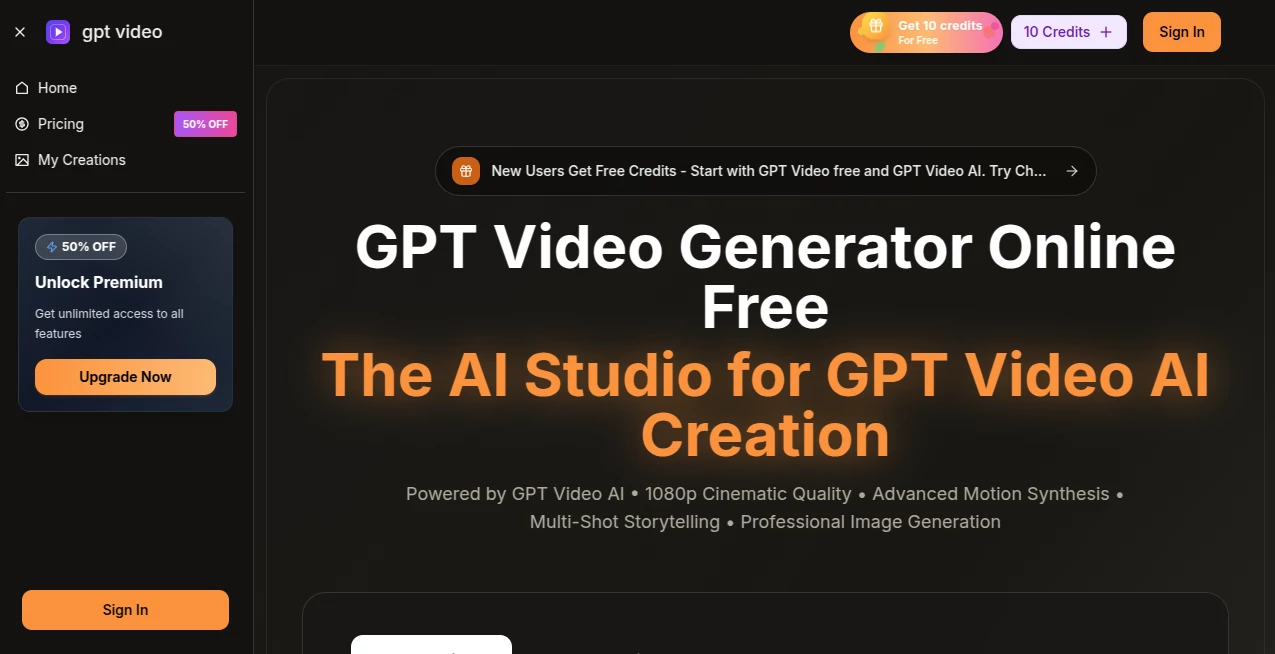
What is gpt video?
There’s a quiet thrill when a simple sentence in your head turns into a smooth, cinematic clip that actually looks like it cost thousands to produce. This platform captures that feeling perfectly. You type what you want, maybe drop in an image or reference clip, pick a style, and minutes later you’re watching something polished enough to post on any platform. I’ve had moments where a quick idea for a social promo became a ready-to-share video before my coffee went cold. It’s the kind of shortcut that makes you wonder how you ever managed without it.
Introduction
Video content rules the internet, but actually making it—storyboarding, shooting, editing—still feels like a mountain for most people. This tool quietly flattens that mountain. It takes your words or a rough image and builds multi-shot stories with motion that feels intentional, lighting that pops, and audio that syncs without extra work. Creators, marketers, and even small teams are using it to churn out ads, explainers, and social clips that look far more expensive than they are. The fact that you can start free, see real quality right away, and scale up only when you’re hooked makes it feel generous and smart at the same time.
Key Features
User Interface
The dashboard keeps things calm and focused. You choose aspect ratio, resolution, duration, then type your prompt or upload a reference. Settings are right there without overwhelming you—toggle models, add audio if you want, and hit generate. Previews load fast so you can spot-check before committing credits. It never feels like you’re wrestling software; it just invites you to create.
Accuracy & Performance
The motion synthesis is where it really stands out—characters and objects move naturally across shots, transitions feel deliberate, and details hold up even at 1080p. Generations are quick enough that you stay in flow, and consistency across scenes is strong, especially when you give it a reference. I’ve seen prompts that were half-baked turn into clips that looked thoughtfully directed. That level of polish on the first or second try is rare.
Capabilities
Text-to-video, image-to-video, multi-shot storytelling, built-in audio sync, background music, sound effects, and 4K-ready output all live here. You can choose from a lineup of advanced models, refine prompts mid-process, and export clean files for ads, social, or client work. It handles everything from quick Reels to longer explainers, always with an eye on commercial-grade quality and rights you can actually use.
Security & Privacy
Your prompts, uploads, and finished videos stay under your control. The platform is built with compliance in mind—SOC 2, GDPR, ISO 27001—so sensitive projects don’t raise red flags. It’s reassuring when you’re creating branded content or client deliverables and need to know nothing is quietly stored or shared.
Use Cases
A small brand turns weekly product teasers into cinematic shorts that stop scrolls. A course creator animates lesson intros that keep students watching. A freelancer pitches concepts to clients with polished mockups instead of static decks. Even hobbyists make music visuals that sync perfectly to their tracks. It fits anywhere you need video fast without sacrificing that pro feel.
Pros and Cons
Pros:
- Multi-shot storytelling with strong consistency across scenes.
- Native audio sync and effects built in—no post-production scramble.
- Choice of premium models and 1080p/4K output that looks expensive.
- Clear commercial rights and no watermark on paid plans.
Cons:
- 15-second max keeps it focused on shorts and hooks.
- Watermark on free tier (easy to remove with upgrade).
Pricing Plans
You can start free with a daily quota that lets you feel the quality without spending anything. Paid plans are straightforward: Basic gives a solid monthly allowance, Professional doubles down on credits and unlocks 1080p, and Enterprise handles high volume with top priority. Annual billing knocks the price down significantly, and the whole setup feels fair—pay for the power you actually need.
How to Use GPT Video
Pick your style and settings—aspect ratio, resolution, length. Type your prompt (or upload an image/reference clip if you want more control). Add audio if you like, choose a model, and generate. Preview the result, refine the prompt if needed, then download clean. Batch a few ideas, and you’ll have a content pipeline ready to go. It’s fast enough to experiment freely.
Comparison with Similar Tools
Lots of generators spit out single clips or struggle with consistency across shots. This one stands out by thinking in sequences—true multi-shot flow, better motion coherence, and built-in audio that saves editing time. It’s less about raw length and more about refined, usable shorts that feel professionally directed. For anyone serious about short-form content, it’s a clear step ahead.
Conclusion
Video should tell stories, not eat your time. This platform quietly removes the barriers so your ideas can move the way they deserve—smooth, cinematic, and ready to share. Whether you’re building a brand presence, teaching, or just playing with visuals, it gives you pro-level results without the pro-level hassle. Once you see your words turn into motion that actually works, it’s hard to go back.
Frequently Asked Questions (FAQ)
How long can videos be?
Up to 15 seconds of seamless multi-shot storytelling—ideal for ads, Reels, and hooks.
Can I add my own audio?
Yes—upload tracks and it syncs everything to the beat naturally.
What resolution do I get?
720p HD on basic, full 1080p on higher plans, 4K-ready quality.
Are the videos watermark-free?
Free tier has one; paid plans deliver clean files with commercial rights.
How consistent are characters across shots?
Very strong—multi-shot keeps faces, outfits, and style locked in.
AI Animated Video , AI Image to Video , AI Text to Video , AI Video Generator .
These classifications represent its core capabilities and areas of application. For related tools, explore the linked categories above.
gpt video details
Pricing
- Free
Apps
- Web Tools
Categories

gpt video Alternatives Product
Veo4AI

ai seedance …

Sora by Open…

Seedance2 Vi…

Seedance AI

Sora AI Vide…

Sora 2 Video

Logo Animati…
Whisper Thun…
