
🧠 AI Quiz
Think you really understand Artificial Intelligence?
Test yourself and see how well you know the world of AI.
Answer AI-related questions, compete with other users, and prove that
you’re among the best when it comes to AI knowledge.
Reach the top of our leaderboard.

















GPT Image 1.5

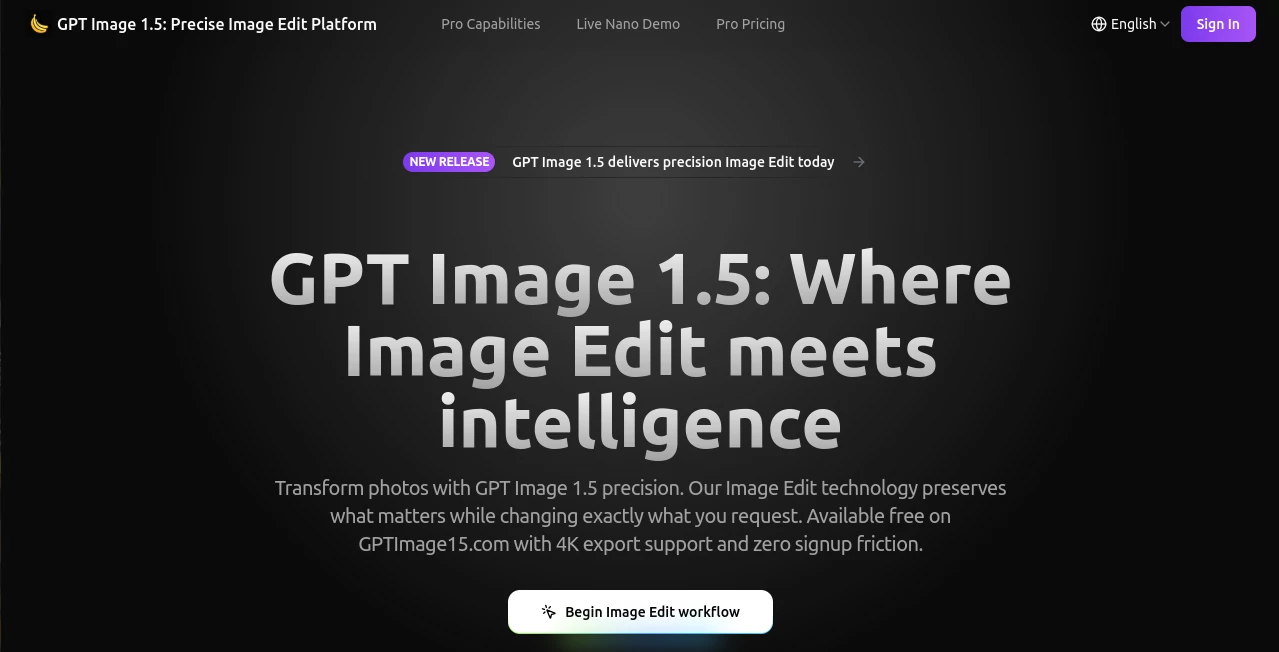
What is GPT Image 1.5?
There's something truly satisfying about uploading a favorite photo and watching it transform exactly how you envisioned, down to the tiniest detail—like swapping a casual outfit for something elegant while the smile and lighting stay perfectly intact. This platform nails that experience time and again, blending smart tech with a keen eye for realism that makes edits feel effortless and authentic. I've tinkered with it on a few personal projects, and the way it holds onto the original vibe while nailing your instructions? It's the kind of tool that quietly becomes indispensable once you start using it.
Introduction
At a time when quick visual tweaks can make or break a campaign or personal post, this editor stands out by focusing on precision without the fuss. Upload your shot, describe the change in plain words—like "switch the background to a sunny beach" or "add crisp text on the sign"—and it delivers modifications that respect the source material's mood, faces, and light. It's built for folks who need reliable results fast, from marketers testing product variants to designers prototyping ideas or even parents jazzing up family pics. What draws people in is that rare balance: powerful enough for pros, simple enough for anyone to jump in and get stunning outcomes without a steep climb.
Key Features
User Interface
Everything starts with a straightforward upload spot that accepts your images right away, paired with a generous prompt box that encourages details for the best outcome. A gallery of examples sits nearby for inspiration, and credit tracking keeps things transparent without overwhelming the screen. It's refreshingly uncluttered—one friend described it as "like texting instructions to a talented photographer who gets it right the first time"—letting you focus on the creative part rather than navigating layers.
Accuracy & Performance
It excels at grasping nuanced requests, preserving identities through facial cues and matching lighting so edits blend seamlessly, often wrapping jobs in under ten seconds even for batches. The built-in checks catch glitches like odd distortions before you see them, refining automatically for that polished finish. In practice, it's impressively reliable—I've seen it handle dense text on curved surfaces or subtle makeup shifts without a hitch, turning potential revisions into rare occurrences.
Capabilities
From wardrobe swaps and background overhauls to inserting elements or erasing distractions, it manages realistic touches that keep the essence alive. Text comes out sharp and legible in any language, even packed paragraphs, while style shifts turn snapshots into posters or art pieces. Multi-image consistency ensures series stay coherent, and high-res exports up to 4K with transparency options make it versatile for web, print, or further tweaks.
Security & Privacy
Uploads get processed securely with a focus on keeping things contained, no unnecessary lingering or sharing. It's designed to give you control, especially handy for sensitive or commercial shots, fostering that confidence to experiment freely knowing your work stays protected.
Use Cases
E-commerce teams generate product variations on the fly, staging items in fresh settings to boost listings without photoshoots. Marketers craft localized ads by adapting text and scenes for different markets, saving hours on revisions. Designers prototype concepts, trying hairstyles or props virtually before committing. Content creators refresh old photos for stories, or build consistent character sets for visuals that tie narratives together beautifully.
Pros and Cons
Pros:
- Pinpoint changes that respect the original, cutting down on back-and-forth tweaks.
- Lightning-quick turns, even queuing multiples without slowdowns.
- Flawless text handling and multi-language support for global projects.
- High-quality exports that scale up cleanly for any use.
Cons:
- Best results come from detailed prompts—quick ones might need a refine.
- Volume users lean toward subscriptions for uninterrupted flow.
Pricing Plans
Dive in free with no signup barriers, perfect for trying edits and seeing the quality firsthand. Paid tiers scale flexibly for higher volumes, offering full access without surprises—tailored for solo explorers or teams churning out assets regularly. It's straightforward and fair, growing with your needs rather than locking features behind walls.
How to Use GPTImage15
Grab a clear photo, upload it straight to the workspace, and spell out your wishes in the prompt—like "replace the shirt with a blue sweater, keep the pose and expression." Add references if you want consistency across tries, then generate and watch the magic unfold. Preview, download in your preferred format, and iterate if a small adjustment calls—most folks nail it in one or two goes, building polished pieces surprisingly fast.
Comparison with Similar Tools
While many editors deliver broad strokes or struggle with fine details, this one prioritizes exactness—holding faces steady, light true, and text readable where others blur or drift. It's quicker on the draw for precise tweaks, skipping the layers and masks that slow down alternatives, yet matches or beats them on realism and speed for everyday professional needs.
Conclusion
This platform redefines what's possible with a simple upload and description, delivering edits that feel thoughtful and true to your intent. It's a quiet powerhouse for turning good images into great ones, saving time and sparking ideas along the way. Whether you're polishing personal memories or powering professional visuals, it earns its spot as a reliable go-to that just keeps impressing.
Frequently Asked Questions (FAQ)
What makes edits so natural?
It locks in faces, lighting, and context, applying changes without disrupting the original feel.
How fast are results?
Most under ten seconds, with batches running side by side for efficiency.
Can it handle text in images?
Beautifully—crisp, curved, or dense, in any language you throw at it.
Free to try?
Yes, jump in without signup for initial edits and upgrades as you go.
Resolution options?
Up to 4K, with transparency and formats that fit your workflow.
AI Text to Image , Photo & Image Editor , AI Photo Enhancer , AI Image to Image .
These classifications represent its core capabilities and areas of application. For related tools, explore the linked categories above.
GPT Image 1.5 details
This tool is no longer available on submitaitools.org; find alternatives on Alternative to GPT Image 1.5.
Pricing
- Free
Apps
- Web Tools
Categories

GPT Image 1.5 Alternatives Product

Gemini AI Ph…

claude image
Pixora

Upscale image

Seedream 5.0

MidJourney

Transform An…

Image Unblur

Z-Image Gene…
