
🧠 AI Quiz
Think you really understand Artificial Intelligence?
Test yourself and see how well you know the world of AI.
Answer AI-related questions, compete with other users, and prove that
you’re among the best when it comes to AI knowledge.
Reach the top of our leaderboard.


















Guideflow
Interactive Demos That Convert in Minutes

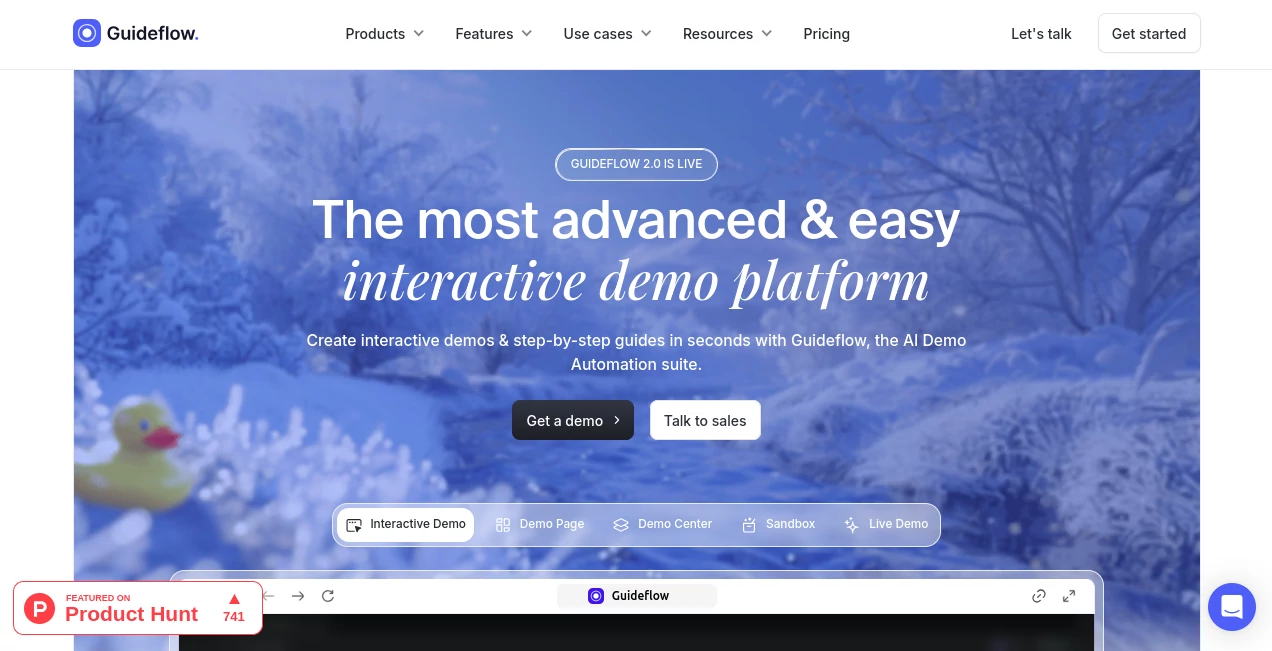
What is Guideflow?
Guideflow slips into the workflow of teams who need to showcase their work without the drag of drawn-out setups, turning simple clicks into engaging walkthroughs that pull viewers in. This platform has a way of making complex explanations feel like a gentle nudge, helping sellers close deals faster and support folks cut down on back-and-forth. Those who've woven it into their days often point to the quiet shift it brings, where a quick share turns into real traction without the usual production pains.
Introduction
Guideflow took shape from the shared gripes of folks in sales and support who were bogged down by clunky demo tools that demanded too much time for too little payoff. It rolled out aiming to flip that script, letting users snag interactions right from their screens and spin them into polished shares in a flash. Word spread through team chats and success shares, with stories of leads that warmed up quicker and tickets that dried up after a single guided glance. Over time, it's grown into a steady hand for companies looking to bridge the gap between what they offer and how it lands, proving that a bit of clever capture can smooth out the rough edges of getting others on board.
Key Features
User Interface
The starting point is as easy as a browser tab, where you just follow your own steps and tap done to let it grab the flow. From there, the builder opens up like a shared workspace, with drag spots for notes or tweaks and a sidebar that suggests fits without overwhelming the view. It's the kind of setup that invites a team huddle, where one person adds a logo while another slips in a quick tip, all flowing without the usual back-button blues.
Accuracy & Performance
When it pulls in your actions, it keeps the sequence tight and true, mirroring what you did without adding phantom clicks or dropped details. Builds land fast, often in under three minutes for a full run, and hold up smooth across devices, letting you test a pitch on phone or screen without hiccups. Users nod at how it tracks the real beats of a process, turning a messy walkthrough into something that guides without guessing.
Capabilities
It goes beyond basic records, layering in smart touches like auto translations or voice hints that fit the crowd, plus ways to swap out screens for branded blanks. You can hide bits for privacy or spotlight wins with graphs, and the sharing nets cast wide—from email drops to site embeds that track every peek. At its best, it chains with other tools to pull in leads or push updates, making a single capture stretch into multiple plays.
Security & Privacy
Your captures stay in a locked loop, processed quick and held only as long as you need, with team views gated by roles you set. It keeps sensitive screens blurred or out unless you say otherwise, and shares come with controls to pull back if plans shift. That behind-the-scenes care lets you hand off a guide without the nagging thought of loose ends.
Use Cases
A sales rep preps a tailored tour for a prospect, swapping in their name and pain points to make the pitch land personal. Support teams drop a quick fix path into tickets, cutting repeat asks and freeing up hours for trickier spots. Marketers embed a hands-on hook on a landing page, watching signups climb as visitors poke around themselves. Even product leads use it to float feature previews to testers, gathering nods before the full rollout.
Pros and Cons
Pros:
- Snags full flows in seconds, skipping the script scramble.
- Boosts engagement with touches that feel made for the moment.
- Tracks what sticks, turning shares into smart next steps.
- Plays nice with teams, no lone wolf limits.
Cons:
- Shines on web flows; app natives might need extra hops.
- Deep custom bits can nudge toward paid paths.
- Learning the full weave takes a few runs for new hands.
Pricing Plans
You can jump in free to test the waters, crafting a handful of guides without a hitch to see if it clicks for your crew. From there, plans likely scale with shares and smarts, stepping up for unlimited builds or team ties, though the details flex to fit without a hard lock-in. It's set up to grow with you, starting light and layering on as the wins pile up.
How to Use Guideflow
Fire up your browser on the spot you want to show, hit record and walk through the steps like you would for a buddy. Wrap it with a finish tap, then hop to the editor to sprinkle in your colors or a quick callout. Give it a personalization pass if it's for one person, embed or link it out, and watch the dashboard light up with who lingered where. Tweak based on the takes, and you've got a loop that sharpens with each share.
Comparison with Similar Tools
Where some setups demand full scripts upfront, Guideflow's capture-first flow skips the prep, though those might edge out for rigid repeats. Against video-heavy hitters, it lightens the load with interactive zing, trading polish for play but perhaps missing the talking-head warmth. It fits folks craving quick, clickable clarity over scripted spectacles.
Conclusion
Guideflow nudges the needle on how teams tell their tales, wrapping walkthroughs in a way that invites rather than instructs. It turns the chore of showing into the spark of sharing, proving a guided glance can guide real change. As more outfits chase that hands-on edge, this one's poised to keep smoothing the path, one captured click at a time.
Frequently Asked Questions (FAQ)
How long till my first guide's ready?
Under three minutes from start to share, if you keep it straightforward.
Does it work on mobile apps too?
Best on web views, but app flows come through with a bit more setup.
Can I tweak for different languages?
Yes, it auto-handles swaps to fit global crowds without extra sweat.
What gets tracked in the insights?
Everything from first peeks to finish lines, plus any form fills along the way.
Is it safe for client data?
Built with gates to blur or block bits, keeping shares as clean as you want.
AI Productivity Tools , AI Task Management , AI Team Collaboration , AI Project Management .
These classifications represent its core capabilities and areas of application. For related tools, explore the linked categories above.
Guideflow details
This tool is no longer available on submitaitools.org; find alternatives on Alternative to Guideflow.
Pricing
- Free
Apps
- Web Tools
Categories

Guideflow Alternatives Product

AiZolo

Read

LaunchBoard

Meet-Ting

Keepmind

Graph Maker

GenPPT AI

FeatureShark

FINIITE AI
