
🧠 AI Quiz
Think you really understand Artificial Intelligence?
Test yourself and see how well you know the world of AI.
Answer AI-related questions, compete with other users, and prove that
you’re among the best when it comes to AI knowledge.
Reach the top of our leaderboard.


















SMMAI
Effortless Social Media Templates for Every Brand

What is SMMAI?
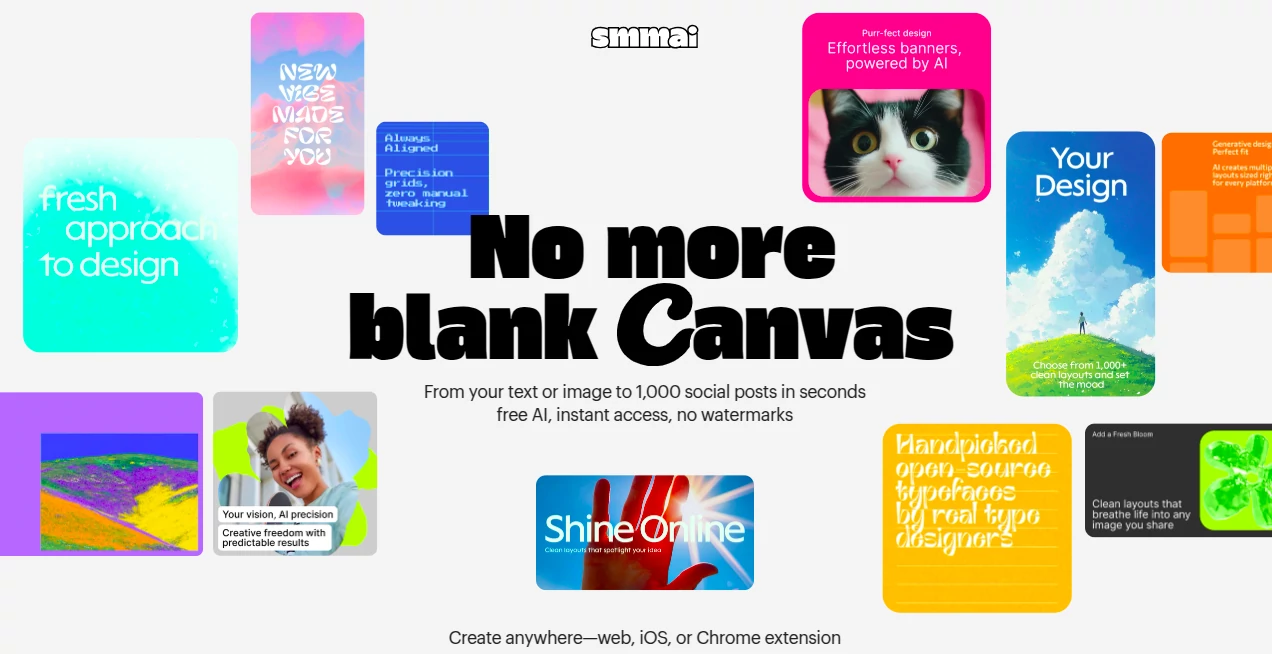
SMMAI opens the door to polished social posts without the usual design drag, handing users a library of ready-made frames that fit any feed like a glove. This service turns the blank canvas blues into a quick pick-and-tweak affair, letting small teams craft eye-catching updates that pull in likes and shares. Many who've dipped in talk about how it levels the playing field, giving solo creators the edge of a full design squad at their fingertips.
Introduction
SMMAI took off from the daily grind of marketers juggling posts and pixels, sparked by a need for something that sped up the sparkle without skimping on style. It landed quietly a year or so back, drawing in a wave of brand builders who were weary of piecing together graphics from scratch. Soon, stories surfaced of feeds that transformed overnight—think vibrant stories that sparked conversations and carousels that kept scrolls lingering. What hooked them was the way it wrapped up trends into tidy packages, making sure every share felt fresh yet on-brand, turning what used to be a weekend worry into a mid-morning win.
Key Features
User Interface
The dashboard greets you with a grid of thumbnails that beg a click, each one tagged with vibes like "bold blue" or "whimsy wave," making the hunt for the right fit feel like window shopping. Drag in your logo or text, and it snaps into place with gentle guides, while a sidebar slips in color swaps or font flips without cluttering the view. It's the kind of setup that whispers "easy" from the first load, scaling smooth from desktop dives to phone peeks during lunch breaks.
Accuracy & Performance
When you slot in your specifics, the layouts hold true to the theme, blending your bits without the wonky overlaps that frustrate. Renders roll out in a snap, even for stacked elements, keeping the flow unbroken so you can iterate without impatience. Users nod to how it nails the nuances, like text that reads crisp on tiny screens or images that pop without pixelating, turning rough drafts into ready shares that land just right.
Capabilities
It covers the full spread of social shapes—from square snaps to story strips—packing in spots for quotes, calls-to-action, or quick polls that weave into your narrative. Mix in seasonal twists or brand colors on the fly, and it handles the handoffs to platforms like Instagram or LinkedIn with export packs that fit their quirks. The real charm lies in the endless remixes, letting one base bloom into a week's worth of varied visuals without starting over.
Security & Privacy
Your uploads get a quick once-over and then tucked away, with no long holds or shares unless you hit send. It keeps things locked with simple logins and wipes the temps clean after, so your brand secrets stay snug. That straightforward shield lets teams trust the toss, knowing client logos or campaign cues won't wander off during the design dash.
Use Cases
Freelance folks whip up client carousels that showcase services, swapping text to match niches without rebuilding from blank. Nonprofits layer in event invites that tug at heartstrings, pulling in donors with heartfelt hues. E-com shops stage product spotlights that cycle through seasons, keeping shelves fresh in the feed. Even educators craft tip threads that engage classes, turning dry facts into digestible designs that stick.
Pros and Cons
Pros:
- Vast vault of varied templates saves hours of head-scratching.
- Seamless swaps keep things custom without the complexity.
- Platform-perfect exports dodge the resize rigmarole.
- Beginner-befriending with pro-level polish on tap.
Cons:
- Strays from the script on super-specific styles sometimes.
- Free peeks limit the full feast to a few flavors.
- Heavy on the web, so offline tweaks take a timeout.
Pricing Plans
Start with a free tier that unlocks basics like a dozen downloads a month, ideal for testing toes. Step to standard at ten bucks monthly for unlimited pulls and extra edits, while teams tag pro at thirty for shared stashes and priority pulls. Annual arcs shave off a slice, and a trial week waves the wand without a whisper of cost, easing the entry into endless designs.
How to Use SMMAI
Sign in swift, then browse the board for a base that bites—say, a quote card with space for your spin. Drag your deets in, fiddle fonts or fills till it feels you, and preview on mock feeds. Hit export for the platform pack, schedule if the mood strikes, and stash the setup for future flips. Swing back weekly to refresh the reel, building a backlog that buzzes year-round.
Comparison with Similar Tools
Where some suites stack software that slows you down, SMMAI's web whisper keeps it light and lively, though those might muster more manual might for the meticulous. Against template troves that trade variety for volume, it balances breadth with brand bends, skipping the sprawl but perhaps pinching on plugin plays. It hums high for hasty hits, outpacing the ponderous with poise and punch.
Conclusion
SMMAI wraps the whirlwind of social visuals into a welcoming whirl, arming brands with frames that frame their fire just right. It turns the tide on time sinks, proving that standout shares start with smart starts rather than scratch. As feeds keep flooding, this hub holds the high ground, inviting all to craft content that clicks and connects with ease.
Frequently Asked Questions (FAQ)
What platforms does it prep for?
Instagram, Facebook, LinkedIn, TikTok—the usual suspects, with sizes spot-on.
Can I tweak for my colors?
Yes, palette picker lets you pour your hues in a heartbeat.
How many templates in the mix?
Hundreds, refreshed regular with trends that turn heads.
Team-friendly?
Pro plans pool the palette for group grooves.
Offline options?
Web-first, but downloads let you dash away.
AI Social Media Assistant , AI Design Generator , AI Graphic Design , AI Presentation Generator .
These classifications represent its core capabilities and areas of application. For related tools, explore the linked categories above.
SMMAI details
This tool is no longer available on submitaitools.org; find alternatives on Alternative to SMMAI.
Pricing
- Free
Apps
- Web Tools
- iOS Apps
- Chrome Extensions
Categories

SMMAI Alternatives Product

Seedream 5.0

Paper Animat…

Faceless vid…

whisk ai

Image to STL

Omnigen Stud…

AI for Social

Nano Banana 2

ImgEnhancer
