🧠 AI Quiz
Think you really understand Artificial Intelligence?
Test yourself and see how well you know the world of AI.
Answer AI-related questions, compete with other users, and prove that
you’re among the best when it comes to AI knowledge.
Reach the top of our leaderboard.


















HY Motion
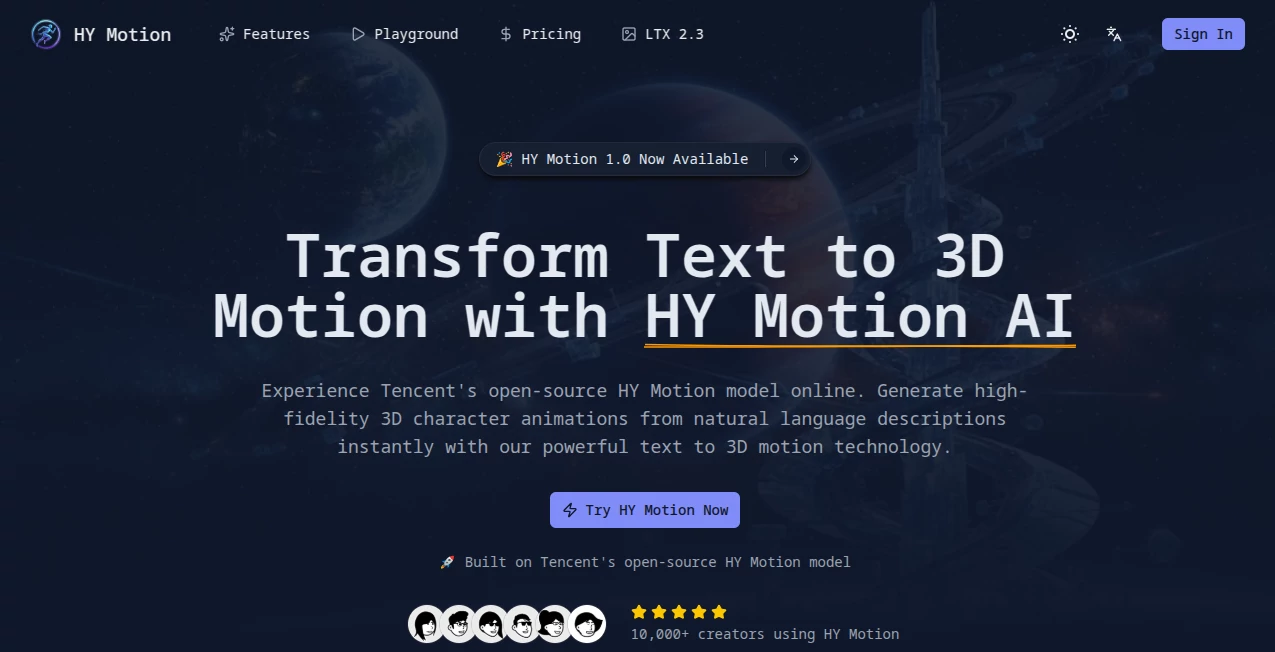
What is HY Motion?
There’s something genuinely exciting about typing a simple sentence like “a confident woman walks across the room and waves hello” and watching a 3D character perform it naturally within seconds. No manual keyframing, no expensive mocap sessions, just text turning into smooth, believable motion. This tool makes that happen with a level of quality that still surprises even experienced 3D artists. I’ve seen indie game developers go from weeks of animation work to having usable character clips in minutes, and the results often look polished enough to drop straight into a prototype. It feels like the future of motion creation finally arrived without the usual headaches.
Introduction
Creating 3D character animation has always been one of the most time-consuming parts of game development, film, or VR. Traditional methods require either skilled animators spending days on keyframes or expensive motion capture setups. HY Motion changes that equation by letting anyone generate high-fidelity 3D animations directly from natural language descriptions. Built on a powerful billion-parameter model, it understands context, nuance, and complex actions across hundreds of motion types. What used to be a bottleneck for solo creators and small teams has become a fast, accessible step that keeps the creative flow alive. The best part? The animations feel natural and professional rather than robotic or over-smoothed.
Key Features
User Interface
The interface is refreshingly straightforward. You type your motion description in a clean text box, optionally adjust a few simple parameters, and hit generate. The preview window lets you orbit the character from different angles in real time while the animation plays. No cluttered timelines or confusing panels—just focused controls that let you iterate quickly. It’s the kind of design where beginners feel confident on their first try, yet pros appreciate how little friction there is between idea and result.
Accuracy & Performance
The model excels at following instructions precisely while producing smooth, natural-looking motion. It handles everything from simple walks to complex sequences like dancing or fighting with impressive coherence. Generation happens in seconds, making experimentation fast and enjoyable. The output quality stands out—motions feel weighty and intentional rather than floaty or robotic, which is still rare in text-to-motion tools. In practice, the first or second generation is often usable with only minor tweaks.
Capabilities
It covers over 200 motion categories across major classes including locomotion, gestures, interactions, sports, and combat. You can describe scenes in natural language and get complete animated sequences ready for export. Supported formats integrate seamlessly with Unity, Unreal Engine, Blender, Maya, and other popular 3D tools. The system also supports longer, multi-action descriptions, giving creators the ability to prototype entire behaviors without switching between multiple tools or spending hours in the animation editor.
Security & Privacy
Your text prompts and generated motions are handled securely with standard enterprise practices. The platform focuses on delivering value without unnecessary data collection, giving creators confidence when working on sensitive or proprietary projects. For teams and individuals alike, knowing your creative ideas stay protected adds an important layer of comfort.
Use Cases
Indie game developers use it to quickly prototype character behaviors and test gameplay feel before investing in full animation pipelines. Film pre-visualization artists generate rough motion studies for storyboarding complex scenes. VR content creators build realistic avatar interactions without expensive mocap suits. Social media creators and educators produce short animated explainers or character demonstrations in minutes. Even larger studios leverage it for rapid ideation and blocking out scenes during early production phases. Wherever you need convincing 3D motion fast, it delivers.
Pros and Cons
Pros:
- Turns natural language into surprisingly natural 3D motion in seconds.
- High coherence and quality that feels professional rather than experimental.
- Seamless export to major 3D engines and tools.
- Opens up animation to creators who lack traditional skills or budgets.
- Fast iteration cycle that keeps creative momentum high.
Cons:
- Extremely complex or highly specific choreography may still need refinement.
- Output length is best suited for short-to-medium sequences.
- Advanced customization options are still evolving.
Pricing Plans
The platform offers accessible entry points with generous free usage for testing and small projects. Paid plans unlock higher limits, faster generation, priority access, and commercial usage rights suitable for professional work. Pricing is designed to scale with your needs—whether you’re a solo creator experimenting or a team integrating it into a larger pipeline. Many users find that the time saved on animation more than justifies the investment.
How to Use HY Motion
Head to the generator page and type a clear motion description in natural language (e.g., “a young man excitedly jumps and pumps his fist in celebration”). Adjust any available settings for style or intensity if needed. Click generate and watch the preview load. Orbit the character to check the motion from different angles. Once satisfied, export in your preferred format and drop it straight into Unity, Unreal, Blender, or your editor of choice. The whole process from idea to usable animation often takes less than a minute.
Comparison with Similar Tools
Many text-to-motion solutions still produce stiff or unrealistic results that require heavy cleanup. This one stands out for its natural movement, strong instruction following, and clean integration with industry-standard tools. Where others feel experimental, the output here feels production-ready for prototyping and often beyond. It strikes an excellent balance between ease of use and quality, making it especially appealing for indie developers and small creative teams.
Conclusion
Animation shouldn’t be a barrier to bringing your ideas to life. This tool removes one of the biggest hurdles by turning words into convincing 3D motion with impressive speed and quality. It empowers creators of all skill levels to experiment, prototype, and iterate faster than ever before. Whether you’re building games, telling stories in VR, or simply exploring new creative possibilities, it opens doors that used to require significant time, money, or technical expertise. The future of motion creation feels a lot more accessible—and a lot more fun—thanks to tools like this.
Frequently Asked Questions (FAQ)
How detailed should my prompt be?
Clear and descriptive works best. The more context you give (emotion, speed, environment), the better the results tend to be.
Can I use the animations in commercial projects?
Yes—paid plans include rights suitable for commercial use in games, films, and other media.
What 3D software does it support?
It exports in formats compatible with Unity, Unreal Engine, Blender, Maya, and most major 3D pipelines.
How long are the generated animations?
Best suited for short-to-medium sequences; longer or more complex actions can be built by combining multiple generations.
Is there a free way to try it?
Yes—generous free access lets you test quality and workflow before deciding on a paid plan.
AI Developer Tools , AI Design Generator , AI 3D Model Generator , AI Image to 3D Model .
These classifications represent its core capabilities and areas of application. For related tools, explore the linked categories above.
HY Motion details
Pricing
- Free
Apps
- Web Tools
Categories

HY Motion Alternatives Product

Lexica AI

insMind

KaneAI

grok imagine…

3D AI Maker

WonderShare …

Fiddl.art

Nano Banana …

GOLANG COLLE…