
🧠 AI Quiz
Think you really understand Artificial Intelligence?
Test yourself and see how well you know the world of AI.
Answer AI-related questions, compete with other users, and prove that
you’re among the best when it comes to AI knowledge.
Reach the top of our leaderboard.


















Hyperone

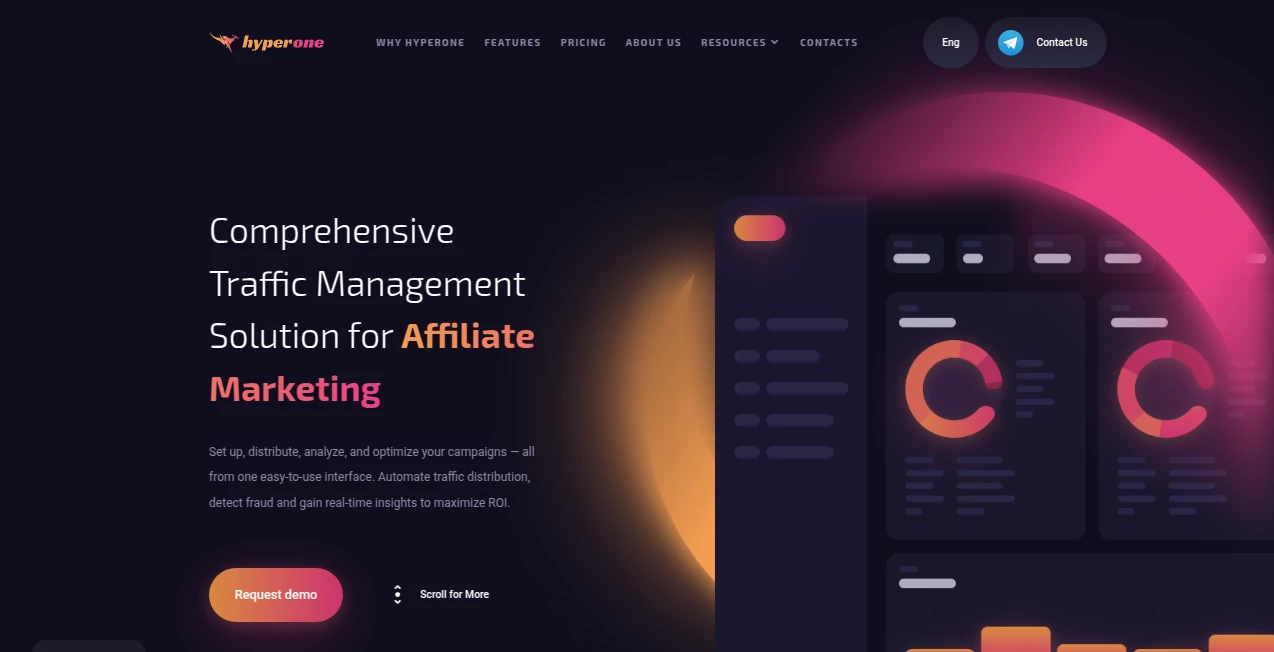
What is Hyperone?
Some images stop you mid-scroll—not because they're loud or flashy, but because they feel impossibly real. Skin texture you can almost touch, light falling exactly how it should, reflections and shadows that make sense. This tool creates those kinds of images. You type a description, perhaps tweak a few settings, and seconds later you're looking at something that could pass for a professional photograph. I've generated portraits that made friends ask which camera I used, and product shots that looked ready for an e-commerce catalog. The realism is the hook, but the speed and control are what keep you generating again and again.
Introduction
Hyper-realistic AI generation used to mean long wait times, heavy hardware, and results that still had telltale artifacts. This platform changes the equation. It delivers gallery-quality images quickly, with natural lighting, accurate anatomy, and coherent details even in complex scenes. Built for creators who need visuals that compete with real photography—marketers, designers, concept artists, storytellers—this tool has become a go-to because it removes the usual trade-offs. Quality doesn't cost you time, and control doesn't require an engineering degree. The moment you see your first output without the typical "AI smell," you understand why people quietly switch over and never look back.
Key Features
User Interface
The workspace is calm and focused. A wide prompt box sits front and center, supported by intuitive sliders for style strength, detail level, aspect ratio, and negative prompts. Reference image upload is drag-and-drop simple, and style presets (photoreal, cinematic, studio portrait, etc.) are one click away. Generation previews appear fast, letting you iterate without losing momentum. It's designed so beginners feel capable and pros feel unhindered—everything you need is visible, nothing you don't is hidden.
Accuracy & Performance
Anatomy stays correct even in difficult poses, hands don't melt, eyes look alive and focused. Lighting behaves naturally—soft falloff, accurate shadows, believable reflections. Skin has pores, hair has strands, fabrics have weave. Generation times are consistently fast (often 8–25 seconds depending on steps/resolution), and the model rarely produces the usual artifacts that plague other hyper-real tools. When you zoom in, the details hold up—no mushy noise or plastic sheen. It's the kind of reliability that lets you trust the output for client work or public release.
Capabilities
Text-to-image, image-to-image, inpainting/outpainting, upscaling to 4K+, style transfer from reference photos, negative prompt control, multiple aspect ratios, and fine-tuned photorealism with cinematic depth of field. It excels at portraits, product photography, architectural visualization, concept art, and fashion/editorial looks. The prompt adherence is strong—describe a specific brand of watch on a wrist in golden-hour light, and it delivers exactly that. Results integrate seamlessly into Photoshop or Figma workflows.
Security & Privacy
Images are processed ephemerally—nothing is stored long-term unless you explicitly save it. No mandatory account for basic use, so your prompts and outputs aren't tied to a profile unless you choose to create one. For commercial creators, client mockups, or personal concepts, that clean boundary provides real peace of mind.
Use Cases
A small jewelry brand generates hero product shots that look like they came from a high-end studio, boosting conversions without a photographer. A concept artist iterates character designs in photoreal style faster than traditional sketching. A marketing team creates lifestyle images for a campaign that match their brand mood perfectly. A novelist visualizes book cover scenes to guide their illustrator. The common thread: people who need visuals that look real, fast, and exactly as imagined—without hiring, shooting, or endless revisions.
Pros and Cons
Pros:
- Hyper-realistic quality that rivals professional photography.
- Fast generation keeps creative flow alive—no waiting all day.
- Strong prompt understanding—gets the details right the first time.
- Multiple styles and controls give real creative flexibility.
- Generous free tier lets you experience the quality before paying.
Cons:
- Very complex multi-subject prompts can occasionally lose minor details.
- Highest resolutions and unlimited use require a paid plan.
- Some niche artistic styles are less consistent than photoreal.
Pricing Plans
Free tier offers several high-quality generations per day—enough to test seriously and create usable assets. Paid plans unlock unlimited generations, 4K+ upscaling, priority queue, faster processing, and commercial-use rights without attribution. Pricing is reasonable—many users say one month covers what they used to spend on stock photography or freelance retouchers for a single campaign. It's structured so you pay for the power you actually need.
How to Use Image Enhancer
Write a clear, detailed prompt describing your scene (lighting, mood, composition, subject details). Optionally upload a reference image for stronger visual grounding. Choose aspect ratio, style preset, and any negative prompts to avoid unwanted elements. Hit generate—preview appears quickly. Adjust prompt wording, strength, or reference influence if needed, then download in your chosen resolution. Iterate a few times to nail the perfect look. The loop is fast enough to explore variations in one focused session.
Comparison with Similar Tools
Many generators still produce plastic skin, lighting mismatches, or anatomical errors in complex scenes. This one delivers cleaner anatomy, more natural lighting, and better prompt adherence—especially for photoreal portraits and products. Where others force heavy post-processing, the outputs here often need little to no cleanup. The balance of speed, quality, and control makes it a clear favorite for creators who need results that look professionally shot rather than "AI-ish."
Conclusion
Creating hyper-realistic visuals used to mean expensive shoots, heavy retouching, or endless waiting. This tool collapses that timeline into moments, handing creators the ability to visualize ideas with photographic fidelity without compromise. It doesn't just generate images—it gives you the confidence that what you're showing the world looks as real as you imagined. For marketers, artists, designers, and storytellers who need visuals that persuade, this is one of those rare tools that quietly raises the bar for everyone.
Frequently Asked Questions (FAQ)
How long does a generation take?
Usually 8–25 seconds depending on steps and resolution—fast enough to iterate quickly.
Do I need a reference image?
Not required—text-only works great—but adding one dramatically improves consistency and detail.
What resolutions can I get?
Up to 4K+ on paid plans; free tier offers high-quality previews.
Can I use the images commercially?
Yes—paid plans include full commercial rights with no attribution required.
Is there a watermark on free generations?
Small watermark on free outputs; paid plan removes it completely.
AI Photo & Image Generator , AI Design Generator , AI Image to Image , AI Text to Image .
These classifications represent its core capabilities and areas of application. For related tools, explore the linked categories above.
Hyperone details
This tool is no longer available on submitaitools.org; find alternatives on Alternative to Hyperone.
Pricing
- Free
Apps
- Web Tools
Categories

Hyperone Alternatives Product

Nano Banana 2

AI Photo Edi…

ModelsLab

Transform An…
Project Genie

AI Picture G…

bratgenerator

NanoBanana2F…

Seedream 5.0
