🧠 AI Quiz
Think you really understand Artificial Intelligence?
Test yourself and see how well you know the world of AI.
Answer AI-related questions, compete with other users, and prove that
you’re among the best when it comes to AI knowledge.
Reach the top of our leaderboard.


















Z-Image
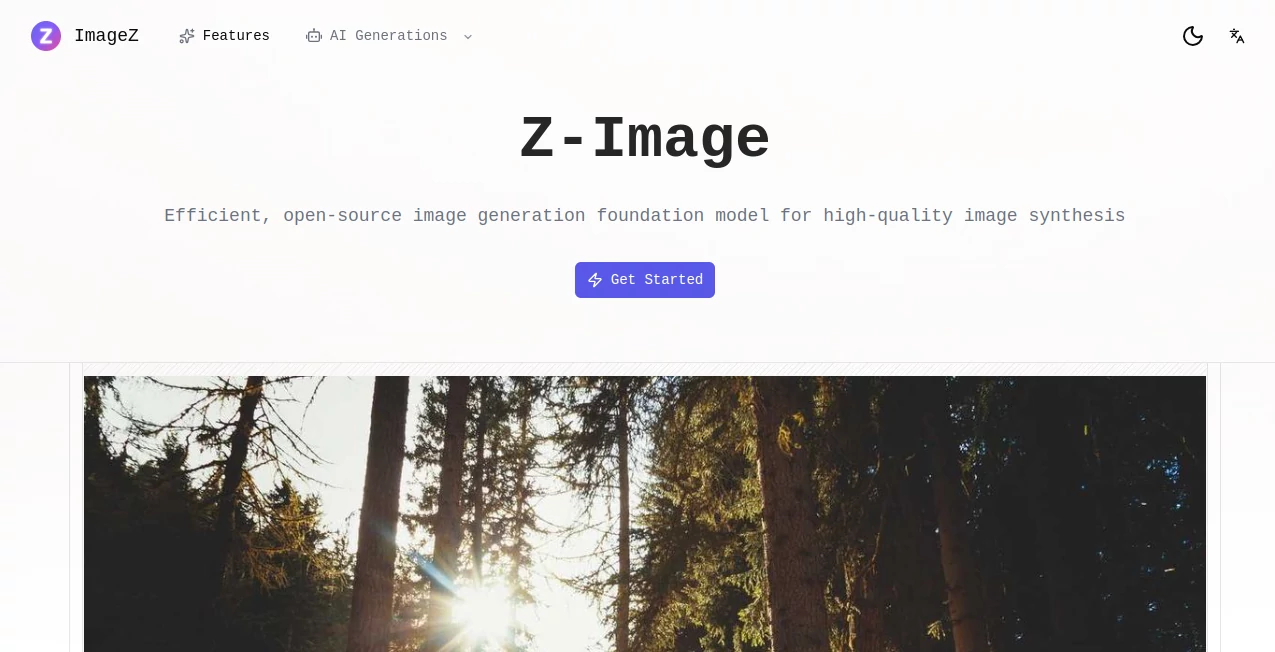
What is Z-Image?
Picture this: you're brainstorming a new logo late at night, type a quick description, and seconds later you're staring at something that actually looks professional. That's the quiet thrill this tool delivers every time. No bloated software, no confusing settings—just a straightforward place to turn ideas into visuals that feel like they were crafted by someone who really gets what you're after. I've had moments where a single prompt created exactly the mood I needed for a client pitch; it saved me hours and still makes me smile when I look back at the results.
Introduction
Most AI image generators overwhelm you with options or deliver inconsistent results that require endless tweaking. This one takes a different path: clean, focused, and built around the idea that great visuals shouldn't come with a learning curve. It's designed for people who want fast, high-quality outputs without wading through complexity—whether you're a marketer mocking up campaign assets, a blogger hunting for the perfect header, or just someone doodling ideas on a rainy afternoon. What keeps users coming back is how reliably it captures the nuance in your words, producing images that feel thoughtful rather than generic.
Key Features
User Interface
The moment you land on the page, it's clear: no clutter, no unnecessary buttons. Just a generous prompt box that invites you to write naturally, a few helpful style presets if you need a nudge, and a big "Generate" button. Results appear in a clean grid with instant zoom and download options. It's the kind of interface that disappears while you're creating—letting you stay in the flow instead of fighting the tool.
Accuracy & Performance
The real standout is how well it understands intent. Subtle prompts like "warm golden hour portrait of a musician in a cozy studio" come out looking like they were shot by a pro photographer. Generation times are impressively quick—usually under 15 seconds—and the quality stays consistent even on more abstract or detailed ideas. In my experience, it rarely requires more than two tries to get something close to perfect.
Capabilities
Beyond basic generation, it handles everything from photorealistic portraits to abstract digital art, with strong support for specific styles like cinematic, minimalist, or vintage illustration. You can guide composition, lighting, and mood with natural language, and the outputs scale beautifully for print or web use. It's especially strong at maintaining character consistency when you reuse prompts, which is a lifesaver for series work.
Security & Privacy
Your prompts and generated images stay private by default. Nothing is stored long-term unless you explicitly save it, and there's no training on user data. For anyone working on sensitive projects or client work, that's a huge relief. It's reassuring to know your creative explorations aren't quietly feeding someone else's model.
Use Cases
Freelance designers use it to quickly visualize client concepts before committing to longer workflows. Content creators generate eye-catching thumbnails that actually match their video vibe. Small businesses mock up product visuals or social graphics without hiring a photographer. Even writers bring their story scenes to life as covers or illustrations, helping them see their world more clearly.
Pros and Cons
Pros:
- Consistently impressive results that often exceed expectations
- Lightning-fast generation without sacrificing quality
- Simple, distraction-free interface that feels welcoming
- Strong understanding of nuanced prompts and creative direction
- Respectful approach to user privacy
Cons:
- Free tier is limited, so heavy users will want to upgrade
- No built-in editing tools for fine-tuning (though outputs are usually spot-on)
Pricing Plans
The free plan gives you a generous number of generations per day—enough to experiment and get a real feel for it. Paid plans start at a very reasonable price for unlimited access, faster processing, and higher resolution options. There's no long-term lock-in; you can cancel anytime. It's structured so casual users stay free forever, while power users get exactly what they need without overpaying.
How to Use Z-Image
Start by typing a description—be as specific or poetic as you like. If you're unsure, try one of the example prompts or style presets to get inspired. Hit generate, wait a few seconds, and browse the results. Like what you see? Download it in high resolution. Want variations? Tweak the prompt slightly and run again. It's that simple. I usually keep a little notepad of prompt phrases that work well for me—helps me get even better results over time.
Comparison with Similar Tools
Unlike tools that overwhelm with sliders and parameters, this one keeps things focused on the prompt itself—trusting the AI to interpret rather than forcing you to micromanage. While some competitors boast bigger model names, the actual output here often feels more artistic and intentional. It's less about raw power and more about usable, beautiful results that don't require a PhD to achieve.
Conclusion
This tool quietly raises the bar for what AI image generation can be: fast, reliable, and genuinely creative. It strips away the friction so you can focus on the ideas that matter. Whether you're creating for work or play, it feels like having a talented artist who understands exactly what you're trying to say. Give it a try—you might find yourself reaching for it more than you expected.
Frequently Asked Questions (FAQ)
How many images can I generate for free?
Enough to explore and create meaningfully—typically dozens per day, resetting every 24 hours.
Can I use the images commercially?
Yes, paid plan users get full commercial rights. Free plan images are for personal use.
What kind of prompts work best?
Clear, descriptive language with mood, lighting, and style details tends to give the most striking results.
Is there a mobile app?
Web-based and fully responsive, so it works beautifully on phones and tablets too.
Can I edit generated images?
Not directly in the tool yet, but downloads are high-res and ready for your favorite editor.
AI Text to Image , AI Photo & Image Generator , AI Art Generator , AI Design Generator .
These classifications represent its core capabilities and areas of application. For related tools, explore the linked categories above.
Z-Image details
Pricing
- Free
Apps
- Web Tools
Categories

Z-Image Alternatives Product

AI Picture G…
bratgenerator

Roblox Man F…
Try FLux2

Nano Banana …

Seedream 5.0

Gpt Image 1.5

grok bikini

Banana AI