🧠 AI Quiz
Think you really understand Artificial Intelligence?
Test yourself and see how well you know the world of AI.
Answer AI-related questions, compete with other users, and prove that
you’re among the best when it comes to AI knowledge.
Reach the top of our leaderboard.

















Kling 3 AI
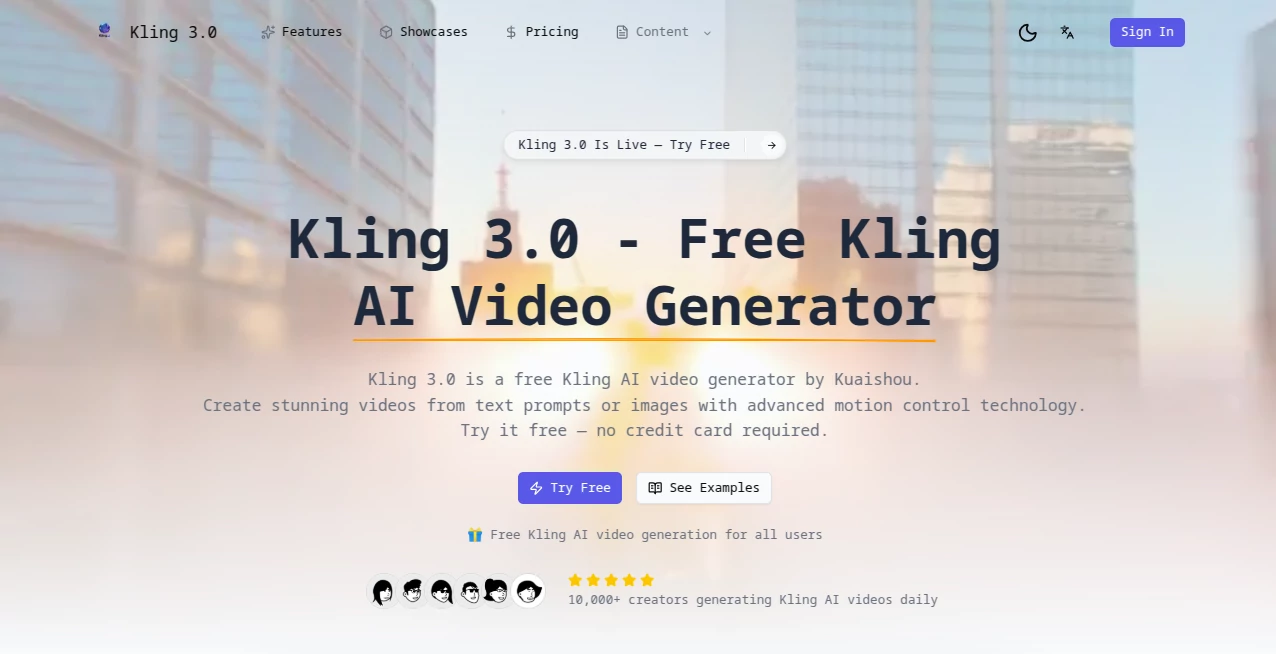
What is Kling 3 AI?
There’s a quiet thrill when a few words or a single still image suddenly unfold into a living, breathing scene—camera drifting through golden-hour light, characters moving with real weight, the whole thing feeling directed rather than generated. This tool has been quietly raising the bar for what people expect from text-to-video and image-to-video right now. The motion looks thoughtful, faces stay recognisable across long takes, and the lighting behaves like actual cinematography instead of random glow. Friends who’ve used earlier models keep saying the jump in quality feels almost unfair—suddenly their rough storyboards look like short films they could actually show someone.
Introduction
Video creation used to mean either spending serious money or accepting that “AI video” came with visible seams and awkward physics. Kling 3 quietly shifts that reality. You describe what you want—mood, pacing, lens choices—and it delivers clips that hold coherence for up to two minutes at 1080p and 30 fps. The thing that keeps pulling people back is how rarely you need to rerun because the first output already feels intentional. Whether you’re scripting a moody trailer, visualising a music track, or just messing around with surreal concepts at 3 a.m., the results carry a level of polish that makes sharing them feel exciting rather than apologetic.
Key Features
User Interface
The workspace stays calm and focused. You get a generous prompt box that understands natural language, a clean dropdown for aspect ratio and duration, plus quick toggles for camera movement and style strength. Reference images or short clips can be dragged in directly, and the preview starts rendering almost immediately so you can sense direction early. It never feels like you’re wrestling software; more like you’re directing a very attentive assistant who listens carefully and rarely needs the note repeated.
Accuracy & Performance
Motion fluency stands out first—characters walk with believable stride, fabrics catch light naturally, water ripples without that telltale AI stutter. Prompt adherence is unusually strong; if you say “slow dolly in through rain-slicked neon street at dusk”, that’s exactly what you tend to get. Generations usually finish in a few minutes even at higher quality settings, and the consistency across long clips means you’re rarely forced to stitch awkward cuts together afterwards.
Capabilities
Text-to-video, image-to-video, and video-to-video all live comfortably in the same tool. You can extend existing clips, remix with new prompts, or use a reference video to control motion while swapping style or characters. Lip-sync support is available for dialogue scenes, and the model handles complex multi-subject interactions surprisingly well—two people talking while walking, objects being handed back and forth, crowd scenes that don’t collapse into mush. The output range spans realistic live-action looks to painterly animation, giving creators real stylistic freedom.
Security & Privacy
Uploads are processed securely and not used for training without explicit permission. Paid plans include private mode so your generations stay completely off public feeds. For creators working on client projects or personal stories, that matters a lot—no quiet worry that your concept might surface somewhere else.
Use Cases
An indie musician sketches a lyric video by feeding album art and letting the tool build a visual narrative that matches the song’s emotional arc. A small marketing team turns static product photos into short lifestyle clips for social without booking a shoot. A screenwriter mocks up key scenes to pitch the tone to producers. Even casual creators use it to turn late-night story ideas into shareable shorts that get genuine reactions from friends. The common thread is speed + quality—ideas that used to stay in notes finally see daylight.
Pros and Cons
Pros:
- Motion and physics feel directed rather than randomised.
- Strong prompt understanding—your words translate more literally than most competitors.
- Longer coherent clips (up to 2 min) without major continuity breaks.
- Flexible modes: text, image reference, video extension, lip-sync.
Cons:
- Higher-quality settings eat credits quickly on free tier.
- Very abstract or contradictory prompts can still produce oddities (though far less often than older models).
Pricing Plans
Free tier gives a meaningful daily allowance so you can explore seriously without feeling teased. Paid plans step up sensibly—more credits, priority queue, private generations, and access to the latest model variants. Annual options cut the monthly sting nicely, and top tiers include commercial-use rights that make sense for creators who plan to monetise. It’s structured so hobbyists can stay free or low-cost while professionals pay for the headroom they actually need.
How to Use Kling 3
Log in, open the creation panel, and start with a descriptive prompt—be specific about shot type, lighting, and mood if you want tight control. Drag in an image or short clip if you’re guiding style or character. Choose duration and resolution, toggle any extra settings (lip-sync, motion strength), then hit generate. While it renders you can queue more variations. Once ready, review, download, or extend the clip with a new prompt. Most people find their rhythm after two or three tries and start producing clips they’re genuinely proud to share.
Comparison with Similar Tools
Several strong players exist, but this one consistently wins on motion naturalness and prompt obedience, especially in the 5–10 second range that most social and ad content lives in. Where some models feel like visual effects montages, the output here leans cinematic—camera language, purposeful cuts, believable weight. It’s not the longest or cheapest, but for creators who care about how the final clip feels, it’s often the one they keep coming back to.
Conclusion
Video used to be the most intimidating medium—expensive gear, steep skills, endless hours. This tool quietly lowers every barrier while raising the quality floor so high that “AI video” no longer feels like a compromise. It hands storytellers, marketers, musicians, and daydreamers the ability to see their ideas move with intention and grace. If you’ve ever wanted to turn a sentence into a scene that gives you goosebumps, the moment to try is now.
Frequently Asked Questions (FAQ)
How long can clips be?
Up to 2 minutes in a single generation, with easy extension for longer pieces.
Does it do lip-sync?
Yes—upload audio or let it generate synced speech from your script.
What resolution do I get?
1080p is standard; higher settings available on paid tiers.
Can I use it commercially?
Paid plans include commercial rights—check the specific tier for details.
How good is prompt adherence?
Among the strongest currently available—detailed descriptions usually come back very close to what you envisioned.
AI Animated Video , AI Image to Video , AI Text to Video , AI Video Generator .
These classifications represent its core capabilities and areas of application. For related tools, explore the linked categories above.
Kling 3 AI details
Pricing
- Free
Apps
- Web Tools
Categories

Kling 3 AI Alternatives Product

Aura AI

Wan AI

Seedance 2.0

See dance 2.…

seedance 2.0
Seedance 2.0

Vidmix

Veo 3.1

seedance2