🧠 AI Quiz
Think you really understand Artificial Intelligence?
Test yourself and see how well you know the world of AI.
Answer AI-related questions, compete with other users, and prove that
you’re among the best when it comes to AI knowledge.
Reach the top of our leaderboard.


















Kling 5.0
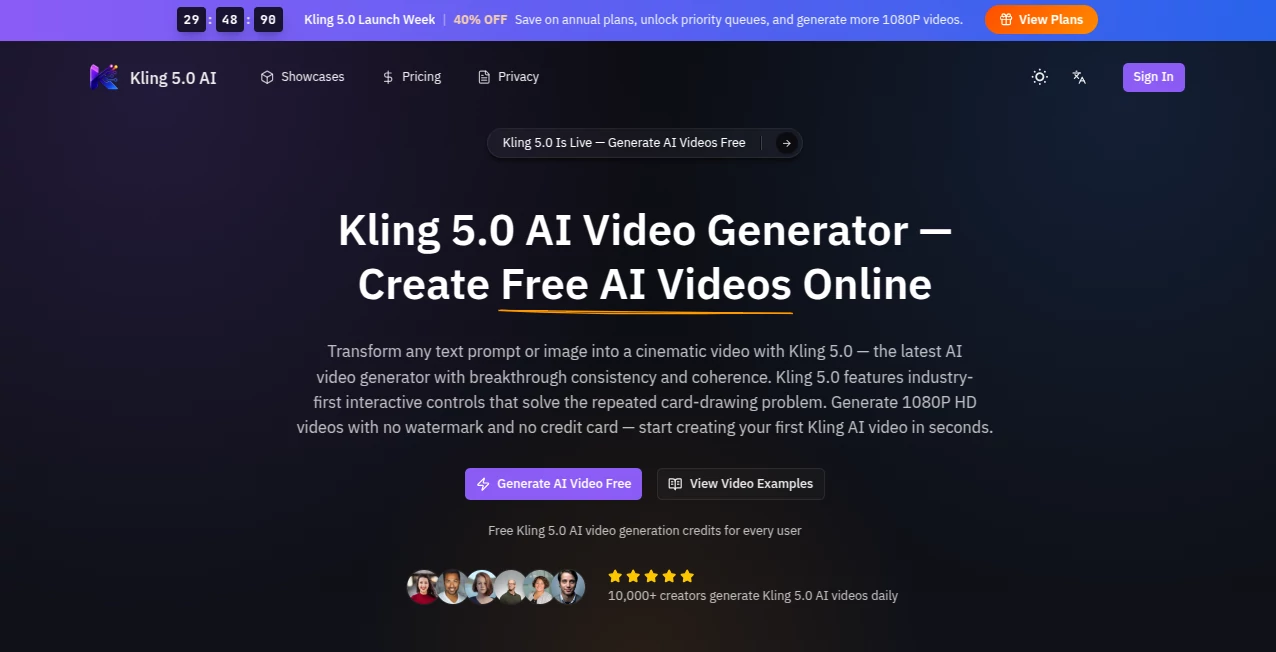
What is Kling 5.0?
You type a short description—“a lone cyclist riding through misty mountain roads at dawn, gentle camera follow”—and a minute later a smooth, 1080p clip plays with natural motion, soft lighting, and a sense of atmosphere that feels carefully directed. No jittery movements, no sudden style breaks, just a little piece of video that actually tells the moment. I’ve shown these clips to friends who usually dismiss AI video as “impressive but not quite there,” and watched them pause, rewind, and ask how it got the lighting and pacing so right. That quiet “wow” moment is what makes this tool special—it doesn’t just move pixels; it captures feeling.
Introduction
Creating video has always been one of the most time-intensive creative tasks. Even short clips demand planning, shooting, and editing. Kling 5.0 changes the equation by letting you go from idea to watchable footage in seconds, whether you start with text or a reference image. The latest version brings stronger consistency, better motion handling, and cinematic qualities that make the output feel less like generated content and more like a real short film. It’s become a favorite for creators who need fast, high-quality visuals without a full production setup—marketers testing ad concepts, filmmakers mocking up scenes, or social creators building daily content that stands out. The free daily credits mean you can experiment without pressure, while the quality keeps you coming back.
Key Features
User Interface
The workspace is clean and inviting. A large prompt area, an optional image upload zone, simple choices for aspect ratio and duration, and one prominent generate button. Previews load quickly so you can iterate without losing your train of thought. No cluttered menus or hidden settings—just enough controls to guide the result while keeping the focus on your idea. Beginners feel capable right away, and experienced users appreciate how little stands between them and the final clip.
Accuracy & Performance
Motion stays coherent even in complex scenes. Characters keep their identity across frames, lighting feels natural, and camera moves have purpose rather than random drift. Generation times are fast enough to support real creative flow, often delivering 1080p clips in under a minute. The model handles detailed prompts well, turning specific instructions into believable action without common AI pitfalls like melting details or sudden jumps in style. The consistency is one of the biggest leaps users notice compared to earlier video tools.
Capabilities
It supports text-to-video and image-to-video generation, with strong multi-shot storytelling, native audio synchronization, and interactive controls that help maintain consistency across scenes. You can guide the output with reference images for style or character, adjust duration and format, and create everything from quick social clips to more cinematic shorts. The results are ready for sharing or further editing, with good handling of both realistic and stylized looks. It’s versatile enough for product demos, storytelling, music visuals, or concept testing.
Security & Privacy
Your prompts and generated videos are handled with care. The platform focuses on delivering the output without unnecessary data retention, giving creators confidence when working on personal projects or client concepts. Basic use requires minimal information, so you can start creating without heavy commitments.
Use Cases
A small brand creates a quick product reveal video from a single hero image and a short description, turning it into an engaging social clip that performs better than stock footage. An indie filmmaker mocks up emotional story beats to test pacing before shooting. A musician generates a visualizer that matches the song’s mood instead of relying on generic loops. A content creator builds daily Reels with consistent style and motion that keep viewers watching. It shines whenever you need high-quality video fast but don’t have time or budget for traditional production.
Pros and Cons
Pros:
- Strong cinematic quality with natural motion and lighting.
- Excellent consistency in characters and style across frames.
- Fast generation that supports quick iteration and experimentation.
- Free daily credits let you try the quality without commitment.
- Browser-based—no downloads or complex setups needed.
Cons:
- Clip length is best for short-form content (longer pieces require multiple generations).
- Very complex or highly abstract prompts may need refining for best results.
- Advanced features and higher priority processing come with paid plans.
Pricing Plans
Free daily credits give you a meaningful way to test and create without any upfront cost—no credit card required to start. Paid plans unlock more generations, priority queues, higher resolutions, and additional features for heavier users. The structure rewards curiosity first and scales sensibly as your needs grow, making it accessible for casual creators and serious users alike.
How to Use Kling 5.0
Visit the generator, type your scene description in the prompt box (be as detailed or simple as you like). Optionally upload a reference image to guide style or character appearance. Choose your preferred aspect ratio and duration. Hit generate and watch the preview. If the result isn’t quite right, tweak the prompt or reference and try again—the fast turnaround makes experimentation easy. Once satisfied, download the 1080p clip. For longer stories, generate multiple connected shots and combine them in your favorite editor.
Comparison with Similar Tools
Many AI video generators still struggle with consistency, unnatural motion, or lighting that feels off. This one stands out for its cinematic coherence and reliable character handling, often producing clips that feel closer to human-directed work. The balance of speed, quality, and ease of use makes it especially appealing for creators who want impressive results without a steep learning curve or long wait times.
Conclusion
Video creation used to mean choosing between speed and quality. Tools like this quietly remove that trade-off, letting ideas move from mind to screen with surprising grace and speed. It doesn’t replace human creativity—it amplifies it, giving storytellers, marketers, and everyday creators a powerful way to bring visions to life. When a simple prompt turns into a clip that makes you lean in and watch again, you remember why video matters. If you’ve been waiting for AI video that feels ready for real use, this is worth trying today.
Frequently Asked Questions (FAQ)
How long are the generated videos?
Typically short cinematic clips optimized for quality and speed; longer sequences can be built by combining multiple generations.
Do I need a reference image?
Not required—text prompts work well on their own—but adding one often improves character and style consistency.
Is there a free way to try it?
Yes—daily free credits let you generate videos without a credit card or subscription.
Can I use the videos commercially?
Check the specific plan terms; paid options generally include broader commercial rights.
What if the first result isn’t perfect?
Small prompt adjustments or adding a reference image usually lead to much better outcomes—the fast generation makes testing easy.
AI Animated Video , AI Image to Video , AI Video Generator , AI Text to Video .
These classifications represent its core capabilities and areas of application. For related tools, explore the linked categories above.
Kling 5.0 details
Pricing
- Free
Apps
- Web Tools
Categories

Kling 5.0 Alternatives Product

seedance 2

Ltx AI - Ltx…

Seedance 2.5

PDF to Video

Seedance

vio4 ai video

Runway Gen-4…

KOOX AI

Seedance 2