🧠 AI Quiz
Think you really understand Artificial Intelligence?
Test yourself and see how well you know the world of AI.
Answer AI-related questions, compete with other users, and prove that
you’re among the best when it comes to AI knowledge.
Reach the top of our leaderboard.

















Kling Motion
What is Kling Motion?
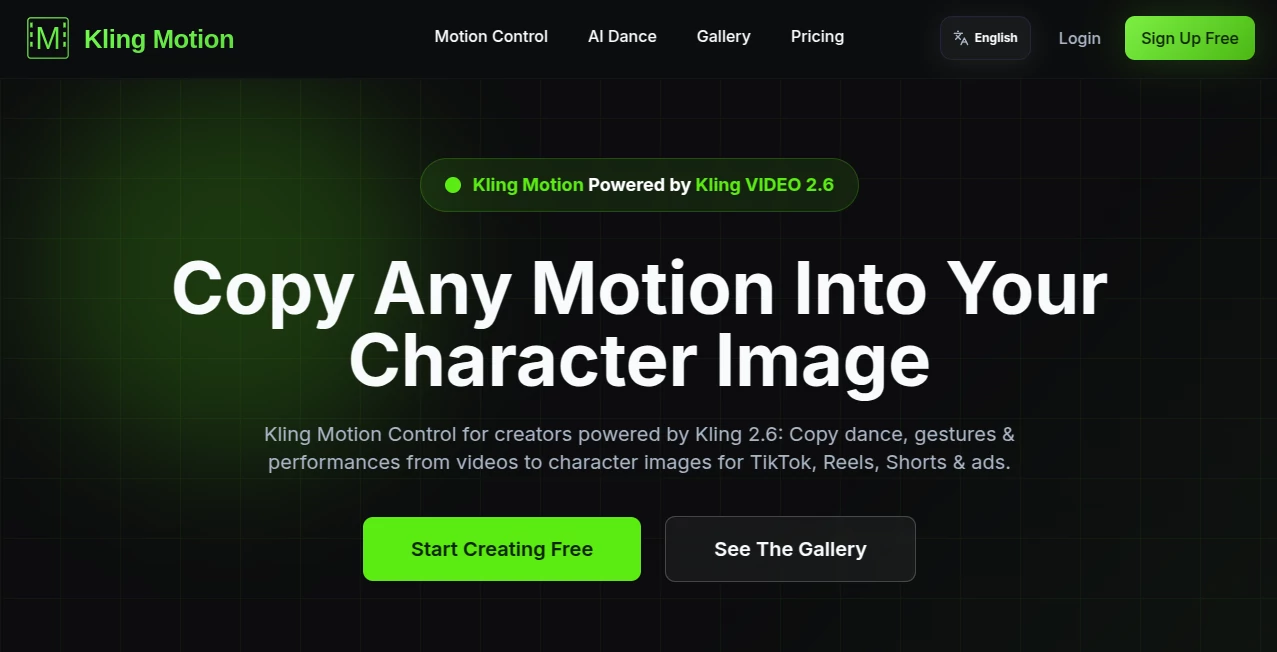
There's something quietly thrilling about watching a still character suddenly move with purpose and personality, as if the image itself decided to take a breath and start acting. This feature feels like it hands you the keys to that moment. Upload a photo of a person or creature, pair it with a clip showing the action you want—maybe a confident walk, an expressive gesture, or a full dance—and the result is a smooth, believable animation where the subject follows the motion almost perfectly. I tried it once with a casual selfie and a reference of someone waving enthusiastically; the output had the same relaxed posture and natural arm swing I was hoping for, but with a lifelike flow that made the whole thing feel surprisingly real. It's one of those tools that quietly removes the "impossible" label from certain ideas.
Introduction
Animation used to demand either heavy rigging, motion-capture gear, or frame-by-frame patience. Now there's a way to skip most of that and still get controlled, expressive movement. This motion transfer system takes a static character image and applies realistic body language and gestures from a reference video, preserving identity and style while delivering natural physics and timing. Creators who have played with it often mention the same thing: the first successful clip feels like a small breakthrough. It's especially satisfying for anyone who's ever stared at a beautiful drawing and wished it could move just once. The results carry weight—gestures land with intention, expressions shift with nuance—and that quality turns quick experiments into something shareable or even production-ready.
Key Features
User Interface
The workflow is refreshingly direct. You drop your character image in one spot, the reference video in another, and the controls are minimal but purposeful—adjust strength, choose focus areas if needed, and hit go. Previews show up fast enough to iterate without losing momentum. It's not overloaded with sliders or panels; instead it trusts you to start simple and refine only when necessary. That restraint makes it approachable even on days when you're short on patience.
Accuracy & Performance
The motion sticks where it should—hands follow fingers, hips sway naturally, faces carry the right emotional weight. Even with challenging angles or fast actions in the reference, the transfer rarely breaks identity or produces awkward warping. Processing times stay reasonable, often finishing short clips in under a couple of minutes, and the output stays smooth at higher frame rates. In real tests, it handles everyday movements like walking or gesturing far better than many expect from this kind of tech.
Capabilities
It excels at full-body transfer, facial expressions, and even subtle interactions between subjects when the reference provides them. You can guide emphasis toward certain parts (say, prioritize arms for a conductor or legs for a dancer), and it supports both simple loops and longer sequences. The system understands physics just enough to keep movements grounded—no floating limbs or rubbery physics. That balance of control and intelligence opens up uses from quick social clips to serious pre-viz work.
Security & Privacy
Your uploaded images and videos are processed securely and not retained longer than necessary. There's no broad data sharing or training use without explicit permission. For creators working with personal likenesses, client assets, or sensitive concepts, that quiet reliability matters a lot—it lets you experiment freely without second-guessing where the files might end up.
Use Cases
A short-film director tests a dramatic monologue by applying an actor's rehearsal gestures to concept art, getting a sense of timing before shooting. A content creator turns static meme characters into looping dances for TikTok, watching engagement jump. An educator animates historical figures delivering key quotes, making lessons feel more alive for students. Even marketers mock up product spokespeople performing actions without booking talent. The speed and control make it a natural fit whenever you need believable motion without a full production pipeline.
Pros and Cons
Pros:
- Motion feels intentional and lifelike, rarely cartoonish or broken.
- Works surprisingly well even with imperfect reference footage.
- Keeps character identity strong across different actions.
- Fast enough to stay in the creative flow instead of waiting.
Cons:
- Complex multi-person interactions in the reference can occasionally confuse it.
- Best results still come from clean, well-lit inputs.
Pricing Plans
It keeps the door open wide with a free tier that lets you test the core experience without any commitment. Paid plans scale sensibly—starting low for occasional use and rising only when you need higher resolution, longer clips, or priority queues. Credits never expire on most options, so you can build a balance over time. It's structured in a way that rewards curiosity first and then supports serious workflows as they grow.
How to Use Kling Motion
Upload your character image first—ideally a clear, front-facing shot with good lighting. Then add the reference video showing the motion you want (keep it simple at first: a wave, a walk, a head turn). Adjust any emphasis sliders if you want to prioritize face or body, then generate. Watch the preview, tweak prompt or reference if needed, and export once it clicks. Start with short clips to learn the feel; within a few tries the results often exceed expectations.
Comparison with Similar Tools
Some motion tools lean heavily on exact pose matching and break easily on natural movement; this one forgives more while still delivering clean, expressive output. Others produce stiff or overly smoothed results, but here the motion carries real weight and personality. It's less finicky than many alternatives and more focused on usable, shareable clips rather than raw data. For creators who value speed and believability over pixel-perfect control, it often ends up being the preferred choice.
Conclusion
Bringing still characters to life should feel exciting, not exhausting. This feature quietly removes most of the friction, leaving you with motion that feels thoughtful and alive. Whether you're prototyping, experimenting, or adding polish to a project, it opens up possibilities that used to demand weeks of work. The joy of seeing your drawings move with intention is hard to beat—and this makes it happen more often, more reliably, and with less compromise than before.
Frequently Asked Questions (FAQ)
How long should the reference video be?
Short and focused works best—5 to 15 seconds is plenty for most actions.
Does it work with cartoon or stylized characters?
Yes, it adapts well to non-photoreal styles as long as the reference motion is clear.
Can I control which parts move most?
You can emphasize face, hands, or body through simple adjustments.
What if the output has artifacts?
Try a cleaner reference or stronger input image; most glitches clear up with better source material.
Is the output watermark-free?
Paid tiers remove any branding; free trials may include a light mark.
AI Animated Video , AI Image to Video , AI Video Enhancer .
These classifications represent its core capabilities and areas of application. For related tools, explore the linked categories above.
Kling Motion details
Pricing
- Free
Apps
- Web Tools
Categories

Kling Motion Alternatives Product

Leonardo.ai

See dance 2.…

Wan AI

AI Animate I…

Fast Wan

Seedance 2.0…

Veo 3.2
videodance

Motion Contr…