
🧠 AI Quiz
Think you really understand Artificial Intelligence?
Test yourself and see how well you know the world of AI.
Answer AI-related questions, compete with other users, and prove that
you’re among the best when it comes to AI knowledge.
Reach the top of our leaderboard.


















langextract.work
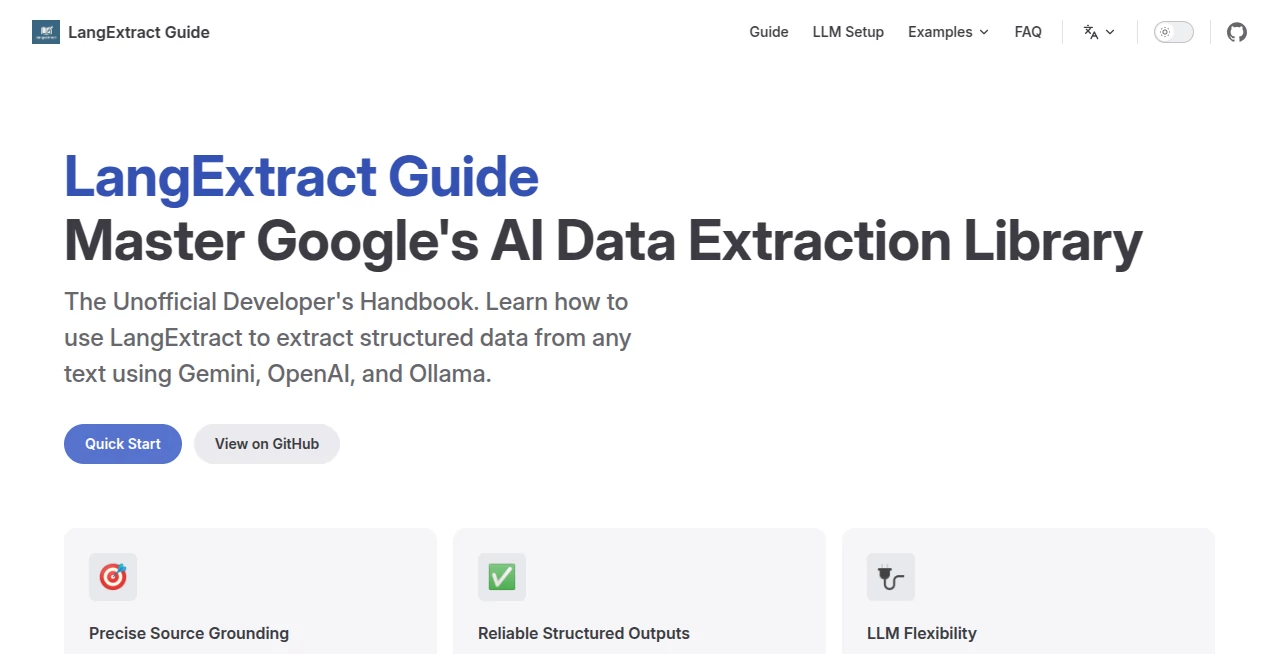
What is langextract.work?
There's a quiet thrill in feeding a messy document into something and watching it come back neat, structured, and actually useful—like someone finally understood what you were after without you having to spell it out a dozen times. This open-source Python library does exactly that: it pulls clean JSON from raw text using large language models, and it does so with an almost stubborn insistence on accuracy and traceability. I've run it on everything from clinical notes to long-form articles, and the way it ties every extracted piece back to the exact spot in the source text feels like a small act of kindness in a world of black-box AI.
Introduction
When you're knee-deep in PDFs, reports, or scraped pages that refuse to behave, the last thing you want is another tool that hallucinates fields or loses context. This library was built to fix precisely those headaches—it's Google's open-source take on reliable structured extraction, and it shows. Whether you're dealing with medical records, research papers, or multilingual contracts, it handles long texts by chunking smartly and processing in parallel, all while letting you choose your model: Gemini for speed, GPT-4 for depth, or a local Ollama setup for complete privacy. The result is data you can actually trust, with every field linked to its origin so you can verify in seconds. It's become my quiet favorite for turning chaos into clarity without the usual compromises.
Key Features
User Interface
It's a Python library, so the "interface" is code—and thankfully, it's refreshingly readable. You define your schema, toss in a few example pairs (the few-shot trick), and run extract() with your text. The API stays lean: model_id, extraction_passes, max_workers for parallelism, and that's about it. No bloat, no forced wrappers—just straightforward calls that feel like you're talking directly to the model. I appreciate how the docs include copy-paste examples for common cases; it makes onboarding feel more like a conversation than a manual.
Accuracy & Performance
What sets it apart is the grounding: every extracted value comes with the exact substring and position from the source, so hallucinations are easy to spot and fix. In practice, that traceability means fewer surprises when you feed the output downstream. Performance-wise, it scales nicely—parallel chunking handles book-length texts without choking, and multiple passes refine tricky extractions. On a recent batch of Japanese clinical notes, it pulled medications and dosages with near-perfect recall, something earlier tools fumbled constantly.
Capabilities
It shines on structured extraction from unstructured text: think pulling key facts from medical reports, summarizing long documents, or parsing multilingual content in Chinese, Japanese, Korean, and more. Built-in chunking and parallel processing let it tackle inputs far beyond typical context windows, while few-shot examples enforce schema consistency—no more random extra fields popping up. You can plug in Google Gemini, OpenAI models, or any OpenAI-compatible local LLM via Ollama. The flexibility is real: same code, different backends depending on your privacy needs or budget.
Security & Privacy
Run it locally with Ollama and your data never leaves your machine—zero cloud dependency, zero cost beyond electricity. For cloud models, it's as secure as the provider you choose (Google or OpenAI), but the library itself adds no extra risk. That option to go fully offline is a big win for sensitive work like healthcare or legal docs, where you want control without sacrificing capability.
Use Cases
A researcher sifting through hundreds of papers can extract key findings and citations in structured form, saving days of manual tagging. A developer building a medical app pulls dosages, conditions, and timelines from patient notes with traceable provenance for audits. Multilingual teams process contracts in Japanese or Chinese, turning dense legalese into clean JSON for downstream automation. Even content creators use it to summarize long interviews or forum threads into usable outlines. It's quietly powerful wherever text hides valuable structure.
Pros and Cons
Pros:
- Source grounding gives you verifiable, trustworthy extractions every time.
- Local Ollama option means true privacy and zero ongoing costs.
- Handles long documents gracefully with smart chunking and parallelism.
- Multilingual strength opens up non-English sources without breaking a sweat.
Cons:
- Requires a bit of Python comfort—it's not a no-code drag-and-drop tool.
- Cloud model costs can add up if you run large volumes without local fallback.
Pricing Plans
The library itself is completely free and open-source—no licenses, no subscriptions. The only potential cost comes from the LLM you choose: local Ollama is free forever, Google Gemini or OpenAI APIs charge per token based on usage. It's refreshingly transparent: pay only for what you consume if you go cloud, or run everything offline and keep your wallet closed.
How to Use LangExtract Guide
Install via pip, import the package, define your output schema as a Pydantic model or simple dict, provide a few example input-output pairs for few-shot guidance, then call extract() with your text and model choice. For long docs, let it chunk automatically or tune parameters like max_workers for speed. Run locally with Ollama for privacy, or swap model_id to use Gemini or GPT. Check the returned extractions—each field links back to its source span for easy verification. It's code-first but forgiving; start with the examples in the docs and build from there.
Comparison with Similar Tools
Many extraction tools spit out JSON but leave you guessing where it came from—this one insists on traceability, which is a lifesaver for anything audit-related or high-stakes. Compared to pure LLM prompting, it adds schema enforcement and chunking smarts that reduce errors and scale better. It's less about flashy UI and more about rock-solid, verifiable results—ideal when accuracy matters more than speed alone.
Conclusion
In a sea of AI tools that promise everything and deliver approximations, this library quietly raises the bar by focusing on what actually matters: trustworthy, traceable data you can build on. It's not trying to be everything to everyone—it's laser-focused on doing structured extraction right, and that focus pays off every time you run it. If you've ever lost hours verifying LLM outputs or wrestling with long documents, this feels like the tool you've been quietly hoping for.
Frequently Asked Questions (FAQ)
Do I need cloud credits to use it?
Not at all—run locally with Ollama for completely free and private extractions.
How well does it handle non-English text?
Very strongly—Japanese, Chinese, Korean, and more come through cleanly with the right model.
What if my document is huge?
It chunks automatically and processes in parallel; just set max_workers higher if your machine can handle it.
Is the output always perfect JSON?
Schema enforcement with few-shot examples makes it extremely reliable—no random fields sneaking in.
Can I verify where each piece came from?
Yes—every extraction includes the exact source text span and position.
AI Data Mining , AI Developer Tools , AI Research Tool .
These classifications represent its core capabilities and areas of application. For related tools, explore the linked categories above.
langextract.work details
Pricing
- Free
Apps
- Web Tools
Categories

langextract.work Alternatives Product

Yorph AI

JSON to TOON…

cznull

Website Clon…

Geekflare AI

CodeSpy AI

AI Describe …

PromptZerk

GLM 5
