🧠 AI Quiz
Think you really understand Artificial Intelligence?
Test yourself and see how well you know the world of AI.
Answer AI-related questions, compete with other users, and prove that
you’re among the best when it comes to AI knowledge.
Reach the top of our leaderboard.

















LatentSync

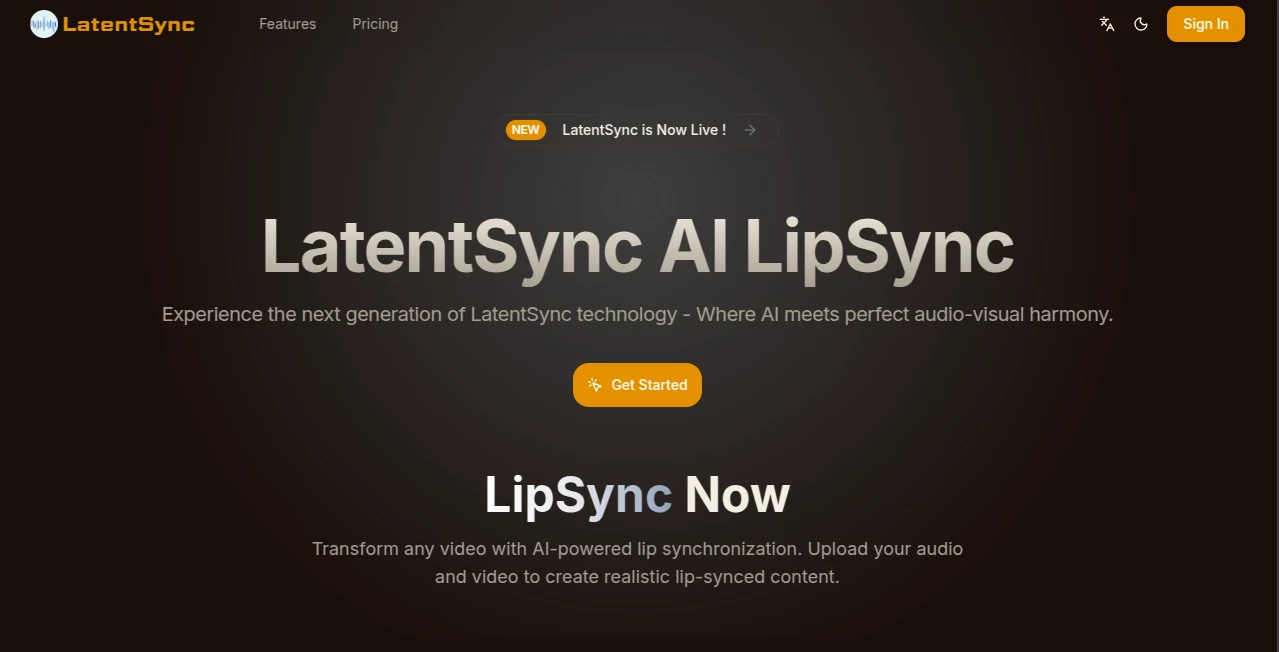
What is LatentSync?
There's something almost magical about watching a video where the speaker's lips match the words perfectly, even if the audio is brand new—like dubbing a foreign film and having it feel completely natural. This platform nails that trick with impressive finesse, using clever tech to sync audio and visuals in ways that look effortless and authentic. I've tinkered with similar setups before, but this one stands out for how reliably it handles tricky accents or fast speech, turning what used to be a fiddly post-production chore into something you can knock out over a coffee break.
Introduction
Built around cutting-edge latent diffusion models, this tool takes any video and pairs it with fresh audio, adjusting lip movements frame by frame for that seamless harmony everyone craves in dubbed content or avatar animations. It skips the old-school middle steps that often glitch out, going straight for direct audio-visual matching that keeps faces looking like themselves—no weird distortions or uncanny valleys. Creators who've jumped in early rave about the multi-language support, especially how it smooths out Chinese dubbing or other non-English tracks without losing the original charm. Whether you're localizing tutorials or breathing life into digital characters, it feels like a quiet revolution, backed by solid research and open-source vibes that let tinkerers peek under the hood.
Key Features
User Interface
The dashboard keeps things delightfully straightforward: slots for your video and audio files, a quick pick for settings, and a generate button that does the heavy lifting without overwhelming options. Samples line up for instant tries, and results pop up clean with previews that let you spot-check before downloading. It's the kind of no-fuss layout that had me generating my first synced clip in under five minutes, grinning at how it just works without buried menus or confusing jargon.
Accuracy & Performance
Trained on high-res feeds with smart temporal layers, it delivers smooth, believable mouth movements that hold up across long takes, even in busy scenes. Processing flies along efficiently—lower VRAM needs mean it runs on decent hardware without choking—and the end-to-end approach cuts down on artifacts that plague older methods. From what I've seen, it hits that sweet spot of natural flow, especially on diverse languages, making dubbed lines feel spoken rather than slapped on.
Capabilities
Upload a clip and new soundtrack, and it rewires the lips to match, supporting everything from real faces to animated ones with multi-language flair that's a boon for global projects. High-fidelity outputs at solid resolutions, plus tools to measure sync quality, give you confidence in the final cut. Flexible runs via app or command line, scalable cloud options, and open code for custom tweaks—it's packed for pros yet approachable for experimenters.
Security & Privacy
With strong compliance baked in and processes that handle files securely, your uploads get the respect they deserve—no lingering data or unnecessary shares. It's reassuring for sensitive work, like corporate videos or personal avatars, knowing the focus stays on creation without privacy pitfalls sneaking in.
Use Cases
Film buffs dub indie shorts into new languages, watching characters come alive for wider audiences without awkward mismatches. Content makers localize social clips for TikTok crowds, boosting engagement overseas. Educators sync narrated lessons to on-screen talent, making global courses feel personal. Game devs animate talking NPCs that respond naturally, or trainers polish corporate videos with voiceovers that land perfectly.
Pros and Cons
Pros:
- Spot-on sync that feels genuinely human, even across languages.
- Efficient and scalable, from quick tests to big batches.
- Open elements invite customization for tech-savvy users.
- High-quality results that save serious editing time.
Cons:
- Best on clear faces—super dynamic shots might need prep.
- Credit-based plans require planning for heavy use.
Pricing Plans
Annual tiers keep it committed yet fair: Starter around a hundred bucks for solid monthly credits, Pro at five hundred for more volume, and Ultimate at a grand for unrestricted flow—all with high-quality access, no watermarks, and full commercial rights. It's structured for growers, letting you scale as projects pile up without surprise bills.
How to Use LatentSync
Grab your video and audio files, drop them in the upload spots, tweak any basics like language if needed, and hit generate. Watch the progress, then preview the synced output—samples help get a feel quick. Download the finished clip, or dive into CLI for scripted runs on bigger jobs. A buddy of mine dubbed a short travel vlog this way, swapping narration languages seamlessly in an evening.
Comparison with Similar Tools
Older sync methods often rely on clunky intermediates that blur or stutter, but this direct latent approach keeps clarity and smoothness ahead of the pack. It's more accessible than pure research code, yet deeper than basic apps, striking a balance that pros lean on for reliable, high-fidelity results without the usual compromises.
Conclusion
This framework quietly raises the bar for what synced videos can feel like—natural, expressive, and ready for the world stage. It's the bridge many creators have been waiting for, blending research smarts with practical punch to open new doors in storytelling. Give it a spin with a favorite clip; the harmony might just surprise you.
Frequently Asked Questions (FAQ)
What languages does it handle well?
Multiple, with strong showings on English, Chinese, and others for dubbing needs.
How long can videos be?
Credits scale with length, but it manages substantial clips efficiently.
Is commercial use allowed?
Yes on paid plans, full rights for your projects.
What hardware is needed?
Optimized low—8GB VRAM gets you going on newer models.
Open source elements?
Key parts available for custom builds and tweaks.
AI Animated Video , AI Video Editor , AI Video Enhancer , AI Lip Sync Generator .
These classifications represent its core capabilities and areas of application. For related tools, explore the linked categories above.
LatentSync details
This tool is no longer available on submitaitools.org; find alternatives on Alternative to LatentSync.
Pricing
- Free
Apps
- Web Tools
Categories

LatentSync Alternatives Product
Seedance Pro…
Framepack AI
videodance

Veo 4 AI Vid…

Nano Banana …
AI Baby Dance

Seedance 2.0

Seedance2 Vi…

Image to Vid…