
🧠 AI Quiz
Think you really understand Artificial Intelligence?
Test yourself and see how well you know the world of AI.
Answer AI-related questions, compete with other users, and prove that
you’re among the best when it comes to AI knowledge.
Reach the top of our leaderboard.


















LocaFlow
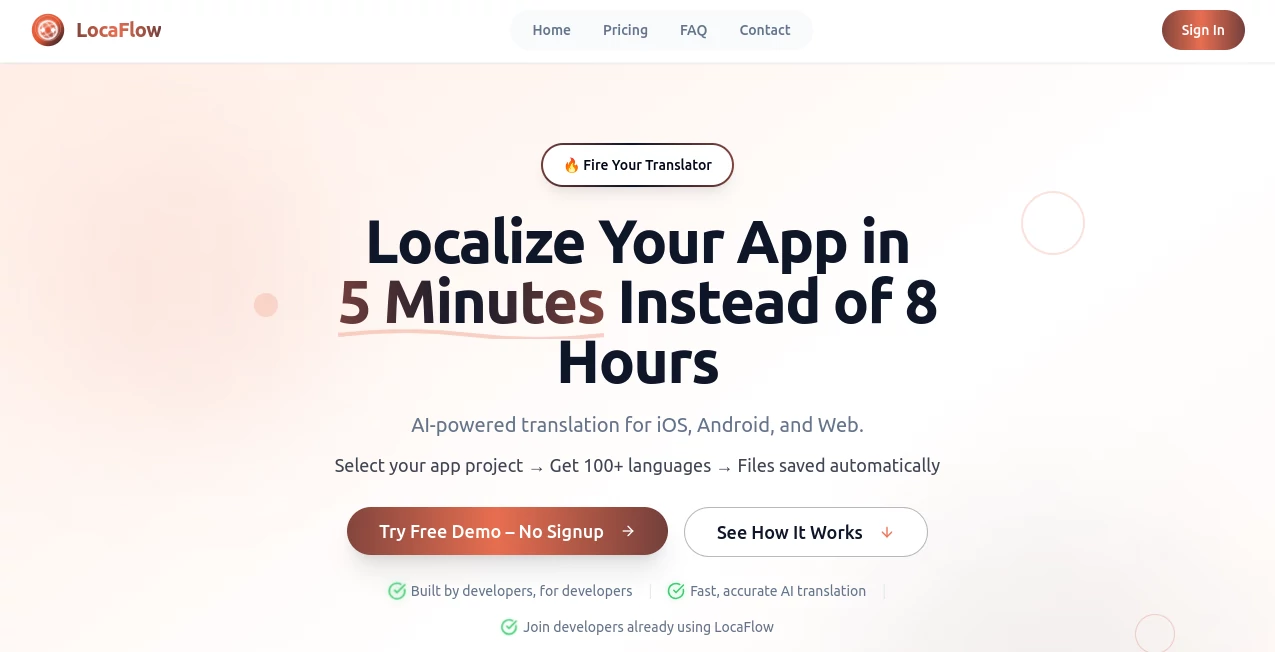
What is LocaFlow?
Few things slow down a good app launch more than staring at a mountain of strings waiting to be translated into ten different languages. This tool quietly removes that bottleneck, letting you select your project folder and watch AI handle the rest with surprising care and speed. I’ve talked to solo developers who used to dread localization week; now they treat it like a quick coffee break task. The results aren’t just fast—they actually feel thoughtful, preserving placeholders, context, and formatting so nothing breaks when you push the new build.
Introduction
Most localization workflows still feel like they belong in 2010: spreadsheets, outsourced translators, endless QA loops. This platform takes the opposite approach—keep everything local on your machine, feed it to smart translation models, and get back clean, ready-to-use files in minutes. It auto-detects your .strings, strings.xml, .json or .xliff files, respects existing translations, and offers 100+ languages without forcing you to juggle API keys or pay per word upfront. Developers who’ve tried it often mention the same thing: the first time they saw a full German or Japanese folder appear perfectly formatted, they felt like they had cheated the system in the best possible way.
Key Features
User Interface
Drag your project folder onto the window (or click to select), and the app immediately shows you what it found—no cryptic import wizards. Choose target languages from a sensible list, toggle any you want to skip, and hit go. Progress is clear, errors are explained plainly, and the whole process stays calm and desktop-native. It’s one of those rare tools where you don’t need the manual because the flow itself teaches you.
Accuracy & Performance
Context matters enormously in app strings—“Save” can mean very different things depending on the screen. This tool uses models that actually read surrounding keys and comments, so translations rarely feel robotic or off-tone. Speed is impressive too: a medium-sized app with 1,000 strings across five languages usually finishes before your tea is cold. And because it runs locally (with your choice of provider), there’s no mysterious cloud delay.
Capabilities
It supports the major formats developers actually use: iOS .strings / .xcstrings, Android strings.xml, JSON for web or Flutter, XLIFF when needed. Placeholders (%@, %d, {user}) stay intact, plural rules are handled intelligently, and you can exclude or override specific keys with ease. Integrations with GitHub, Slack notifications, and Zapier appear on higher plans for teams that ship often. The free tier already covers small projects generously, which is a rare and welcome move.
Security & Privacy
Everything stays on your computer unless you explicitly choose a cloud provider. No forced account linking for the core flow, no silent uploads of your string tables. For indie devs and privacy-conscious teams, that’s huge—your app’s copy never leaves your machine without permission. It’s quiet confidence in an era when tools often feel nosy.
Use Cases
A Flutter developer preparing for a European rollout adds German, French, and Spanish in one afternoon instead of one sprint. An indie game studio localizes UI text to Japanese and Korean right before a big Steam update, keeping the same tone across languages. A SaaS team experiments with Brazilian Portuguese for a new market and gets usable strings back same day—no waiting on freelancers. It’s especially kind to solo makers who can’t afford to pause shipping while localization drags on.
Pros and Cons
Pros:
- Genuinely fast—minutes instead of days is not marketing fluff here.
- Context-aware translations that respect app-specific language.
- Works offline with local models or your own API keys when desired.
- Free tier is actually useful for small-to-medium apps.
Cons:
- Still needs human review for tone-sensitive or legally important strings.
- Advanced team features (collaboration, integrations) live behind paid plans.
Pricing Plans
The free plan covers 500 strings per month across two languages—enough for small apps or testing new markets. Paid tiers step up sensibly: more strings, more languages, priority support, and extras like real-time collaboration or Zapier hooks. No surprise overages; you pick the level that matches your release cadence. For solo devs or small teams, it feels priced with real understanding of tight budgets.
How to Use LocaFlow
Download the desktop app, point it at your project folder—it auto-detects localization files. Select the languages you need (it suggests based on what’s already there), review any exclusions, then start the translation. Watch progress in real time; when it’s done, inspect changes or export updated files back into your repo. Commit, push, test, ship. The whole loop is so short you can iterate on wording or markets without derailing your sprint.
Comparison with Similar Tools
Many localization services push you toward cloud dashboards, external translators, or per-word billing that adds up fast. This one keeps the work local, cuts the turnaround to minutes, and avoids the usual “bring your own key” friction by handling costs transparently. It’s less about replacing professional linguists and more about giving developers a fast, high-quality first pass they can refine—saving days while still respecting the nuance that matters.
Conclusion
Localization doesn’t have to be the part everyone dreads. This tool turns it into something almost enjoyable: quick, reliable, and surprisingly accurate. For anyone shipping apps across borders—or even just experimenting with new markets—it removes a major pain point and replaces it with speed and confidence. Give it a real project and you’ll likely wonder how you ever managed without it.
Frequently Asked Questions (FAQ)
Does it work offline?
Yes—use local models or your own API keys for completely offline runs.
What file formats are supported?
.strings, .xcstrings (iOS), strings.xml (Android), .json, .xliff—pretty much the standards.
How good is the quality?
Context-aware and very strong for UI text; still smart to have a native speaker do final polish on critical copy.
Is the free plan usable?
500 strings/month across 2 languages—solid for indie apps or early testing.
Can teams collaborate?
Higher plans add real-time collaboration and Slack notifications.
AI No-Code & Low-Code , AI Developer Tools , AI Research Tool .
These classifications represent its core capabilities and areas of application. For related tools, explore the linked categories above.
LocaFlow details
Pricing
- Free
Apps
- Web Tools
Categories

LocaFlow Alternatives Product

Serplux

PromptCoder

Ecom Tool AI

Kimi K2.5

GPTLocalhost

FigForm

Somnio

Bolt AI

Tate-A-Tate
