
🧠 AI Quiz
Think you really understand Artificial Intelligence?
Test yourself and see how well you know the world of AI.
Answer AI-related questions, compete with other users, and prove that
you’re among the best when it comes to AI knowledge.
Reach the top of our leaderboard.


















Lyria3 AI
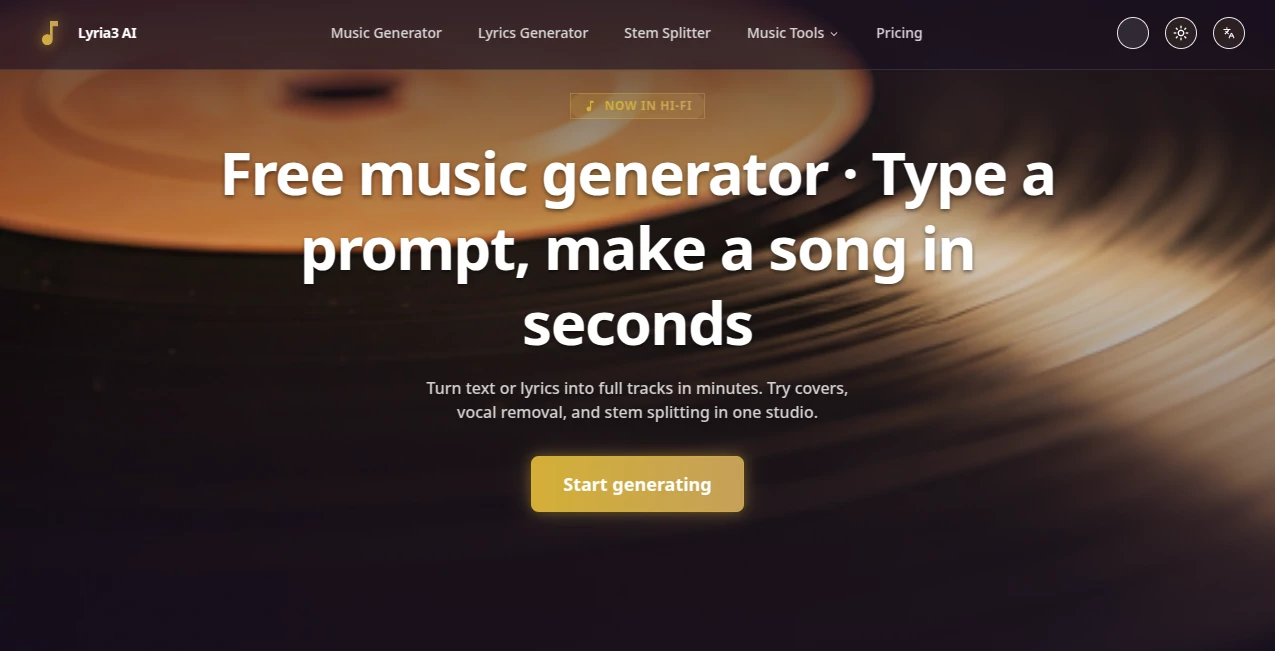
What is Lyria3 AI?
You type something like “warm lo-fi beat with gentle piano and distant vinyl crackle at 85 bpm” and a few moments later a full track is playing—cohesive, emotional, professionally mixed. Not a loop, not a MIDI skeleton, but something that could sit comfortably on a Spotify playlist. I’ve watched musicians who normally spend hours in the DAW light up when they hear their first generation. It captures mood, genre nuance, and instrumentation in a way that feels almost spooky—because it’s not just slapping sounds together; it’s composing.
Introduction
Making music has always been equal parts inspiration and grind. The inspiration part is magic; the grind—arranging, mixing, mastering—can kill the spark. This platform quietly removes most of that grind. You describe the feeling, the vibe, the instruments, maybe reference a mood or era, and it delivers a finished, radio-ready track. No loops to chop, no plugins to tweak, no engineer needed. It’s become a favorite late-night tool for songwriters chasing melodies, producers needing quick beds, and creators who want custom music without licensing headaches. The quality-to-speed ratio is addictive: you can go from vague feeling to finished piece in under a minute.
Key Features
User Interface
Dead simple. A wide prompt box where you write whatever comes to mind, a few sliders for length and intensity, optional seed audio upload if you want to guide the style, and one big generate button. Results appear with waveform preview and instant playback. You can regenerate variations with a single click or extend the track from any point. It never feels like software—it feels like a collaborator who gets your taste immediately.
Accuracy & Performance
It nails genre conventions, instrumentation balance, and emotional tone far more consistently than earlier models. Prompt “melancholic indie folk with fingerpicked guitar and soft female vocal” and you get exactly that—not a generic approximation. Generation times hover around 20–60 seconds depending on length, and outputs are clean, loud, and mixed with surprising maturity. The model rarely produces the off-key artifacts or awkward transitions that still plague many competitors.
Capabilities
Text-to-music with full song structure (verse, chorus, bridge), vocal generation in various styles and languages, instrumental-only mode, continuation from existing audio, lyric-to-song mode, and stem separation for remixing. It handles complex prompts with multiple instruments, tempo changes, key shifts, and dynamic builds. Outputs are master-quality WAV or MP3, ready for immediate use in videos, podcasts, games, or releases.
Security & Privacy
Your prompts and uploaded reference audio are processed ephemerally—nothing is stored long-term or used for training unless you explicitly opt in. No mandatory account for basic use. For creators protecting unreleased material or commercial ideas, that clean separation is a genuine relief.
Use Cases
A YouTuber needs royalty-free background music that matches their video’s emotional tone—writes a prompt, generates, drops it in, done. An indie game dev creates evolving ambient tracks for different levels without hiring a composer. A social creator makes short-form content with custom jingles that build their brand sound. A songwriter sketches melody ideas in text, generates full demos to share with bandmates. Wherever custom music needs to appear fast and sound expensive, it fits perfectly.
Pros and Cons
Pros:
- Remarkably high-quality mixes and arrangements from simple text.
- Strong vocal generation that feels human, not robotic.
- Continuation and stem features make it a real production tool.
- Fast enough to iterate creatively in one sitting.
- Free tier is generous—real tracks without paying upfront.
Cons:
- Longer tracks (over 2 minutes) require paid plans or stitching.
- Very niche or experimental styles can still sound generic.
- Commercial use and downloads sit behind paid tiers.
Pricing Plans
Free tier gives meaningful daily generations with basic features—enough to test seriously. Paid plans unlock longer tracks, higher quality, unlimited generations, stem downloads, and commercial licensing. Pricing feels fair for the output level; many creators say one month’s cost is less than hiring even a budget session musician for a single track.
How to Use Lyria 3
Go to the generator, write a descriptive prompt (“chillwave synth track with dreamy female vocals, 100 bpm, nostalgic 80s vibe”). Optionally upload a short audio reference or lyrics. Choose length and format (instrumental/vocal). Hit generate. Listen to the preview—regenerate with tweaks or extend from a certain point if you like the direction. Download stems or full mix once satisfied. The loop is fast and forgiving; you can explore wildly and still end up with usable music.
Comparison with Similar Tools
Many music AI tools still deliver loops or basic tracks that need heavy editing. This one produces full compositions with proper structure, vocal performance, and mix quality that often stands on its own. It sits above the loop-makers and below the most expensive studio-grade models, hitting a sweet spot of accessibility and professionalism that’s hard to beat right now.
Conclusion
Music creation used to require gear, time, skill, and often money. Tools like this quietly collapse those barriers so more people can make music that sounds like they spent weeks on it—when really they spent minutes. It doesn’t replace human musicians; it amplifies anyone with an idea and a feeling. For creators who think in sound, that’s a quiet revolution worth hearing for yourself.
Frequently Asked Questions (FAQ)
How long can tracks be?
Free tier usually caps at ~30–60 seconds; paid plans unlock up to several minutes with continuation.
Do vocals sound realistic?
Yes—especially on clear prompts. Multiple languages and styles available, from pop to folk to rap.
Can I use the music commercially?
Paid plans include full commercial rights and licensing; free tier is non-commercial.
Is there a watermark on free tracks?
Usually a subtle one; paid generations are clean.
Can I upload my own stems or melodies?
Yes—use continuation mode to build on your existing audio.
AI Lyrics Generator , AI Music Generator , AI Text to Music , AI Singing Generator .
These classifications represent its core capabilities and areas of application. For related tools, explore the linked categories above.
Lyria3 AI details
Pricing
- Free
Apps
- Web Tools
Categories

Lyria3 AI Alternatives Product

LyricStudio
gemini music

Solmi AI
Soniq Chat

Custom Song

AudioVideoGe…
MemoTune

Lyria.run

AI Rap Gener…
