🧠 AI Quiz
Think you really understand Artificial Intelligence?
Test yourself and see how well you know the world of AI.
Answer AI-related questions, compete with other users, and prove that
you’re among the best when it comes to AI knowledge.
Reach the top of our leaderboard.

















MakeBanner.ai
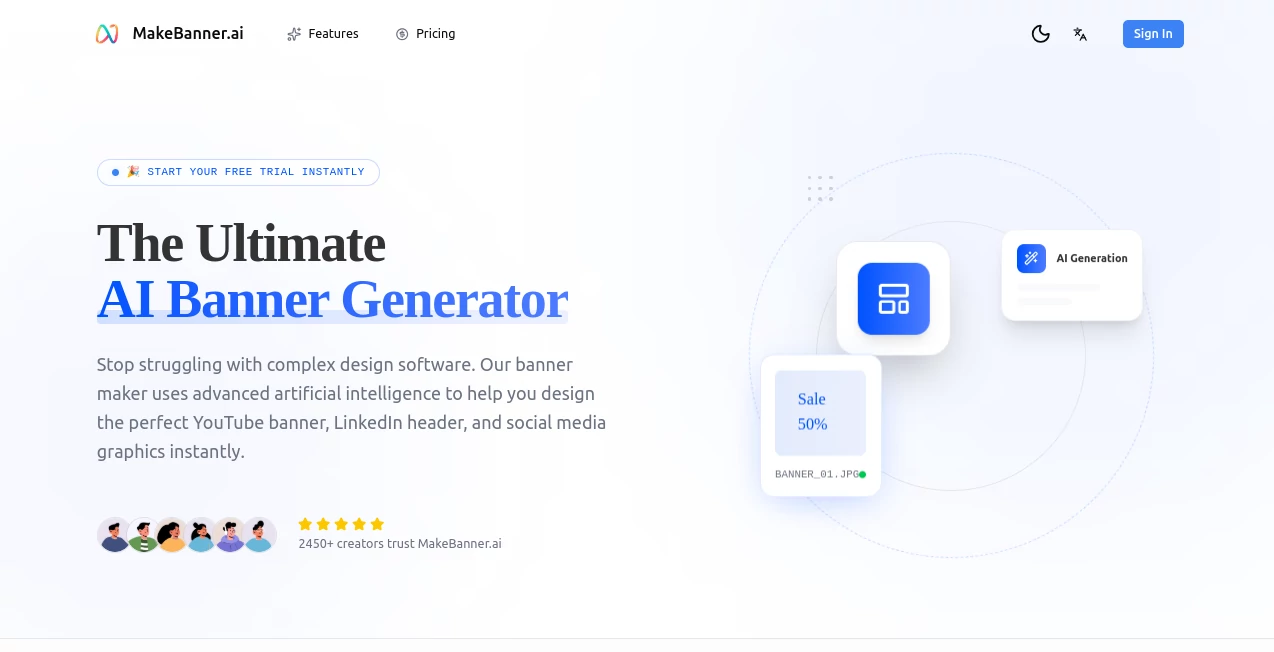
What is MakeBanner.ai?
You know that moment when you need a banner that just pops—whether it's for a holiday sale, a new product drop, or a simple social post—and suddenly you're staring at a blank canvas feeling completely overwhelmed? This tool changes that completely. It takes your rough idea and turns it into a professional-looking banner faster than you can brew coffee, with colors and layouts that actually make sense for your brand. I've seen small business owners go from "I have no design skills" to posting eye-catching graphics that actually get clicks, and the results speak for themselves.
Introduction
In a world where attention spans are short and competition is fierce, having visuals that stand out is no longer optional—it's essential. This platform steps in with a smart, no-fuss way to create banners that feel custom-made, even if you're not a designer. What started as a simple need for quick, good-looking graphics has grown into a favorite among marketers, shop owners, and creators who need results without the headache. The best part? It keeps learning from what works, so every generation gets sharper, more on-trend, and more aligned with what actually performs. It's the kind of tool you wish you'd discovered years ago.
Key Features
User Interface
The dashboard greets you like an old friend—clean, spacious, and impossible to get lost in. Just type what you want (or upload a reference image), choose your size, and watch the options appear. Everything is right there: tweak text, swap backgrounds, adjust colors with a single click. It's designed so even someone who's never touched design software before can create something beautiful in under a minute. No cluttered menus, no hidden settings—just pure, focused creation.
Accuracy & Performance
This is where it really shines. The AI doesn't just slap together random elements—it understands branding cues, color harmony, and layout balance. Upload a logo or describe your brand vibe, and it delivers designs that feel intentional and cohesive. Speed is impressive too: most banners generate in seconds, even with detailed prompts. And the quality? Crisp enough for print or digital, with no weird artifacts or off-brand choices.
Capabilities
From social media headers to YouTube thumbnails, event posters to email banners, it handles a wide range of formats and styles. Want a minimalist look? Bold and colorful? Retro vibe? It nails them all. You can generate multiple variations at once, remix existing designs, or start from scratch. It even suggests improvements based on what performs well in similar campaigns. The flexibility is incredible—perfect for iterating quickly when deadlines are tight.
Security & Privacy
Your uploads, prompts, and designs stay private. No one else sees them unless you choose to share. The platform is built with strong encryption and compliance standards, so you can confidently use it for client work or sensitive campaigns. It's reassuring to know your creative ideas aren't floating around somewhere.
Use Cases
A boutique owner creates weekly Instagram banners that match her brand perfectly without hiring a designer. A startup founder whips up launch announcement graphics that look polished and professional. Content creators generate consistent YouTube thumbnails that boost click-through rates. Event planners produce flyers and posters that feel custom-made but take only minutes. The tool adapts to whatever you need—personal, business, or creative—without ever feeling generic.
Pros and Cons
Pros:
- Incredibly fast—generate and download in seconds.
- High-quality, on-brand results that look professionally designed.
- Super easy to use, even for complete beginners.
- Great variety of styles and formats to choose from.
Cons:
- Some advanced customization (like precise pixel placement) requires more time.
- Free tier has limits on generations and resolution.
Pricing Plans
Start free with a generous daily allowance to test the waters—no card needed. Upgrade to Pro for unlimited generations, higher resolutions, and commercial use rights. Annual plans save a bundle and unlock priority support. It's straightforward pricing that feels fair for what you get—especially compared to hiring a designer or spending hours in complex software.
How to Use MakeBanner
Head to the dashboard, type your prompt (e.g., "modern tech conference banner with blue gradient and bold headline"), select your size, and hit generate. Browse the variations, pick your favorite, and tweak text, colors, or elements as needed. Download in high-res PNG or JPG. For best results, include brand colors or a logo reference—it makes a huge difference. I usually generate 4-5 options, pick the strongest, and have a finished banner in under five minutes.
Comparison with Similar Tools
While other tools can generate banners, few match the speed, quality, and brand awareness this one delivers. Many feel generic or require heavy editing afterward, but here the first output is often usable right away. It's also more focused on banners specifically, so it understands layout, hierarchy, and visual impact better than general image generators. For anyone who needs banners regularly, it's the clear winner.
Conclusion
This tool takes the stress out of banner creation and replaces it with excitement. It's fast, reliable, and produces results that look like they came from a pro studio. Whether you're a solo entrepreneur, a busy marketer, or just someone who wants their social posts to stand out, it's one of those rare tools that truly delivers on its promise. Once you start using it, you'll wonder how you ever managed without it.
Frequently Asked Questions (FAQ)
Do I need design skills?
Not at all. The tool does the heavy lifting—just describe what you want.
Can I use it commercially?
Yes, paid plans include full commercial rights.
What sizes are available?
All major social media, email, and web banner sizes are built-in.
How many banners can I create for free?
A good number each day—enough to get started and see the quality.
Can I upload my own images or logos?
Absolutely—uploading assets helps keep everything on-brand.
AI Banner Generator , AI Cover Generator , AI Design Generator , AI Graphic Design .
These classifications represent its core capabilities and areas of application. For related tools, explore the linked categories above.
MakeBanner.ai details
Pricing
- Free
Apps
- Web Tools
Categories

MakeBanner.ai Alternatives Product

Nano Banana …

Normal Map G…

nana banana …

Nano Banana …
Nano Banana …
Project Geni…

Z-Image

grok bikini

AI Image Edi…