
🧠 AI Quiz
Think you really understand Artificial Intelligence?
Test yourself and see how well you know the world of AI.
Answer AI-related questions, compete with other users, and prove that
you’re among the best when it comes to AI knowledge.
Reach the top of our leaderboard.


















AI Image Enhancer
What is AI Image Enhancer?
There’s something deeply satisfying about taking a blurry, faded, or low-resolution photo and watching it transform into something sharp, vibrant, and full of life again. This tool does exactly that, and it does it with a gentleness that respects the original image rather than forcing artificial perfection. Whether it’s an old family portrait, a smartphone snapshot, or a product photo that needs to look professional, the results often feel like the picture was taken properly the first time. I’ve seen people rediscover childhood memories they thought were lost to time, or small business owners turn mediocre phone shots into images that actually sell. It’s the kind of simple pleasure that makes technology feel helpful instead of complicated.
Introduction
Most of us have photos we love but can’t use because they’re too blurry, noisy, or low-res. Traditional editing requires skill, time, and often expensive software. This platform removes those barriers entirely. You upload the image, choose what you need—upscaling, noise reduction, sharpening, color restoration—and get back a noticeably better version in seconds. It’s become a quiet favorite for everyday users who just want their pictures to look their best, as well as for professionals who need fast, reliable enhancements without learning complex tools. The best part? It enhances without overdoing it, keeping the natural feel of the original moment intact.
Key Features
User Interface
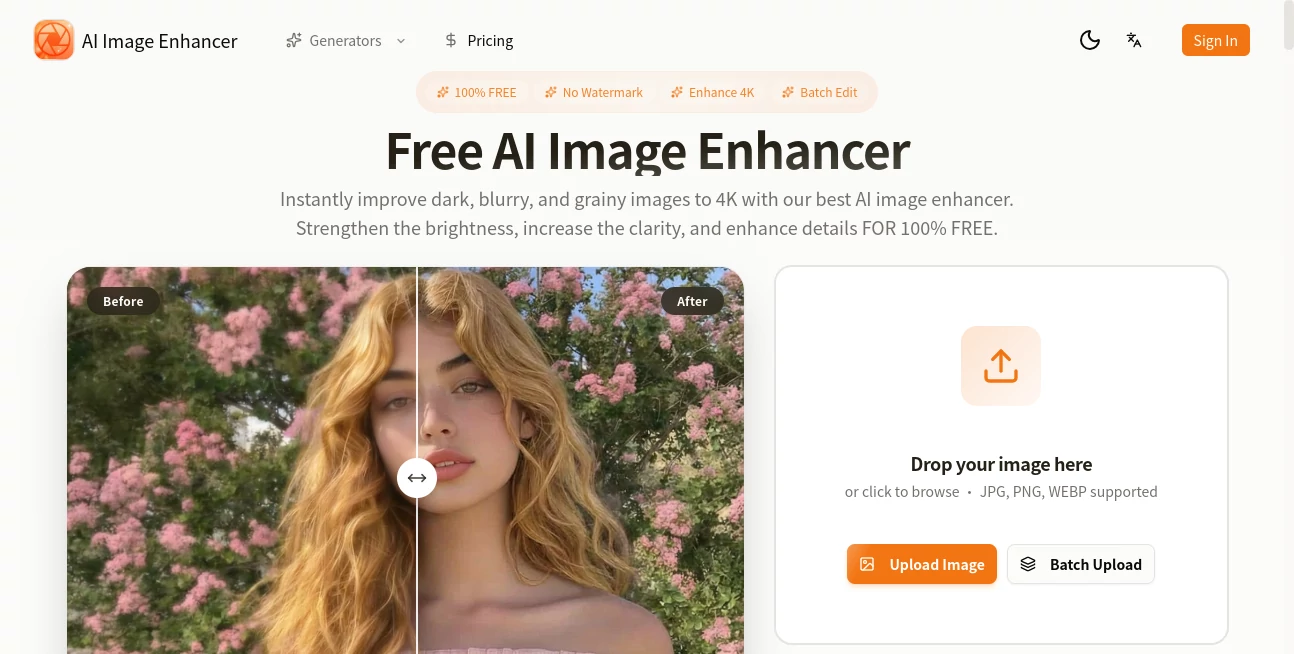
The design is wonderfully straightforward. A large, inviting upload area, clear buttons for different enhancement types, and instant before-and-after comparison that lets you see the difference immediately. No complicated menus or technical jargon—just simple choices that anyone can understand. You can zoom in on details during preview to check skin texture or fine edges, and the whole process feels calm and respectful of your time.
Accuracy & Performance
It handles a wide range of problems with surprising intelligence: recovering lost detail in shadows, reducing noise without destroying texture, sharpening edges without creating halos, and restoring natural colors to faded images. Processing is fast—most photos finish in under 10 seconds—and the results hold up well even on challenging inputs like old scans or heavily compressed files. The balance between enhancement and realism is one of its strongest points.
Capabilities
Intelligent upscaling (up to 4x or more with clean results), noise reduction, detail recovery, color and contrast restoration, face enhancement that smooths skin while preserving character, and smart sharpening tailored to different image types. It works beautifully on portraits, landscapes, product photos, old family pictures, and even slightly damaged scans. Outputs are high-resolution and ready for printing, social media, or professional use.
Security & Privacy
Your images are processed quickly and not stored permanently on the servers. No account is forced for basic use, so you can enhance photos privately without creating a profile. For personal memories or client work, that respectful approach to privacy is genuinely appreciated.
Use Cases
A daughter scans her late father’s old passport photo—faded and scratched—and gets back a restored version she can frame for the family. An Etsy seller takes quick phone shots of handmade jewelry and turns them into crisp, professional listings that increase sales. A traveler enhances low-light vacation photos so the memories look as beautiful as they felt. A real estate agent cleans up property photos to make listings more appealing. Wherever a photo matters but its current quality doesn’t, this tool quietly makes it better.
Pros and Cons
Pros:
- Results look natural and respectful to the original image.
- Extremely fast processing that keeps the experience enjoyable.
- Handles a wide variety of photo problems effectively.
- High-resolution outputs suitable for print or large displays.
- Free tier is generous enough for regular personal use.
Cons:
- Extremely damaged or very low-contrast images may still need some manual touch-up.
- Batch processing and unlimited use require a paid plan.
- Very artistic or heavily stylized photos can sometimes get over-smoothed.
Pricing Plans
The free version gives you several high-quality enhancements per day—more than enough for personal photos or occasional business needs. Paid plans remove daily limits, unlock batch processing, higher resolutions, and priority speed during busy times. Pricing is reasonable and feels like a fair exchange for the time and quality it saves.
How to Use Image Enhancer
Drag your photo into the upload area or click to select it. Choose the type of enhancement you need (upscale, denoise, restore, sharpen, etc.) or let the tool suggest the best approach. Wait a few seconds for processing, then use the before-and-after slider to compare. Adjust intensity if desired, and download the improved version in high resolution. For multiple photos, paid users can process them in batch. The entire process is simple enough that anyone can get great results on the first try.
Comparison with Similar Tools
Many free enhancers either leave too much noise or over-sharpen into unnatural territory. This one consistently finds a better balance, especially on portraits and old photos. Where some tools require accounts or add watermarks, this keeps things private and clean. The combination of speed, natural-looking results, and ease of use makes it stand out from both basic free apps and more complicated paid editors.
Conclusion
Photos hold memories, stories, and value. When time or technology has taken away their clarity, this tool gives it back without asking for expertise or endless adjustments. It’s fast, respectful, and surprisingly effective—turning “good enough” images into ones you’re proud to share or print. Whether you’re preserving family history, improving product photos, or simply making everyday shots look their best, it delivers real improvement with minimal effort. Sometimes the best tools are the ones that quietly make life’s important moments look the way they deserve.
Frequently Asked Questions (FAQ)
How many free enhancements can I make?
Several per day—plenty for personal use or testing on important photos.
Will my photo look artificial after enhancement?
No—the tool is designed to enhance naturally while preserving the original character of the image.
Can I use it for professional or commercial work?
Yes—high-resolution outputs make it suitable for e-commerce, marketing, and professional projects.
What if my photo is very old or damaged?
It performs well on faded, noisy, or low-res images, though extremely damaged photos may benefit from light manual prep first.
Are my photos stored on the server?
No—images are processed temporarily and deleted after download.
Photo & Image Editor , AI Photo Enhancer , AI Image Recognition , AI Design Generator .
These classifications represent its core capabilities and areas of application. For related tools, explore the linked categories above.
AI Image Enhancer details
Pricing
- Free
Apps
- Web Tools
Categories

AI Image Enhancer Alternatives Product

SeeDream 4.5

AI Signature…

AI Hairstyle

Freepik

ShinePhoto

AIImageEdit

Banana Pro

TextSharp | …

SAM 3D
