


















Meshes
What is Meshes?
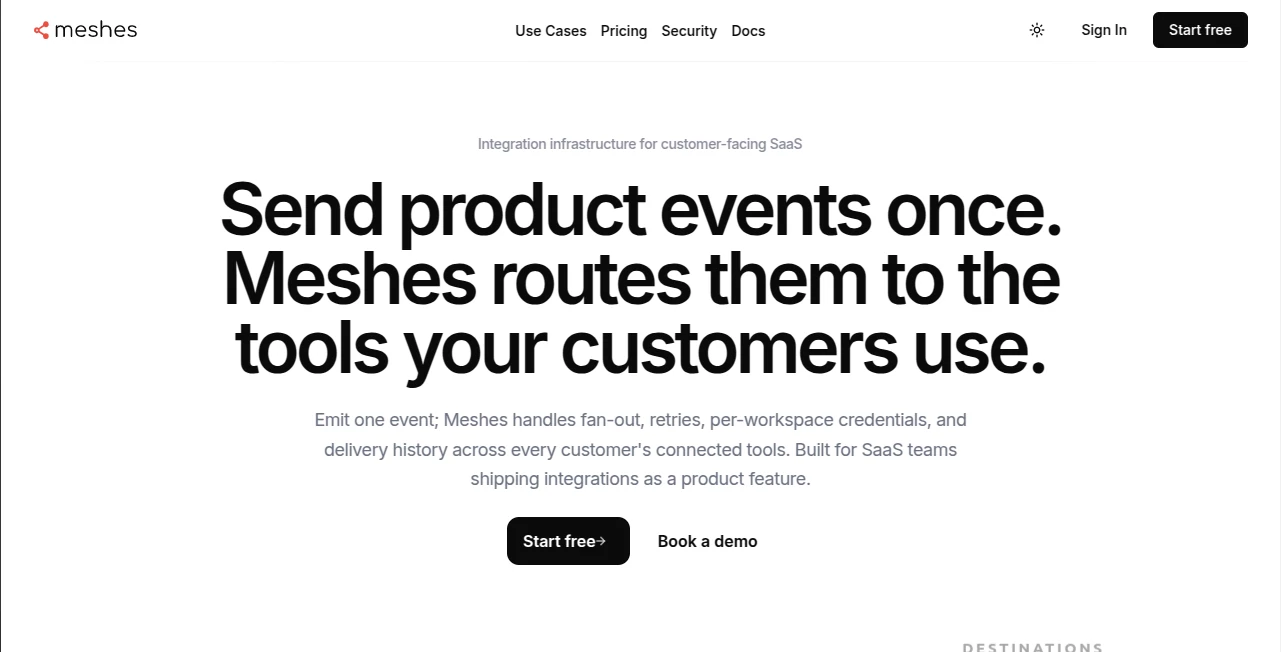
Building customer-facing integrations is one of those things that sounds simple until you actually do it. One customer wants their data in HubSpot, another in Salesforce, a third needs Slack alerts with specific formatting. Suddenly your team is maintaining dozens of slightly different code paths, handling retries at 2 a.m., and answering “where did my event go?” questions. This platform makes that headache disappear. You emit one clean event from your app, and it intelligently routes, retries, fans out, and keeps perfect records—per customer, per workspace. It’s the kind of tool that lets your product team focus on building features instead of plumbing.
Introduction
Meshes was created for SaaS teams who want to offer powerful integrations without turning their codebase into a spaghetti monster. Instead of hard-coding connections for every CRM, email tool, or webhook your customers use, you send events once and let Meshes handle the rest: routing rules, credential management, retries, backoffs, dead letters, and full delivery history. The result is cleaner code, happier customers, and far less operational pain. Founders and engineering leads I’ve spoken with say it’s one of those rare tools that pays for itself almost immediately by saving engineering hours and reducing support tickets.
Key Features
User Interface
The dashboard is refreshingly practical. You see workspaces clearly separated, connections listed per customer, and rules that read like plain English (“When contact.created, send to HubSpot and Mailchimp”). Event logs are searchable and detailed, showing exactly what happened to each payload. Setting up a new destination feels more like configuring a rule than writing code. It’s built by developers who clearly hated the old way of doing things.
Accuracy & Performance
Events arrive reliably. Retries happen automatically with smart backoff, rate limits are respected, and you can replay failed events with one click. Delivery history is accurate down to the exact response from the destination. In real usage, teams report dramatically fewer “integration broke again” incidents because Meshes owns the messy parts so your app doesn’t have to.
Capabilities
Send one event and reach many destinations. Per-workspace credential isolation keeps tenants secure. Powerful routing rules let you fan out intelligently based on customer data. Full audit logs, dead letter queues, and replay functionality give you operational peace of mind. It supports major CRMs, communication tools, webhooks, and more—plus easy expansion as new needs arise. The whole system is designed so integrations become a product feature instead of a maintenance burden.
Security & Privacy
Workspace-level isolation means one customer’s credentials and data never mix with another’s. Everything is encrypted in transit and at rest. You control exactly what gets sent where. For SaaS companies handling sensitive customer data, that tenant-by-tenant boundary is a big reason to trust the platform.
Use Cases
A billing platform automatically pushes new signups and payment events into each customer’s CRM without building custom logic for every tool. A community app sends activity notifications to whichever Slack workspace the customer prefers. An HR tool routes trial expiration events to the right internal systems per company. Teams use it to turn product events into actionable flows across their entire customer base while keeping everything neatly separated and observable.
Pros and Cons
Pros:
- One clean event emission point instead of scattered integration code.
- Per-workspace isolation and credential management done right.
- Excellent observability—see exactly what happened to every event.
- Retires, backoffs, and replays handled automatically.
- Fast to set up and scales cleanly as you grow.
Cons:
- Best for teams that already emit structured events (though getting there is worth it).
- Some very niche destinations may still need custom webhooks.
Pricing Plans
It starts with a generous free Developer plan so you can prove the concept in one workspace. Paid plans (Builder, Pro, Scale) increase event volume, workspaces, connections, and retention periods. Pricing is usage-aware and predictable, making it easy to align cost with the value your integrations deliver to customers. Many teams find it cheaper and far more reliable than maintaining everything in-house.
How to Use Meshes
Sign up, create a workspace for testing, add your first destination (HubSpot, Slack, etc.) by authorizing it, then define simple rules that say which events should go where. In your app, send events to the Meshes endpoint using their SDK or plain HTTP. Watch the dashboard to see delivery status, debug any issues, and replay when needed. Once comfortable, roll it out to customer workspaces. The whole flow is designed to feel natural for developers who just want integrations to work.
Comparison with Similar Tools
General automation platforms like Zapier or Make are great for individuals but get messy at SaaS scale with multi-tenant needs. Other embedded iPaaS solutions often require more setup or lack the fine-grained workspace isolation and observability that Meshes provides. It sits in a sweet spot: developer-friendly, operationally robust, and clearly built for teams shipping integrations as a core product feature.
Conclusion
Customer-facing integrations shouldn’t be a constant source of engineering debt and late-night alerts. This platform turns them into something reliable, observable, and maintainable—so your team can focus on building what actually differentiates your product. When your customers start thanking you for how smoothly their data flows into the tools they already love, you’ll know it was worth it. Clean, smart, and quietly powerful—exactly what modern SaaS needs.
Frequently Asked Questions (FAQ)
How hard is it to integrate with my app?
Usually just a few lines of code or one SDK call. Most teams are sending events within an afternoon.
Is it multi-tenant safe?
Yes—strong workspace isolation and per-tenant credentials are core design principles.
Can I replay failed events?
Absolutely—full delivery history and one-click replay make debugging painless.
What destinations are supported?
Major CRMs, communication tools, email platforms, webhooks, and more. New ones are easy to add.
Do I need to change my entire architecture?
No. You keep emitting events as usual; Meshes handles everything after that single point.
AI Workflow Management , AI No-Code & Low-Code , AI API Design , AI Developer Tools .
These classifications represent its core capabilities and areas of application. For related tools, explore the linked categories above.

Meshes Alternatives Product

4ga Boards

freellm.net

Project Genie

Blackbox AI

langextract.…

DiRe-RAPIDS

LPM 1.0
Layven

GPTLocalhost
