🧠 AI Quiz
Think you really understand Artificial Intelligence?
Test yourself and see how well you know the world of AI.
Answer AI-related questions, compete with other users, and prove that
you’re among the best when it comes to AI knowledge.
Reach the top of our leaderboard.

















Mixels.ai

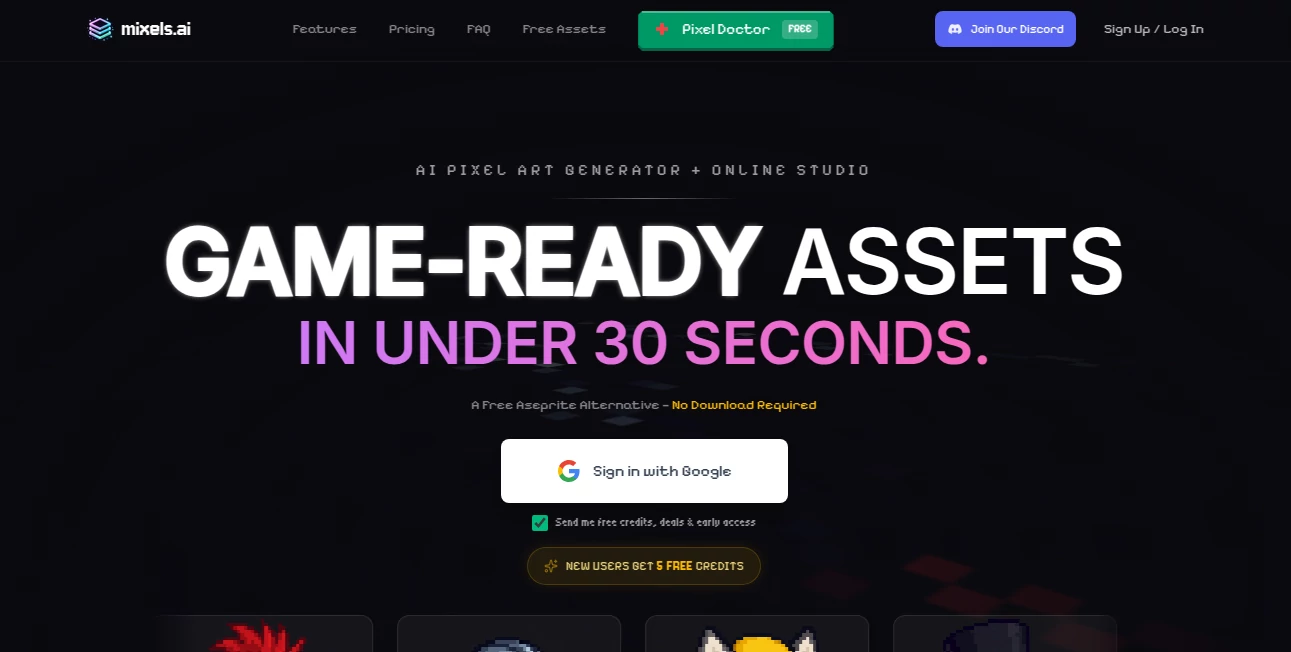
What is Mixels.ai?
There’s a special kind of magic when several personal photos suddenly blend into a single, cohesive piece of art that feels greater than the sum of its parts. This tool captures that magic beautifully. You upload a handful of images—family moments, travel shots, product angles—and it weaves them together into a harmonious composition that looks thoughtfully designed, not randomly mashed. I’ve watched people turn scattered phone albums into wall-worthy prints or social banners that stop the scroll. The results often carry an emotional weight that simple grids or basic collages never achieve.
Introduction
Most collage makers feel mechanical—drag, drop, resize, repeat. This platform takes a different path. It uses AI to understand the mood, colors, subjects, and composition of your photos, then intelligently arranges and blends them into something that feels curated and intentional. No need to plan layouts or fight overlapping edges; the tool does the heavy aesthetic lifting. It’s become a quiet favorite among creators who want their memories, brands, or mood boards to look polished and professional without spending hours in Photoshop or Canva. The joy comes from seeing your own photos transformed into something you’d happily frame or post.
Key Features
User Interface
The experience is deliberately calm. A generous upload area invites multiple photos at once, a few style thumbnails appear below, and one clear “Mix” button starts the process. Previews load quickly so you can compare variations side by side. Everything is intuitive—no buried menus, no overwhelming options. It feels like the tool was designed by someone who actually makes collages and hates unnecessary complexity.
Accuracy & Performance
It reads your images deeply—recognizing faces, objects, colors, lighting—and blends them with surprising sensitivity. Skin tones stay natural, important details aren’t lost in overlaps, and the overall composition feels balanced rather than forced. Generation usually takes 10–30 seconds, and results are consistent even with very different photo styles (old family pics mixed with modern shots, for example). The quality holds up at high resolution, making prints or large social posts look sharp.
Capabilities
Multi-photo blending into artistic collages, multiple artistic styles (minimalist, vintage, surreal, modern grid, organic flow, etc.), adjustable composition density, automatic color harmonization, face-aware placement (keeps important people visible), high-resolution output (up to 4K), and PNG/JPG downloads with transparent background option. It handles portraits, landscapes, products, pets, travel shots—anything you throw at it—while preserving emotional focal points.
Security & Privacy
Your photos are processed in memory and deleted immediately after download. No account is required for basic use, so there’s no profile tying your images to you unless you choose to sign up for saved projects. For family memories, client mood boards, or personal branding, that zero-retention approach feels right and respectful.
Use Cases
A mother compiles yearly family photos into a single anniversary collage that becomes the centerpiece of their holiday card. A small jewelry brand mixes product shots into elegant lifestyle mood boards for Instagram and their website. A traveler turns scattered trip photos into one evocative poster that captures the whole journey. A content creator creates weekly thematic collages for social stories—each one unique yet instantly recognizable as their style. Wherever multiple images need to tell one cohesive story, this tool makes it feel effortless and beautiful.
Pros and Cons
Pros:
- Blends look artistic and intentional, never just stacked or grid-locked.
- Face-aware placement keeps loved ones visible and well-positioned.
- Style variety lets you match any aesthetic—minimal to dreamy to bold.
- High-res outputs ready for print, framing, or large digital displays.
- Free tier is generous—real collages without immediate paywall.
Cons:
- Very large batches or ultra-high-res can push to paid plans.
- Extremely mismatched photo styles sometimes need manual style selection.
- No built-in text overlays or advanced editing (focus is pure collage).
Pricing Plans
Free tier allows several high-quality collages per day—enough for personal use or testing. Paid plans remove daily limits, unlock every style, give priority processing, and offer higher resolutions for professional or print work. Pricing feels fair for the time and beauty it saves—many users say one month covers what they used to spend on freelance designers for similar assets.
How to Use Image Collage Maker
Drag 3–12 photos into the upload area (more on paid plans). Choose a style from the thumbnails (or let auto-select). Adjust density or mood sliders if desired. Hit “Mix” and wait a short moment. Use the before/after or style variations to pick your favorite. Download in high resolution with transparent background if needed. For recurring projects, save favorite styles to reuse. The whole process usually takes under a minute once you’re comfortable.
Comparison with Similar Tools
Traditional collage apps often feel mechanical—grids, templates, manual placement. This one uses AI to compose with real artistic sensibility, so results look curated instead of assembled. Where others produce obvious overlaps or harsh edges, the blending here is soft and natural. Speed, quality, and emotional intelligence put it in a different league from basic free collage makers and even some paid design tools.
Conclusion
Memories, brands, and ideas deserve to be seen in the best light. This tool takes scattered photos and turns them into something whole, beautiful, and emotionally resonant—without asking for design skills or endless tweaking. It’s a small act of care for the moments and stories we want to share. When you see your own images transformed into art that feels truly yours, you realize how powerful thoughtful technology can be. Simple upload, stunning result, lasting smile—that’s the quiet gift it offers.
Frequently Asked Questions (FAQ)
How many photos can I use?
Free tier handles 3–8 comfortably; paid plans allow larger sets for more complex collages.
Can I use it for commercial projects?
Yes—paid plans include full commercial rights for marketing, products, social, etc.
What file types work best?
JPG, PNG, WebP—higher quality source photos give noticeably better blends.
Is there a watermark on free collages?
Small and subtle on free tier; paid removes it completely.
Can I save my favorite styles?
Yes—paid users can favorite and reuse custom style settings.
AI Fun Tools , Photo & Image Editor , AI Design Generator , AI Image to Image .
These classifications represent its core capabilities and areas of application. For related tools, explore the linked categories above.
Mixels.ai details
This tool is no longer available on submitaitools.org; find alternatives on Alternative to Mixels.ai.
Pricing
- Free
Apps
- Web Tools
Categories

Mixels.ai Alternatives Product

Freepik

seedream 6

CozAIPhoto

Z image AI

Nano Banana …
HD Photo Con…

Nano Banana …
Caricature A…

AI Anime