🧠 AI Quiz
Think you really understand Artificial Intelligence?
Test yourself and see how well you know the world of AI.
Answer AI-related questions, compete with other users, and prove that
you’re among the best when it comes to AI knowledge.
Reach the top of our leaderboard.


















ModulEdge

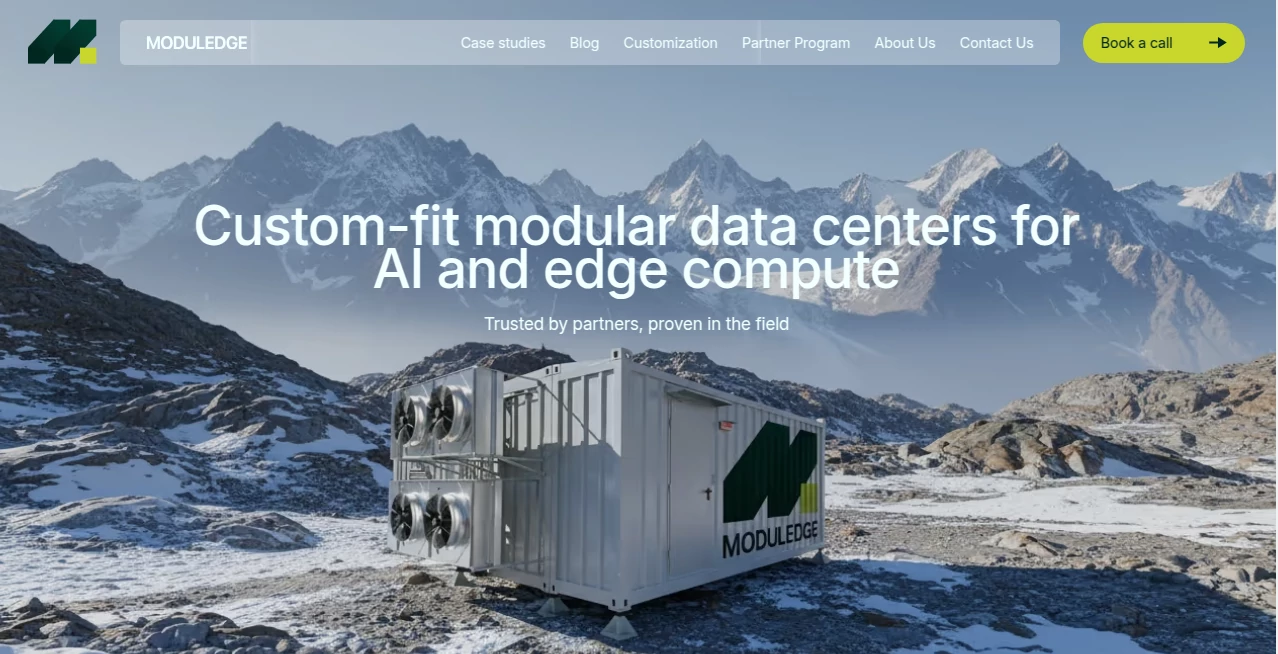
What is ModulEdge?
Building consistent, beautiful interfaces usually means hours of manual component creation, naming conventions debates, and endless tweaks to keep everything in sync. This platform quietly solves that pain. You describe what you need—“clean pricing card with hover effect and dark mode support”—and it generates clean, production-ready code (React/Tailwind or plain HTML/CSS) that fits right into your design system. I’ve seen solo founders go from “I need to build this UI kit” to “it’s already done and looks pro” in one afternoon. The output isn’t just functional; it feels thoughtful—good spacing, accessible contrast, sensible component props. That kind of polish without the grind is addictive.
Introduction
Design systems are powerful, but creating and maintaining them is brutal—especially for small teams or solo makers. Most tools either give you rigid templates or require you to be a design-system expert already. This one takes a different path: conversational AI that understands modern UI patterns, accessibility, responsiveness, and theming, then spits out modular, reusable code you can actually use today. It’s become a quiet favorite among indie hackers, startup designers, and agencies who want beautiful, consistent components without spending weeks on boilerplate. The joy is in the speed: describe → generate → copy → ship. When your landing page components suddenly match your brand perfectly after one prompt, you realize how much creative energy gets freed up.
Key Features
User Interface
The workspace feels calm and focused. A chat-like prompt area on the left, live preview on the right, and a simple toolbar for framework choice (React + Tailwind, Vue, Svelte, or vanilla). Generated code appears instantly below the preview with copy buttons for component, styles, and props. Dark/light mode toggle, responsive preview sizes, and export options (Figma variables, Storybook stories) are right there—no digging. It’s designed for flow: think → type → see → tweak → copy. No bloated menus, no unnecessary steps.
Accuracy & Performance
The AI really understands modern design tokens and best practices—spacing scales, semantic colors, proper ARIA attributes, mobile-first media queries. Code is clean, readable, and follows conventions (BEM-ish classes in Tailwind, sensible component composition). Generation is near-instant for single components, only a few seconds for full sections. Output is production-grade: no inline styles mess, no unused classes, no accessibility misses. It rarely hallucinates invalid Tailwind utilities or broken JSX.
Capabilities
Generates single components (buttons, cards, modals, navbars), full sections (hero, pricing, testimonials), or even mini design systems from a description. Supports React, Vue, Svelte, plain HTML+CSS, Tailwind or vanilla CSS, dark mode, responsive variants, animations (Framer Motion / CSS), and accessibility out of the box. You can iterate in chat—“make it glassmorphic”, “add loading state”, “support RTL”—and it updates intelligently. Export to Figma variables, Storybook MDX, or raw code. It’s a full component ideation-to-code companion.
Security & Privacy
No code or design assets are stored on servers beyond your current session unless you explicitly save a project. No training on user prompts. Sensitive business logic or brand designs stay private. For agencies and startups handling client IP, that zero-retention default is a real comfort.
Use Cases
A bootstrapped founder builds landing-page components in an afternoon instead of two weeks, ships faster, and gets first paying customers sooner. An agency designer generates matching UI kits for multiple clients, customizing colors and typography via prompt tweaks. A product team prototypes internal tools with consistent, accessible components without waiting for design-system handoff. A side-project creator makes beautiful dashboards and marketing pages without learning advanced Tailwind tricks. Wherever speed + consistency matter, it quietly accelerates everything.
Pros and Cons
Pros:
- Code is clean, modern, and immediately usable—no heavy cleanup needed.
- Understands context—remembers previous generations in a session for coherent systems.
- Multiple frameworks and styling options fit your existing stack.
- Iterative chat makes refinement fast and natural.
- Generous free tier lets you build real components before paying.
Cons:
- Very complex multi-component systems may need some manual orchestration.
- Unlimited projects and team collaboration require paid plan.
- Advanced animation or 3D components still need extra work.
Pricing Plans
Free tier gives solid daily generations—enough for side projects or testing real features. Pro plan removes limits, unlocks team workspaces, version history, custom design tokens, and priority support. Enterprise adds SSO, private instances, and dedicated SLA. Pricing feels fair for the time saved—many solo makers say one month pays for itself after shipping a faster, prettier product.
How to Use Module Edge
Start with a prompt: “modern pricing card with annual toggle, dark mode, hover effects”. Choose framework and styling. Watch the live preview appear. Refine via chat—“make the CTA more prominent”, “add trust badges”. Copy the code directly or export to Figma variables/Storybook. Save the project if you want to build a full system over time. Iterate as many times as needed in one session. It’s conversational, fast, and keeps you in creative flow instead of debugging.
Comparison with Similar Tools
Traditional component libraries are rigid or require heavy customization. Pure AI code generators often produce messy or inconsistent JSX/CSS. This one sits in a sweet spot: focused on modular UI, clean modern code, and iterative refinement that respects your stack and design tokens. It’s less about generic snippets and more about building cohesive, production-ready pieces quickly—which is what most teams actually need.
Conclusion
Great design systems shouldn’t take months—they should feel like a natural extension of your thinking. This platform makes that possible: fast, beautiful, consistent components generated from plain English. It frees designers and developers to focus on what matters—user experience, product story, business impact—instead of boilerplate battles. When your next feature looks polished and cohesive in hours instead of weeks, the difference in velocity and confidence is impossible to ignore. For anyone shipping software, that’s worth celebrating.
Frequently Asked Questions (FAQ)
Do I need to know Tailwind or React to use it?
No—prompt in plain English; it generates clean code you can copy even if you're still learning.
Can I use the generated code commercially?
Yes—full commercial rights on all outputs, paid or free.
How consistent are multi-component systems?
Very—session memory keeps design tokens, colors, and patterns aligned across generations.
Is there team collaboration?
Yes—Pro and Enterprise plans offer shared workspaces and version history.
Can I export to Figma or Storybook?
Yes—design tokens to Figma variables, components to Storybook MDX format.
AI No-Code & Low-Code , AI Website Designer , AI Design Generator , AI Developer Tools .
These classifications represent its core capabilities and areas of application. For related tools, explore the linked categories above.
ModulEdge details
This tool is no longer available on submitaitools.org; find alternatives on Alternative to ModulEdge.
Pricing
- Free
Apps
- Web Tools
Categories

ModulEdge Alternatives Product

Touchpoint

ai banana

LongCat Image

JSON to TOON…

Defapi

Z-Image Gene…

AIImageEdit

bratgenerator

Scillus