🧠 AI Quiz
Think you really understand Artificial Intelligence?
Test yourself and see how well you know the world of AI.
Answer AI-related questions, compete with other users, and prove that
you’re among the best when it comes to AI knowledge.
Reach the top of our leaderboard.

















Musikalis AI Music Generator
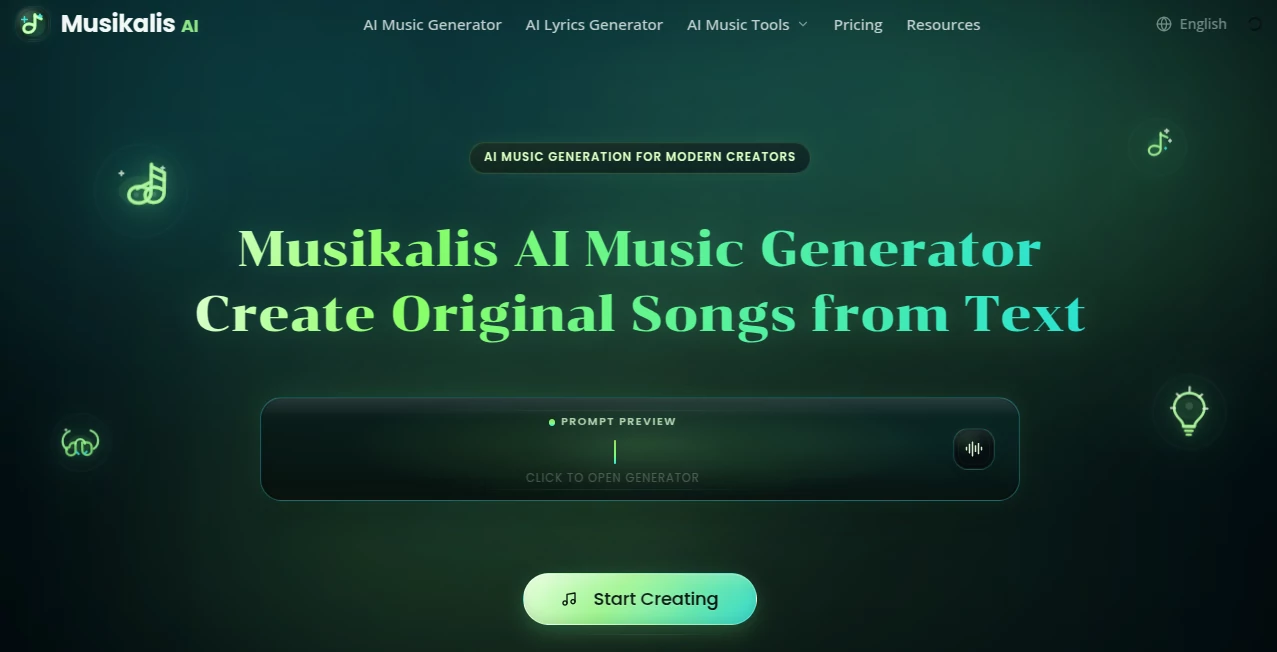
What is Musikalis AI Music Generator?
There’s a special kind of joy when you type a simple idea like “upbeat summer pop song about chasing dreams on the open road” and a full track with vocals, melody, and arrangement appears minutes later. This tool makes that moment feel almost magical. It doesn’t just generate background music — it builds complete, studio-quality songs with lyrics that actually fit the mood and flow naturally. I’ve watched friends who can’t play an instrument light up when they heard their first custom track, and content creators use it to add original music to videos without worrying about copyright headaches. It turns the spark of an idea into something you can actually listen to and share.
Introduction
Making music used to require years of practice, expensive equipment, or hiring professionals. This platform removes those barriers by letting anyone create original songs from plain text. You describe the vibe, genre, or story you want, and it delivers a polished track with vocals, lyrics, and instrumentation that feels cohesive and intentional. It’s especially loved by creators who need royalty-free music fast — podcasters, YouTubers, game developers, and social media storytellers. The results often surprise people with how listenable and emotionally on-point they are, making it a genuine creative companion rather than just another gimmick.
Key Features
User Interface
The workspace is clean and inviting. A big prompt box sits front and center where you describe your song idea, with helpful suggestions for genres, moods, and structure. You can choose length, vocal style, and intensity with simple sliders and toggles. Previews load quickly so you can listen and refine without frustration. It feels designed for flow — you spend time being creative instead of figuring out complicated controls.
Accuracy & Performance
The tool consistently matches the mood and style you describe. Ask for upbeat pop with motivational lyrics and you get energetic vocals and driving beats. Request something melancholic and introspective, and the tone lands right. Generation is reasonably fast, and the audio quality is high enough for professional use. Lyrics flow naturally with the melody, and the overall arrangement feels thoughtful rather than random.
Capabilities
It creates full songs with vocals, original lyrics, and multi-layered instrumentals across many genres. You can generate instrumentals only, extend tracks, or remix existing ideas. The output is royalty-free for most uses, making it perfect for videos, podcasts, games, and social content. It also supports different vocal styles and emotional tones, giving you real creative control over the final feel of the track.
Security & Privacy
Your prompts and generated tracks are handled with care. The platform focuses on letting creators work freely without unnecessary data collection or sharing. Generated music belongs to you for personal and commercial use (subject to fair terms), giving peace of mind when building content libraries or client projects.
Use Cases
A YouTuber generates custom background music that perfectly matches their video tone without royalty worries. A podcaster creates unique intro and outro tracks that build brand recognition. Indie game developers add original soundtracks to levels quickly. Aspiring musicians experiment with different genres and get instant feedback on their ideas. Even parents make fun personalized songs for their kids’ birthdays. Wherever you need original music fast, it delivers with quality and ease.
Pros and Cons
Pros:
- Creates complete songs with vocals and lyrics, not just loops or instrumentals.
- Royalty-free output perfect for content creators and commercial projects.
- Good genre variety and emotional range.
- Fast enough to keep creative momentum going.
- Simple enough for beginners but powerful for experienced users.
Cons:
- Longer or very complex songs may need multiple generations or manual editing.
- Free tier has daily limits for heavier users.
- Some niche or highly specific styles can benefit from clearer prompting.
Pricing Plans
It offers a generous free tier so you can try it and create real tracks without paying. Paid plans remove limits, unlock higher quality generations, longer tracks, and priority processing. The pricing is reasonable for the time and creative freedom it provides — many creators find the paid version pays for itself after just a few projects compared to stock music licenses or hiring composers.
How to Use Musikalis
Start by typing a clear description of the song you want — include genre, mood, tempo, theme, or specific elements like “energetic female vocals” or “chill lo-fi beat with piano.” Choose any style options available and hit generate. Listen to the result, then refine the prompt if you want a different direction or generate variations. Download the track when it feels right. For best results, be descriptive but not overly restrictive — let the AI surprise you while guiding the overall feel.
Comparison with Similar Tools
Many AI music tools produce short loops or instrumental backgrounds that need heavy editing. This one stands out by delivering complete songs with coherent lyrics and structure. While some competitors focus only on beats or melodies, the vocal quality and overall polish here feel more like finished tracks ready for use. The balance of ease, quality, and royalty-free freedom makes it a strong choice for creators who need music that actually sounds professional.
Conclusion
Music has the power to elevate any project or moment, but creating it shouldn’t feel out of reach. This tool opens that door for everyone by turning ideas into real, usable songs quickly and affordably. Whether you’re building content, making art, or just exploring creativity, it gives you original music that feels personal and professional. In a world full of generic stock tracks, having the ability to create something truly your own is a game-changer — and this platform makes it genuinely enjoyable.
Frequently Asked Questions (FAQ)
How long are the generated songs?
Tracks range from short snippets to full-length songs depending on your prompt and plan.
Are the songs royalty-free?
Yes — generated music is royalty-free for most personal and commercial uses.
Do I need music experience?
Not at all. Just describe what you want in plain language.
Can I edit the generated songs?
You can download and edit them in any DAW or use them as-is.
Is there a free way to try it?
Yes — the free tier lets you generate real tracks to test the quality.
AI Text to Music , AI Lyrics Generator , AI Music Generator , AI Voice & Audio Editing .
These classifications represent its core capabilities and areas of application. For related tools, explore the linked categories above.
Musikalis AI Music Generator details
Pricing
- Free
Apps
- Web Tools
Categories

Musikalis AI Music Generator Alternatives Product

Mp3ToMidi

Lyria.run

ModelsLab
MemoTune

AudioVideoGe…
Lyria 3 AI M…

Diss Track G…

Solmi AI

Qwen3 TTS