🧠 AI Quiz
Think you really understand Artificial Intelligence?
Test yourself and see how well you know the world of AI.
Answer AI-related questions, compete with other users, and prove that
you’re among the best when it comes to AI knowledge.
Reach the top of our leaderboard.


















MyToolster Web Tools
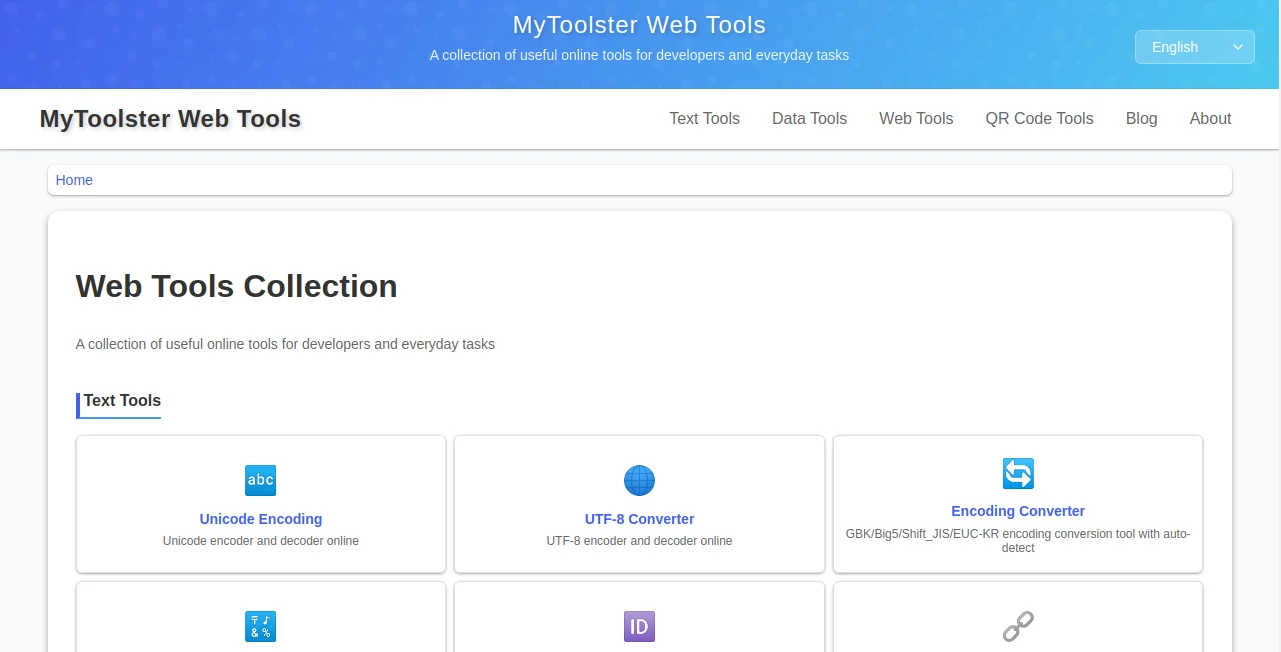
What is MyToolster Web Tools?
Sometimes the simplest tools are the ones you reach for every day without thinking twice. This site gathers a handful of those reliable little helpers in one clean spot—no sign-ups, no clutter, just straight-to-work utilities that save time on common headaches. I keep it open in a tab because it's always there when I need to quickly format JSON, decode a URL, or check a timestamp. The no-nonsense approach feels refreshing in a sea of bloated apps and extensions.
Introduction
Most of us have that moment when we need to convert something obscure or clean up messy data, and we end up hunting across five different sites. This collection quietly solves that by putting the essentials together in one place. It's built for developers who want fast answers without distractions, but the tools are friendly enough that anyone dealing with text, code, or dates can use them comfortably. What I appreciate most is the focus on privacy and speed—everything runs in your browser where possible, and nothing feels like it's trying to upsell or track you. Over time, it becomes the kind of bookmark you wonder how you lived without.
Key Features
User Interface
Each tool loads with a minimal, focused layout—big input area, clear labels, instant output. No ads crowding the screen, no forced accounts, just the task at hand. Switching between tools feels seamless because the design stays consistent: simple, readable, and quick to scan. It’s the opposite of overwhelming; it almost disappears while you work, which is exactly what you want when you're in the middle of debugging or formatting.
Accuracy & Performance
The converters and formatters are precise—Unicode handling respects every code point, timestamps convert both ways without rounding errors, JSON prettifies without mangling structure. Operations happen instantly in the browser for most tasks, so there's no loading spinner to wait through. In practice, it behaves like a trusted local utility, reliable even on spotty connections because so much stays client-side.
Capabilities
It covers the everyday essentials: encoding and decoding URLs, formatting and validating JSON, converting between Unix timestamps and readable dates, handling Unicode escapes and normalization, generating secure random passwords, reading QR codes locally without uploads. Each one is purpose-built and kept simple so you get the result fast and move on. Nothing fancy, just solid execution of what developers and power users need dozens of times a week.
Security & Privacy
Since many tools run entirely in your browser, your data never leaves your device for those operations. No accounts required, no tracking scripts, no persistent storage of inputs. When server-side processing is needed, the focus stays on doing the job and forgetting it immediately. That respect for privacy makes it easy to trust for quick, one-off tasks without second thoughts.
Use Cases
A developer debugging an API quickly prettifies a messy JSON response to spot the issue. A marketer copies a long URL and decodes it to see the actual parameters without guessing. Someone generating a strong password for a new account gets cryptographically secure output in one click. A student working with timestamps converts epoch values from logs into human-readable time. It's the quiet companion for countless small moments that add up to hours saved.
Pros and Cons
Pros:>
- Zero setup—just open and use, perfect for quick needs.
- Client-side where possible, which means speed and privacy.
- Clean, focused design that respects your attention.
- Reliable results for the tasks it covers—no surprises.
Cons:
- Limited to a curated set of tools—not a massive directory.
- No advanced features for niche edge cases.
Pricing Plans
Everything is free, full stop. No hidden tiers, no premium unlocks, no ads interrupting your flow. The entire collection stays open to everyone, which is rare and genuinely appreciated in a space that often pushes subscriptions or upsells.
How to Use MyToolster
Pick the tool you need from the list—say, JSON formatter—paste your data into the input box, and watch it transform instantly. Copy the result or download if available. For QR reading, use your camera or upload an image; it decodes locally. For passwords, adjust length and character types then generate. Each tool is self-contained and ready in seconds, so you can chain several tasks in one short session.
Comparison with Similar Tools
Big directories often overwhelm with too many options and ads, while single-purpose sites force you to open multiple tabs. This strikes a nice balance: focused set, zero distractions, client-side priority. It doesn't try to be everything to everyone, but for the tools it offers, it does them cleanly and reliably—often better than scattered alternatives.
Conclusion
In a digital life full of complexity, having a handful of dead-simple, trustworthy tools is a small luxury that makes a big difference. This collection delivers exactly that—quiet competence without fanfare. It's the kind of place you bookmark once and quietly rely on for years, grateful every time it saves you a headache. Simple, solid, and free—sometimes that's all you need.
Frequently Asked Questions (FAQ)
Do I need to sign up?
No—everything works without any account.
Is my data safe?
Most tools run entirely in your browser; nothing is sent unless absolutely necessary for the task.
Are the tools really free?
Yes, completely—no ads, no limits, no catch.
Can I suggest new tools?
The site welcomes feedback; many tools come from community ideas.
Does it work offline?
Some tools yes (client-side ones); others need a connection.
These classifications represent its core capabilities and areas of application. For related tools, explore the linked categories above.
MyToolster Web Tools details
Pricing
- Free
Apps
- Web Tools
Categories

MyToolster Web Tools Alternatives Product

CodeProt

JSON-Tools

Project Genie

HostFinder

Toonifyit

Kimi K2.5

DeepSeek

Project Mela

langextract.…