🧠 AI Quiz
Think you really understand Artificial Intelligence?
Test yourself and see how well you know the world of AI.
Answer AI-related questions, compete with other users, and prove that
you’re among the best when it comes to AI knowledge.
Reach the top of our leaderboard.


















Nano Banana Video
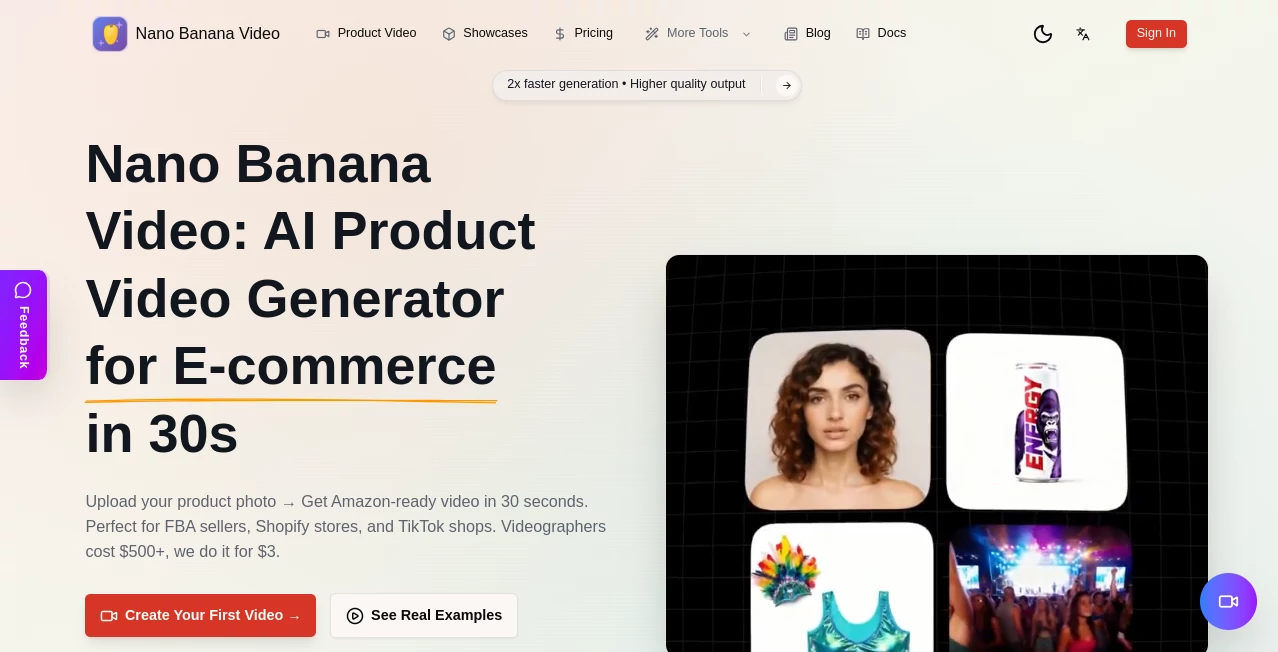
What is Nano Banana Video?
Picture this: you snap a single product photo on your phone, click a button, and thirty seconds later you've got a crisp, professional marketing clip ready to drop on Amazon or TikTok. No lights, no crew, no endless editing—just smooth 360 spins, lifestyle shots, and feature highlights that actually move the needle on sales. I've seen small sellers go from static images that barely get noticed to videos that pull in 30-50% higher conversions, and the best part is it feels almost too easy.
Introduction
Selling online today means competing with everyone else’s shiny visuals, and static photos just don't cut it anymore. This tool changes the game by turning one good product shot into ready-to-post videos tailored for e-commerce platforms. Whether it's an unboxing sequence, a lifestyle scene with a model, or a clean 360 rotation on white, it handles the heavy lifting so you can focus on what sells. The speed is addictive—ten variations in under five minutes for A/B tests—and the quality punches way above what you'd expect from AI, especially at a fraction of hiring a videographer. It's become a quiet favorite among FBA folks and Shopify creators who need fast, consistent content without burning through budgets or time.
Key Features
User Interface
The dashboard keeps things dead simple: upload your photo, pick a template that matches your vibe—unboxing, lifestyle, feature zoom, you name it—and hit go. No clutter, no confusing sliders; just clean choices and instant previews so you see exactly what you'll get. It's the kind of flow that lets you crank out a batch while your coffee brews, and the mobile-friendly layout means you can do it from the warehouse floor if needed.
Accuracy & Performance
It nails product consistency across shots—same lighting, same angles, no weird morphs—and the motion feels natural, not robotic. Generation times hover around 30 seconds per clip, and batch mode scales beautifully for larger catalogs. From real-world use, it consistently delivers Amazon-compliant videos that look studio-shot, even when the starting photo was taken on a phone in average lighting.
Capabilities
Beyond basic spins, it offers lifestyle integrations with models in real environments, before-and-after reveals, UGC-style clips, and full 4K output in multiple aspect ratios (16:9 for listings, 9:16 for vertical stories, 1:1 for posts). Templates cover every e-commerce angle, and the built-in photo editor cleans backgrounds in seconds so your input is always ready. It's tailored for conversions, not just pretty pictures.
Security & Privacy
Your uploads stay yours—full commercial rights, no watermarks on paid outputs, no forced attribution. Data handling follows standard best practices, so you can feed it proprietary product shots without second thoughts. It's built with sellers in mind, keeping things discreet and straightforward.
Use Cases
Amazon FBA sellers generate main-image videos and lifestyle variants to boost listings overnight. Shopify store owners create TikTok-ready clips that match their brand aesthetic without hiring help. Dropshippers test ten styles quickly to see what converts best before scaling. Even small handmade brands turn simple phone snaps into polished stories that stand shoulder-to-shoulder with big players, all while keeping costs laughably low.
Pros and Cons
Pros:
- 30-second turnaround makes daily content possible without burnout.
- Batch generation for A/B testing feels like cheating in the best way.
- Templates are genuinely useful for e-commerce, not generic filler.
- Full commercial rights and no watermarks give peace of mind.
Cons:
- Best with clean, well-lit starting photos—messy inputs need editing first.
- Free credits are generous but run out fast if you're on a roll.
Pricing Plans
It opens with a free taste—enough credits to play and see the quality—then scales affordably for real work. Paid plans drop costs per video to pennies compared to traditional shoots, with no hidden fees or surprise subscriptions. You pay for what you use, and the value hits hard when you see listings convert better almost immediately.
How to Use It
Upload one clear product photo (clean background helps a lot), browse the template library and pick what fits—360 spin, lifestyle walk-through, unboxing—then let it run. Preview the result, tweak the prompt if needed, and download in your preferred ratio. Batch a few variations next time, compare performance in your store, and watch the data tell you which style wins. It's so straightforward I once did a full product line refresh in one evening.
Comparison with Similar Tools
Lots of AI video tools exist, but few zero in on e-commerce like this one does. General generators often spit out pretty but generic clips; here the templates are purpose-built for Amazon and TikTok conversions, with better consistency and faster batching. It's not trying to be everything to everyone—it's laser-focused on what actually sells products, and that focus pays off.
Conclusion
This tool quietly solves one of the biggest headaches in online selling: making videos that look expensive without spending a fortune or a weekend. It's fast, focused, and genuinely useful, turning average listings into ones that grab attention and close sales. If you're tired of static photos holding you back, give it a spin—the results might just change how you approach product content from here on out.
Frequently Asked Questions (FAQ)
How long does each video take?
About 30 seconds per clip, with batches of 10 done in under five minutes.
Do I need good lighting for the product photo?
Clear and well-lit helps, but the built-in editor can clean up backgrounds quickly.
Can I use these commercially?
Yes—full rights, no watermarks on paid videos, no attribution needed.
What resolutions and ratios are available?
Up to 4K, with 16:9, 9:16 vertical, and 1:1 square options.
Is there a free trial?
Yes, start with credits right away—no card required to test it out.
AI Image to Video , AI Text to Video , AI Video Generator , AI E-commerce Assistant .
These classifications represent its core capabilities and areas of application. For related tools, explore the linked categories above.
Nano Banana Video details
Pricing
- Free
Apps
- Web Tools
Categories

Nano Banana Video Alternatives Product

Sora2 AI Vid…

Sora 2 AI

Faceless vid…

Sora by Open…

Kling 3.0

WonderShare …

kling 3 AI

soro2

Seedance 2.0…