
🧠 AI Quiz
Think you really understand Artificial Intelligence?
Test yourself and see how well you know the world of AI.
Answer AI-related questions, compete with other users, and prove that
you’re among the best when it comes to AI knowledge.
Reach the top of our leaderboard.

















Nana Banana Pro AI

What is Nana Banana Pro AI?
Sometimes you just want to type a quick idea—“cyberpunk fox in a rainy alley, neon glow, cinematic lighting”—and get back something that looks like it belongs on a gallery wall, not a random generator output. This tool consistently delivers that kind of quality. The images come out sharp, thoughtfully composed, with color harmony and detail that feel intentional rather than accidental. I’ve seen creators share pieces they made in under a minute and watched people assume they spent hours in Photoshop. That gap between effort and result is what makes it quietly addictive.
Introduction
Most AI art tools still force you to write paragraph-long prompts, fight with weights, or fix artifacts in post. This one keeps things refreshingly direct: short, natural-language descriptions produce surprisingly refined results at high resolutions. It’s built for people who want beauty without babysitting the process—whether they’re making concept art, social media visuals, album covers, or just experimenting for fun. The model has a strong sense of composition, lighting, and mood, so even basic prompts land with polish that feels earned. Early users started posting side-by-sides of “prompt vs final image” and the jump still surprises people every time.
Key Features
User Interface
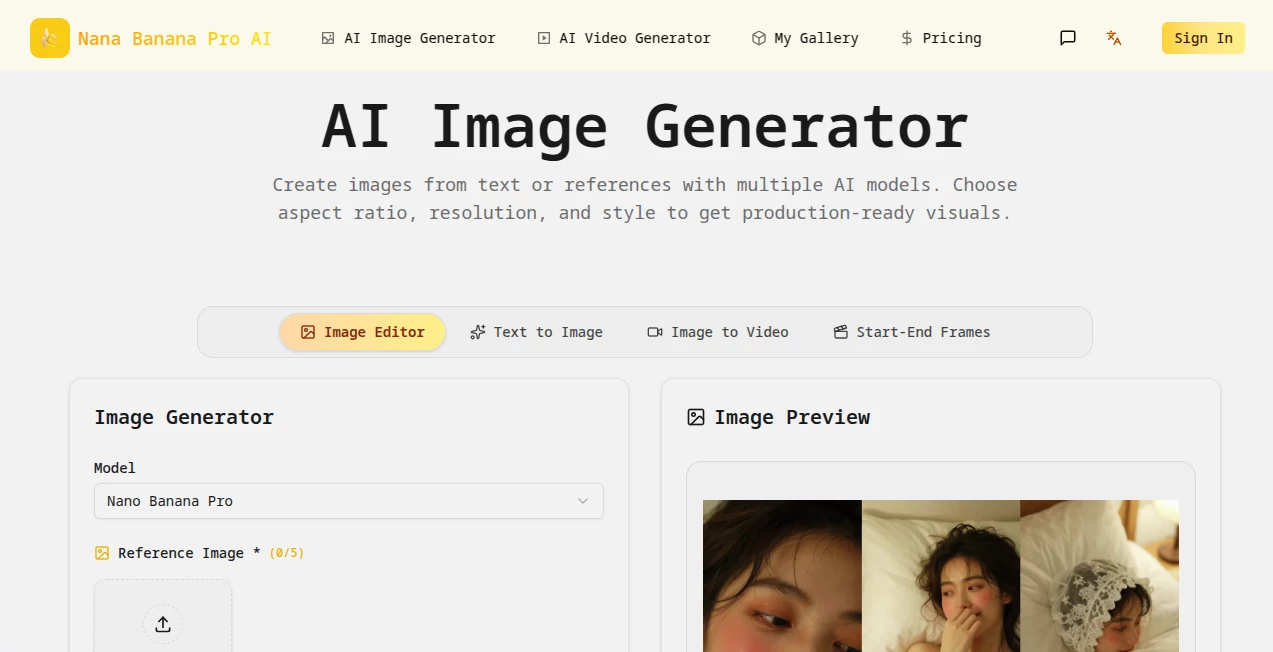
The workspace is clean and distraction-free. A wide prompt box, a resolution selector, optional style tags, and a single prominent generate button. No endless sliders or nested panels—just enough controls to guide without overwhelming. Previews load fast enough to keep you iterating instead of waiting. It feels like the creators actually used it themselves and removed everything that slowed them down.
Accuracy & Performance
Prompt adherence is unusually strong—mention “golden hour light” and the shadows fall correctly; ask for “symmetrical composition” and it respects balance without looking stiff. Detail holds up even at 4K and above; no mushy edges or random noise when you push resolution. Generations are quick (10–40 seconds depending on size), and the model rarely produces the grotesque distortions that still plague many competitors. When it does miss, it’s almost always because the prompt was ambiguous—not random hallucination.
Capabilities
High-resolution output (up to 8K on paid plans), strong understanding of artistic styles (oil painting, digital matte, anime, photoreal, concept art, etc.), excellent handling of complex scenes with multiple subjects, accurate lighting and material rendering, and the ability to produce coherent multi-element compositions from short descriptions. It excels at mood-driven art—dreamy, cinematic, moody, vibrant—without needing prompt engineering gymnastics. The results often feel like they were guided by an artist who actually understood the request.
Security & Privacy
Uploads and prompts are processed ephemerally—nothing is stored long-term or used for training unless you explicitly opt in. No mandatory account for basic generations, so your ideas don’t get tied to a profile. For creators working on client concepts, personal projects, or brand-sensitive visuals, that clean separation is a real comfort.
Use Cases
An indie game dev types “lonely astronaut on alien cliff at dusk” and gets a key art piece that becomes the Steam capsule image. A musician generates moody album artwork from a one-sentence vibe description. A social media creator makes daily aesthetic posts that consistently match their brand without spending hours in editing apps. A novelist visualizes book cover concepts in minutes instead of commissioning expensive mockups. Wherever visual storytelling needs to happen fast and look expensive, this tool quietly delivers.
Pros and Cons
Pros:
- Remarkable quality from short, natural-language prompts—no need for prompt engineering.
- Beautiful composition and lighting choices that feel artist-driven.
- High-resolution output that holds detail without artifacts.
- Fast enough generations to support real creative iteration.
- Free tier is generous—real usable art without paying upfront.
Cons:
- Very abstract or contradictory prompts can occasionally confuse it (same as most models).
- Ultra-high resolutions and unlimited use live behind paid plans.
- Limited fine-grained control compared to tools with 50-parameter UIs.
Pricing Plans
Free daily credits give meaningful access—enough to create several high-quality pieces per day without paying. Paid plans unlock higher resolutions, faster queues, unlimited generations, and priority support. Pricing is reasonable for the quality leap; many creators say one month covers what they used to spend on stock art or freelance illustrators for a single project.
How to Use Nano Banana Pro
Start with a short, vivid description—“mysterious woman in red coat walking through neon-lit Tokyo street at night, cinematic, moody lighting.” Optionally add style tags (photoreal, anime, oil painting, etc.). Choose resolution and hit generate. Watch the preview—tweak wording or style if needed—then download in high resolution. For variations, change one word or add “version 2” and generate again. The loop is fast enough to explore several directions in one sitting.
Comparison with Similar Tools
Many generators require long, heavily weighted prompts to get decent results; this one thrives on natural language and still delivers refined, coherent art. Where others produce technically correct but soulless images, the compositions and mood here often feel guided by real artistic intent. Speed, quality-from-short-prompts, and natural-looking output make it stand out even among premium competitors.
Conclusion
AI art has moved past the “look what it can do” phase into “look how effortlessly it serves the vision.” This tool lives firmly in that second phase. It doesn’t demand perfect prompts or endless tweaking—it listens to your idea and returns something beautiful that feels like it understood you. For creators who want visuals fast without sacrificing quality or mood, that’s quietly revolutionary. Sometimes the best tech is the kind that disappears and just lets your imagination show up looking its best.
Frequently Asked Questions (FAQ)
How detailed do prompts need to be?
Short and natural works best—1–2 sentences with key mood, lighting, and subject details usually produce excellent results.
What resolutions are available?
Up to 8K on paid plans; free tier offers high-quality previews suitable for most uses.
Can I use the art commercially?
Yes—paid plans include full commercial rights; free tier allows personal & non-commercial use.
Does it support specific styles?
Yes—photoreal, anime, oil painting, digital matte, concept art, cinematic, and more via style tags.
Is there a watermark on free images?
Small watermark on free generations; paid removes it completely.
AI Photo & Image Generator , AI Art Generator , AI Design Generator , AI Text to Image .
These classifications represent its core capabilities and areas of application. For related tools, explore the linked categories above.
Nana Banana Pro AI details
This tool is no longer available on submitaitools.org; find alternatives on Alternative to Nana Banana Pro AI.
Pricing
- Free
Apps
- Web Tools
Categories

Nana Banana Pro AI Alternatives Product

Nano Banana …

Imgezy

String Art G…

meta ai image

OCMaker AI
GPT Image 2

ChatGPT Imag…

qwen image 2…

Z-Image Gene…
