
🧠 AI Quiz
Think you really understand Artificial Intelligence?
Test yourself and see how well you know the world of AI.
Answer AI-related questions, compete with other users, and prove that
you’re among the best when it comes to AI knowledge.
Reach the top of our leaderboard.

















NanoBiBi

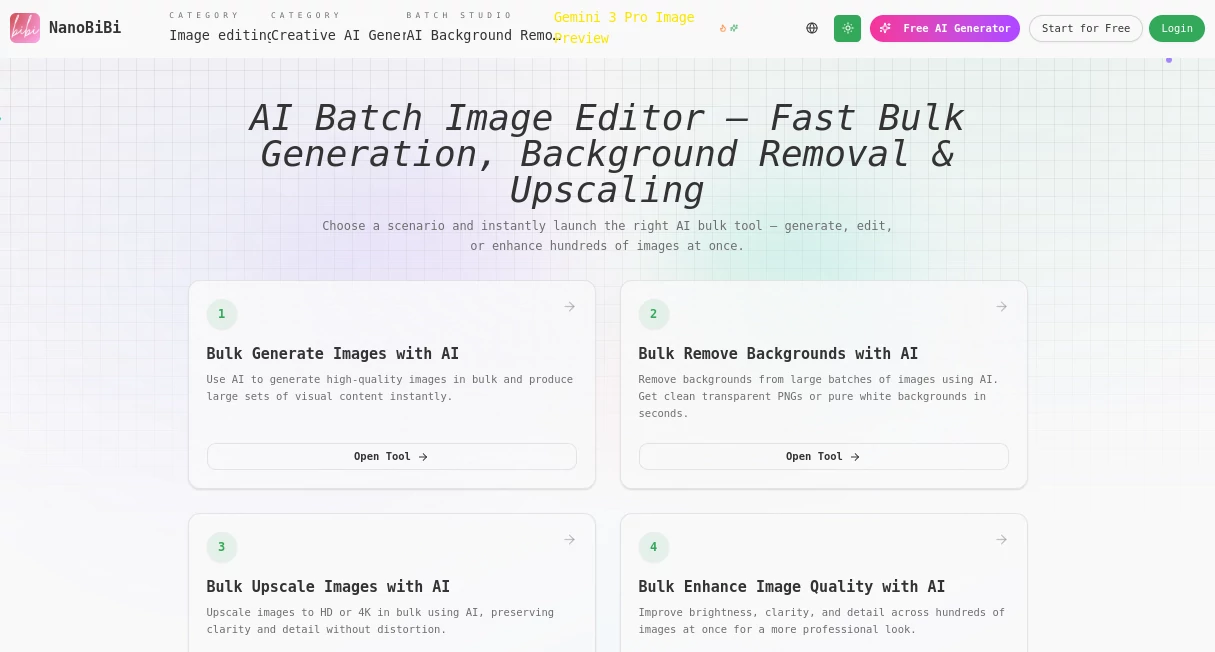
What is NanoBiBi?
NanoBiBi revolutionizes the way e-commerce pros and creative teams handle image workflows, delivering lightning-fast bulk editing that slashes time by 90% while boosting quality to pro levels. This powerhouse tool transforms raw supplier shots into polished, marketplace-ready assets with effortless precision, making it an absolute must-have for anyone juggling high-volume visuals. Sellers and designers alike rave about how it turns hours of tedious tweaks into seamless, stunning results that drive sales and streamline operations.
Introduction
In the fast-paced world of online retail and digital design, NanoBiBi shines as a game-changer, born from the real-world grind of e-commerce teams drowning in image edits. Launched to empower creators with AI smarts that feel intuitive and incredibly effective, it quickly became the go-to for transforming lackluster catalogs into eye-catching showcases. Users share endless stories of reclaimed hours—once spent masking backgrounds or fixing blurry shots—now freed up for strategy and growth. With its focus on bulk power packed into a user-friendly package, NanoBiBi isn't just a tool; it's the secret edge that elevates everyday visuals to extraordinary, helping businesses stand out in crowded marketplaces like never before.
Key Features
User Interface
NanoBiBi's interface is a breath of fresh air, greeting you with scenario-based starters that launch tailored pipelines in one click—no more digging through menus or wrestling with complex setups. Drag-and-drop your batch, describe edits in plain English, and watch the magic unfold across a clean, responsive dashboard that adapts to desktop or mobile with zero friction. It's designed for flow, chaining tasks like upscale and resize into single exports, so even non-techies feel like pros from the first upload.
Accuracy & Performance
Powered by cutting-edge AI, NanoBiBi delivers pinpoint precision that leaves competitors in the dust, with background segmentation so sharp it captures every edge without a hint of halo or fuzz. Performance is blazing—process hundreds of images in seconds, upscaling to 4K without distortion or detail loss, all while preserving natural textures and colors that make products pop. Teams swear by its reliability, turning low-res headaches into crystal-clear wins that perform flawlessly across platforms.
Capabilities
From bulk background removal that yields clean PNGs perfect for Amazon listings to super-resolution upscaling that revives blurry catalogs, NanoBiBi packs a versatile punch. Recolor entire batches for brand consistency, replace objects with natural language prompts, or enhance clarity and brightness in one go—it's a full suite for generation, editing, and export. Whether unifying styles across hero shots or prepping print-ready assets, its chained workflows handle it all, making complex edits feel ridiculously simple and results utterly professional.
Security & Privacy
NanoBiBi prioritizes your peace of mind with robust, industry-standard protections that keep your assets secure during processing and beyond. Files are handled transiently with no long-term storage unless you choose, ensuring sensitive product images stay under your control. It's built for trust, letting agencies and sellers collaborate confidently without worries over leaks or access slips.
Use Cases
E-commerce sellers on Shopify or Etsy blast through supplier photo cleanups, generating consistent gallery sets that boost conversions overnight. Agencies streamline client catalogs, chaining recolors and upscales for campaign variants that wow without the wait. Photographers restore vintage shots in bulk for lookbooks, while marketplace teams meet zoom-compliant specs effortlessly, turning compliance chores into competitive advantages.
Pros and Cons
Pros:
- Saves a staggering 90% of editing time, freeing teams for high-value work.
- Unmatched precision in bulk tasks, delivering pro results every batch.
- Intuitive natural language controls that anyone can master instantly.
- Versatile chaining for end-to-end workflows, from input to export.
Cons:
- Best suited for bulk needs; smaller one-offs might feel overkill.
- Requires clear uploads for optimal magic—fuzzy inputs need a quick tidy.
- Advanced chaining shines brighter with a bit of practice.
Pricing Plans
NanoBiBi keeps accessibility front and center with flexible tiers that scale with your ambitions, starting with a generous free trial to dive right in. Paid plans unlock unlimited batches and priority processing at wallet-friendly rates, ensuring small shops and big agencies alike can afford the efficiency boost. It's value-packed, with no hidden fees—just pure productivity gains that pay for themselves in saved hours.
How to Use NanoBiBi
Kick off by selecting your scenario—like bulk background removal—then upload your folder for instant AI analysis. Type simple instructions, such as "replace red shoes with blue" or "upscale to 4K," and let the pipeline chain the magic: segment, enhance, and export with auto-naming for seamless organization. Review the polished batch in the viewer, tweak if needed, and download ready-to-list assets—done in minutes, not days.
Comparison with Similar Tools
Unlike scattered alternatives like Google or Bing generators that falter on bulk precision, NanoBiBi excels in e-commerce workflows with chained, high-fidelity edits that keep styles consistent across hundreds of images. Where Photoshop demands endless manual hours, this AI powerhouse automates the grind while outperforming free upscalers in detail retention—it's the tailored fit for volume pros seeking speed without sacrifice.
Conclusion
NanoBiBi stands tall as the ultimate ally for visual-heavy hustles, blending AI brilliance with user-centric smarts to supercharge e-commerce and creative pipelines. It doesn't just edit images—it elevates businesses, turning time sinks into triumphs and bland batches into brand boosters. If you're ready to reclaim your workflow and watch sales soar, NanoBiBi is the brilliant leap forward you've been waiting for.
Frequently Asked Questions (FAQ)
How does NanoBiBi handle large batches?
It processes hundreds of images in seconds, with smart auto-renaming to keep everything organized and ready for upload.
Is it beginner-friendly?
Absolutely—natural language prompts and one-click scenarios make pro edits accessible to all, no design degree required.
What file formats does it support?
From PNGs to high-res exports tailored for Amazon, Shopify, and print, it covers every channel with flawless compatibility.
Can I chain multiple edits?
Yes, stack removal, upscaling, and recoloring into one seamless flow for end-to-end efficiency.
What's the quality like for upscaling?
Exceptional—AI super-resolution restores details without artifacts, delivering 4K crispness that wows customers.
Photo & Image Editor , AI Photo Enhancer , AI Background Remover , AI Image to Image .
These classifications represent its core capabilities and areas of application. For related tools, explore the linked categories above.
NanoBiBi details
This tool is no longer available on submitaitools.org; find alternatives on Alternative to NanoBiBi.
Pricing
- Free
Apps
- Web Tools
Categories

NanoBiBi Alternatives Product

Image to Ima…

Mage

ai banana

Text Behind …

square face …

AI Hairstyle
Kirkify Al

Klyra AI

AI Image Edi…
