
🧠 AI Quiz
Think you really understand Artificial Intelligence?
Test yourself and see how well you know the world of AI.
Answer AI-related questions, compete with other users, and prove that
you’re among the best when it comes to AI knowledge.
Reach the top of our leaderboard.


















NeuroLint CLI

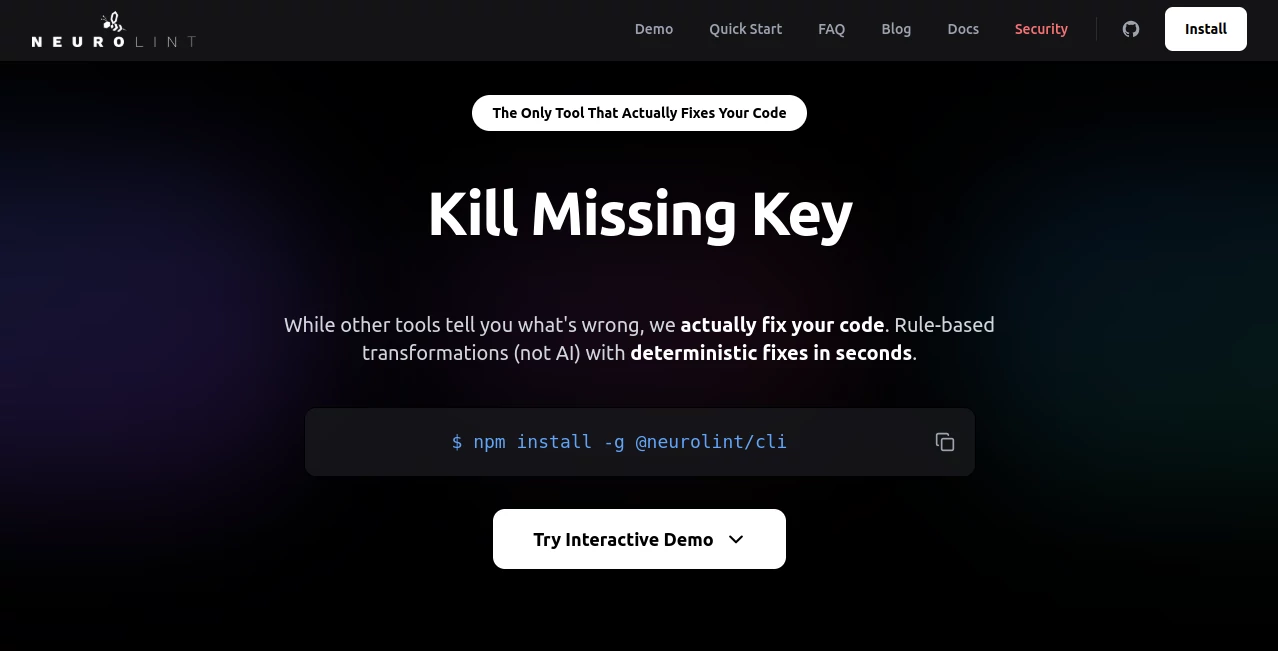
What is NeuroLint CLI?
NeuroLint CLI stands out as a game-changer for developers knee-deep in React and Next.js projects, delivering automatic fixes that save hours of manual drudgery. This powerhouse tool tackles over 700 ESLint errors, squashes hydration bugs, and plugs missing React keys—all in mere seconds—turning frustrating code cleanups into a seamless breeze. Developers who've integrated it into their workflows rave about how it not only spots issues but genuinely resolves them, freeing up time for the creative sparks that drive real innovation.
Introduction
In the fast-paced realm of modern web development, where React and Next.js reign supreme, keeping code pristine can feel like an endless battle against creeping errors and outdated patterns. Enter NeuroLint CLI, a deterministic code transformation engine that's redefining efficiency with its rule-based 7-layer approach. Launched to address the gaps left by traditional linters like ESLint—which flag problems but rarely fix them—NeuroLint doesn't just highlight; it heals. Users from solo freelancers to enterprise teams have shared stories of slashing debugging sessions from days to minutes, praising its precision in handling everything from accessibility tweaks to configuration overhauls. What makes it truly shine is that unwavering reliability: no guesswork, just consistent, battle-tested transformations that keep your codebase robust and ready to scale.
Key Features
User Interface
The command-line heart of NeuroLint CLI keeps things elegantly simple, launching with a single intuitive command that scans your project in a flash. Output logs are clear and actionable, breaking down fixes applied layer by layer without overwhelming jargon, so even mid-level devs can dive in confidently. It's designed for the terminal warrior, with options to preview changes before committing, ensuring you stay in control while the tool does the heavy lifting—pure, unadorned power that respects your flow.
Accuracy & Performance
Powered by a meticulous 7-layer engine, NeuroLint delivers pinpoint accuracy, resolving issues like hydration mismatches and key omissions with zero false positives that could break your app. Performance is lightning-fast, processing entire codebases in seconds, even on sprawling Next.js setups, thanks to its optimized, non-AI deterministic rules that never falter under load. Developers consistently highlight how it outperforms manual reviews, catching subtle pitfalls that slip past human eyes and applying fixes that integrate flawlessly.
Capabilities
NeuroLint CLI excels across a spectrum of fixes, from enforcing best practices in React patterns to bolstering accessibility and ironing out TypeScript quirks. It transforms legacy code painlessly, automating updates for configurations, security headers, and performance bottlenecks, all while preserving your project's unique architecture. This versatility extends to collaborative environments, where it slots seamlessly into CI/CD pipelines, making it an indispensable ally for maintaining high-velocity development without sacrificing quality.
Security & Privacy
Running entirely locally on your machine, NeuroLint CLI ensures your code never leaves your secure environment, sidestepping cloud risks entirely. Its rule-based nature means no external dependencies or data transmissions, giving you full transparency and control over every transformation. Teams trust it for that ironclad privacy, knowing sensitive proprietary code stays locked down while still benefiting from enterprise-grade reliability.
Use Cases
Frontend teams harness NeuroLint to onboard new hires faster, automatically standardizing codebases riddled with ESLint warnings that bog down reviews. Solo React devs use it during sprints to keep momentum high, fixing hydration gremlins mid-feature without derailing deadlines. Enterprise Next.js projects deploy it in pipelines to enforce compliance, catching accessibility oversights before they hit production—stories abound of audits passed with flying colors, all thanks to its proactive polish.
Pros and Cons
Pros:
- Blazing-fast fixes that truly resolve issues, not just flag them.
- Local execution for unmatched privacy and speed.
- Broad coverage of React/Next.js pain points with zero downtime.
- Seamless CI/CD integration that scales with your team.
Cons:
- Tailored specifically to React/Next.js ecosystems, less versatile elsewhere.
- CLI focus might require a quick learn for GUI die-hards.
- Advanced custom rules demand some setup for niche tweaks.
Pricing Plans
NeuroLint CLI embraces accessibility with a generous free tier that covers core fixes for small projects, letting you experience the magic without barriers. For growing teams, pro plans unlock unlimited scans and priority support at an affordable monthly rate, while enterprise options add custom integrations and dedicated assistance. It's a model that rewards real use, scaling effortlessly as your codebase—and ambitions—expand.
How to Use NeuroLint CLI
Getting started is a snap: Install via npm with one command, then navigate to your project root and run the lint fix—all in under a minute. Review the dry-run output to preview changes, commit with confidence, and watch your code emerge cleaner than ever. Integrate it into your scripts for automated runs, and soon it'll feel like an extension of your dev superpowers, handling the tedium so you can chase the breakthroughs.
Comparison with Similar Tools
Unlike ESLint, which excels at detection but leaves the fixing to you, NeuroLint CLI closes the loop with automated resolutions that keep your velocity soaring. Prettier focuses on formatting flair, but lacks the depth for bug-busting; NeuroLint complements it perfectly, adding substance to style. In a sea of AI gimmicks that promise but underdeliver, this rule-based rockstar stands firm with consistent, code-safe transformations that earn its spot in every React toolkit.
Conclusion
NeuroLint CLI isn't just another dev tool—it's the unsung hero that transforms code maintenance from a chore into a competitive edge, empowering developers to build bolder, faster, and flawlessly. By automating the fixes that matter most, it unlocks hours for innovation, proving once again that the right tool can elevate an entire craft. If you're crafting with React or Next.js, embracing NeuroLint feels less like an upgrade and more like unlocking your true potential.
Frequently Asked Questions (FAQ)
Does it work with TypeScript projects?
Absolutely—it's optimized for TypeScript, catching and correcting type-related slips with ease.
Is it safe for production codebases?
Yes, its deterministic rules ensure safe, reversible changes you can always review first.
How does it handle custom ESLint rules?
It respects your configs, applying fixes that align with your team's standards seamlessly.
Can I use it in CI pipelines?
Spot on—it's lightweight and script-friendly, perfect for automated quality gates.
What's the learning curve like?
Minimal—one command to install, another to fix, and you're off to the races.
AI Code Assistant , AI Code Refactoring , AI Testing & QA , AI Developer Tools .
These classifications represent its core capabilities and areas of application. For related tools, explore the linked categories above.
NeuroLint CLI details
This tool is no longer available on submitaitools.org; find alternatives on Alternative to NeuroLint CLI.
Pricing
- Free
Apps
- Web Tools
Categories

NeuroLint CLI Alternatives Product

Website Clon…

AutoChangelog

OhNoCode

MyToolster W…

GPTLocalhost

vivgrid

Blackbox AI

ChatFlowchart

Geekflare AI
