


















PagerSync
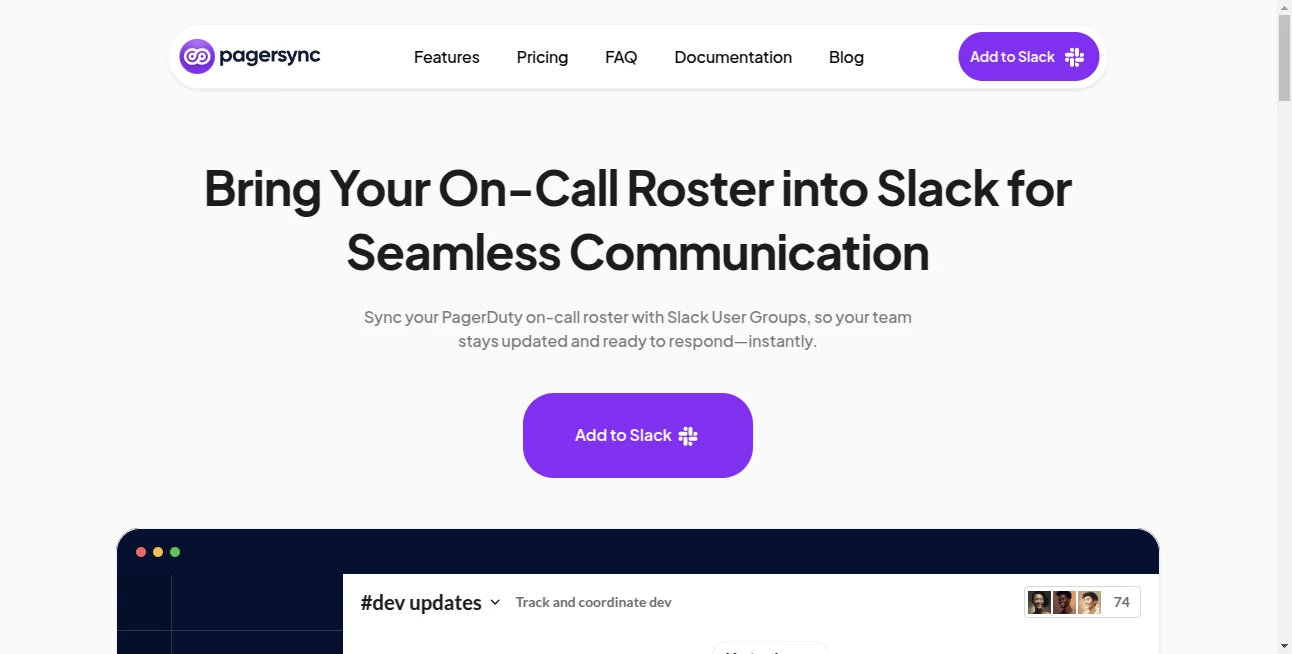
What is PagerSync?
Let’s be real for a second. You’re trying to enjoy a quiet dinner, or maybe you’ve finally sat down to watch that movie you’ve been putting off for weeks. Suddenly, your phone blows up. Someone tagged @oncall in Slack, and even though you handed over the pager three days ago, you’re still getting dragged into the chaos. It’s noisy, it’s frustrating, and frankly, it’s exhausting.
We’ve all been there. That constant alert fatigue where you can never truly unplug because you’re afraid the team might ping the wrong person. That’s exactly the headache this tool was built to kill. Instead of letting your team guess who is on deck, this smart little app makes sure your Slack user groups are always, and we mean always, in sync with your actual on-call schedule. It takes the guesswork out of incident response, giving you back your peace of mind without changing how your team chats.
Key Features
This isn't just another integration; it’s a bridge between your incident management tools and the place where your team actually talks. It runs silently in the background, making sure that when trouble strikes, the right person gets the ping.
User Interface
You don’t need a PhD in DevOps to set this up. The web interface is shockingly straightforward. You can pull up all your schedules from PagerDuty or Opsgenie and search for them by name without digging through endless menus. Setting up a mapping between a Slack user group and a schedule takes just a few clicks. It feels clean, responsive, and doesn’t overwhelm you with jargon. It’s the kind of UI that just makes sense, even on a hectic Monday morning.
Accuracy & Performance
We all know that in IT, "almost right" is the same as "completely wrong." If you ping the wrong engineer at 2 AM because the roster was out of date, you lose trust. This tool is reliable. It fetches the on-call engineer from your source of truth (like PagerDuty) and updates the Slack user group instantly. When the shift changes hands, the alias updates. No lag, no overlap, no mistakes. It just works so you can focus on fixing the bug instead of managing the mob.
Capabilities
Where this app really shines is flexibility. You aren't limited to a simple one-to-one map. You can map a single schedule to multiple Slack groups, or bundle multiple schedules into one master alias. Imagine having different groups for backend, frontend, and database teams, but then creating one handle called `@all-eng-on-call` that includes everyone. It’s perfect for cross-team incidents. Plus, it supports major incident management platforms out of the box, making it a breeze to plug into your existing stack.
Security & Privacy
Security teams can breathe easy. The app doesn't store your sensitive incident data on some random server. It acts purely as a bridge, fetching the status and updating the roster without logging every detail of the incident. By living inside the Slack ecosystem and connecting via secure APIs, it minimizes risk. You aren't opening a backdoor; you are just automating a housekeeping task that humans are notoriously bad at doing manually.
Use Cases
This is a lifesaver for any team that lives by the pager. If you dread the sound of a Slack notification because it might be for you (or might not), this fixes that.
- DevOps & SRE Teams: The primary users. Stop waking up the whole backend team because someone forgot to update the group. Alert only the engineer actually sitting the watch.
- Multi-Team Projects: When you have five microservices teams and one big outage, use the multi-level handles to alert the on-call person from each specific team simultaneously.
- Incident Commanders: Ensure that the "go-to" person for an emergency is always correctly listed in Slack, preventing communication bottlenecks during a firefight.
Pros and Cons
Pros:
The automation is set-and-forget; once it's running, you stop thinking about it. It drastically reduces alert noise for engineers who aren't on shift, which boosts morale. The multi-level mapping feature is unique and incredibly powerful for large orgs. Plus, it’s lightweight and doesn't slow down your Slack instance.
Cons:
It solves one specific problem extremely well, but it isn't a full incident management suite on its own. You still need your primary tool (PagerDuty/Opsgenie) for the heavy lifting of escalations. If your team is tiny (like 3 people who all handle everything), the value might be less noticeable than for a team of 30.
Pricing Plans
While specific pricing tiers often vary based on team size and feature access, the model is built to be fair for teams of all sizes. For the most accurate, real-time pricing details, it’s always best to check the official website. Generally, the value here—the reduction in stress and the savings in engineering hours lost to "who is on call?" confusion—pays for itself within the first major incident you handle smoothly.
How to Use the Tool
Getting this running is a three-step breeze. First, head to the Slack App Marketplace and add the app to your workspace. This takes about thirty seconds. Second, connect your incident management account (PagerDuty or Opsgenie) by authorizing the API connection. Finally, map a Slack User Group (like @devops-lead) to your specific on-call schedule in the dashboard. That’s it. The next time a rotation flips, the user group updates automatically. No scripts, no webhooks to debug, just peace.
Comparison with Similar Tools
Plenty of tools offer "integrations," but most are clunky. Some competitors require you to build custom middleware or use complex Zapier tables to keep things updated. Others try to do too much, turning into bloated monitoring suites that cost a fortune. This tool does one thing better than anyone else: pure roster syncing. Unlike generic automation platforms that have a delay, this syncs in near real-time. Compared to other specialized Slack sync tools, the ability to map multiple schedules into a single "Super Group" handle is a standout feature you just don't see elsewhere. It’s lean, mean, and built specifically for the Slack + PagerDuty workflow.
Conclusion
Look, on-call life is stressful enough without adding "Slack group admin" to your list of duties. This tool isn’t flashy, and that’s the point. It's the silent guardian of your team's sanity. It ensures that when things go wrong, the right person gets the call, and everyone else gets to stay offline. If you want to reduce toil, cut down on alert noise, and actually trust that your communication channels are accurate during a crisis, you need this in your stack.
Frequently Asked Questions (FAQ)
Q: Do I need to be a Slack admin to install this?
A: Generally, yes. You need permissions to add apps to your Slack workspace and manage user groups. However, the day-to-day mapping can be handled by regular team leads.
Q: Does it work with other tools besides PagerDuty?
A: Absolutely. While PagerDuty is a primary focus, the tool also plays nicely with Opsgenie to ensure broad compatibility across different tech stacks.
Q: How fast does the sync happen?
A: It happens almost instantly. When a shift rotation occurs in your calendar, the Slack user group is updated within moments, ensuring zero downtime in your alerting path.
Q: Will it spam my team with notifications?
A: No. That’s the beauty of it. It silently updates the membership of the group. The only time someone gets a ping is when another team member actually uses the @alias to summon help.
Q: Is it difficult to disconnect if we change our mind?
A: Not at all. You can revoke access via the Slack integration page or the tool’s dashboard. Removing the app instantly stops the sync and reverts any changes.
AI Project Management , AI Task Management , AI Team Collaboration .
These classifications represent its core capabilities and areas of application. For related tools, explore the linked categories above.

PagerSync Alternatives Product

Helploom

Futurwise

Luffy

LaunchBoard

Oasis

Instantly Id…

onuml

Duct Tape 3

Gemini Omni
