
🧠 AI Quiz
Think you really understand Artificial Intelligence?
Test yourself and see how well you know the world of AI.
Answer AI-related questions, compete with other users, and prove that
you’re among the best when it comes to AI knowledge.
Reach the top of our leaderboard.


















paperbook

What is paperbook?
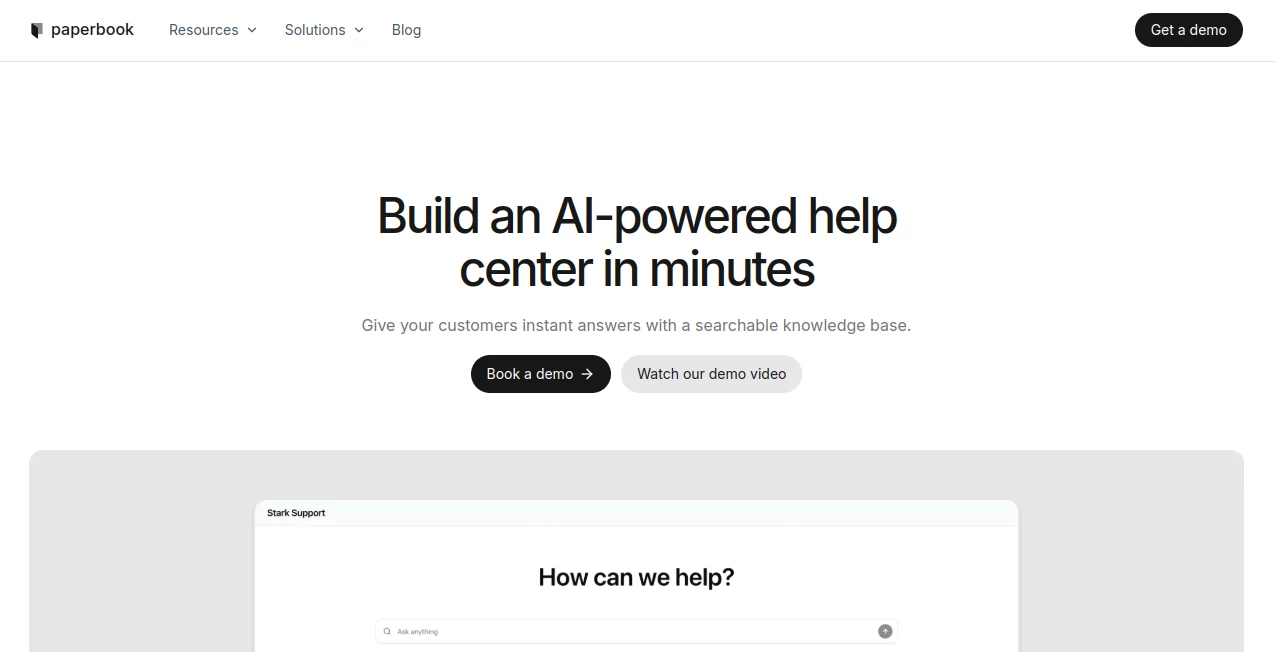
Imagine your customers or team members typing a question and getting a spot-on answer pulled straight from your docs, no digging required. That's the everyday win this platform delivers, blending smart search with your existing knowledge base to create a help center that feels alive and helpful. I've set up similar systems before, but the way this one just connects and starts answering accurately right away saved me a weekend of tweaking—it's the kind of tool that makes you wonder how you managed without it.
Introduction
In the rush of supporting users or keeping teams aligned, outdated docs and scattered info can slow everything down. This service steps in with a straightforward fix: it ingests your documentation, powers it with AI-driven search, and serves up precise responses while quietly flagging issues like broken links or stale content. What impresses most is how it works out of the box—no heavy setup or extra chatbots needed. Teams share how it cut support tickets by letting people self-serve, or kept internal wikis fresh without constant manual checks. It's that behind-the-scenes vigilance paired with instant utility that turns a static repository into a dynamic asset.
Key Features
User Interface
The dashboard keeps things uncluttered, with easy connections to your docs and a preview of how the chat will respond. Suggestions for improvements pop up naturally, and syncing internal or external bases feels like a simple toggle. It's approachable enough that even non-tech folks on my team got it running smoothly on day one.
Accuracy & Performance
Answers draw directly from your content, staying faithful and contextual without hallucinations creeping in. It scans for conflicts or outdated bits proactively, suggesting fixes that keep everything sharp. In practice, responses land quick and relevant, handling real-world queries with a reliability that builds trust fast.
Capabilities
Beyond basic search, it auto-detects problems like dead links, rewrites for clarity, and syncs across public and private docs to avoid duplicates. The AI chat grasps nuance in questions, pulling the right sections every time, and offers smart edits to elevate your material without overwriting your voice.
Security & Privacy
Your data stays within the bounds of your setup, with the tool focused on reading and enhancing without unnecessary exposure. It's designed for peace of mind, especially when dealing with sensitive internal guides or customer-facing info.
Use Cases
Customer support teams embed it for self-service portals that resolve common issues instantly, freeing agents for tougher calls. Internal ops use it to keep playbooks current, with alerts nudging updates before problems arise. Product docs evolve smarter, syncing releases without manual chases, or startups bootstrap professional help centers that scale with growth.
Pros and Cons
Pros:
- Sets up in minutes, connecting seamlessly to what you already have.
- Proactive maintenance that catches issues before they frustrate users.
- Accurate, context-aware answers that feel tailored and trustworthy.
- Syncs effortlessly between internal and external views.
Cons:
- Relies on solid existing docs—sparse bases might need fleshing out first.
- Suggestions are helpful, but final edits stay in your hands.
Pricing Plans
It launches with approachable options tailored to team sizes and needs, often starting free for basics and scaling with usage or features like advanced syncs. The focus stays on value, letting you grow into fuller capabilities without upfront hurdles.
How to Use Paperbook
Connect your doc sources—Notion pages, Markdown files, or whatever you're using—and let it index everything quietly. Embed the chat widget where needed, watch it handle queries, and review occasional suggestions for tweaks. Over time, it learns your content's shape, delivering even sharper service as you add or refine.
Comparison with Similar Tools
While some require building from scratch or layering multiple apps, this one integrates directly with what exists, adding proactive care that keeps things fresh without extra effort. It's less about flashy add-ons and more about reliable, accurate support that fits real workflows, often feeling more grounded and effective for long-term use.
Conclusion
This platform turns the often-overlooked help center into a standout strength, blending ease with intelligence to serve answers swiftly and maintain quality quietly. It's a thoughtful ally for anyone managing knowledge, making self-service feel seamless and docs stay dependable. If your info deserves better visibility, this is the nudge toward a smarter setup.
Frequently Asked Questions (FAQ)
What sources does it connect to?
Common ones like web docs, Notion, or Git repos—whatever holds your knowledge.
How does it handle updates?
Syncs automatically, flagging changes or conflicts for quick reviews.
Can it suggest rewrites?
Yes, smart proposals for clarity that you approve before applying.
Internal use only?
Works great for teams or public-facing, with options to separate or sync.
Answers always accurate?
Sticks to your content, avoiding guesses for reliable replies.
AI Team Collaboration , AI Knowledge Base , AI Customer Service Assistant , AI Search Engine .
These classifications represent its core capabilities and areas of application. For related tools, explore the linked categories above.
paperbook details
This tool is no longer available on submitaitools.org; find alternatives on Alternative to paperbook.
Pricing
- Free
Apps
- Web Tools
Categories

paperbook Alternatives Product

Supawazap

AyeWatch AI

Workik

Futurwise

Google Skills

Sourcetable

ReviewRespon…

Schedpilot

LaunchBoard
