🧠 AI Quiz
Think you really understand Artificial Intelligence?
Test yourself and see how well you know the world of AI.
Answer AI-related questions, compete with other users, and prove that
you’re among the best when it comes to AI knowledge.
Reach the top of our leaderboard.


















Photo Colorizer

What is Photo Colorizer?
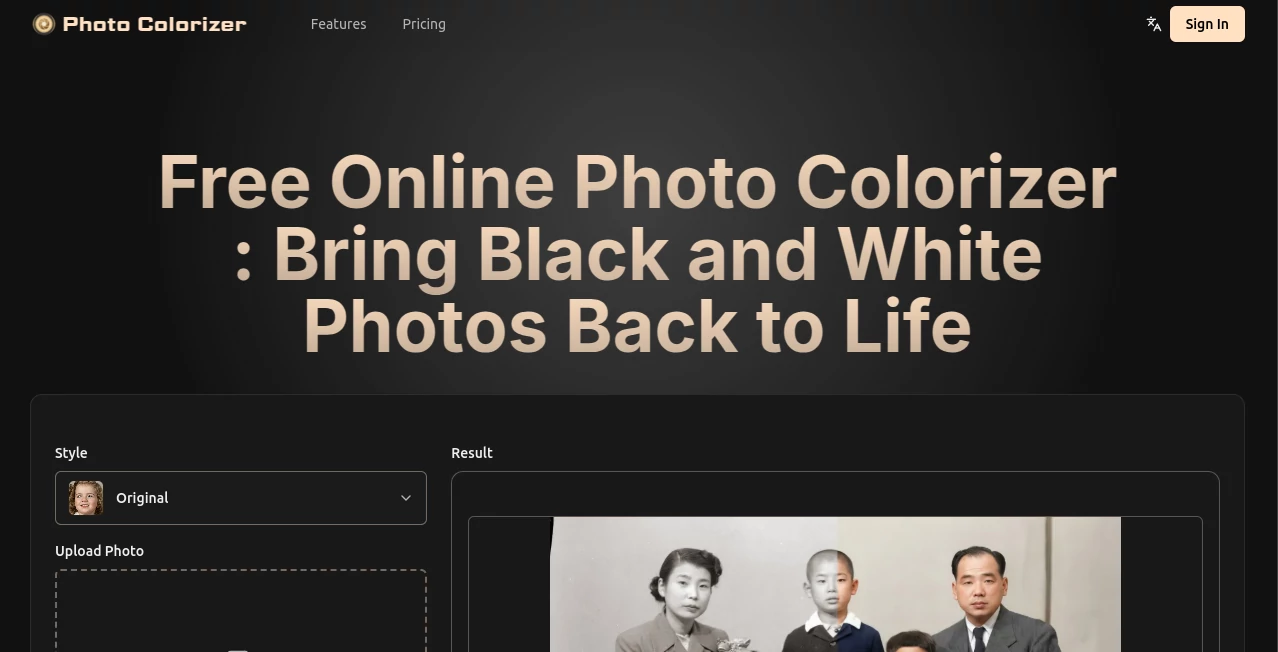
There's a quiet thrill in watching an old black-and-white snapshot bloom into vibrant color, as if pulling forgotten moments back into the light. This tool does exactly that with remarkable grace, breathing life into faded photos while smoothing out scratches and tears along the way. I tried it with a crumpled family portrait from decades ago, and the subtle hues it added—skin tones that felt real, fabrics with their original warmth—made the image feel alive again, like stepping into the scene myself.
Introduction
Digging through attics or archives often uncovers treasures locked in monochrome, but bringing them forward shouldn't require expert skills or endless tweaks. This platform changes the game by using thoughtful AI that understands context—like the era of a uniform or the texture of traditional clothing—to apply colors that ring true rather than garish. It's caught on with families preserving heritage, hobbyists polishing retro shots, and even professionals enhancing historical docs. What stands out is how it goes beyond simple tinting, repairing damage automatically for results that honor the original without overstepping.
Key Features
User Interface
Everything happens on a straightforward page where you drag in your photo or try samples first—no complicated steps or hidden settings. Upload, wait a brief moment, and the colored version appears ready for download, with clear prompts along the way. It's welcoming for anyone, from tech novices to quick-task pros, keeping the focus on your image rather than the process.
Accuracy & Performance
The colors emerge naturally, drawing from learned patterns of time periods and materials to avoid unnatural pops, while repairs blend seamlessly into the background. Processing wraps up in seconds, handling details like folds or spots with a finesse that feels considerate. In my runs, even worn edges softened convincingly, leaving the essence intact and enhanced.
Capabilities
It tackles family heirlooms, historical records, or even monochrome illustrations, restoring damage like cracks, stains, or water marks automatically. Faithful reproduction for items like military attire or cultural garments adds depth, turning flat images into evocative ones suitable for sharing or display.
Security & Privacy
Your uploads get processed discreetly, with the emphasis on personal use and no unnecessary retention—ideal for cherished or sensitive photos where trust matters most.
Use Cases
Families revive wedding albums or wartime portraits, passing vivid stories to kids who connect more deeply with colored faces. Enthusiasts upgrade film-era buildings or vintage comics for social shares that draw likes and comments. Businesses bolster presentations with impactful visuals, or museums prepare exhibits that immerse visitors in the past. It's those heartfelt revivals—like coloring a grandparent's youth—that highlight its gentle power.
Pros and Cons
Pros:
- Intuitive flow that delivers pro touches with zero effort.
- Context-aware colors that feel authentic and evocative.
- Built-in repairs that save separate editing steps.
- Quick results perfect for batches or one-offs.
Cons:
- Credits needed for full access beyond samples.
- Best with decent original quality for peak fidelity.
Pricing Plans
Sample tries come free to get a feel, with credit-based annual options scaling from modest monthly equivalents for casual use to generous packs for frequent restorers—unlocking higher resolutions, faster handling, and ad-free experience. It's structured to grow with you, keeping costs sensible for the value delivered.
How to Use Photo Colorizer
Start with a sample for instant wow, or drag your own black-and-white scan in. Let it process briefly, admire the transformation, and download the revived version. For extras like higher detail, plans open more credits—simple as that, with results that often need no further fiddling.
Comparison with Similar Tools
Many options splash colors haphazardly or skip the repairs, but this one prioritizes subtlety and context for outcomes that resonate emotionally. It's less flashy and more faithful, suiting those who want thoughtful restoration over quick gimmicks.
Conclusion
This tool quietly bridges generations, turning muted memories into colorful connections that spark conversations and smiles. It's a gentle yet powerful way to honor the past, making restoration feel accessible and rewarding. Pull out that old box of photos—you might just rediscover stories waiting to shine.
Frequently Asked Questions (FAQ)
What types of images work well?
Classic family shots, historical pics, or even illustrations—anything monochrome with some detail.
Does it fix damage too?
Yes, automatically smooths scratches, tears, and spots for cleaner finals.
How natural are the colors?
Trained on eras and textures for believable, non-garish results.
Free to try?
Samples yes, full uploads use credits unlocked via plans.
Resolution limits?
Higher plans push up to 3000px for sharp, large outputs.
AI Colorize , Photo & Image Editor , AI Photo Enhancer , AI Photo Restoration .
These classifications represent its core capabilities and areas of application. For related tools, explore the linked categories above.
Photo Colorizer details
This tool is no longer available on submitaitools.org; find alternatives on Alternative to Photo Colorizer.
Pricing
- Free
Apps
- Web Tools
Categories

Photo Colorizer Alternatives Product

FaceShapeDet…

RGB to CMYK …

ShinePhoto

SeeDream 4.5

Pixelfox AI

NanoBnana-Im…

Artifox

Klyra AI

Brave Pink H…