
🧠 AI Quiz
Think you really understand Artificial Intelligence?
Test yourself and see how well you know the world of AI.
Answer AI-related questions, compete with other users, and prove that
you’re among the best when it comes to AI knowledge.
Reach the top of our leaderboard.

















Photoshoot
What is Photoshoot?
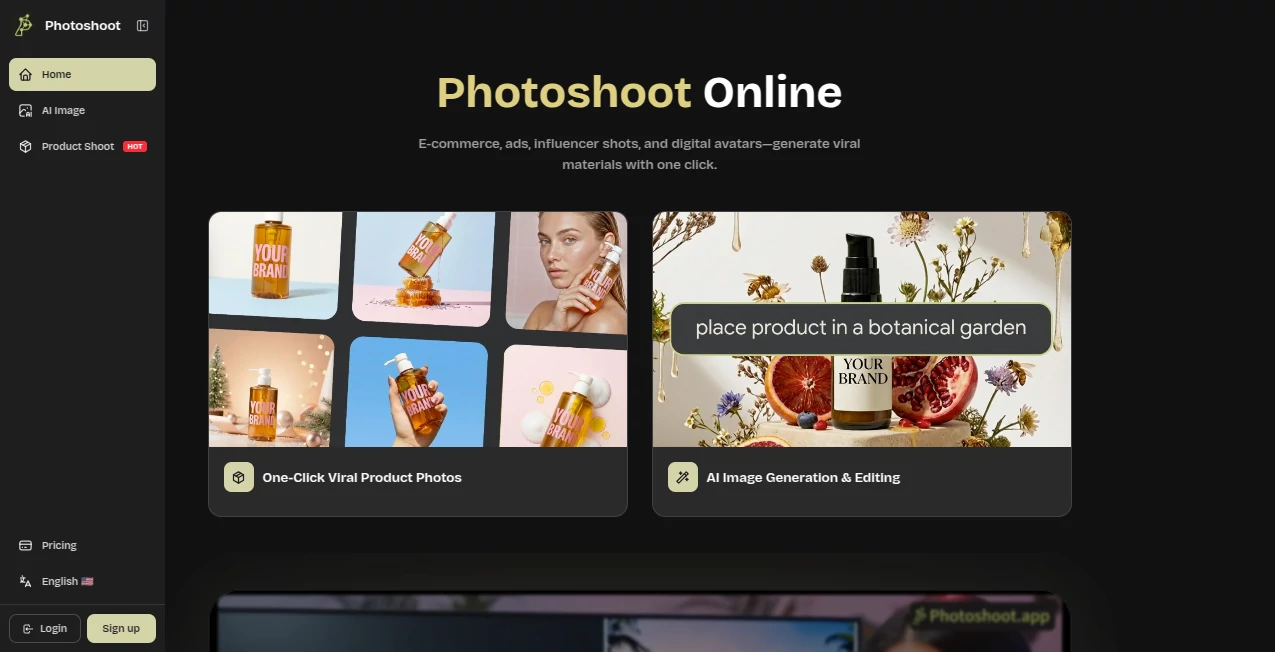
Getting great product photos used to mean booking a photographer, renting a studio, and spending half a day on lighting and angles. This tool changes that completely. You upload a simple photo of your product or model, and it creates clean, professional studio shots with perfect lighting, different backgrounds, and natural poses. The results look like they came from a high-end photoshoot, not an AI generator. I’ve seen small shop owners go from blurry phone pictures to scroll-stopping product images in under a minute, and the difference in how their store looks is night and day.
Introduction
Visuals sell. A mediocre photo can make even the best product feel cheap, while a great one builds instant trust and desire. Photoshoot removes the usual barriers—cost, time, and technical skill—so anyone can get images that look like they hired a pro. It’s especially loved by e-commerce sellers, creators, and small brands who need consistent, high-quality visuals across their catalog without the usual headache. The AI understands lighting, composition, and product presentation in a way that feels smart rather than robotic, delivering results you’re actually proud to put on your website or social media.
Key Features
User Interface
The whole process is wonderfully simple. You drag and drop your photo, choose a style or background theme, and the tool does the rest. No complicated settings or technical jargon. You get multiple variations to choose from, and you can tweak things like lighting direction or background type with just a few clicks. It feels more like playing with a creative assistant than using software.
Accuracy & Performance
It keeps your product or model looking natural while dramatically improving the presentation. Colors stay true, proportions are respected, and the lighting looks like it was done by a professional photographer. Generation is fast, usually just a few seconds per image, and the consistency across a whole catalog is impressive. You don’t get weird distortions or fake-looking results that many other tools produce.
Capabilities
You can turn a single product shot into dozens of different studio setups, lifestyle scenes, or clean white-background images. It works beautifully for clothing (showing how it drapes on a model), jewelry, furniture, beauty products, and more. You get options for different angles, lighting moods, and backgrounds. The tool also handles model photography well, generating consistent looks across multiple shots. Everything is ready for web use or even print.
Security & Privacy
Your uploaded photos are processed securely and not stored long-term unless you choose to save them. The platform takes privacy seriously, especially important when working with product samples or brand assets. You stay in full control of your images at every step.
Use Cases
An Etsy seller uploads phone photos of handmade jewelry and gets studio-quality images that make their shop look premium. A clothing brand creates consistent model shots across their entire collection without booking multiple photoshoots. A new startup founder prepares professional product visuals for their launch page in one afternoon. Content creators generate lifestyle images for Instagram without needing a photographer on every shoot. It’s perfect whenever you need your products or models to look their absolute best without the usual time and expense.
Pros and Cons
Pros:
- Results look genuinely professional — like real studio photography.
- Extremely fast turnaround from upload to finished images.
- Great variety of backgrounds and lighting options.
- Saves significant money compared to hiring photographers.
- Easy enough for non-technical users to get great results.
Cons:
- Works best with reasonably clear source photos.
- Very complex or unusual products may need a couple of tries.
- Heavy daily use benefits from a paid plan.
Pricing Plans
The free tier lets you test the quality with several generations per day, which is enough to see the difference on a few key products. Paid plans unlock unlimited generations, higher resolution, priority processing, and more advanced features. Many users say the paid version pays for itself after just one product launch or catalog refresh.
How to Use Photoshoot
Upload a clear photo of your product or model. Choose the type of photoshoot you want (studio, lifestyle, white background, etc.). Pick any specific style or mood options available. Click generate and review the different variations. Download the ones you like best in high resolution. For multiple products, you can work through them one by one or use batch options on paid plans. The entire process is quick enough that you can refresh an entire small catalog in a single session.
Comparison with Similar Tools
Many AI image tools create generic or unrealistic results, especially with products and models. This one stands out because it focuses specifically on photoshoot-quality output—clean lighting, natural poses, and commercial-ready aesthetics. It’s simpler and more targeted than general image generators, yet delivers more usable results for e-commerce and branding needs.
Conclusion
Professional photography used to be expensive and time-consuming. This tool brings that same quality within reach for everyone. It lets small businesses, creators, and makers present their products in the best possible light without the usual barriers. The difference between average photos and great ones can be the difference between a visitor scrolling past and someone hitting “add to cart.” For anyone who sells or showcases visual products, this is one of those tools that quietly transforms how you present your work—and how the world sees it.
Frequently Asked Questions (FAQ)
How good do my original photos need to be?
Clear, well-lit photos work best, but the tool can improve even average shots significantly.
Can I use the images commercially?
Yes, generated images are yours to use for commercial purposes.
How many images can I generate?
Free users get a daily allowance; paid plans offer much higher or unlimited generations.
Does it work for clothing and models?
Extremely well — it handles fabric drape, poses, and model shots beautifully.
Are the backgrounds customizable?
Yes, you can choose from studio options, lifestyle scenes, or solid colors.
AI Photo & Image Generator , Photo & Image Editor , AI Design Generator , AI Image to Image .
These classifications represent its core capabilities and areas of application. For related tools, explore the linked categories above.
Photoshoot details
Pricing
- Free
Apps
- Web Tools
Categories

Photoshoot Alternatives Product

Transform An…

Text Behind …

Nano Banana …

Z Image

Flux.2 AI

poseup

Nano Banana …

bratgenerator

Nano Banana …
