
🧠 AI Quiz
Think you really understand Artificial Intelligence?
Test yourself and see how well you know the world of AI.
Answer AI-related questions, compete with other users, and prove that
you’re among the best when it comes to AI knowledge.
Reach the top of our leaderboard.


















photo to URL
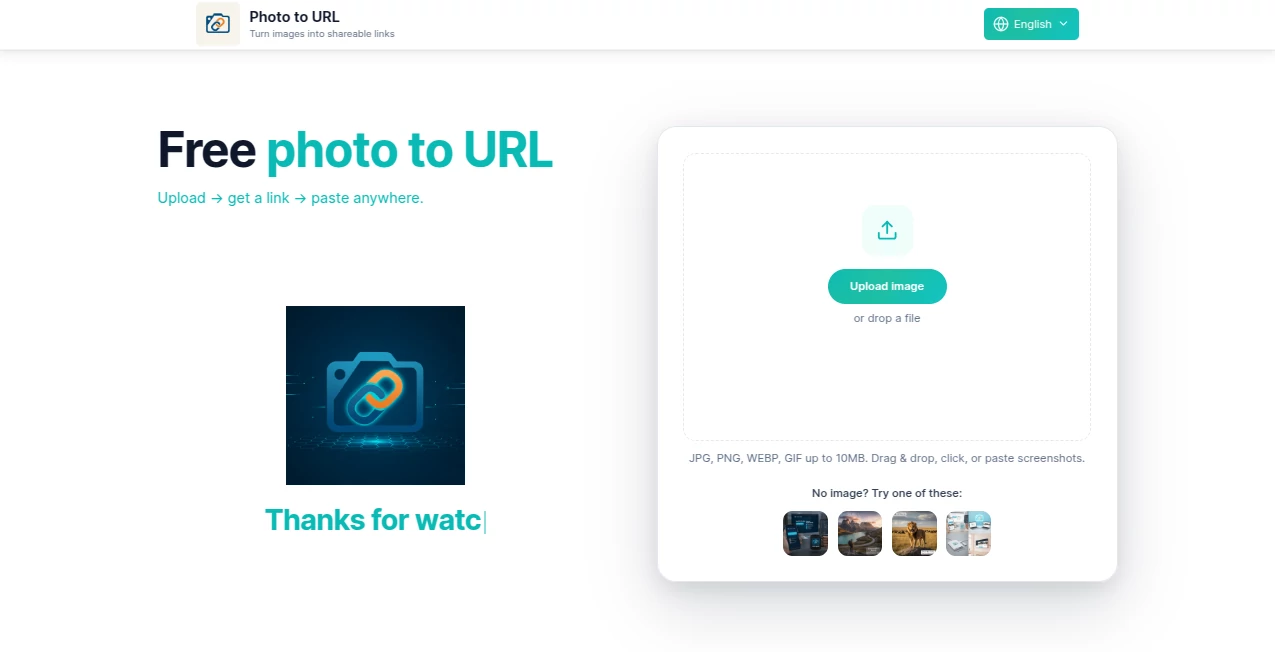
What is photo to URL?
Ever snapped a perfect screenshot or grabbed a quick image, only to fumble around trying to share it without the hassle of attachments or bloated files? This little gem solves that in a snap, hosting your upload and handing back a clean link you can drop anywhere. It's the kind of straightforward helper that feels like it's always been missing from your workflow, turning those "how do I send this?" moments into seamless shares that keep conversations flowing.
Introduction
In the rush of daily digital life—whether debugging a bug, mocking a design, or just passing along a funny capture—traditional sharing often means clunky emails or temporary transfers that vanish too soon. This service cuts straight through that, offering instant hosting with direct URLs served fast via CDN for reliable loads anywhere. No accounts to fuss with at the start, just upload and go; it's built for the pros who value speed, like designers dropping visuals into Figma comments or support folks linking proofs in tickets. I've lost count of how many times a simple link like this saved a thread from derailing—clean, predictable, and ready for Markdown or HTML embeds without a second thought.
Key Features
User Interface
The whole thing unfolds in three effortless steps on a page that's refreshingly sparse: drag your file in, paste from clipboard (a godsend for screenshots), or browse if you must. Once uploaded, the link appears front and center with buttons to copy, open, or save in handy formats like text, JSON, or even Markdown snippets. Status messages keep you in the loop without jargon, and those friendly error notes? They actually make downtime feel less frustrating. It's the sort of design that disappears into the task, letting you get back to what matters in seconds.
Accuracy & Performance
Uploads fly through without hiccups, supporting up to 10MB in common formats like JPG, PNG, WEBP, and GIF, with links that load snappy thanks to the backend CDN setup. No weird compressions or quality drops—just your original hosted reliably. In practice, it's proven rock-solid for quick bursts, handling clipboard pastes flawlessly and delivering URLs that stick around, making it a dependable pick for those high-stakes shares where downtime isn't an option.
Capabilities
Beyond basic hosting, it shines with one-click saves for different needs—grab the raw link, a Markdown embed, or HTML img tag ready to paste. Clipboard integration means no saving files first, perfect for rapid-fire captures. Looking ahead, plans for team spaces and controls hint at even more power, but right now, the core delivers frictionless sharing that fits blogs, docs, chats, or prototypes like a glove.
Security & Privacy
Links are public by nature for easy sharing, but the service keeps things transparent—no hidden tracking or lingering data beyond what's needed to serve the file. Maintenance messages are clear and honest, building that quiet trust you want when tossing around work files. It's straightforward privacy that prioritizes access over complications, ideal for open collaborations where speed trumps secrecy.
Use Cases
Designers love dropping UI mocks into feedback threads without attachment limits bogging down chats. Support teams link exact error snaps in tickets, making repros crystal clear. Bloggers embed captures seamlessly in posts, while engineers hand off build visuals lightweight and fast. Even in casual group chats or forums, it's the quick way to share without the "file too big" drama—I've used similar flows to pass vacation pics mid-conversation, keeping the vibe alive.
Pros and Cons
Pros:
- Instant gratification—no signups stalling your share.
- Clipboard magic that captures screenshots on the fly.
- Versatile save options for every pasting need.
- Fast, reliable links that just work across platforms.
Cons:
- Public links mean no built-in privacy for sensitive stuff yet.
- Size capped at 10MB, though plenty for most quick shares.
- Advanced team features still on the horizon.
Pricing Plans
The heart of it—uploading and linking—is completely free, with generous tiers promised as the CDN rolls out wider. No sneaky upsells for basics; it's designed to stay accessible, scaling naturally if you need more down the line. That commitment to no-friction entry makes it a standout for everyday users who just want reliable sharing without the wallet hit.
How to Use PhotoToURL
It's dead simple: snag your image—screenshot, file, whatever—then drag it onto the page or paste straight from clipboard. Watch the link pop up, hit copy or choose a save format like Markdown for instant embeds. Paste wherever—Slack, docs, emails—and you're done. For repeats, keep the tab handy; it's the kind of tool that becomes muscle memory fast, shaving minutes off every share.
Comparison with Similar Tools
Plenty of uploaders out there clutter the experience with ads or mandatory accounts, but this one keeps it lean and focused, prioritizing that direct, embed-ready link without distractions. Where others might throttle speeds or slap watermarks, the CDN-backed delivery feels premium from the free tier up. It's the refined choice for pros who crave clean workflows over bloated features.
Conclusion
In the end, it's these unassuming helpers that quietly boost your day, turning potential frustrations into smooth sails with a single link. Reliable, fast, and thoughtfully built, it earns its spot in your bookmarks for those countless "just share this quick" moments. Give it a whirl next time you've got a capture ready—chances are, it'll stick around as your new go-to.
Frequently Asked Questions (FAQ)
Do I need an account?
Nope—jump right in for instant uploads, with plans for accounts later if you want extras.
What formats work?
JPG, PNG, WEBP, GIF up to 10MB—covers most daily needs nicely.
Are links permanent?
They stick around reliably, served fast via CDN for lasting access.
Can I embed in blogs or docs?
Absolutely—one-click Markdown or HTML makes it effortless.
Is it really free?
Core sharing yes, with generous tiers keeping it accessible.
Photo & Image Editor , AI Productivity Tools , AI Files Assistant .
These classifications represent its core capabilities and areas of application. For related tools, explore the linked categories above.
photo to URL details
Pricing
- Free
Apps
- Web Tools
Categories

photo to URL Alternatives Product

Miro

ace.me

Picture to L…

Kapwing

Nano Banana …

MAGIK FACE

RGB to CMYK …

Hands Off

Sora Waterma…
