
🧠 AI Quiz
Think you really understand Artificial Intelligence?
Test yourself and see how well you know the world of AI.
Answer AI-related questions, compete with other users, and prove that
you’re among the best when it comes to AI knowledge.
Reach the top of our leaderboard.

















PixSprout

What is PixSprout?
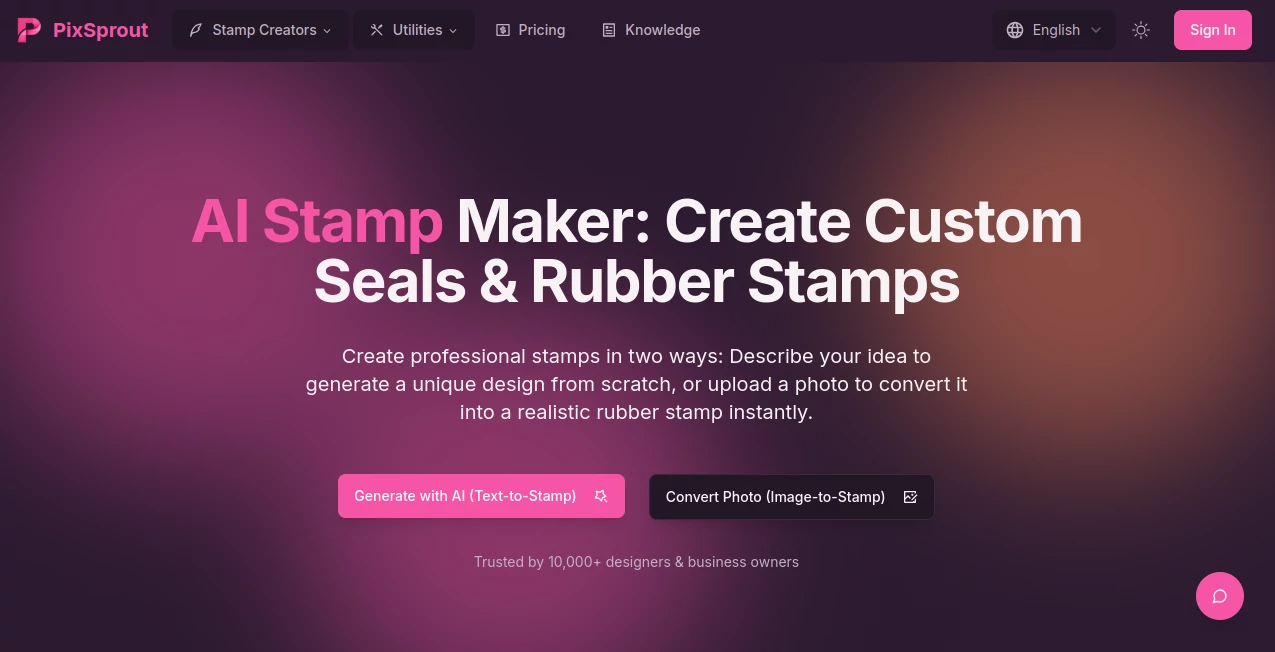
Imagine whipping up a custom stamp that looks like it rolled straight out of a vintage print shop, all without touching a design tool or waiting days for a prototype. That's the everyday magic this platform delivers, turning your wild ideas or favorite photos into professional-grade seals that add that perfect touch of authenticity to everything from business docs to heartfelt gifts. I've seen folks light up when they pull off a pet portrait that captures their furry friend's goofy grin just right—it's those little wins that make you wonder how you ever got by without it.
Introduction
Picture this: you're knee-deep in prepping invoices for your side hustle, and you need a seal that screams "official" without the hassle of hiring a graphic whiz. Or maybe you're dreaming up a quirky gift for a friend's birthday, something personal like their dog's paw print reimagined as a rubber stamp. Enter this gem of a tool, a one-stop shop that's already won over more than 10,000 designers and business owners by blending smart AI with dead-simple steps. It shines by letting you either dream up fresh designs from a quick description or transform an existing photo into a textured, ink-kissed masterpiece. What hooks me is how it feels like having a creative buddy who's always got your back—fast, forgiving, and full of surprises that save you from the usual design headaches.
Key Features
User Interface
The setup couldn't be more welcoming if it tried—right from the jump, you're greeted with clear-cut buttons like "Start AI Generation" or "Make Pet Stamp," each one promising a smooth ride without the clutter of endless menus. Drag in a photo or type a few words, and the screen shifts to a live preview that feels intuitive, almost playful, like sketching on a napkin that draws itself. It's that rare kind of interface where even my tech-averse aunt could nail a design on her first go, and the flow keeps you hooked without a single frustrating backtrack.
Accuracy & Performance
Every output lands with a realism that stops you in your tracks—the grungy ink edges and subtle textures make it look like the real deal, not some flat digital knockoff. And the speed? Under 30 seconds from idea to download, even on a wonky connection, which is a lifesaver when you're racing a deadline. I've tossed in everything from crisp logos to fuzzy phone snaps, and it consistently pulls through with high-res PNGs that overlay perfectly on any background, no tweaks needed. It's the kind of reliability that builds quiet confidence, letting you iterate without second-guessing.
Capabilities
This isn't just about slapping a filter on a pic; it's a full creative arsenal, from spinning up vintage-inspired seals from a simple prompt like "elegant floral monogram" to converting your company's logo into an official-looking business seal ready for contracts. Dive into pet portraits that turn a goofy labradoodle snap into an adorable cartoon stamp, or craft personal ones from selfies for that signature flair on digital notes. The built-in background remover handles messy uploads like a pro, ensuring clean, transparent results every time. And the best part? Everything's geared for real-world use, from branding merch to sealing digital deals, with outputs that feel endlessly versatile.
Security & Privacy
From the moment you upload, your files get the respectful treatment—processed on the spot and cleared out right after, with no sneaky storage or sharing unless you opt in. It's all about that commercial green light too; snag your stamps for business without the trademark tango, as long as you double-check your own uploads. In a sea of tools that make you paranoid about your ideas floating away, this one stands out for keeping things locked down and straightforward, so you can pour your heart into a design knowing it'll stay yours to share or sell.
Use Cases
For the small business owner juggling orders, it's a godsend—convert that handmade logo into a seal that stamps authority on every invoice, saving hours and looking leagues above DIY efforts. Crafters adore the pet stamp route, like turning a cat's silhouette into a repeatable motif for custom cards that fly off Etsy shelves. And don't get me started on the personal touch: a friend once used it to make a portrait stamp from our hiking group photo, turning group chat mementos into something we all cherish. Whether you're sealing deals or sealing memories, it fits right in, making the ordinary feel extraordinarily yours.
Pros and Cons
Pros:
- Lightning-fast results that punch way above their weight in realism and polish.
- No skills barrier—anyone can create pro-level stamps without a learning curve.
- Free access to core magic, with outputs ready for commercial adventures.
- Versatile enough to handle everything from quick gifts to business essentials.
Cons:
- Limited to stamp styles, so if you're after broader graphics, it might feel niche.
- Relies on solid input photos; super-blurry ones need a quick clean-up first.
Pricing Plans
Here's the real kicker: it's completely free to dive in and design away, no strings or surprise upsells lurking in the corners. That means unlimited tinkering with AI prompts or photo conversions, grabbing those high-res PNGs whenever inspiration strikes. For folks like me who test a ton before committing, this open-door policy is pure gold—it lets you build a whole library of stamps without dipping into your wallet, proving you don't always need a premium tag to get premium vibes.
How to Use PixSprout
Getting rolling is as easy as a Sunday sketch: pick your path—AI generation for fresh ideas or conversion for your photos—then type a description like "playful paw print with vines" or upload a clear shot of your logo. Hit start, and in under half a minute, you'll see a preview pop up with that authentic ink texture begging for tweaks. Use the background remover if needed for a seamless overlay, then download your transparent PNG and slap it on a doc or design. Rinse and repeat for variations, and before you know it, you've got a custom collection that feels tailor-made.
Comparison with Similar Tools
Stack it against the usual graphic apps, and it comes out swinging—where others demand layers of menus and mockups just for a basic seal, this one hands you the finished product in seconds, minus the bloat. Free alternatives often churn out cartoonish fakes that fade on print, but here the realism rivals paid pros, all without the invoice shock. It's like choosing a shortcut trail over a full hike: you arrive fresher, faster, and with more energy for the views ahead, especially if stamps are your jam rather than full-blown illustrations.
Conclusion
In a world that's all about standing out with that personal stamp—literally—this tool is the quiet revolution we didn't know we needed, blending effortless creation with outputs that wow every time. It takes the intimidation out of design, handing you seals that seal deals, stories, and smiles with equal grace. Whether you're a busy entrepreneur or just someone who loves a good crafty detour, it's the kind of find that sticks around, turning "what if" into "why not" one textured impression at a time.
Frequently Asked Questions (FAQ)
What's the scoop on text-to-stamp versus image-to-stamp?
Text-to-stamp lets you conjure something totally new from a description, like magic from words, while image-to-stamp remixes your photo or logo into a stamp—pick based on whether you're starting blank or building on what you've got.
Best bet for a company seal?
If you've got a logo ready, go image-to-stamp for that instant official vibe; otherwise, text-to-stamp sparks ideas that'll make it uniquely yours.
Do these come with backgrounds?
Nope, every download is a clean, transparent PNG, so it layers beautifully on whatever you're working with—no extra editing headaches.
Got to prep photos first?
Not really—the built-in remover handles most messes, but for finicky ones, the dedicated tool gives you that extra nudge toward perfection.
Commercial use cool?
Absolutely—slap 'em on merch, contracts, or packaging worry-free, just give your own logos a quick trademark once-over.
What files fly best?
JPG, PNG, WEBP, or GIF do the trick; sharper inputs mean even crisper stamps, but it plays nice with most everyday snaps.
Photo & Image Editor , AI Background Remover , AI Image to Image , AI Design Generator .
These classifications represent its core capabilities and areas of application. For related tools, explore the linked categories above.
PixSprout details
This tool is no longer available on submitaitools.org; find alternatives on Alternative to PixSprout.
Pricing
- Free
Apps
- Web Tools
Categories

PixSprout Alternatives Product

NanoBananaPro

AI Image Edi…

AI Hairstyle

AILogoCreator

PostPlus AI

Text Remover…

Brat Generat…

Nano Banana …

AIGAZOU
