
🧠 AI Quiz
Think you really understand Artificial Intelligence?
Test yourself and see how well you know the world of AI.
Answer AI-related questions, compete with other users, and prove that
you’re among the best when it comes to AI knowledge.
Reach the top of our leaderboard.

















PNGtoSTL

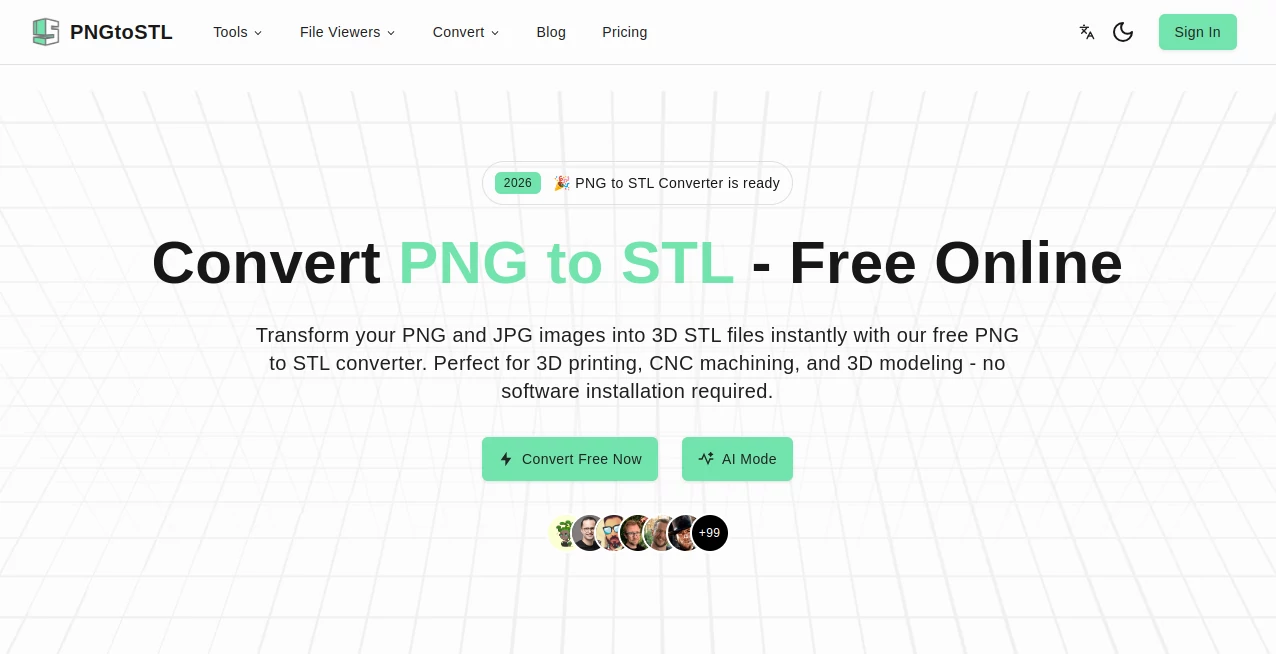
What is PNGtoSTL?
There's something oddly satisfying about taking a simple logo, icon, or even a child's drawing and watching it rise up into a real, touchable 3D object. This tool makes that leap feel effortless. Upload any PNG, tweak a couple of sliders if you feel like it, and a few seconds later you have a clean STL file ready for your 3D printer. I've seen people turn their business logos into desk nameplates, wedding invites into keepsake ornaments, and pixel art into little game figurines—all without touching Blender or paying for complex software. The joy comes from how quickly an idea on a flat screen becomes something you can hold.
Introduction
Most people assume turning a 2D image into a printable 3D model requires hours of modeling skill or expensive CAD programs. This platform quietly proves otherwise. It specializes in the one thing it does extremely well: lifting grayscale or simple-color images into solid, printable geometry with believable depth and clean topology. No account needed, no watermarks on downloads, no learning curve. Hobbyists, Etsy sellers, educators, and small makers have quietly made it part of their workflow because it removes the biggest barrier—time—and delivers results that actually print nicely. When a five-minute experiment turns into a physical object on your desk the next day, you start to wonder why everything isn't this straightforward.
Key Features
User Interface
The page is blissfully minimal: a large drop zone that says "Drop your PNG here," a few intuitive sliders for height, base thickness, and smoothing, and a prominent "Generate STL" button. Preview renders appear almost instantly so you can see the depth effect before committing. Everything is right there—no hidden menus, no forced sign-up. It feels like the creators understood exactly how impatient makers can be when inspiration strikes.
Accuracy & Performance
It reads grayscale values intelligently—darker areas become deeper recesses, lighter areas rise higher—producing smooth gradients instead of jagged steps. Edges stay crisp without excessive aliasing, and the resulting mesh is watertight with decent triangulation. Generation is fast (usually 3–15 seconds), even for higher resolutions. Prints come out clean with minimal supports needed, especially on simpler designs. The consistency across image types—from sharp logos to soft watercolor art—is one of its quiet strengths.
Capabilities
Converts any PNG (transparent background recommended) into solid STL with adjustable extrusion height, optional base plate, smoothing levels to reduce faceting, and support for both relief (raised design) and intaglio (engraved) styles. It handles logos, icons, pixel art, line drawings, heightfield-style images, and even simple photos converted to grayscale. Outputs are manifold, print-ready meshes suitable for FDM, resin, or even CNC routing. Multiple variations can be generated quickly to find the perfect depth and look.
Security & Privacy
Your uploaded images are processed in memory and deleted immediately after download—no permanent storage, no accounts required for basic use. No data is used for training or shared. For personal photos, client logos, or proprietary designs, that zero-retention policy provides real peace of mind.
Use Cases
A graphic designer turns client logos into custom desk plaques as thank-you gifts—clients are delighted by the tangible result. A teacher converts student drawings into 3D prints for an end-of-year showcase; the kids are thrilled to hold their art. An Etsy seller creates raised-relief jewelry pendants from simple line art—sales jump because the pieces feel premium. A maker recreates pixel-art game sprites as little figurines for their desk. Wherever a flat design wants to become something you can touch, this tool makes it happen fast and affordably.
Pros and Cons
Pros:
- Results are clean, printable, and surprisingly detailed for an automated process.
- Extremely fast—idea to STL in under 30 seconds most of the time.
- Adjustable parameters give real creative control without complexity.
- Completely free for personal use with no watermarks or forced sign-up.
- Mesh quality is good enough for FDM, resin, and even light CNC work.
Cons:
- Best with high-contrast, simple images—very busy or low-contrast photos can produce muddy results.
- No advanced sculpting or multi-layer height options (keeps it simple, but limits complexity).
- Larger images or very high detail may need downscaling first for optimal speed.
Pricing Plans
Everything is free for personal and non-commercial use—no hidden catches, no watermarks, no daily limits that sting. Commercial users (Etsy sellers, small businesses) can purchase a one-time commercial license that removes any usage restrictions and supports continued development. The model keeps the barrier low so anyone can experiment, while rewarding heavy or professional users who want unrestricted rights. It's one of the fairest approaches I've seen in this space.
How to Use Normal Map Generator
Drag your PNG into the upload area (transparency helps keep the base clean). Adjust height (how tall the raised parts become), base thickness (for stability), and smoothing level (to reduce faceting). Choose relief (raised design) or intaglio (engraved) mode. Hit generate—preview appears in seconds. Tweak sliders if needed, then download the STL. Slice in your favorite slicer (Cura, PrusaSlicer, etc.) and print. The whole process can take under a minute once you're familiar.
Comparison with Similar Tools
Older image-to-3D converters often produce jagged, over-detailed meshes that need heavy cleanup. This one delivers smoother, more printable geometry with better edge handling and fewer artifacts. Where some tools lock features behind subscriptions or add watermarks, this keeps things open and honest. Speed, simplicity, and output quality make it a clear favorite for makers who just want usable STLs without drama.
Conclusion
Turning 2D into 3D shouldn't require a degree in 3D modeling or hours of frustration. This tool proves that with smart defaults and minimal controls, anyone can go from flat image to physical object in minutes. It's empowering for hobbyists, practical for small businesses, and inspiring for educators and creators who want to bridge digital and tangible worlds. When your sketch becomes something you can hold, rotate, and show off, the creative loop feels complete—and that feeling is addictive.
Frequently Asked Questions (FAQ)
What kind of images work best?
High-contrast PNGs with transparent background—logos, icons, line art, pixel art, simple silhouettes. Photos can work if converted to grayscale/high-contrast first.
Can I print the results directly?
Yes—STLs are watertight and ready for slicing in Cura, PrusaSlicer, Chitubox, etc.
Is it really free?
Yes for personal/non-commercial use—no watermarks, no forced sign-up, no daily limits that hurt.
Commercial use allowed?
One-time commercial license available—affordable and removes all restrictions.
How detailed can the output be?
Excellent for medium-detail reliefs (logos, icons, simple scenes); very fine pixel art or ultra-detailed photos may need simplification first.
AI 3D Model Generator , Photo & Image Editor , AI Image to 3D Model , AI Design Generator .
These classifications represent its core capabilities and areas of application. For related tools, explore the linked categories above.
PNGtoSTL details
This tool is no longer available on submitaitools.org; find alternatives on Alternative to PNGtoSTL.
Pricing
- Free
Apps
- Web Tools
Categories

PNGtoSTL Alternatives Product
genie3

Beardless Fi…

Just Christm…

ai image cre…

Gpt Image 1.5

Nano Banana 2
Photoshoot

Square Image

PostPlus AI
